

Available on SaaS with FlowX.AI 5.13. This feature is live on managed (SaaS) deployments now. Self-hosted deployments will receive it with the next LTS release family.
Overview
Move token is a corrective action that takes the active token of a running process instance off the node it is stuck on and places it on another node of the same process. Use it when instances are blocked on a node and you want them to resume somewhere else, for example to skip a step that cannot complete or to send them back to repeat one. It runs in bulk from the Corrective Actions page, on one or many instances at once, and the instances keep running on the build they started on.Eligibility
Prerequisites
SaaS · 5.13Available on SaaS with FlowX.AI 5.13. This feature is live on managed (SaaS) deployments now. Self-hosted deployments will receive it with the next LTS release family.
Move tokens
1
Open Move Tokens
Go to Runtime → Runtime Control → Corrective Actions, open the menu (three dots, top right) and select Move Tokens.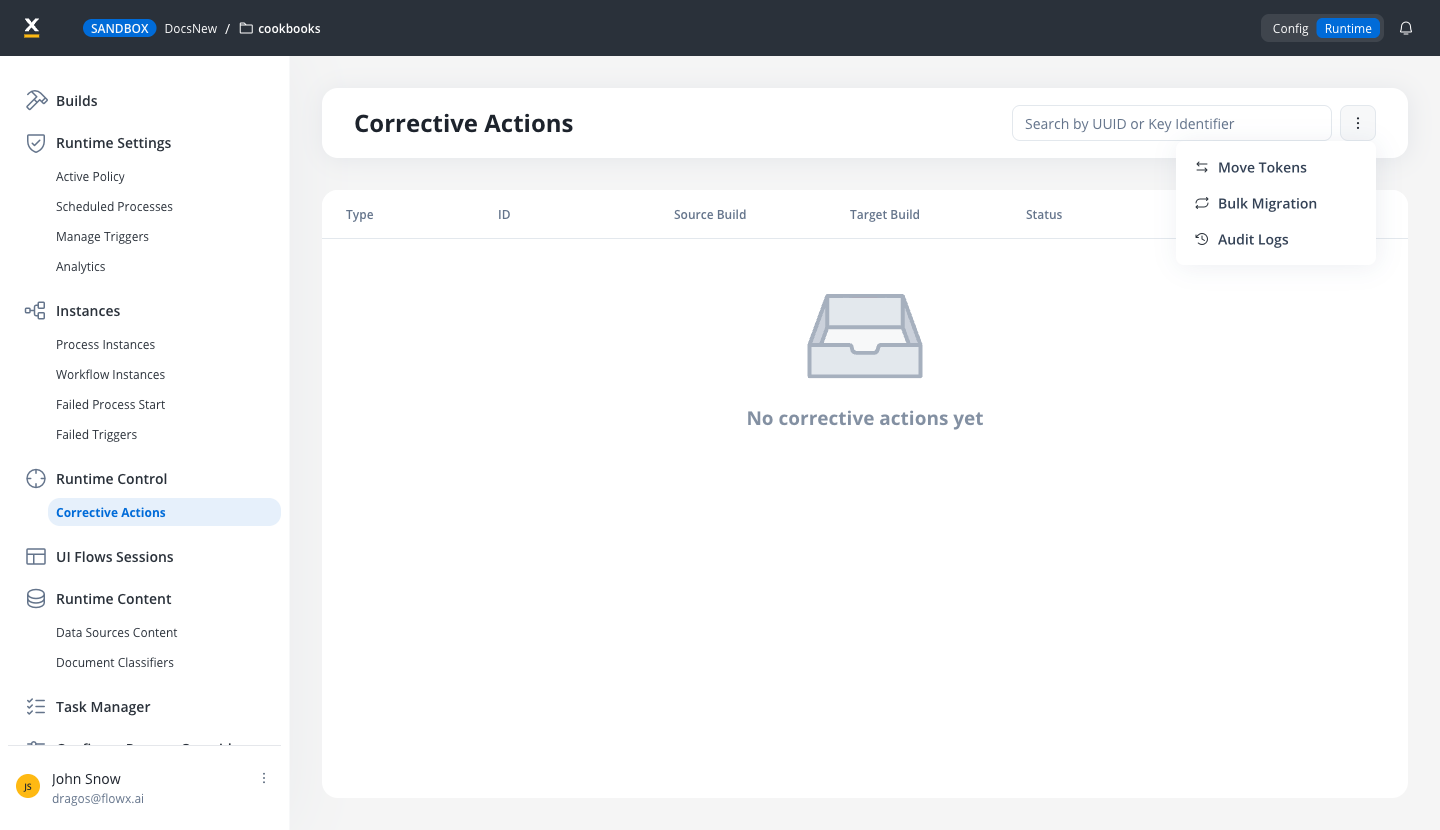
2
Choose the instances
In the Move tokens modal, under Which instances do you want to move tokens on?, pick a selection mode and fill in its fields; see Choosing the instances. Click Continue.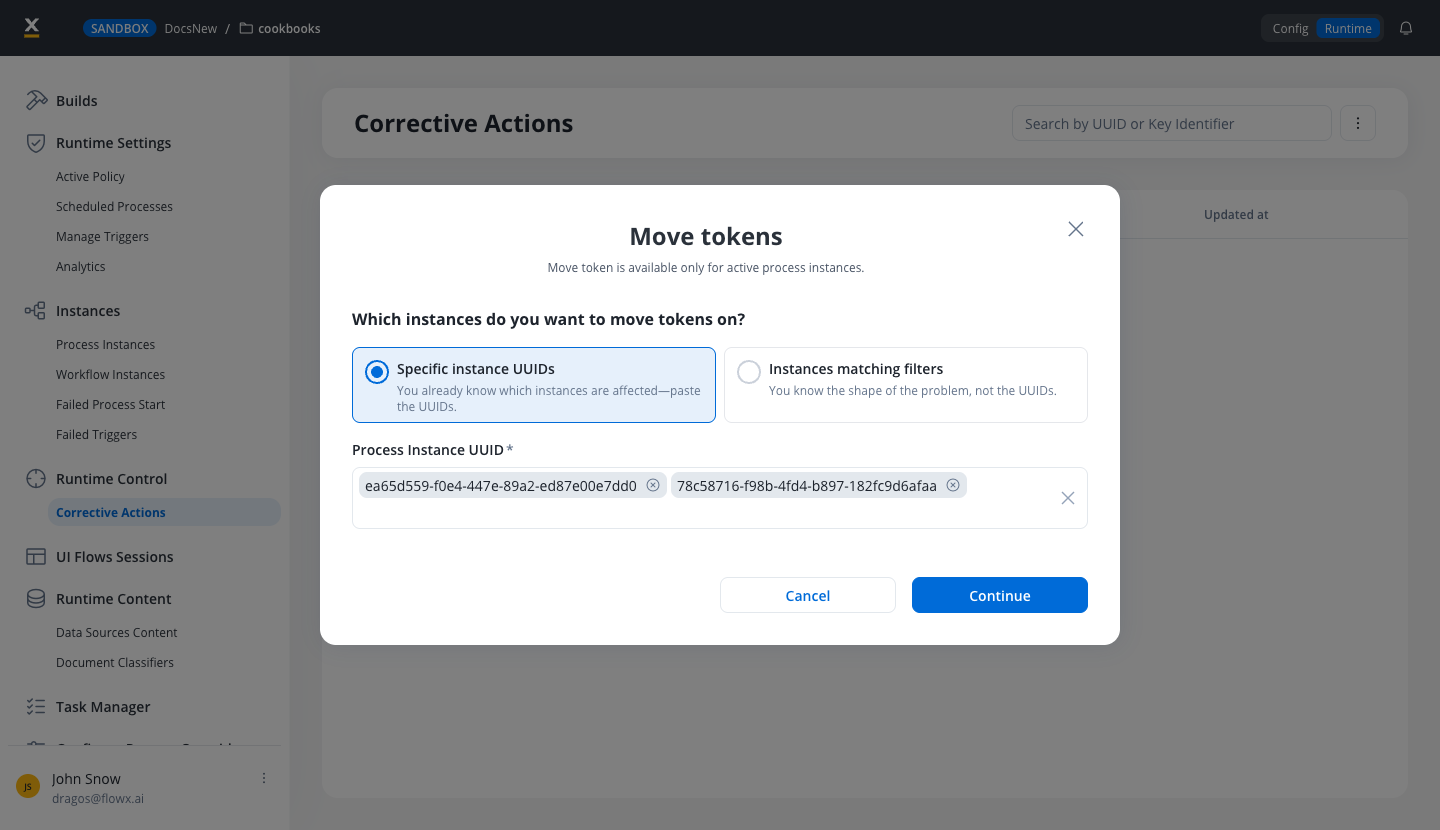
3
Set the token destinations
The Move Token Configuration page lists each process that has running instances in your selection. For each one, click Move Token to add a row, then choose: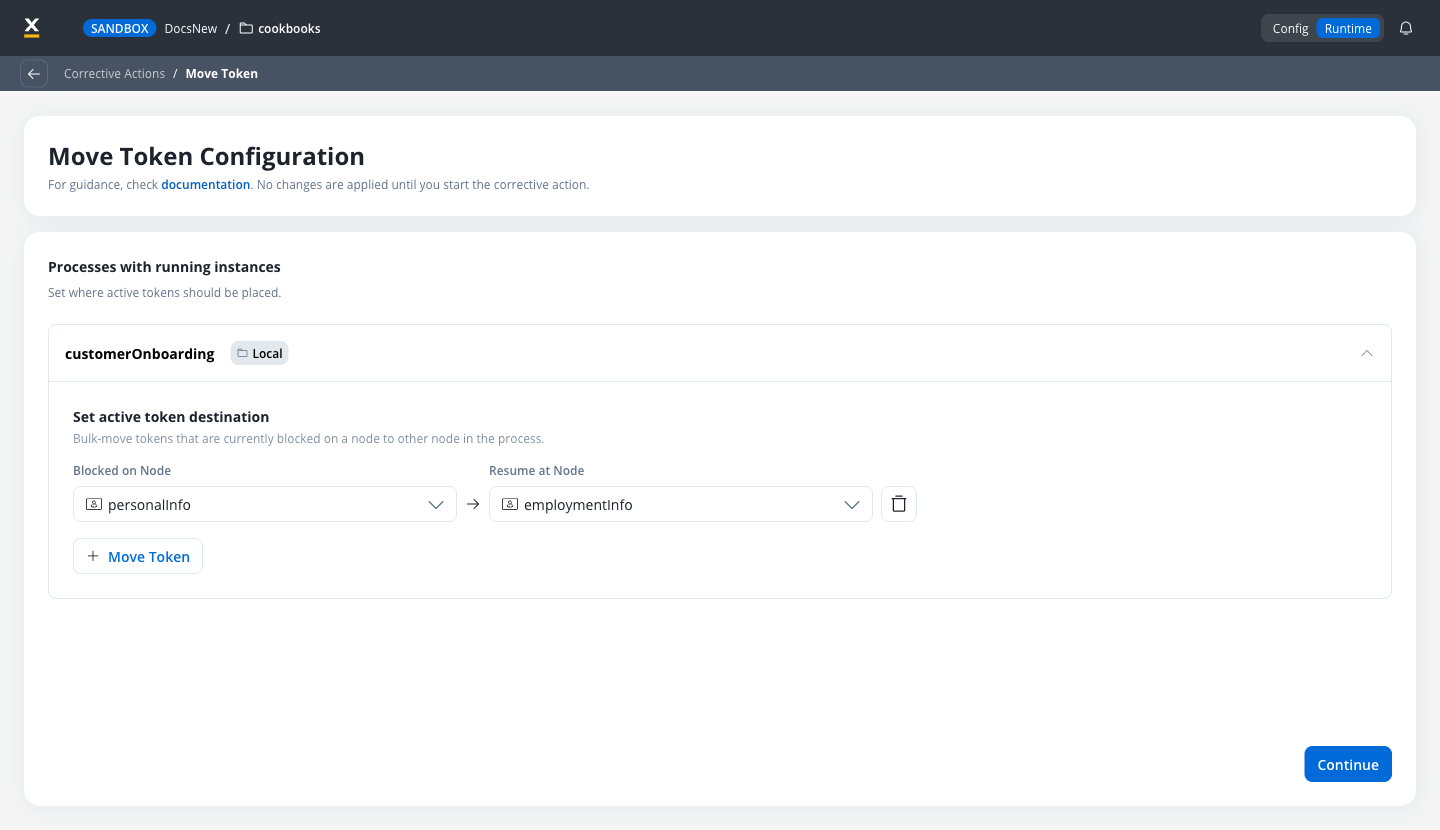
- Blocked on Node: the node the tokens currently sit on. Only nodes where the selected instances have tokens are offered.
- Resume at Node: the node the tokens should move to.
4
Review and start
The Move Token Summary lists the processes and the number of tokens that will move in each. Click Start Move Token to run it, or Back to Setup to change the configuration.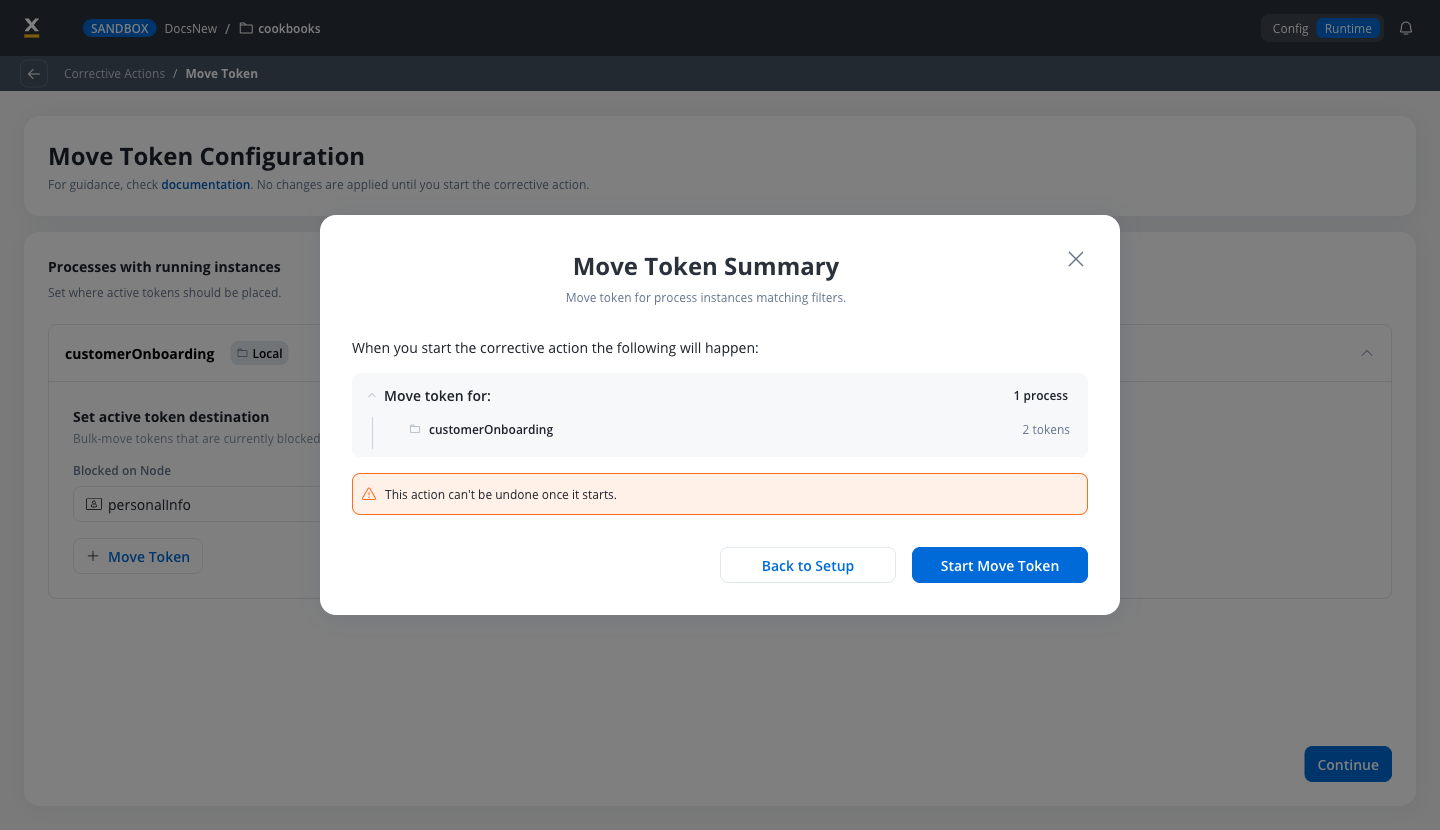
5
Track the result
The run continues in the background, so you can close the progress window and keep working. Track it on the Corrective Actions page; see Track the run.
Choosing the instances
The modal offers two selection modes:
Specific instance UUIDs takes comma-separated UUIDs in the Process Instance UUID field, up to 100 in one run. The instances can be running on different builds. If any UUID is invalid or not eligible, the modal flags it so you can correct the list.
Instances matching filters selects instances on one build per run:
What happens to a moved token
When a token moves, the instance is paused for the duration of the move, then:- The original token is closed with the Moved status and stays in the instance history.
- A new token is created on the destination node, carrying the earlier history. The destination node runs from the start, so its actions execute again.
- Only the tokens you picked are affected. Other tokens of the same instance keep running.
- Process data is not changed. If the destination node expects data that earlier steps never produced, update the process variables as well.
- Moving a token backward removes the history from the destination node onward, so the instance replays those steps.
- Tokens that descend from the moved token are aborted, and subprocesses started by actions on the node being left are cancelled.
- Timers on the node being left are stopped. Timers on the destination node are created again, with a fresh start time.
- Moving a token onto the end node of an embedded subprocess returns the token to the parent process.
Parallel gateways
Inside a parallel section, a token can move only to a node on its own branch. Moving it to a node on another branch is rejected. A token outside a parallel section can move past a complete parallel section, split and join included.Track the run
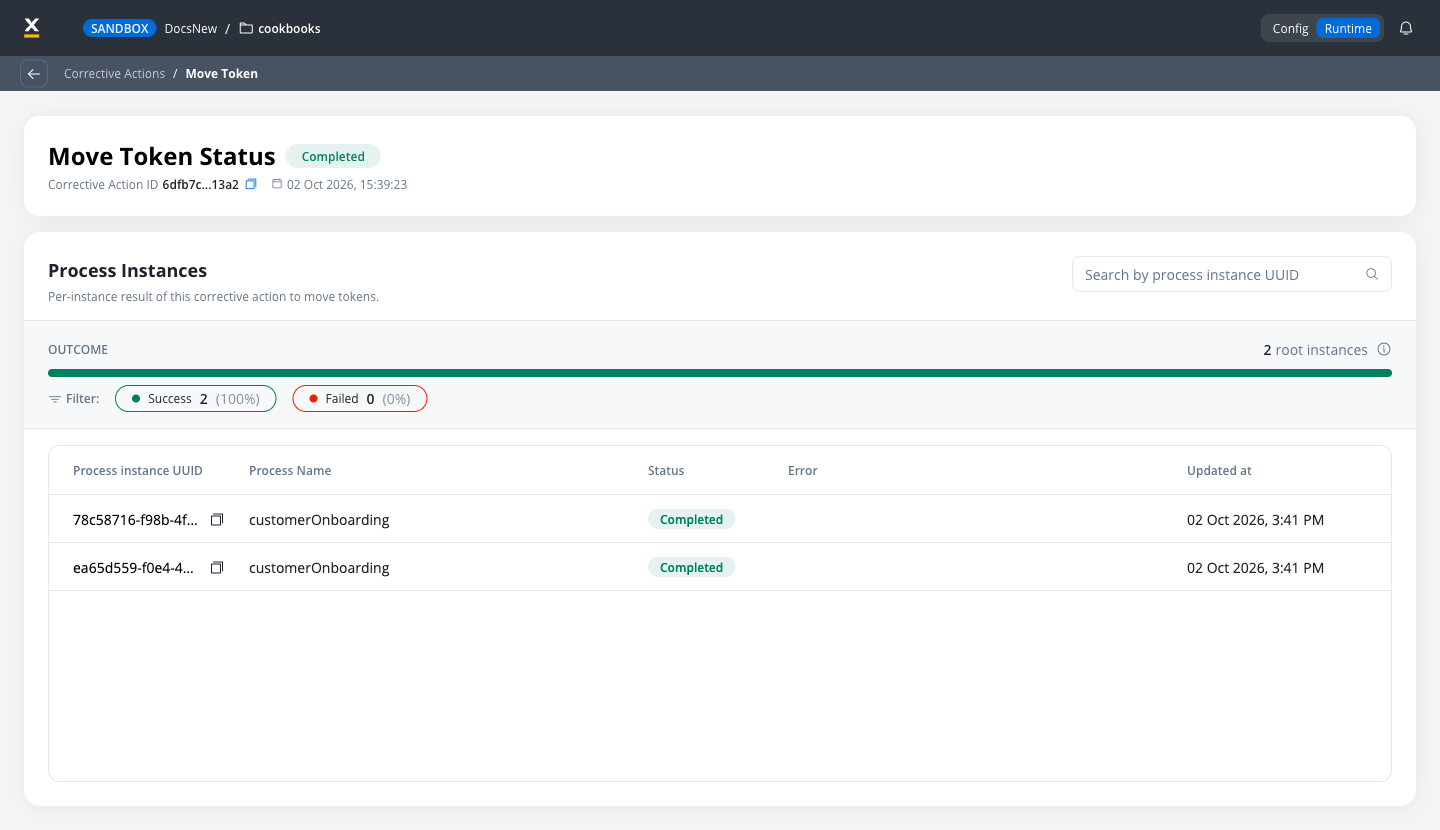
Each run appears on the Corrective Actions page with the Move Token type and its status: Draft, Initialized, Pending, In Progress, Completed, or Failed.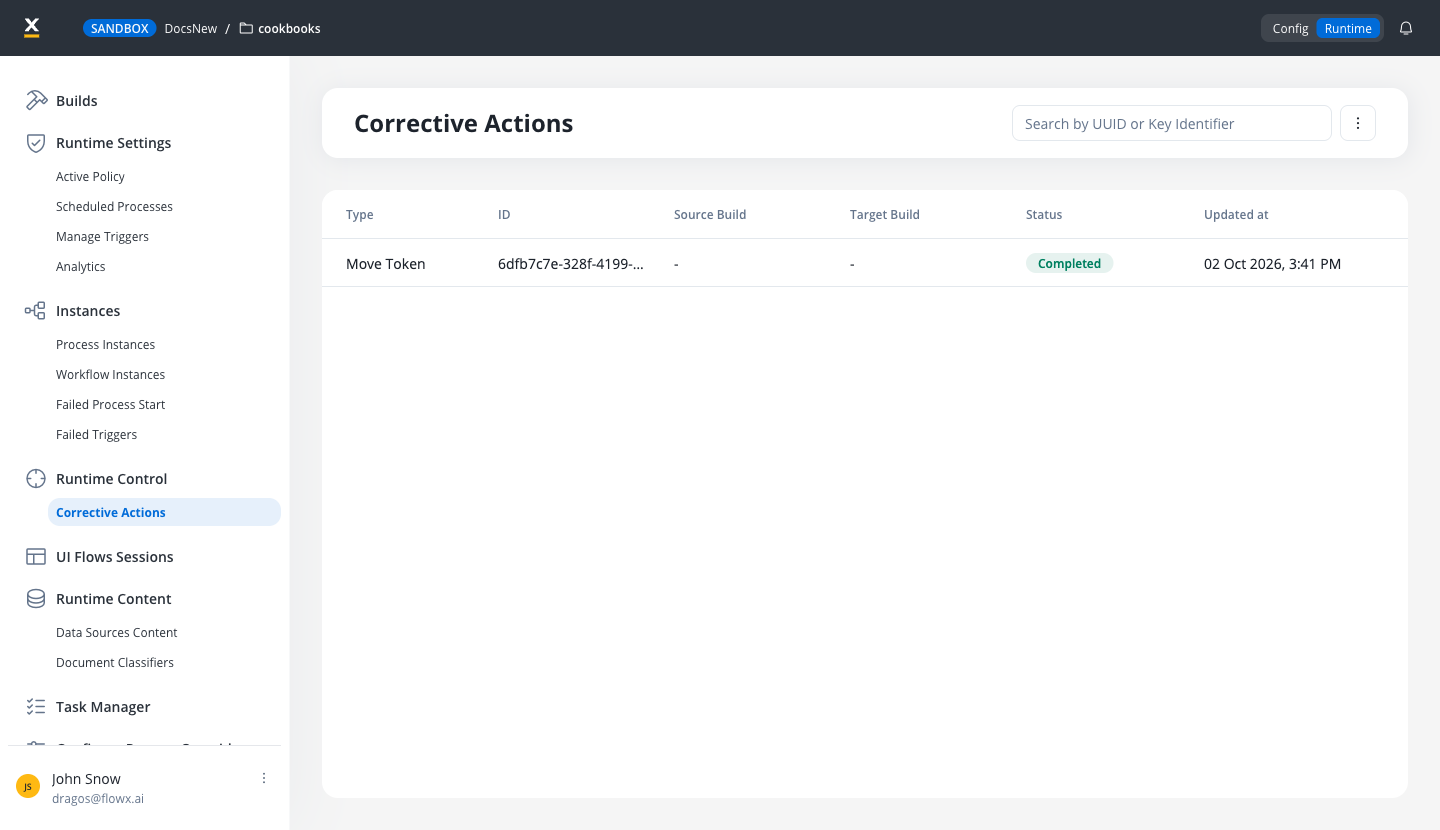
Audit trail
Every move token run is recorded in the audit log, attributed to the user who started it:- One entry for the run itself, identified by the corrective action ID. The entry records success, or an error with the number of instances whose tokens failed to move.
- One entry per instance, with the Process Instance subject and the instance identifier.
Limitations
Related resources
Migrate process instances
Move running instances to another build of the same process.
Update process variables
Correct the data a running instance is carrying.
Process instance
Monitor instance status, tokens, and canvas color coding.
Roles and permissions matrix
Workspace roles and the permissions they grant.