

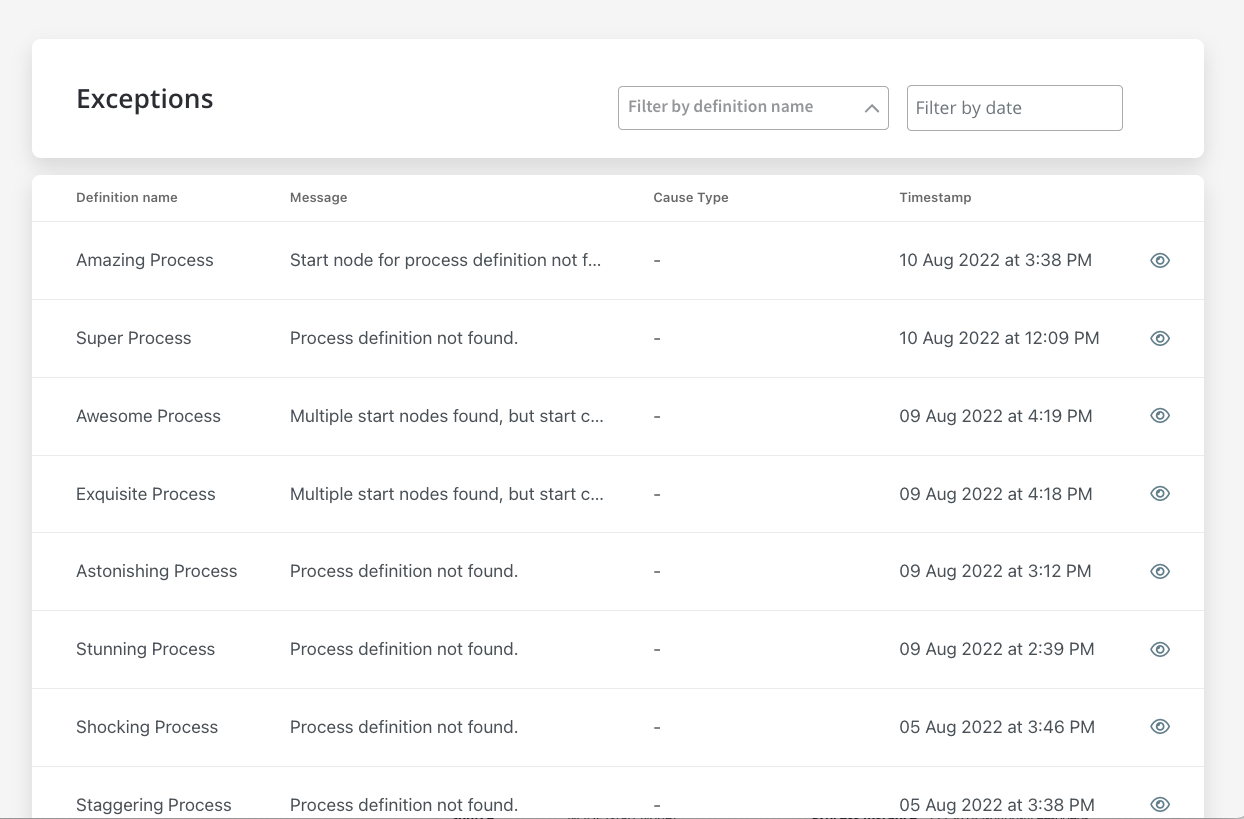
- Failed process start tab from Active process menu in FlowX.AI Designer.
- Process Status view, accessible from Process instances list in FlowX.AI Designer.
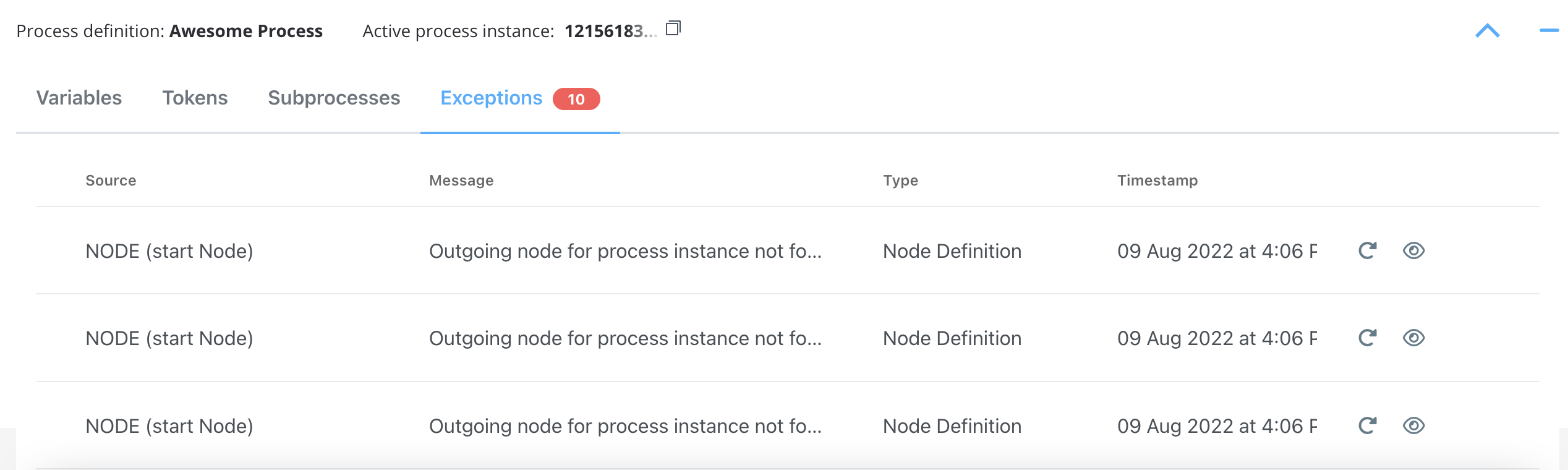
If you open a process instance and it does not contain exceptions, the Exceptions tab will not be displayed.
Exceptions data
When you click view button, a detailed exception will be displayed.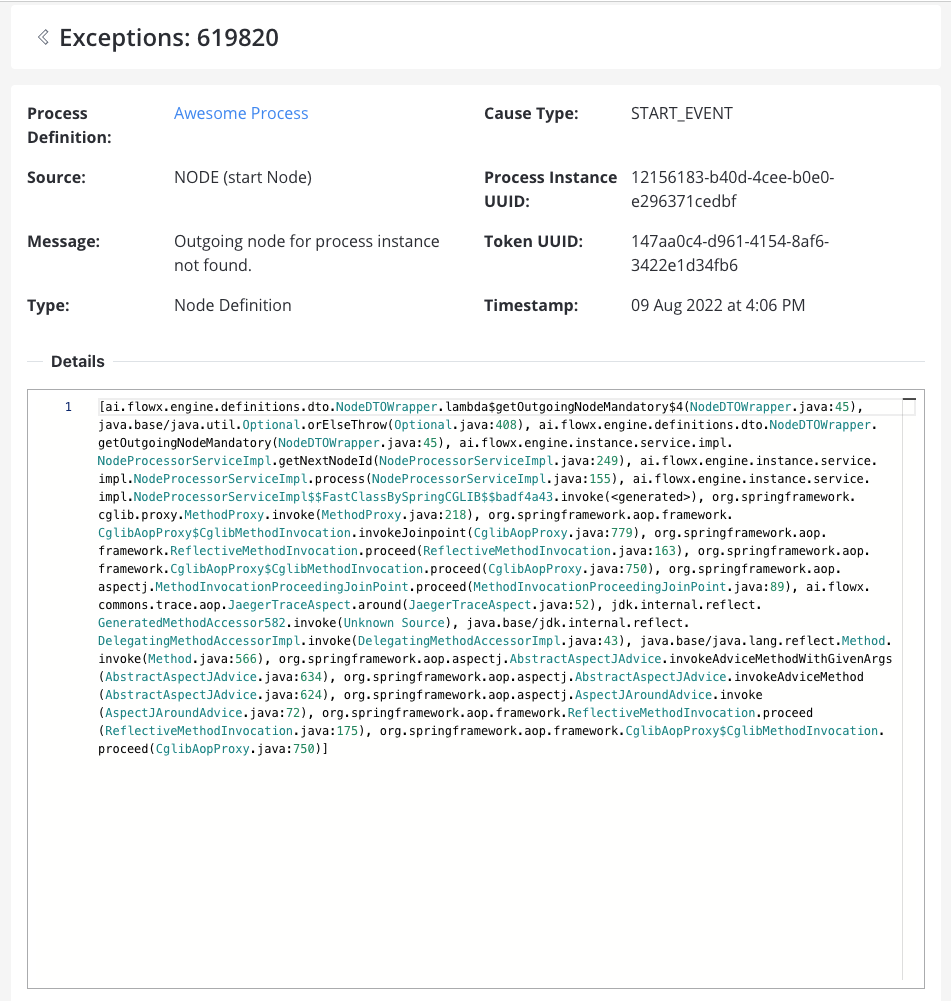
- Process Definition: The process where the exception was thrown.
- Source: The source of the exception (see the possible type of sources below).
- Message: A hint type of message to help you understand what’s wrong with your process.
- Type: Exception type.
- Cause Type: Cause type (or the name of the node if it is the case).
- Process Instance UUID: Process instance unique identifier (UUID).
- Token UUID: The token unique identifier.
- Timestamp: The default format is -
yyyy-MM-dd'T'HH:mm:ss.SSSZ. - Details: Stack trace (a stack trace is a list of the method calls that the process was in the middle of when an Exception was thrown).