

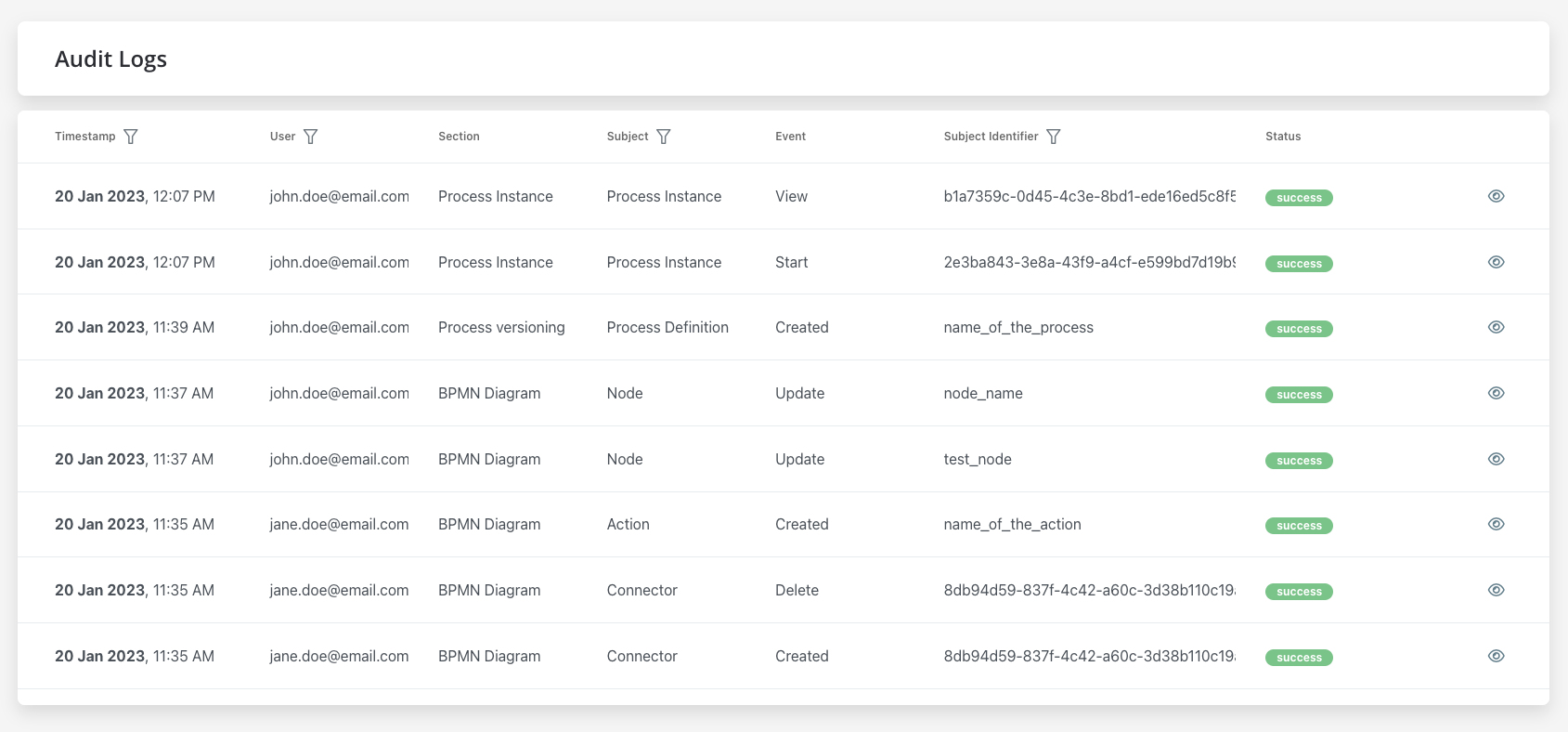
- Timestamp - the date and time the event occurred, the timestamp is displayed in a reversed chronologically order
- User - the entity who initiated the event, could be a username or a system
- Subject - the area or component of the system affected by the event
Possible values
Possible values
- Process Instance
- Process variables
- Token
- Task
- Exception
- Process definition
- Node
- Action
- UI Component
- General Settings
- Swimlane
- Swimlane Permissions
- Connector
- Enumeration
- Enumeration Value
- Substitution Tag
- Content Model
- Language
- Source System
- Image
- Font file
- Custom Component
- Reusable UI Template
- Reusable Business Rule
- UI Flow
- End-user group
- End user
- Runtime access
- Designer user
- Workflow Instance (SaaS · 5.11)
- Bulk Migrate Process Instances (SaaS · 5.12)
- Event - the specific action that occurred
Possible values
Possible values
- Create
- Update
- Update bulk
- Update state
- Edit
- Export
- Import
- Delete
- Clone
- Start
- Start with inherit
- Advance
- View
- Expire
- Message Send
- Message Receive
- Notification receive
- Run scheduled action
- Execute action
- Finish
- Dismiss
- Retry
- Abort
- Assign
- Unassign
- Hold
- Unhold
- Invite
- Bulk invite
- Resend invite
- Share
- Update password
- Add user to end-user group
- Remove user from end-user group
- Assigned to end-user group
- Removed from end-user group
- Render (SaaS · 5.11)
- Request conversation history (SaaS · 5.11)
- Request list of conversations (SaaS · 5.11)
- Migrate (SaaS · 5.12)
Available starting with FlowX.AI 5.9.2Audit coverage extends to user and access management operations: the End-user group, End user, Runtime access, and Designer user subjects, together with the invite, share, password update, and end-user group membership events. Group membership changes are recorded from both perspectives — as an event on the group (user added or removed) and on the user (assigned or removed).Starting with FlowX.AI 5.9.3, workspace and project membership changes are also recorded from the user’s perspective.Calls made from a UI Flow to workflow and process resources are audited as well (SaaS · 5.11). This adds the Workflow Instance subject, together with the Render, Request conversation history, and Request list of conversations events. These entries also carry the app and workflow instance names.Bulk migration of process instances between builds is audited as well (SaaS · 5.12). This adds the Bulk Migrate Process Instances subject and the Migrate event: one entry per migration run, plus one Migrate entry on the Process Instance subject for every migrated instance, all attributed to the user who started the migration.
- Subject identifier - the name related to the subject, there are different types of identifiers based on the selected subject
- Version - the version of the process definition at the time of the event
- Status - the outcome of the event (e.g. success or failure)
Filtering
You can filter audit records by event date and by selecting specific options for User, Subject, and Subject Identifier.- Filter by event date
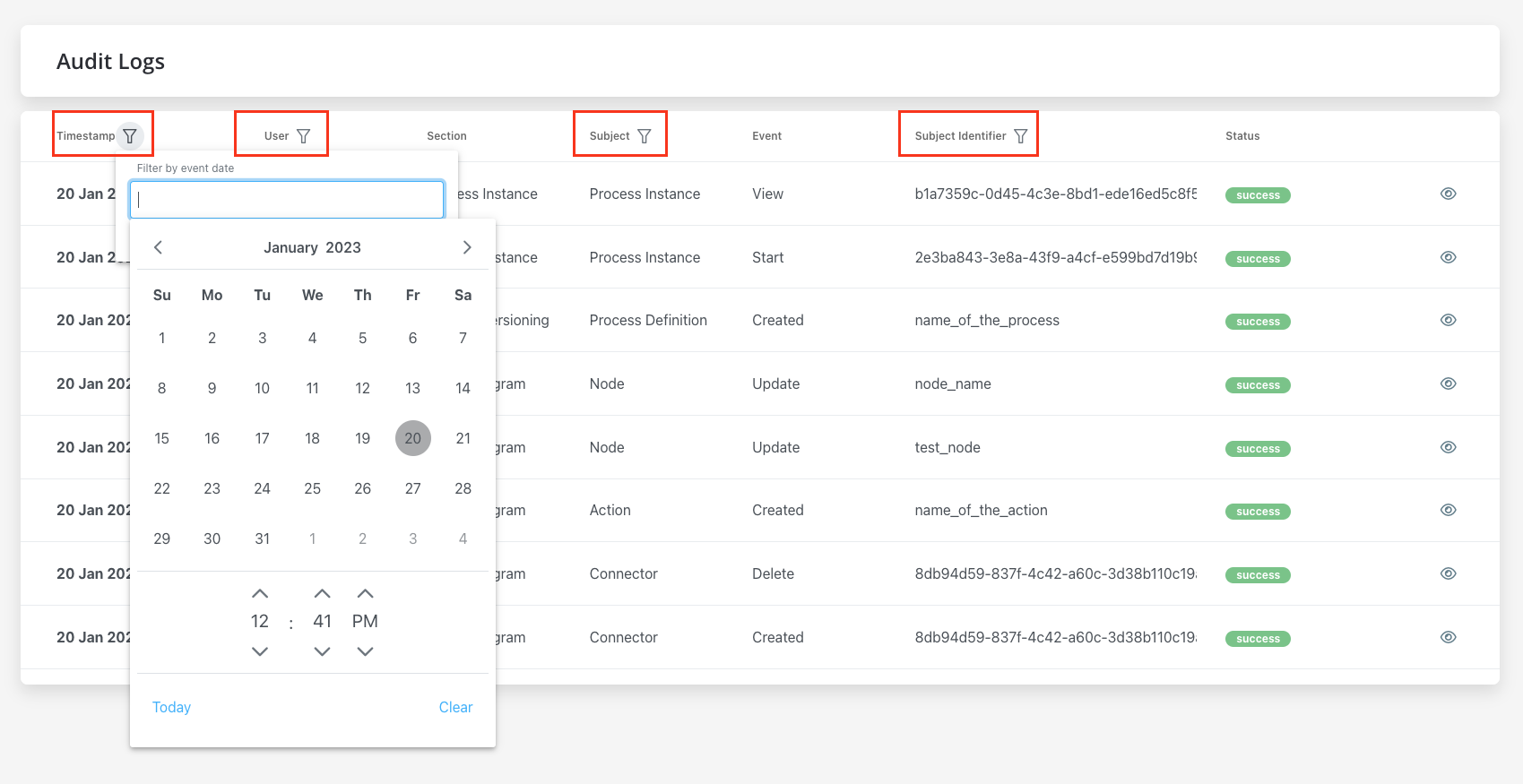
- User - single selection, type at least 4 characters
- Subject - single selection
- Subject identifier - exact match
The audit trail captures everything by design: every change is recorded and persisted whether it was performed by a person, a system actor, or a service account, and no setting excludes events at capture time — completeness is what makes it an audit trail. Filtering happens only when reading the log. The User filter is a positive selection — you pick one author to view, so narrowing to human users means selecting them, not excluding system actors.
Audit log details
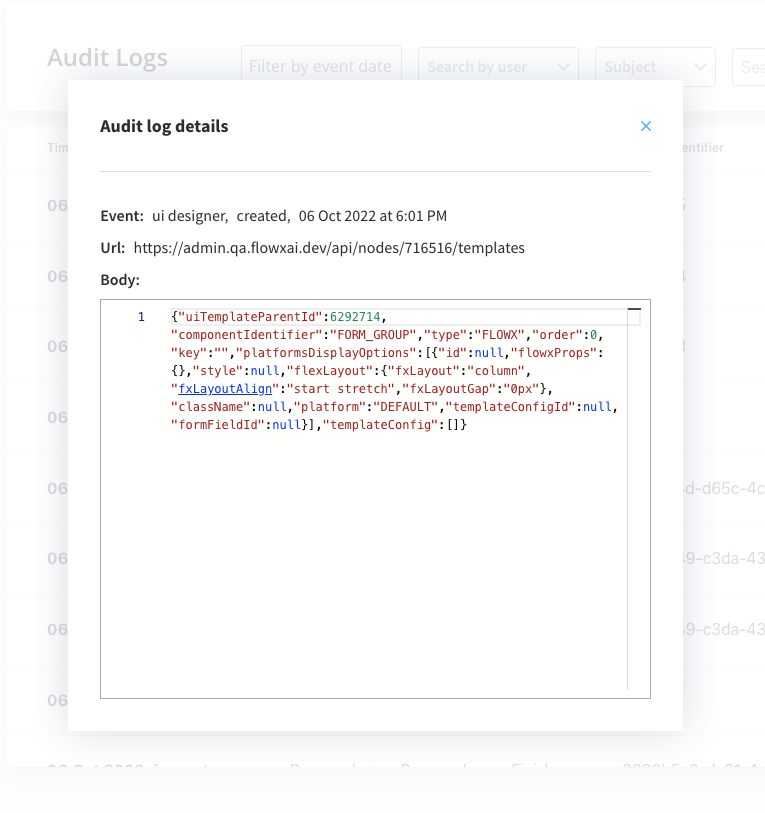
To view additional details for a specific event, click the eye icon on the right of the event in the list. Additional information available in the audit log details window includes Here you have the following information:- Event - the specific action that occured
- URL - the URL associated with the event
- Body - any additional data or information related to the event
Audit setup
More details on how to deploy Audit microservice