

Overview
Unmanaged MongoDB is a data source type that lets you connect FlowX workflows to external MongoDB databases that your organization manages independently. Unlike the built-in FlowX Database — which provisions and manages MongoDB collections automatically — Unmanaged MongoDB connects to existing databases and collections you control.Use your infrastructure
Connect to MongoDB instances you already manage, including Atlas, self-hosted, or cloud-managed deployments
Same operations
Use the same CRUD operations (find, insert, update, delete) as FlowX Database
Connection discovery
Browse available databases and collections directly from the Designer after connecting
Connection pooling
Configure pool size, idle timeouts, and maintenance frequency per data source
Managed vs unmanaged MongoDB
Both FlowX Database (managed) and Unmanaged MongoDB are served by the same nosql-db-runner service. Managed collections are stored in nosql-db-runner’s own MongoDB database, while an Unmanaged MongoDB data source opens a separate, isolated connection to the external instance you specify — it never touches nosql-db-runner’s internal database. Point it at infrastructure you own and manage.
Prerequisites
- A MongoDB 6.0+ instance accessible from your FlowX deployment
- An existing database and collection on the target instance
- A MongoDB user with appropriate permissions (read, write, or both)
- Network connectivity between FlowX services and the MongoDB instance
- For TLS/SSL connections: appropriate certificates configured on the MongoDB instance
Creating an Unmanaged MongoDB data source
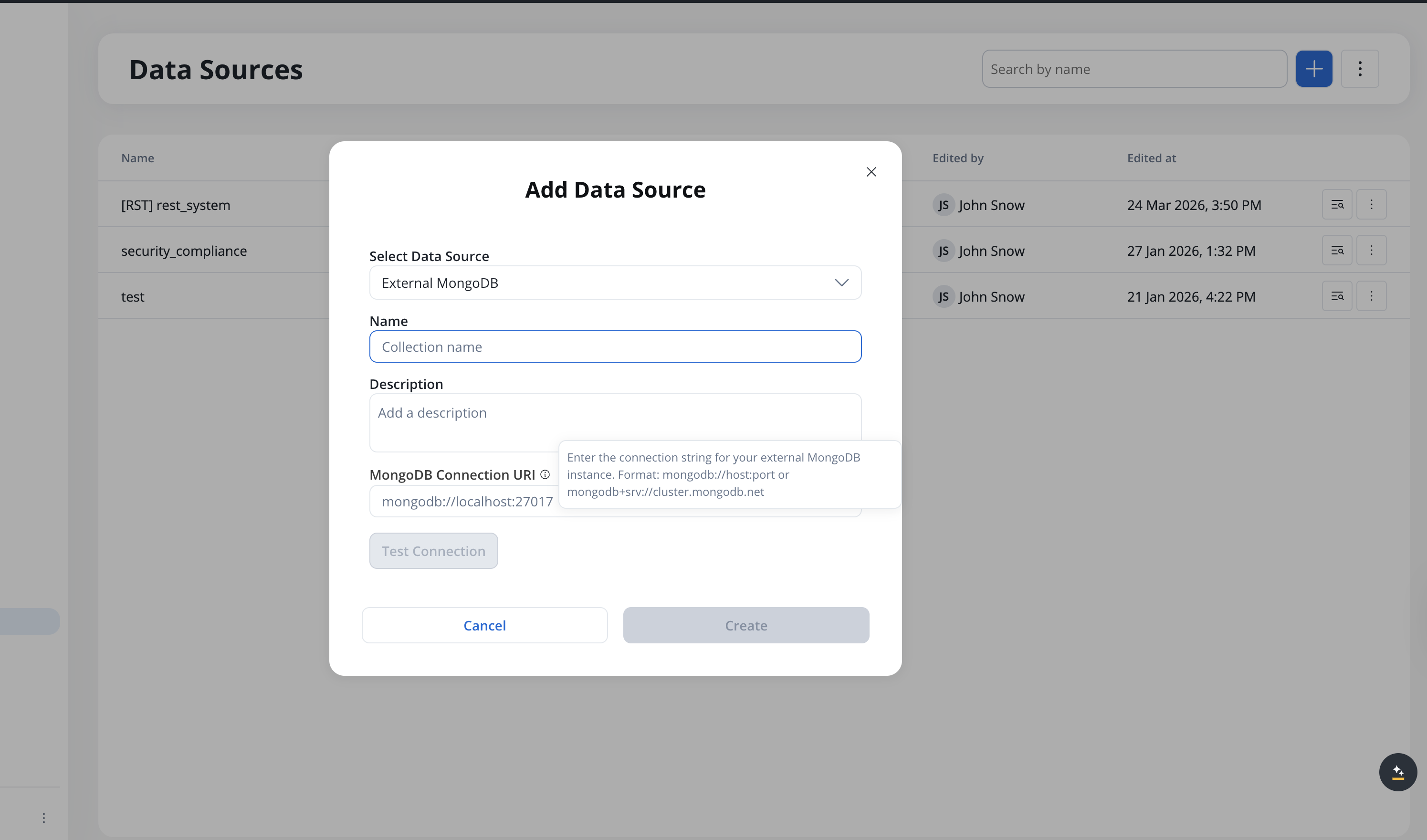
1
Open Data Sources
Navigate to Integrations → Data Sources in your project.
2
Create a new data source
Click New Data Source and select Unmanaged MongoDB as the type.
3
Configure the connection
Enter the MongoDB connection URI:Or standard format:
4
Test the connection
Click Test Connection to verify connectivity and credentials.
5
Select database and collection
After a successful connection test, browse available databases and select the target database. Then browse and select the target collection.
6
Configure authorization (optional)
In the Authorization tab, configure authentication if not embedded in the connection URI.
7
Save
Click Save to create the data source.
Connection pool configuration
Each Unmanaged MongoDB data source has its own connection pool. You can tune pool settings in the data source Settings tab:Operations
Unmanaged MongoDB supports the same operations as FlowX Database:
Operations are configured the same way as FlowX Database operations — with filters, projections, sorting, and parameter substitution using
${paramName} syntax. You can test operations directly in the Designer before using them in workflows.
The Documents tab on the data source page lets you browse documents in the collection with pagination, filtering, and sorting.
For details on configuring each operation, see the FlowX Database operations documentation.
Using in workflows
Unmanaged MongoDB data sources are used in workflows the same way as other data sources:1
Create operations
Define operations on the data source (find, insert, update, delete).
2
Add a Data Source node
Add a Data Source node to your workflow.
3
Select the data source
Select the Unmanaged MongoDB data source and operation.
4
Map parameters
Map input/output parameters in the data mapper.
Deployment
No additional microservices are required. Unmanaged MongoDB uses the existing nosql-db-runner service to execute operations against your external MongoDB instance. Ensure thenosql-db-runner service has network access to your MongoDB instance. If your MongoDB is behind a firewall, configure the appropriate network rules.
Related resources
FlowX Database
Managed MongoDB data storage within FlowX
Integration Designer
Overview of all data source types and workflow building
NoSQL DB Runner setup
Deployment configuration for the database runner service