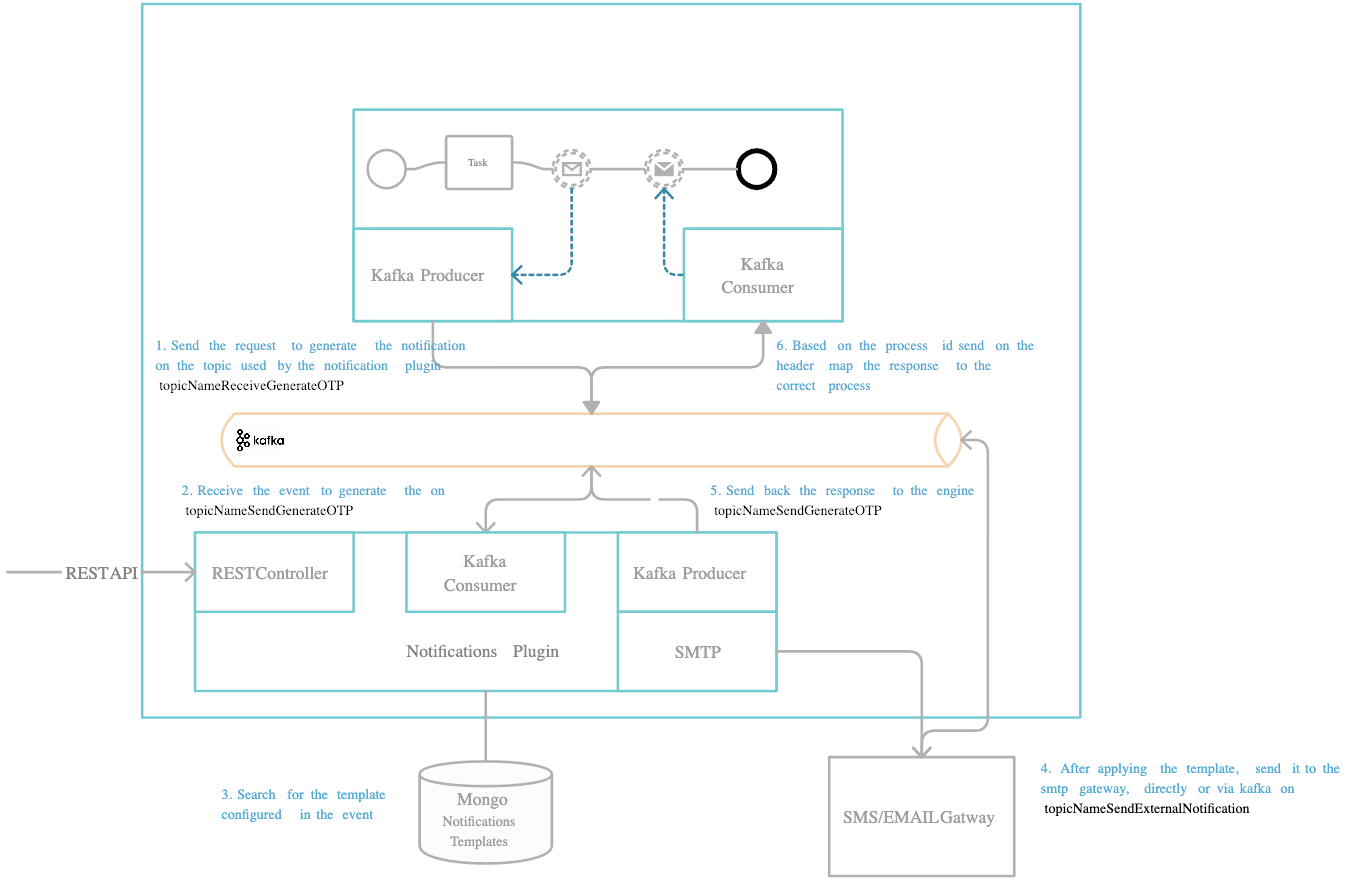
Define needed Kafka topics
DEVELOPER: Kafka topic names can be set/found by using the following environment variables in your Notifications plugin deployment:
KAFKA_TOPIC_OTP_GENERATE_IN— the OTP generate request is sent on this topic. Default:ai.flowx.plugin.notification.trigger.generate.otp.v1KAFKA_TOPIC_OTP_GENERATE_OUT— after the OTP is generated and sent to the user, the response is sent back to the Engine on this topic. Default:ai.flowx.engine.receive.plugin.notification.generate.otp.results.v1
The Engine is listening for messages on topics with names of a certain pattern, make sure to use an outgoing topic name that matches the pattern configured in the Engine.
Request to generate an OTP
Send the request on theKAFKA_TOPIC_OTP_GENERATE_IN topic. The body holds the following values:
You don’t send the OTP code yourself. The plugin generates it and automatically injects it into the template data under the reserved key
otpValue before rendering — see Notification template below.Notification template
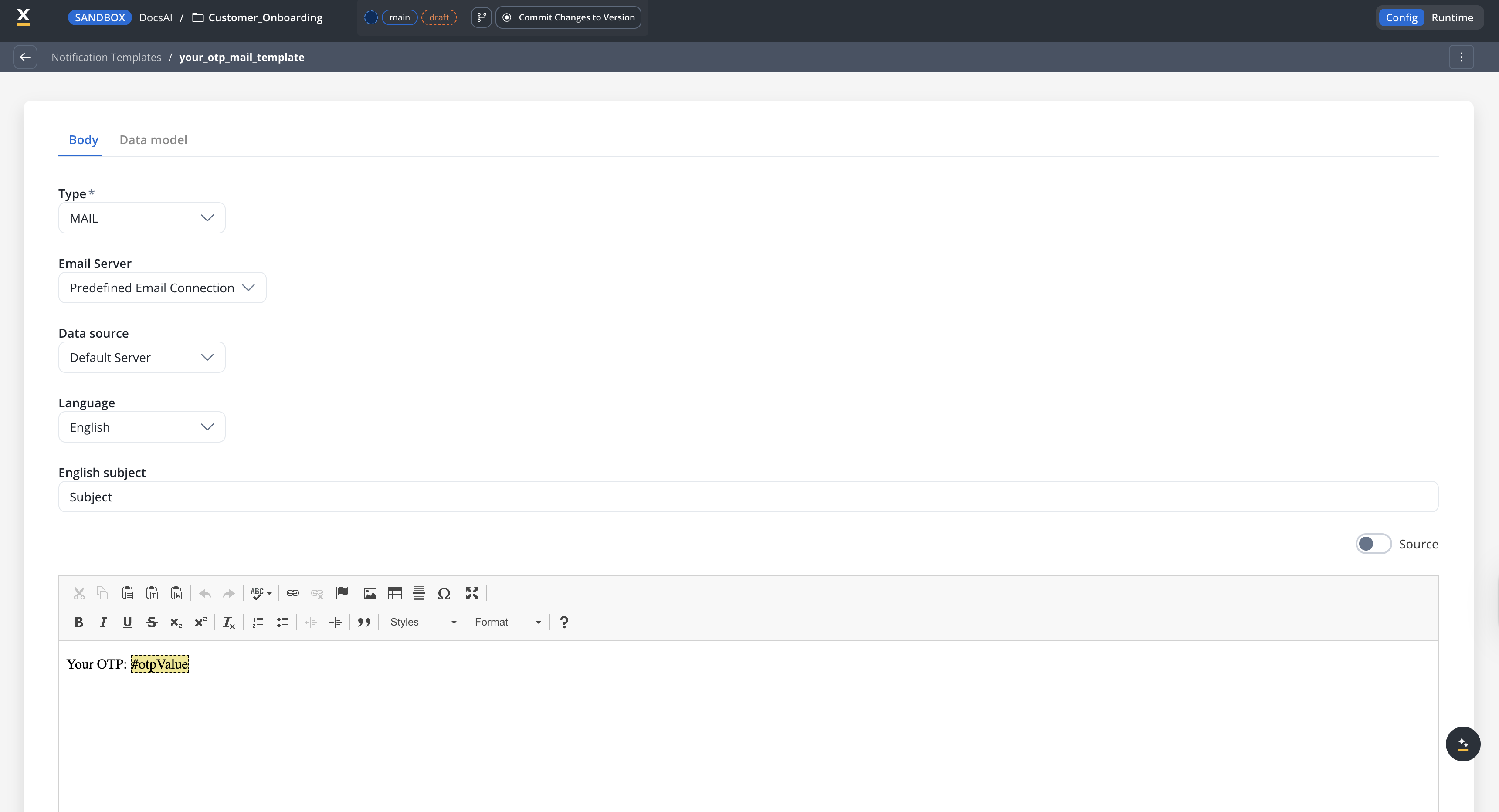
The OTP code is delivered using a notification template created in Content Management → Notification Templates. In the template Body, reference the generated code with the#otpValue placeholder (this maps to ${otpValue} in the Source view):
Available on SaaS with FlowX.AI . This feature is live on managed (SaaS) deployments now. Self-hosted deployments will receive it with the next LTS release family.
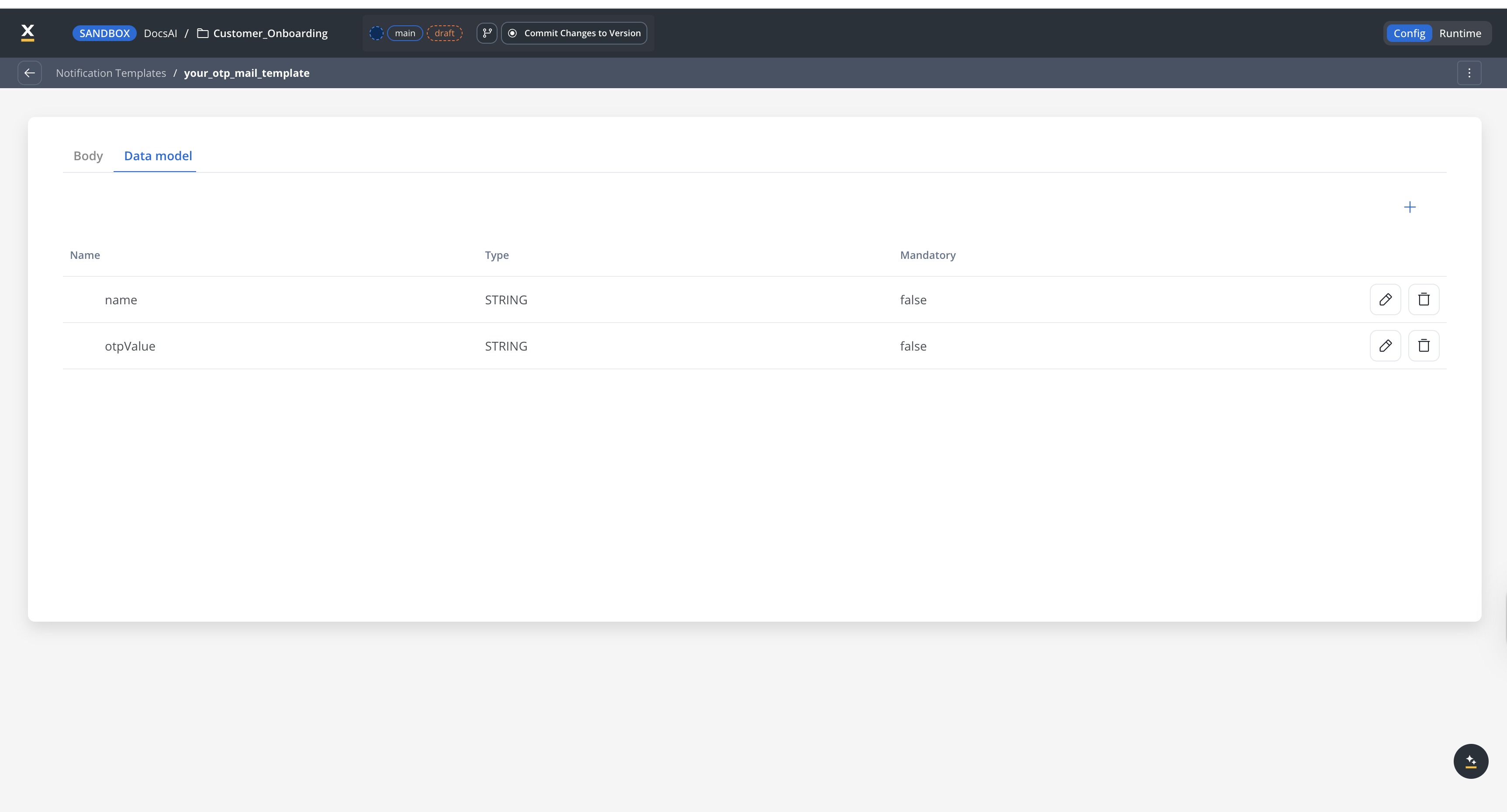
otpValue stays reserved and is still added automatically by the plugin. In the upcoming structured data model, you declare the attributes the template expects as typed data model attributes on the Data Model tab, then expose them on the Input Parameters tab. otpValue still holds the generated code; any other attributes (such as name) are still taken from the data object in the request.
In the template Data model, declare the parameters the template expects. otpValue holds the generated code; any other parameters (such as name) are taken from the data object in the request:
Response from generate OTP
The response is sent back to the Engine on theKAFKA_TOPIC_OTP_GENERATE_OUT topic. The reply body holds the following values:
Example: generate an OTP from a business flow
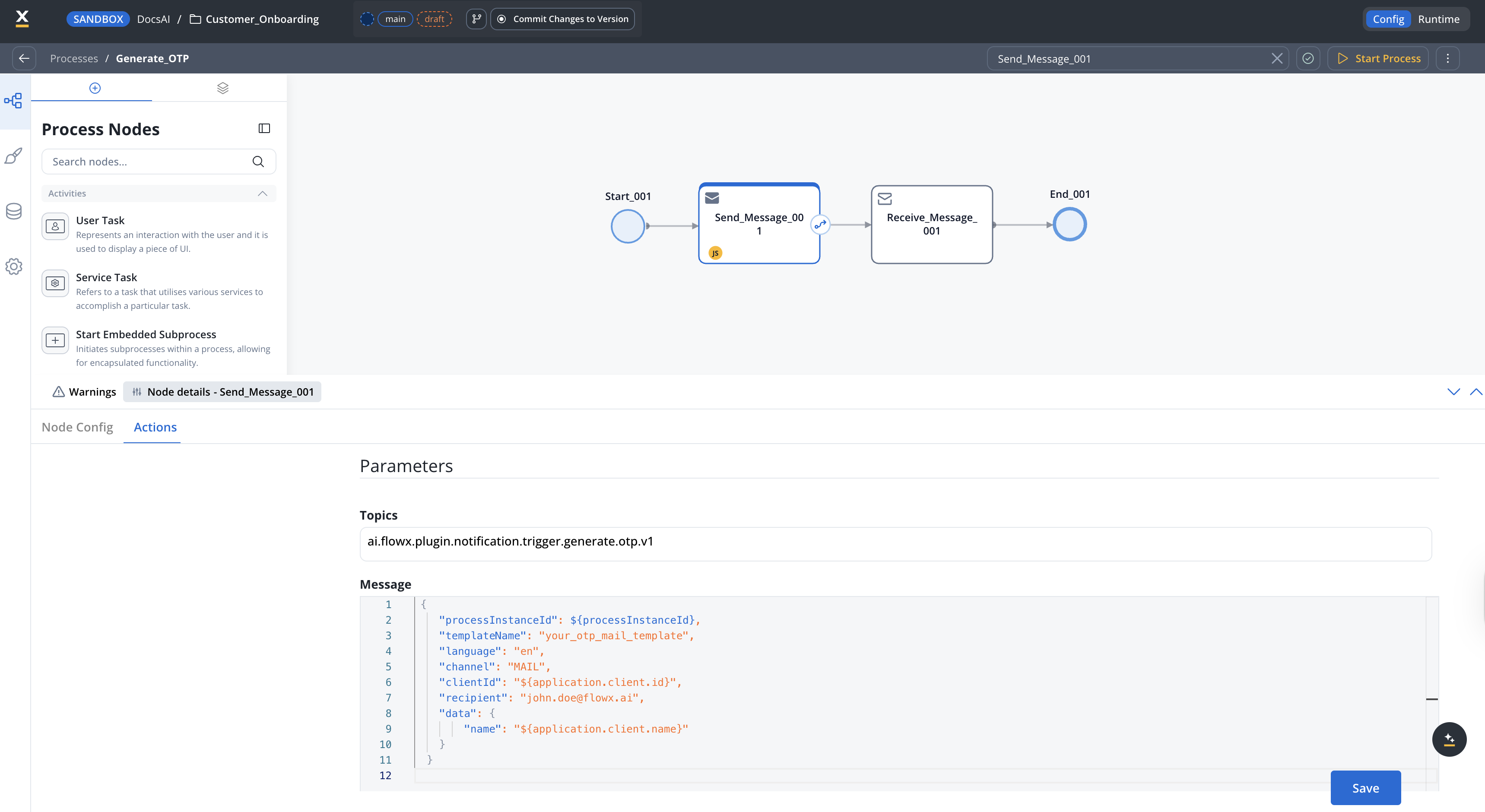
This example uses a simple process with a Kafka send node (to request the OTP) and a Kafka receive node (to capture the response): Identify the business identifier you will use to validate the OTP (for example, a user identification number).- Configure the notification template that you want to use (for example, a
MAILtemplate). - Make sure the Kafka communication through the
KAFKA_TOPIC_OTP_GENERATE_INtopic (send the OTP request) and the topic used to receive the response (KAFKA_TOPIC_OTP_GENERATE_OUT) is defined properly.
- Add a Kafka send action to the correct node in the process definition. Set the topic to
KAFKA_TOPIC_OTP_GENERATE_INand configure the message body:
-
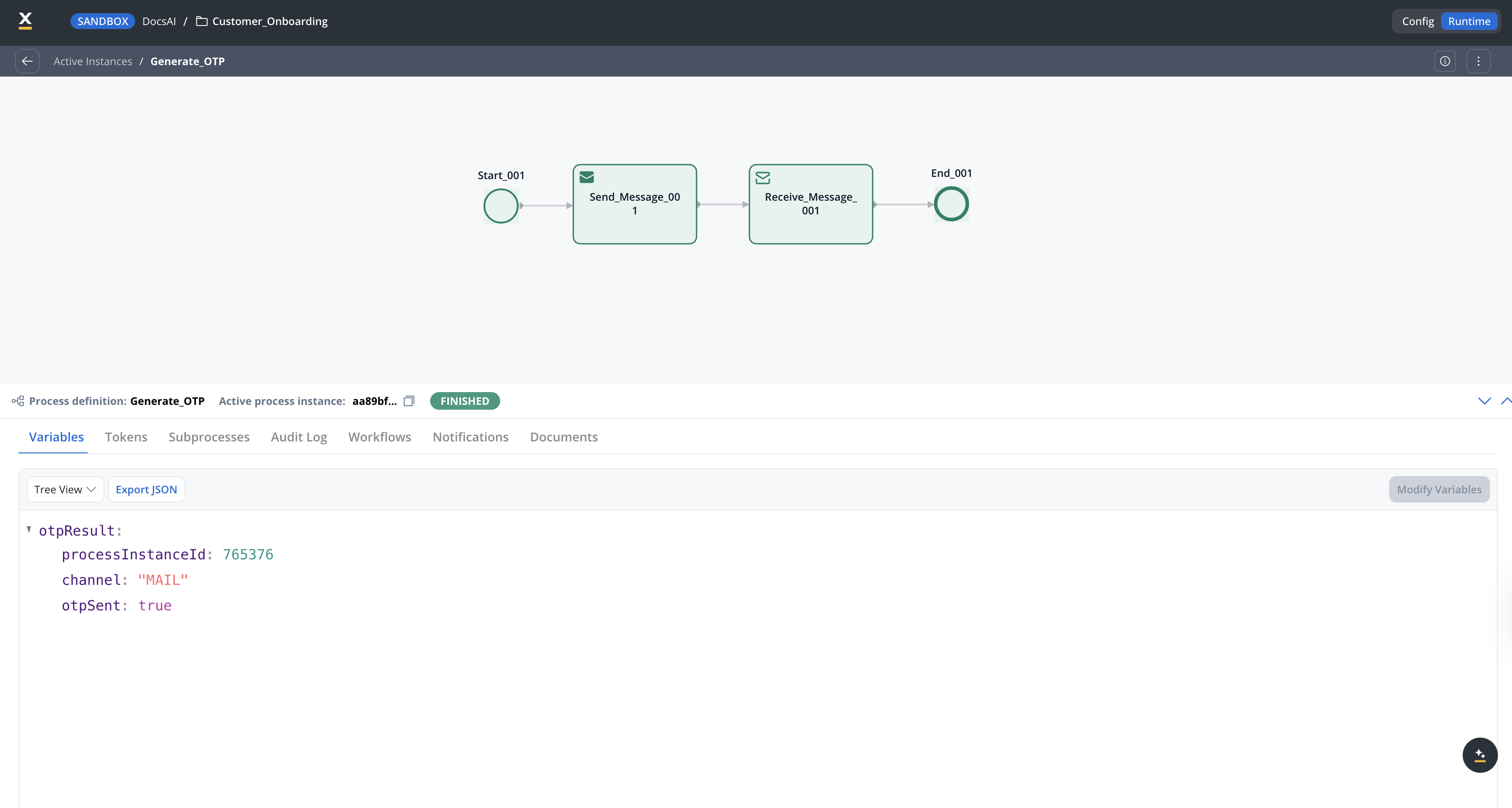
Add a Kafka receive node and configure the process key where the response is stored (for example,
otpResult). - When the process runs, the response lands on that key, confirming the OTP was sent:
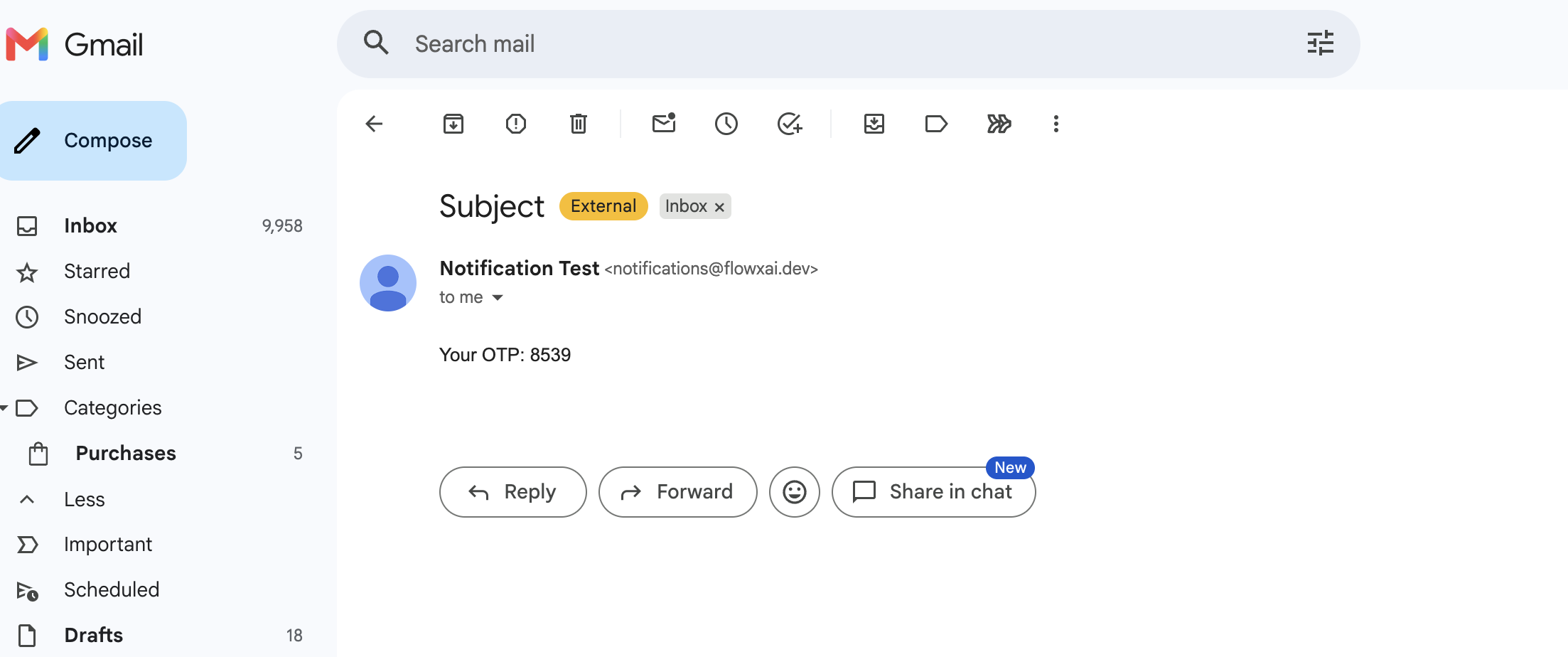
- The recipient receives the OTP code rendered from the notification template: