

This guide is covering the following:✅ Retrieving security details dynamically
✅ Extracting specific user attributes
✅ Fetching configuration parameters
✅ Extracting specific user attributes
✅ Fetching configuration parameters
Extracting security details
Security details (securityDetails) store user-related data, including email, username, roles, and permissions. These values are stored in additionalData.securityDetails and can be accessed dynamically within business rules and workflow scripts.
The
securityDetails structure differs between processes and workflows. Processes group security details by swimlane and role, while workflows use a simplified flat structure. See the tabs below for both formats.- In processes
- In workflows
Retrieve security details
Use the following business rule to fetch and store security details: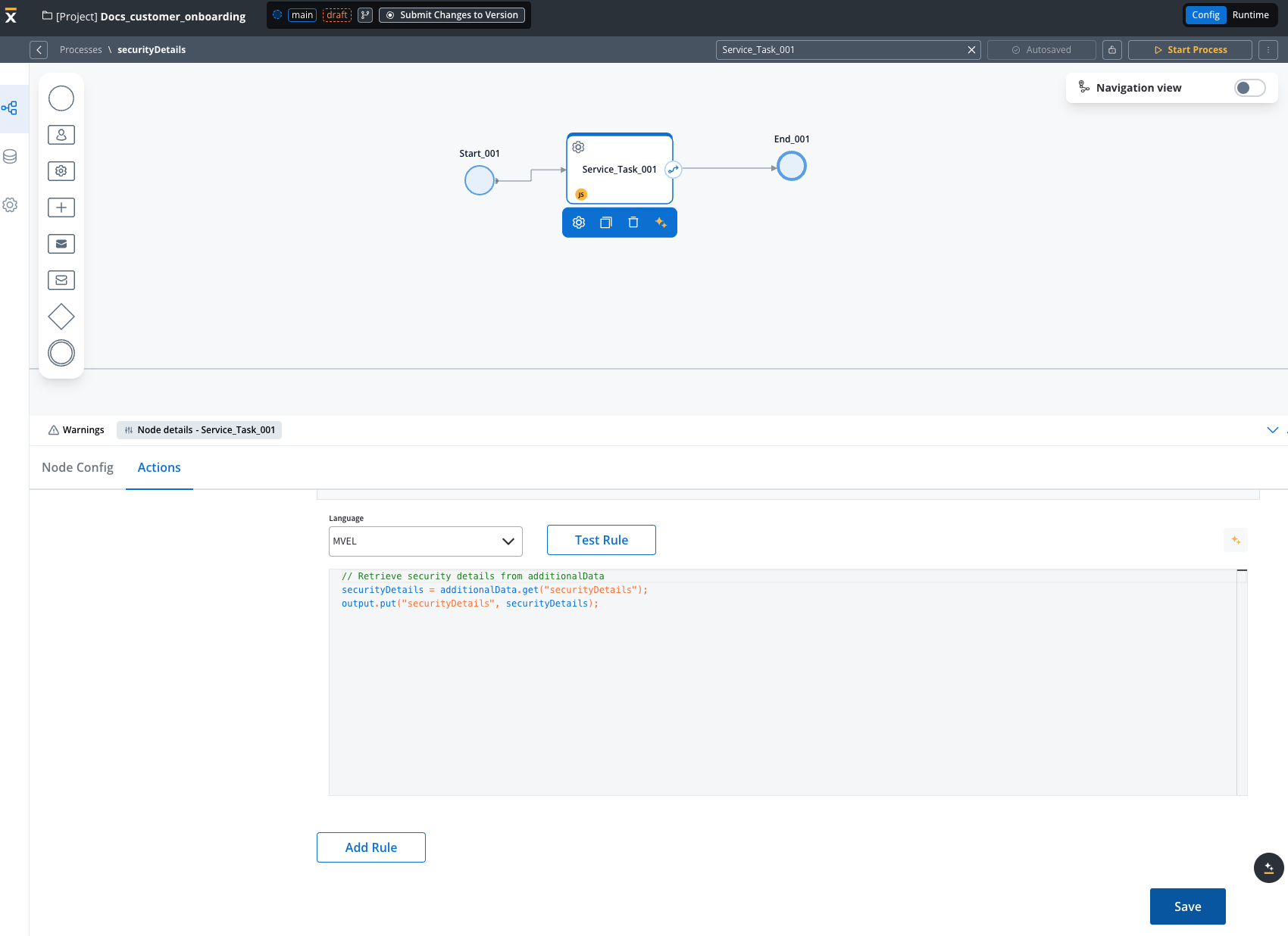
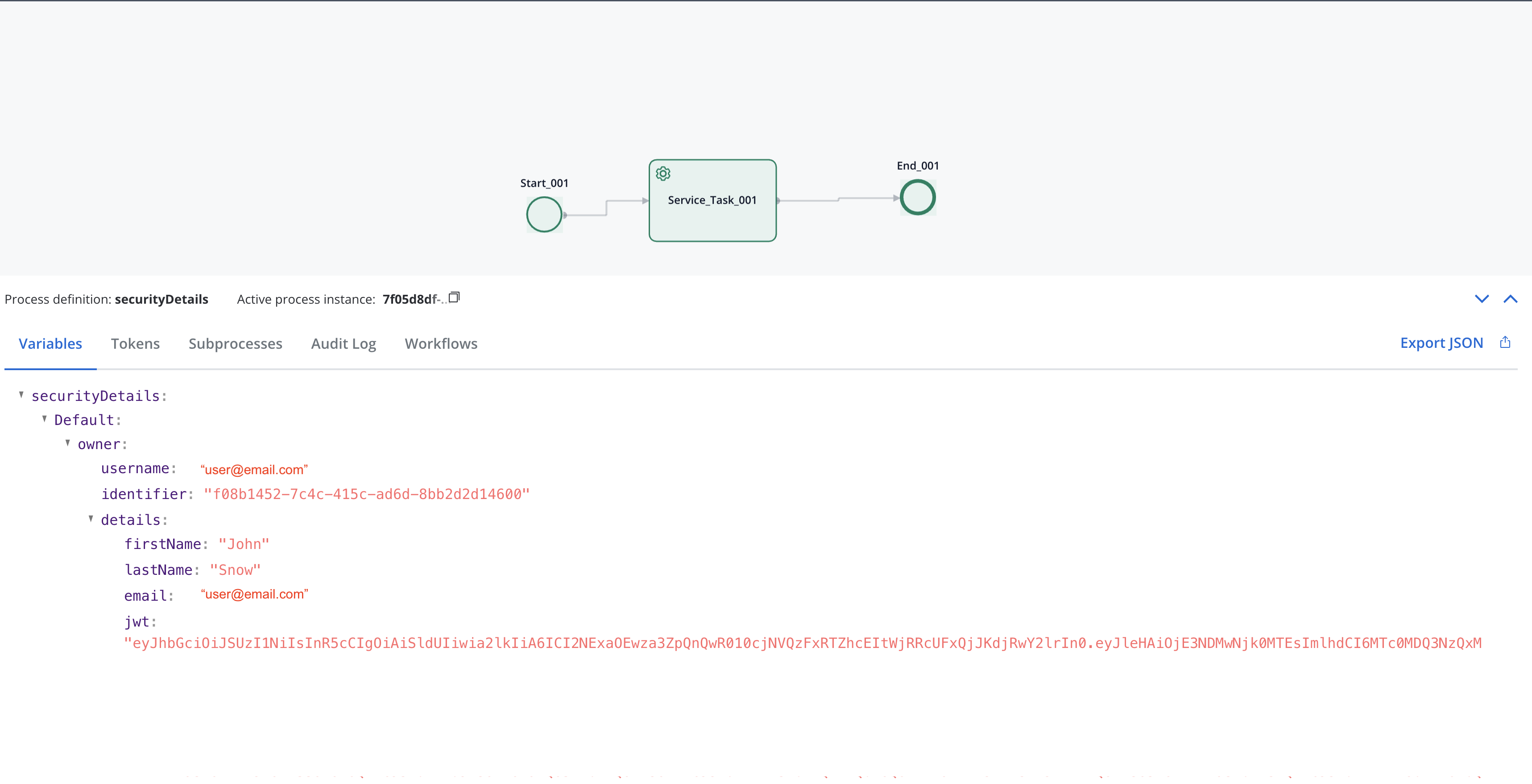
securityDetails is grouped by swimlane name (e.g., Default) and role (e.g., owner). This structure reflects the BPMN swimlane and role assignments configured in the process definition.Extract specific owner details
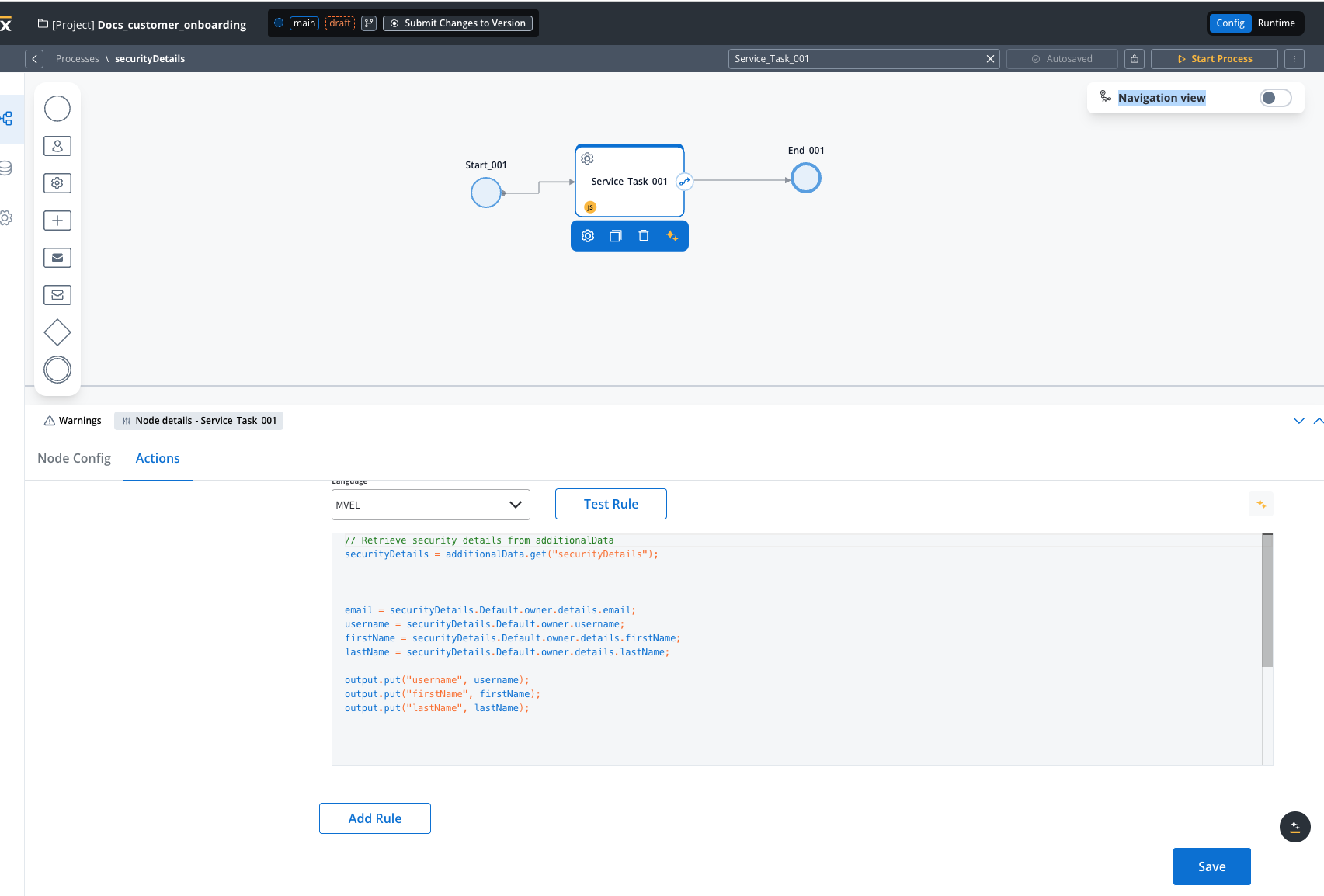
To retrieve specific attributes, such as email, username, first name, and last name, use one of the following scripts (JS or Python):- JavaScript
- Python
- Owner Email (
securityDetails.Default.owner.details.email) - Username (
securityDetails.Default.owner.username) - First Name (
securityDetails.Default.owner.details.firstName) - Last Name (
securityDetails.Default.owner.details.lastName)
Dynamic extraction by swimlane
If your application uses multiple swimlanes, retrieve the owner details dynamically:Extracting values from configuration parameters
To make business rules flexible, store configuration values in project configuration parameters instead of hardcoding them.
Retrieve configuration parameters
Use a business rule to fetch and store configuration parameter values dynamically:Example use case: commission calculation
This example shows how to calculate a commission value dynamically using a configuration parameter.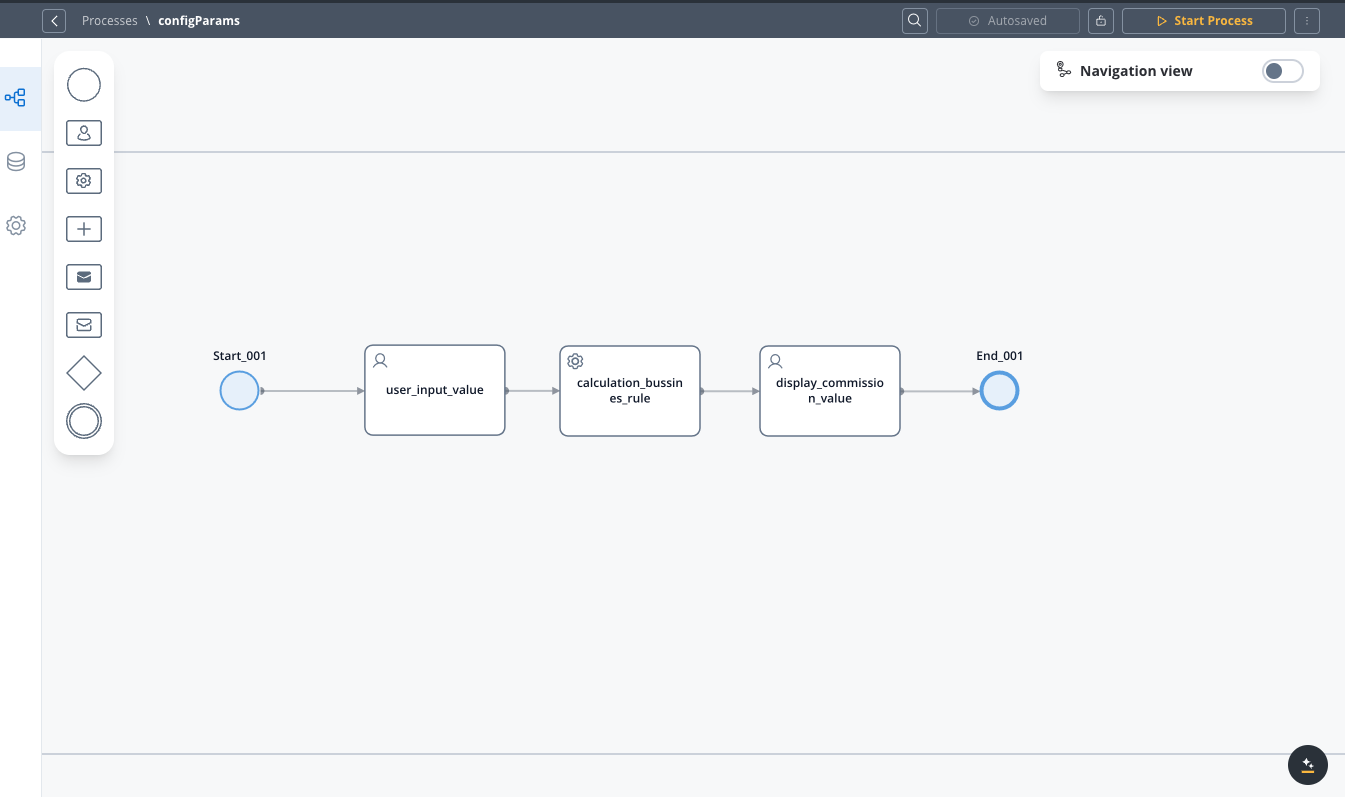
Configuration parameters
Process flow
1
User Inputs an Amount
In a User task we have an input UI element where the user provides an amount (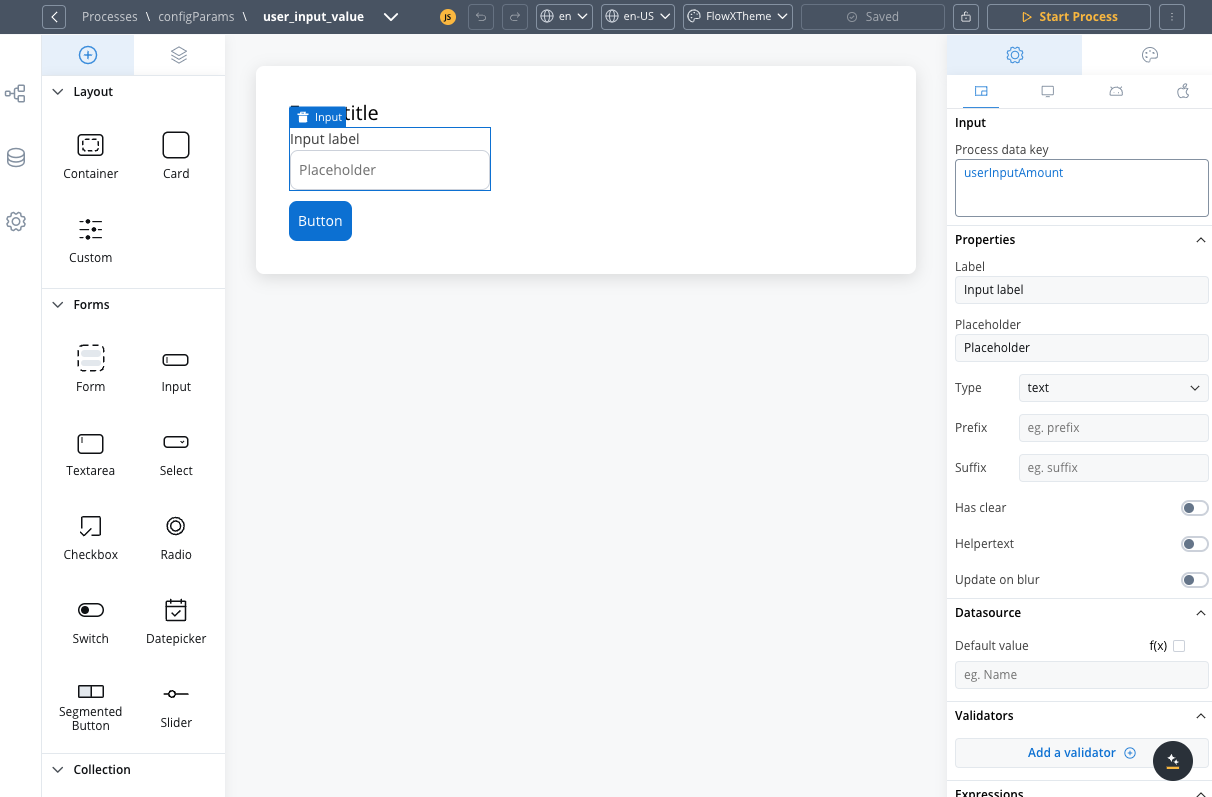
userInputAmount).2
Retrieve Commission Percentage from Configuration
In the next node, a Service Task fetches the 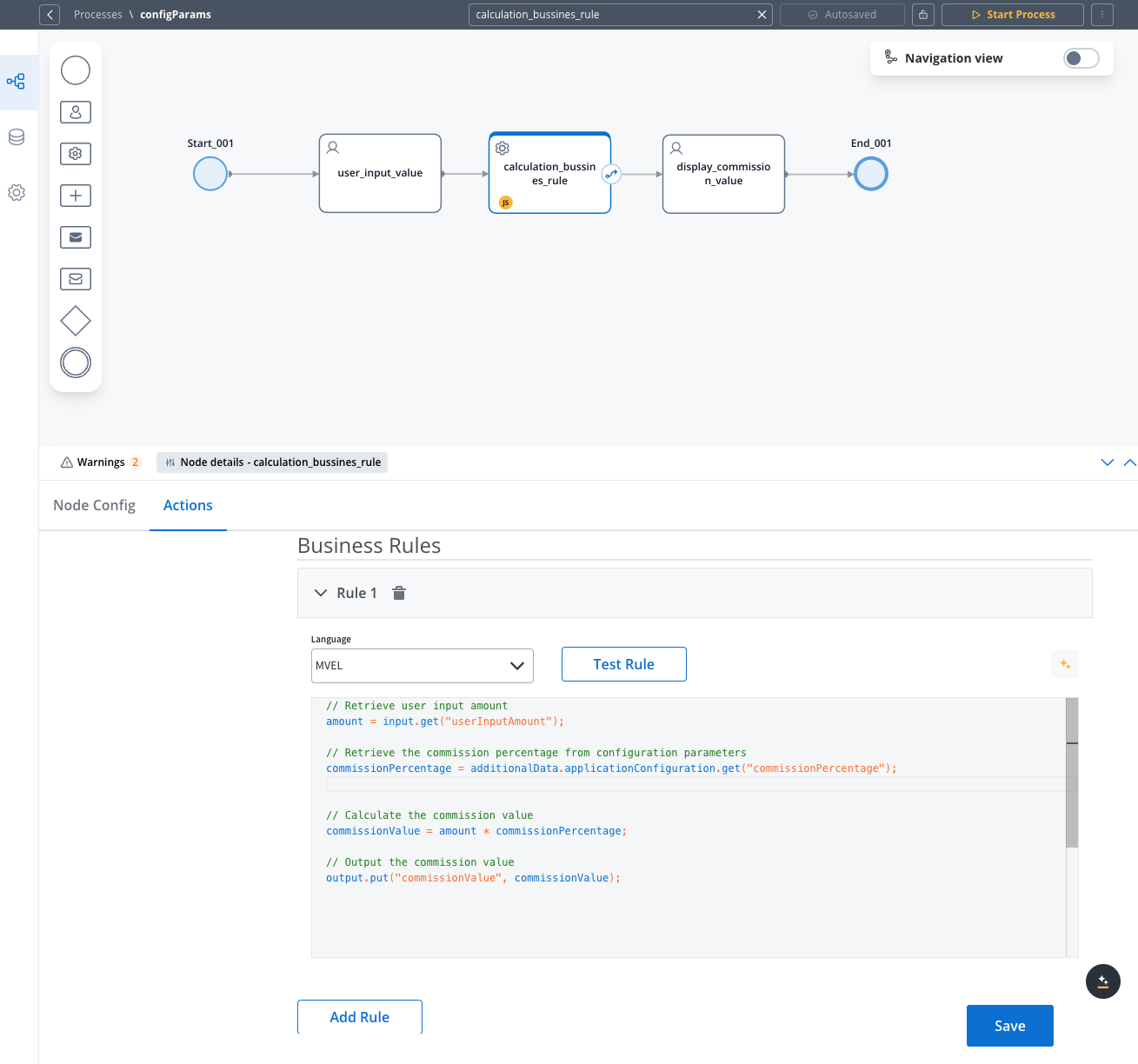 Business rule used:
commissionPercentage from the configuration parameters.3
Calculate Commission
Formula used to calculate the commission:
4
Store and Output the Result
The computed 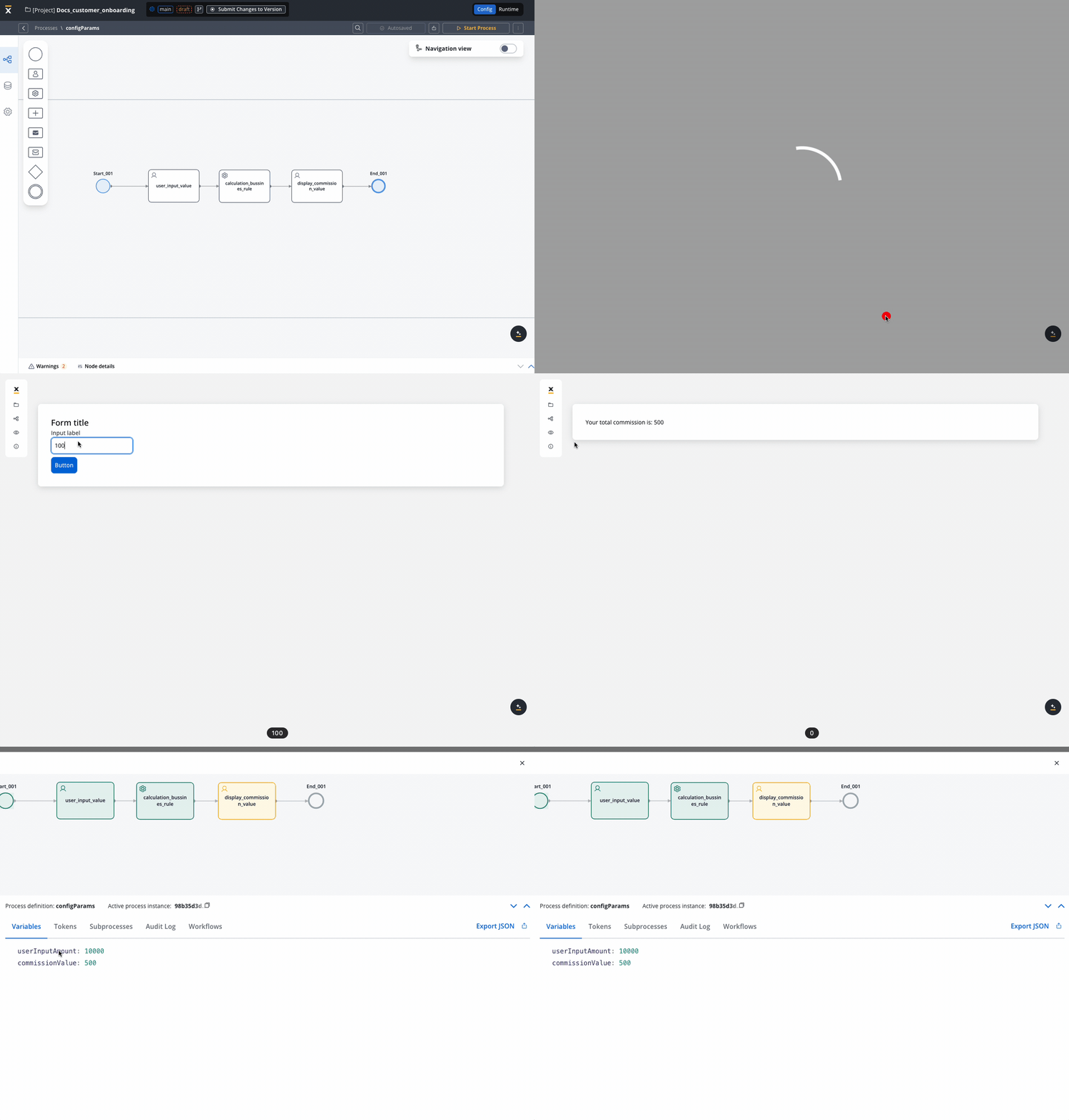
commissionValue is stored for further processing.Final result: