

Documentation Index
Fetch the complete documentation index at: https://docs.flowx.ai/llms.txt
Use this file to discover all available pages before exploring further.
Available starting with FlowX.AI 5.6.0Unmanaged MongoDB requires MongoDB 6.0 or later.
Overview
Unmanaged MongoDB is a data source type that lets you connect FlowX workflows to external MongoDB databases that your organization manages independently. Unlike the built-in FlowX Database — which provisions and manages MongoDB collections automatically — Unmanaged MongoDB connects to existing databases and collections you control.Use your infrastructure
Connect to MongoDB instances you already manage, including Atlas, self-hosted, or cloud-managed deployments
Same operations
Use the same CRUD operations (find, insert, update, delete) as FlowX Database
Connection discovery
Browse available databases and collections directly from the Designer after connecting
Connection pooling
Configure pool size, idle timeouts, and maintenance frequency per data source
Managed vs unmanaged MongoDB
| Aspect | FlowX Database (managed) | Unmanaged MongoDB |
|---|---|---|
| Collection creation | Automatic — FlowX creates and manages collections | Manual — you provide an existing collection |
| Schema management | Defined in FlowX Designer | Optional — you manage schemas externally |
| Index management | CRUD via Designer UI | You manage indexes externally |
| Connection | Internal, handled by FlowX | You provide a connection URI |
| Auth | Internal | Your MongoDB auth (SCRAM-SHA-256, LDAP, X.509) |
| Use case | Data sharing between FlowX processes | Integrate with existing MongoDB infrastructure |
Prerequisites
- A MongoDB 6.0+ instance accessible from your FlowX deployment
- An existing database and collection on the target instance
- A MongoDB user with appropriate permissions (read, write, or both)
- Network connectivity between FlowX services and the MongoDB instance
- For TLS/SSL connections: appropriate certificates configured on the MongoDB instance
Creating an Unmanaged MongoDB data source
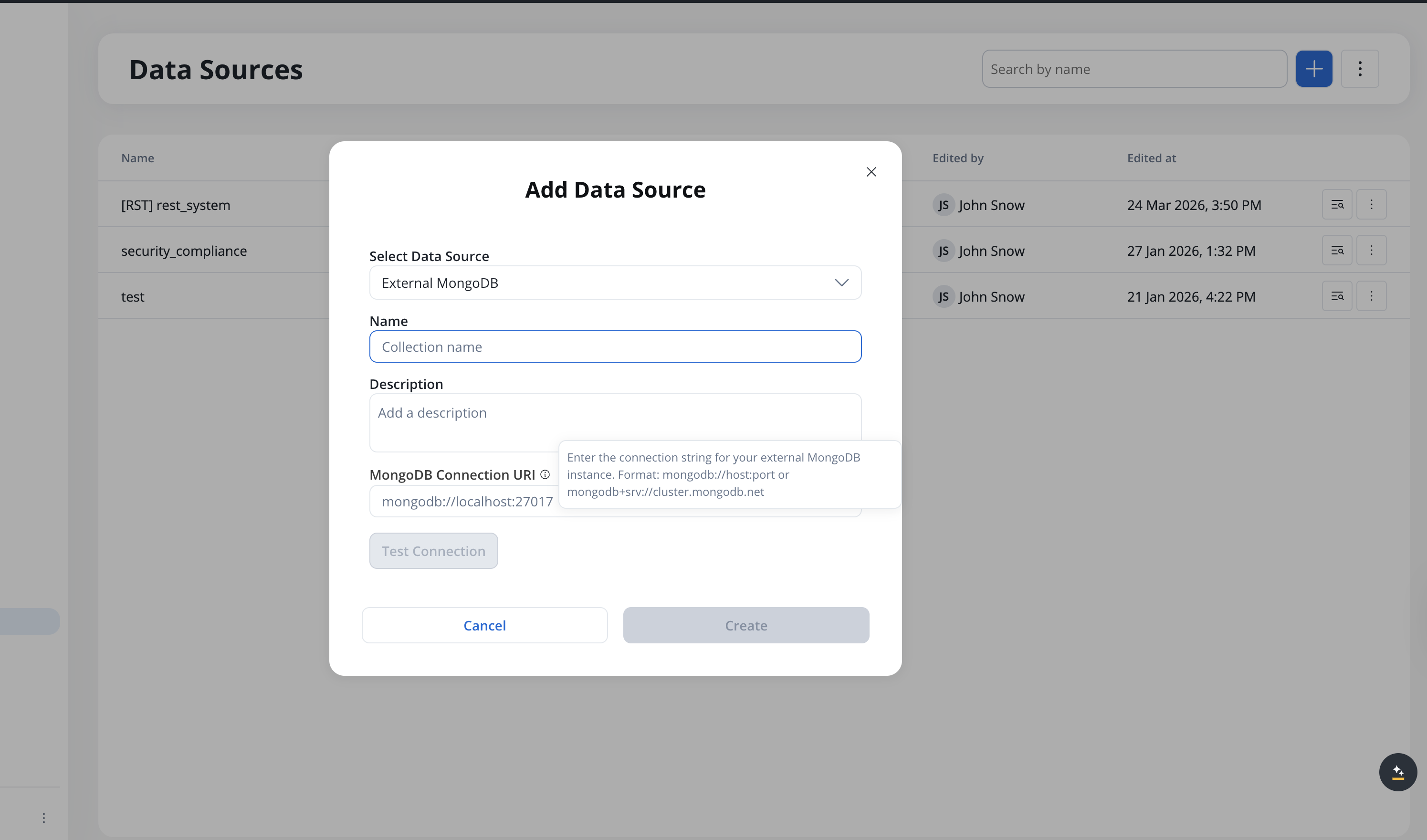
Select database and collection
After a successful connection test, browse available databases and select the target database. Then browse and select the target collection.
Configure authorization (optional)
In the Authorization tab, configure authentication if not embedded in the connection URI.
Connection pool configuration
Each Unmanaged MongoDB data source has its own connection pool. You can tune pool settings in the data source Settings tab:| Setting | Description | Default |
|---|---|---|
| Min pool size | Minimum number of connections maintained | 0 |
| Max pool size | Maximum number of concurrent connections | 100 |
| Max idle time | How long an idle connection stays open | 60000 ms (1 min) |
| Max lifetime | Maximum lifetime of a connection | 0 (unlimited) |
| Wait queue timeout | How long a request waits for an available connection | 120000 ms (2 min) |
| Maintenance frequency | How often the pool checks for idle connections to close | 60000 ms (1 min) |
Operations
Unmanaged MongoDB supports the same operations as FlowX Database:| Operation | Description |
|---|---|
find | Retrieve multiple documents based on criteria |
findOne | Retrieve a single document |
insertOne | Add a single document |
insertMany | Add multiple documents at once |
updateOne | Modify a single document |
updateMany | Modify multiple documents at once |
deleteOne | Remove a single document |
deleteMany | Remove multiple documents at once |
${paramName} syntax. You can test operations directly in the Designer before using them in workflows.
The Documents tab on the data source page lets you browse documents in the collection with pagination, filtering, and sorting.
For details on configuring each operation, see the FlowX Database operations documentation.
Using in workflows
Unmanaged MongoDB data sources are used in workflows the same way as other data sources:Deployment
No additional microservices are required. Unmanaged MongoDB uses the existing nosql-db-runner service to execute operations against your external MongoDB instance. Ensure thenosql-db-runner service has network access to your MongoDB instance. If your MongoDB is behind a firewall, configure the appropriate network rules.
Related resources
FlowX Database
Managed MongoDB data storage within FlowX
Integration Designer
Overview of all data source types and workflow building
NoSQL DB Runner setup
Deployment configuration for the database runner service