

- Timer Start Event: This node initiates a process instance at a scheduled time. It allows you to set a specific date or a repeating cycle for the process to start, so a process can be triggered once or repeatedly.
- Timer Intermediate Event: This node introduces time-based triggers within a process. It’s used to pause the process execution until a specified time duration or date is reached. Once triggered, the process continues its execution.
- Timer Boundary Event (interrupting/non-interrupting): Attached to a task or subprocess, this node monitors the passage of time while the task is being executed. When the predefined time condition is met, the boundary event triggers an associated action, interrupting or non-interrupting the ongoing task or subprocess.
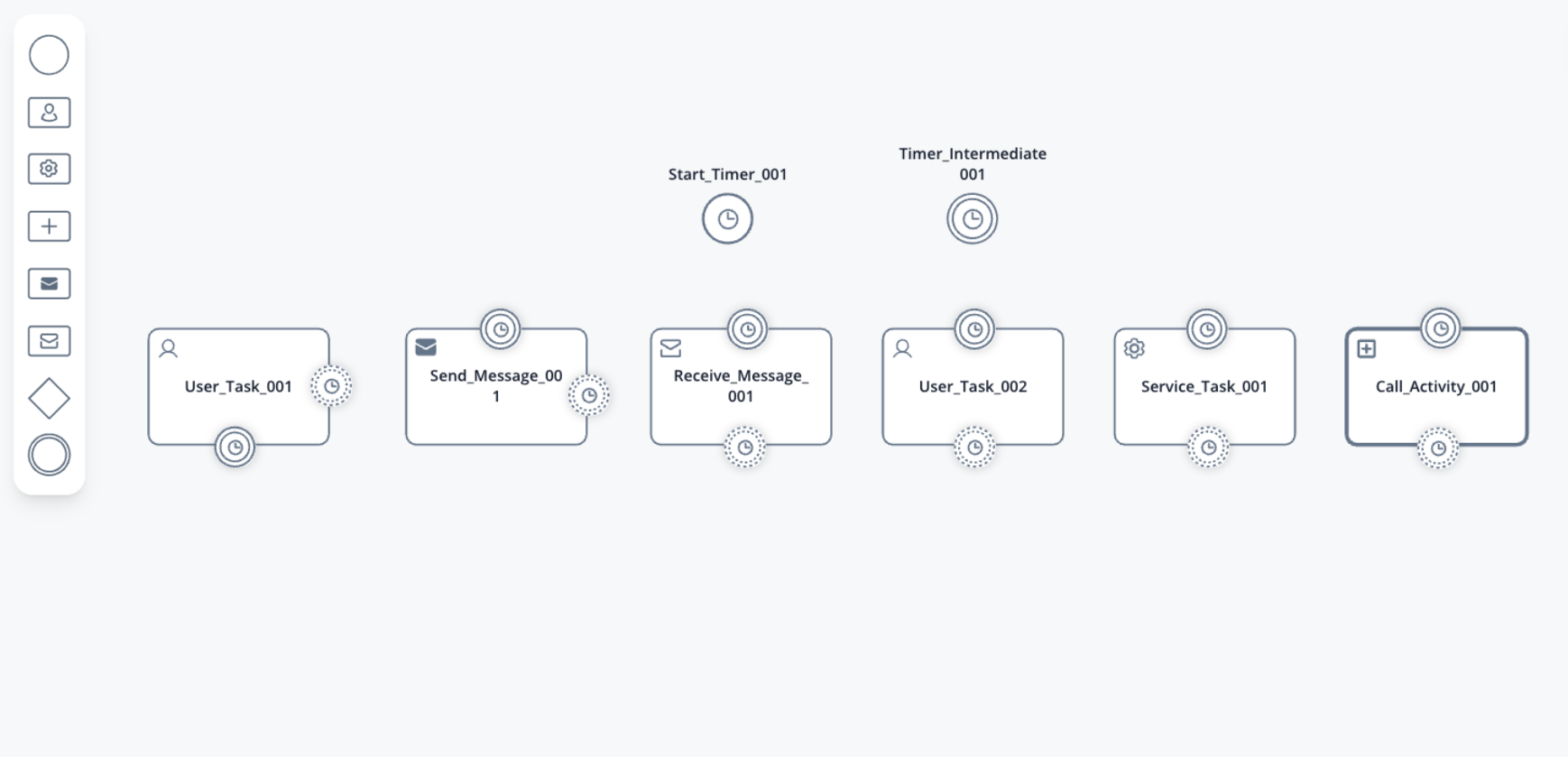
Timers
Timers introduce the ability to trigger events at specific time intervals. They can be configured in three different ways: as a date, a duration, or a cycle. These configurations can use static values or dynamic values read from the process data.-
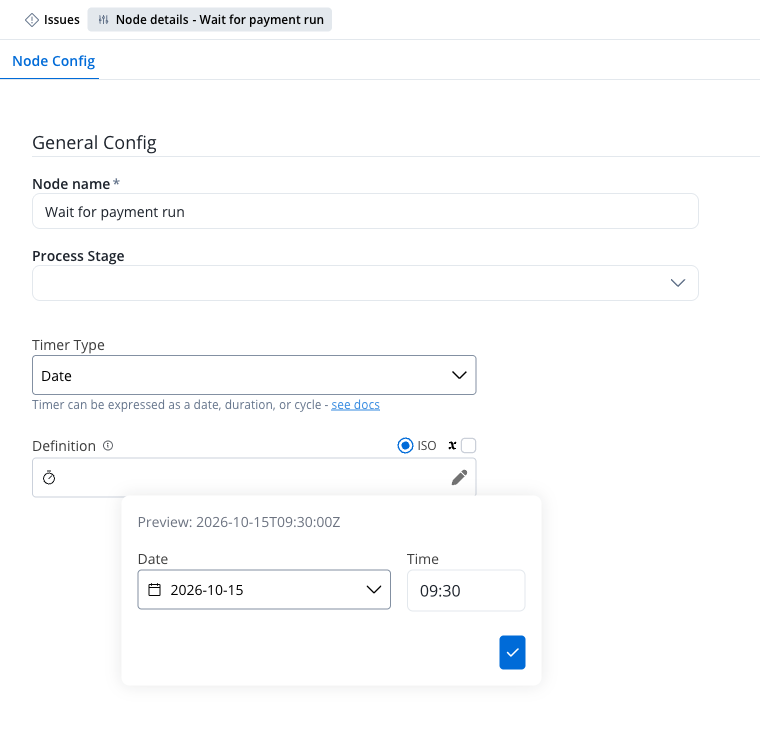
Date: Events triggered on a specific date and time.
- Format: ISO 8601 (e.g.,
2019-10-01T12:00:00Zor2019-10-02T08:09:40+02:00). Seconds and a time zone (Zor an offset) are required.
- Format: ISO 8601 (e.g.,
-
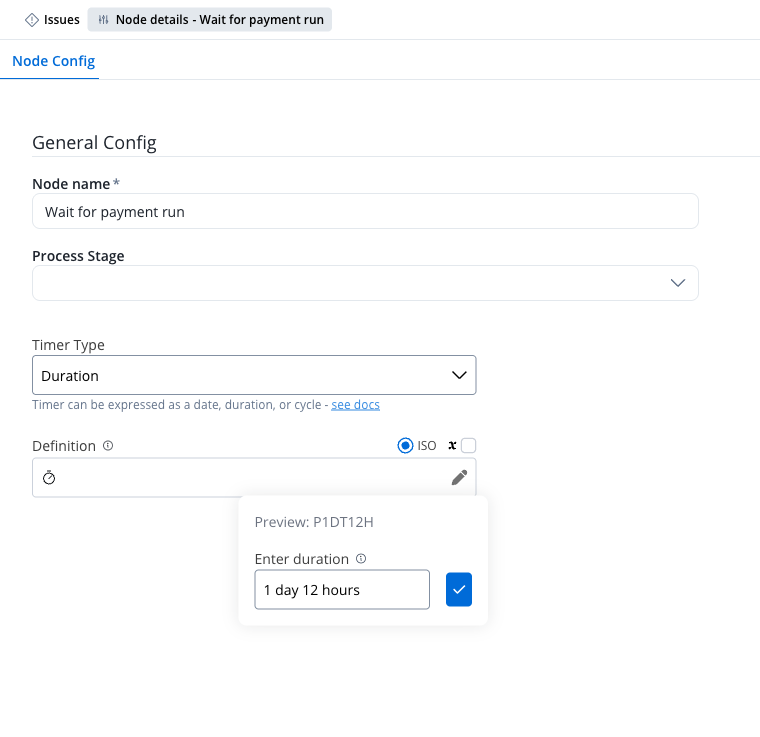
Time Duration: Events triggered after a specified duration.
- Format: ISO 8601 duration expression (
P(n)Y(n)M(n)DT(n)H(n)M(n)S)- P: Duration designator
- Y: Years
- M: Months
- D: Days
- T: Time designator
- H: Hours
- M: Minutes
- S: Seconds
- Format: ISO 8601 duration expression (
PT15S- 15 secondsPT1H30M- 1 hour and 30 minutesP14D- 14 daysP3Y6M4DT12H30M5S- 3 years, 6 months, 4 days, 12 hours, 30 minutes, and 5 seconds
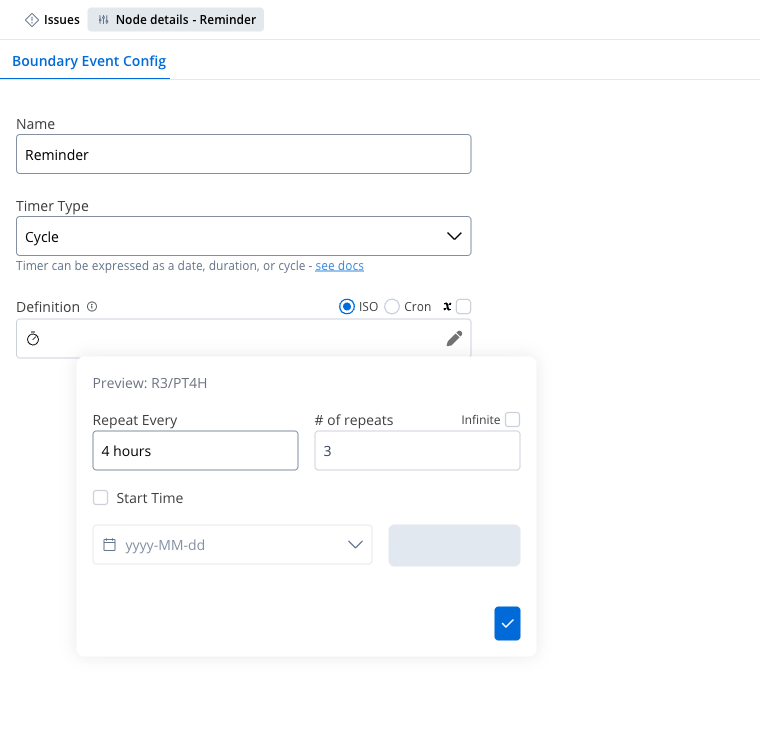
- Time Cycle (available for Timer Start Events and non-interrupting Timer Boundary Events): Events triggered at repeating intervals.
- Option 1: ISO 8601 repeating intervals format (
R)- Examples:
R5/2023-08-29T15:30:00Z/PT2H: Every 2 hours, up to five times, starting with 29 August, 15:30 UTC timeR/P1D: Every day, infinitely
- Examples:
- Option 1: ISO 8601 repeating intervals format (
- Option 2: Using cron expressions
- Example:
0 0 9-17 * * MON-FRI: Every hour on the hour from 9 a.m. to 5 p.m. UTC, Monday to Friday
- Example:
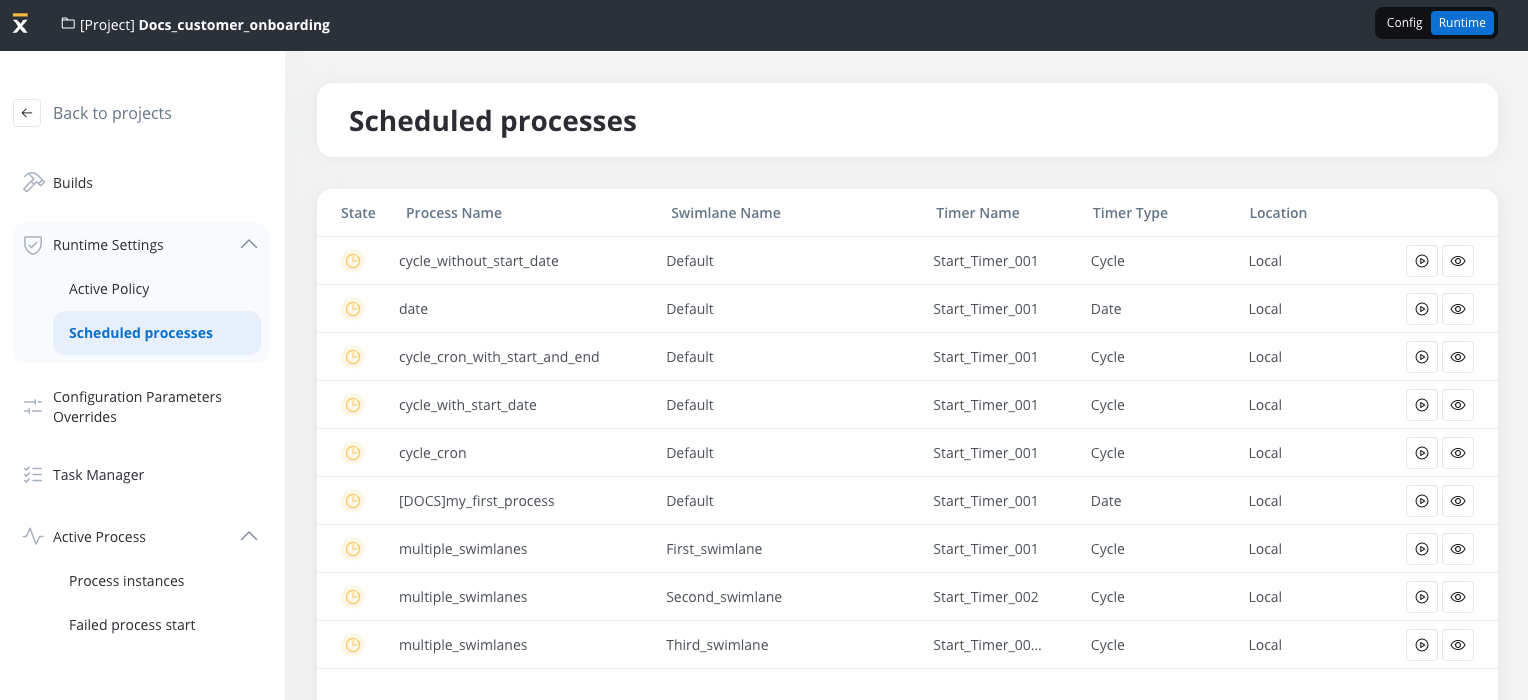
Scheduled processes
Configure a timer
Select a timer node on the canvas (or a timer boundary event on its parent activity) to open its configuration panel. The panel has the following fields:
An invalid definition is rejected with the message Invalid format. before the node can be saved.
Configuration
For each node type, the following timer types can be configured:
For comprehensive details on each timer event node in this section, please refer to the corresponding documentation: