

Do not forget, when upgrading to a new platform version, always check and make sure your installed component versions match the versions stated in the release. To do that, go to FLOWX.AI Designer > Platform Status.
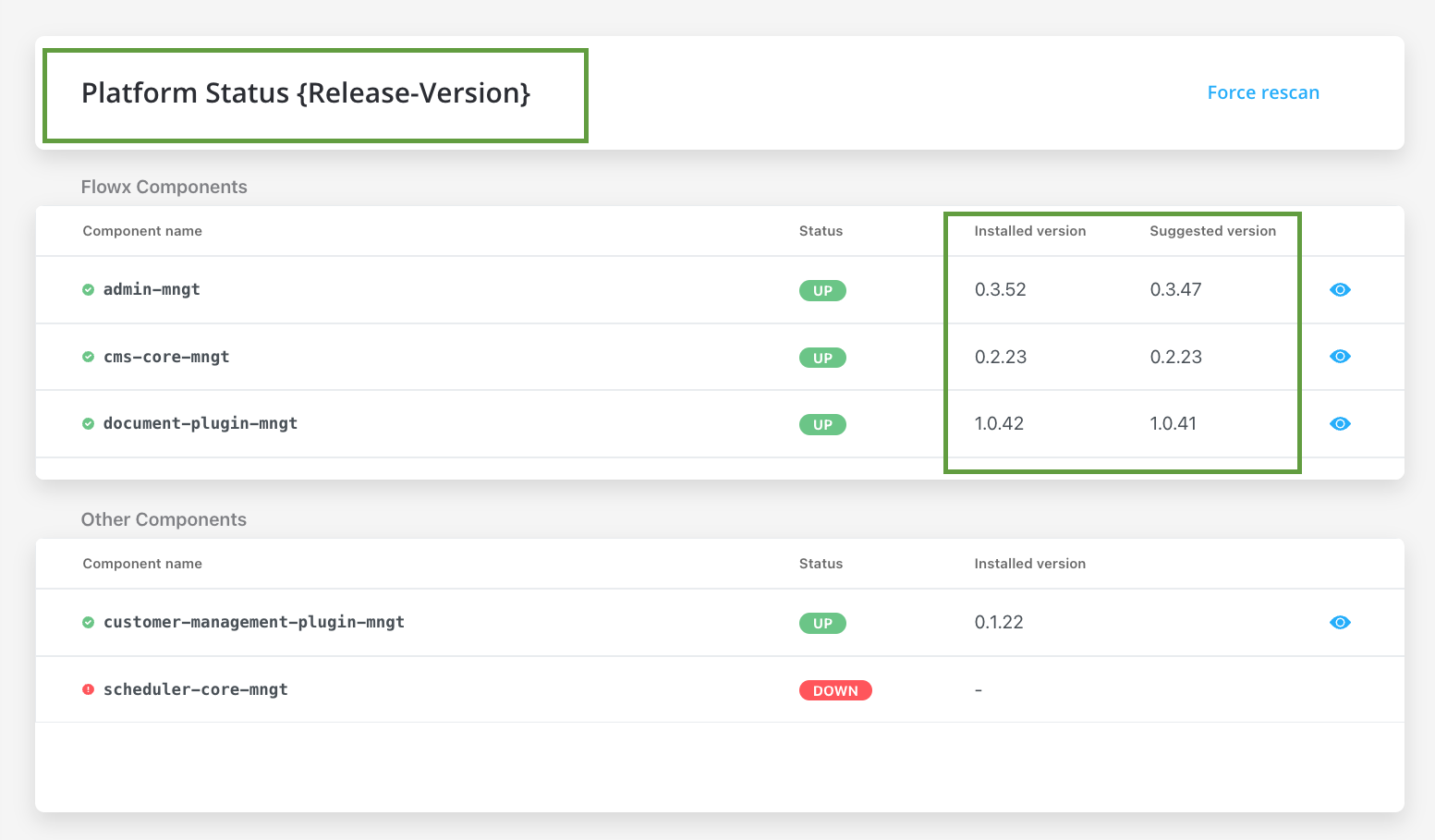
Component versions
With the release of FLOWX.AI 3.0, there have been some changes that you need to be aware when upgrading to the latest version:
- The
flowx-process-rendererhas been migrated to@flowx\ui-sdk. - As of FlowX 4.0, the
paperflow-web-componentslibrary is no longer being maintained. Instead, the new components can be found in@flowx/ui-toolkit.
For more information, check Using the Angular Renderer section.
3.1.0 Minimum Recommended Versions
FlowX.AI supports any version of the third-party components listed as prerequisites.For optimal performance and reliability, our internal QA process validates new releases using specific versions as indicated in the provided table.
While exploring alternative versions that suit your company’s specific requirements, we recommend referring to the compatibility matrix for guidance.In the unlikely event that you encounter any compatibility issues with FlowX.AI, please open a support ticket here, and our dedicated team will address and resolve any identified bugs following our standard support process.Compatibility Matrix:
- FLOWX.AI Platform: Recommended and tested versions
- Third-Party Components: Supported versions based on specific requirements and client preferences
Additional configuration
Process engine - scheduler
Configuration for scheduler to be added on Process engine setup.Undo/redo
Configuration for undo/redo actions in UI Designer to be added on Admin setup.Advancing controller with Oracle
To use advancing controller with OracleDBs, the following .yml files must be edited, configuring the right environment variables:Advancing controller
SPRING_JPA_DATABASE- value:oracleSPRING_JPA_DATABASE_PLATFORMSPRING_DATASOUCE_URLSPRING_DATASOURCE_DRIVERCLASSNAME
Process engine
SPRING_JPA_DATABASE- value:oracleSPRING_JPA_DATABASE_PLATFORMSPRING_DATASOUCE_URL- environment variable used to configure a data source URL for a Spring application, it typically contains the JDBC driver name, the server name, port number, and database nameSPRING_DATASOURCE_DRIVERCLASSNAME- environment variable used to set the class name of the JDBC driver that the Spring datasource will use to connect to the databaseADVANCING_DATASOURCE_DRIVERCLASSNAMEADVANCING_DATASOURCE_URLADVANCING_DATASOURCE_JDBC_URL