

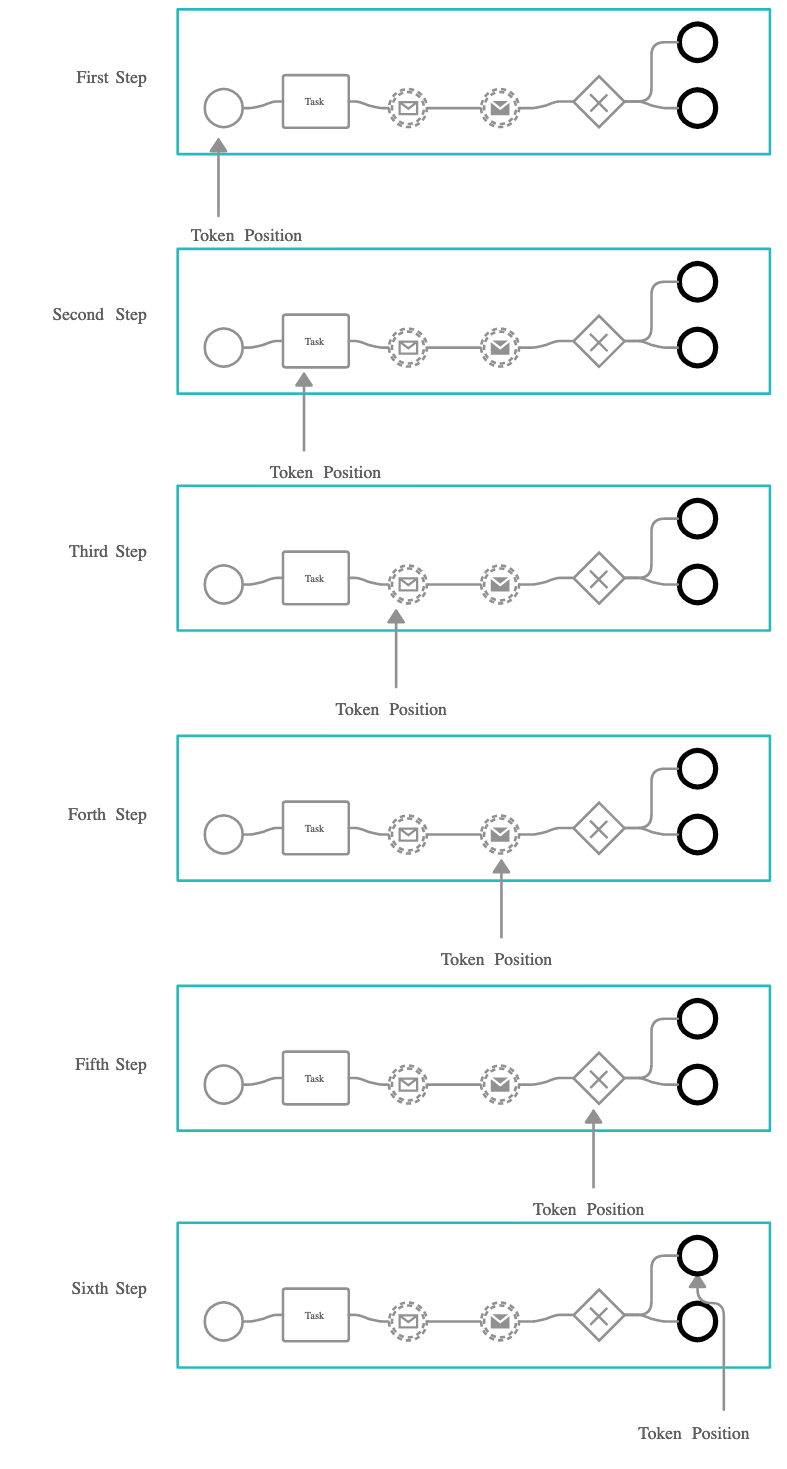
Checking the token status
The current process instance status can be retrieved using the FlowX Designer. It will display some info on the tokens related to that process instance and the current nodes they are in.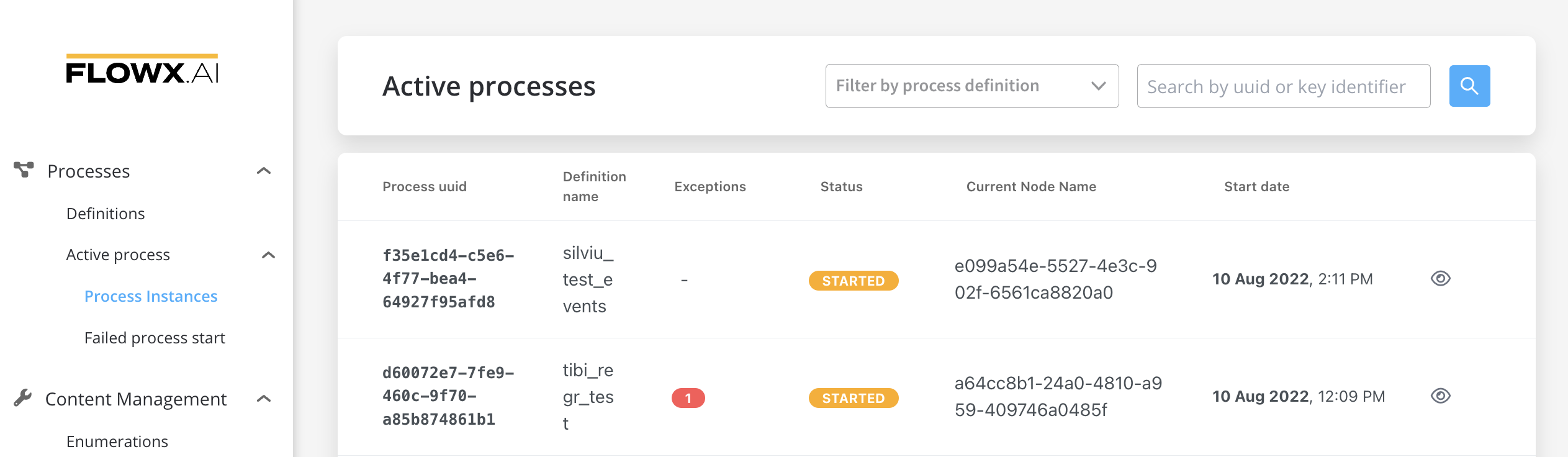 In case more details are needed about the token, you can click the Process status view button, choose a token then click the view button again:
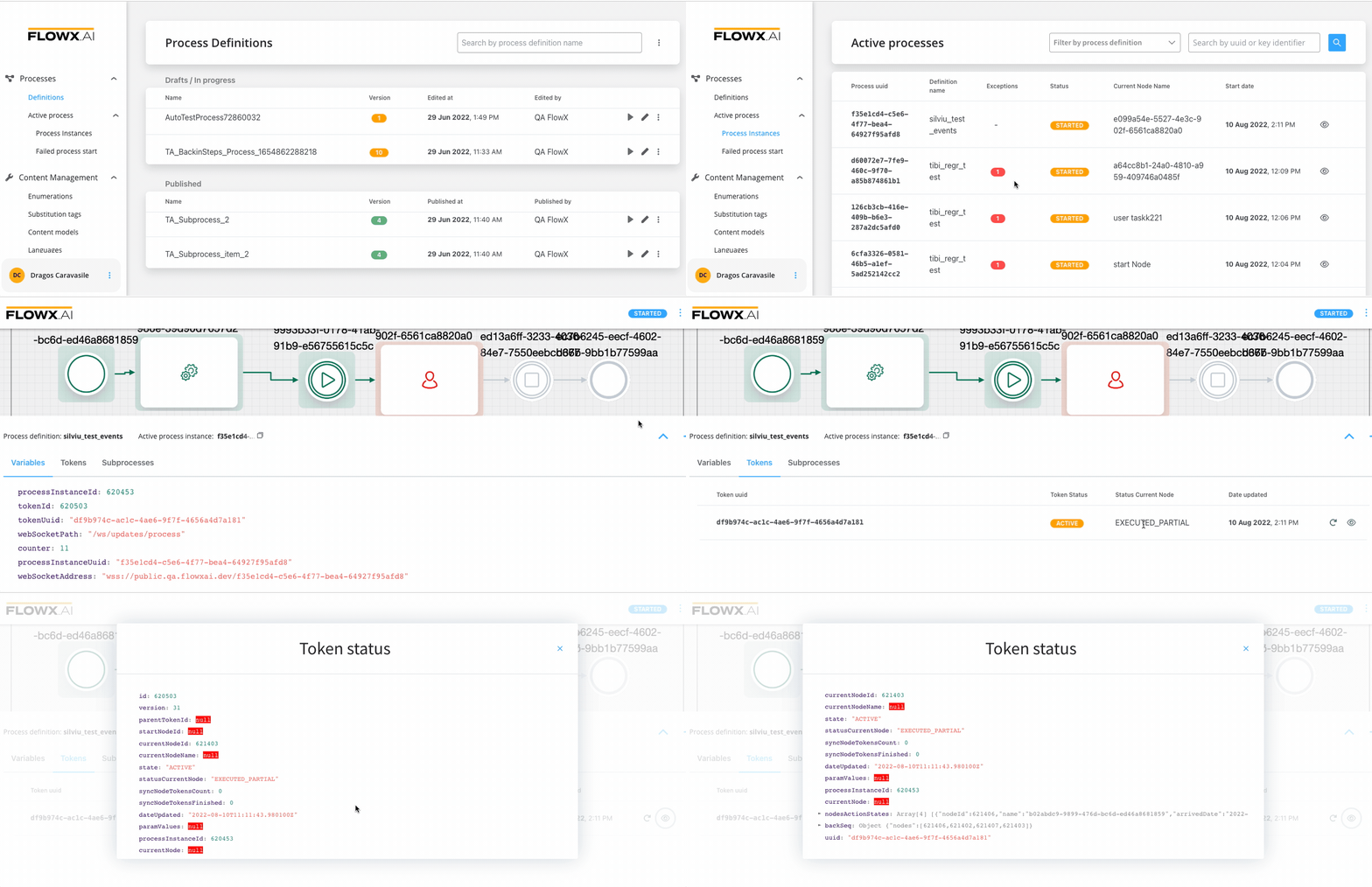
Token details
- Token status: Describes the state of the token in the process.
- Status Current Node: Describes the token status in the current node.
- Retry: After correcting the errors, you can hit Retry and see if the token moves on.
- See Token status: Opens a modal displaying a detailed view of the token status.

If there are parallel gateways configured in a proces, you will have more tokens, created for earch parallel path.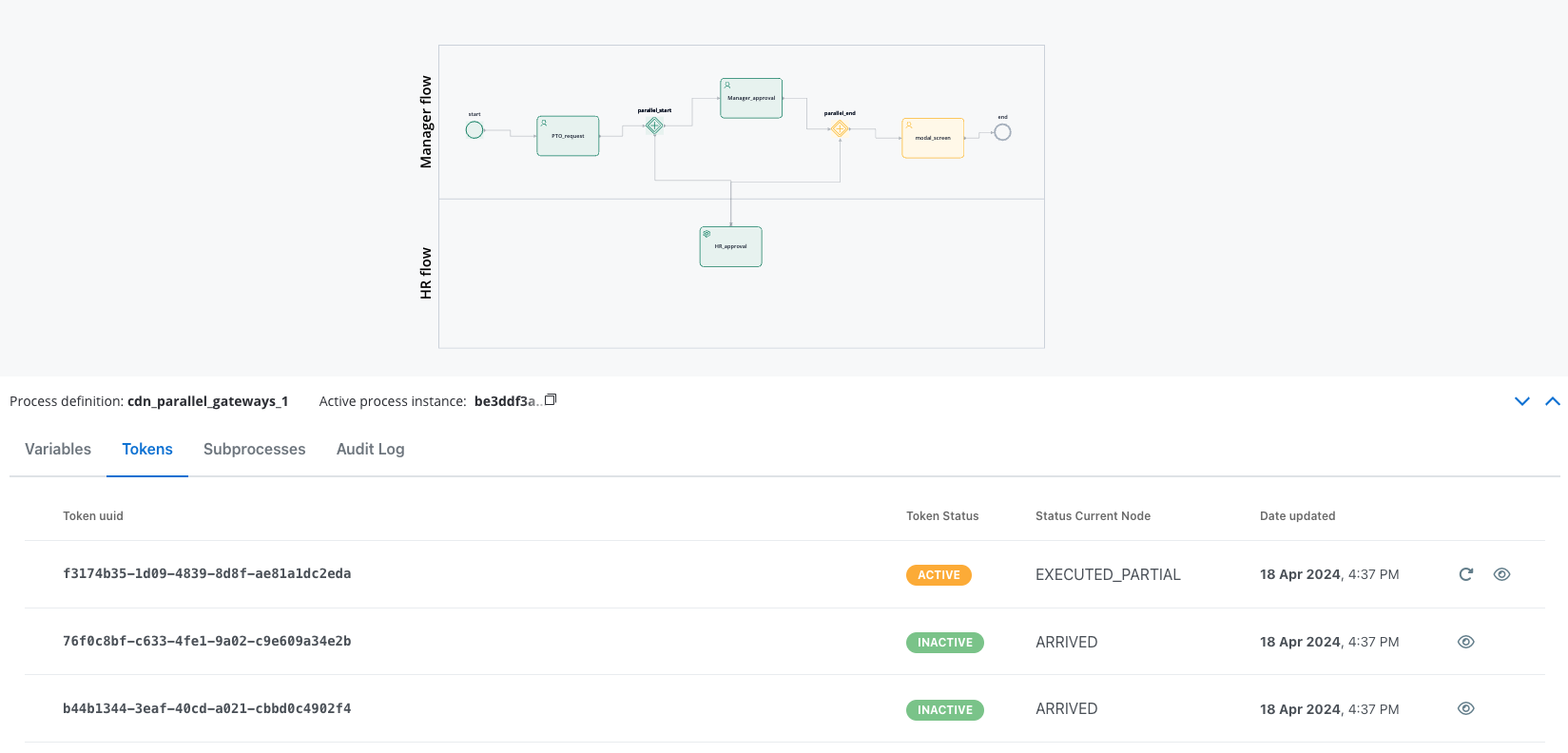
Token status
Status current node
See token status
You can access a detailed view of the token status by going to your Process instance -> Tokens -> View (eye icon):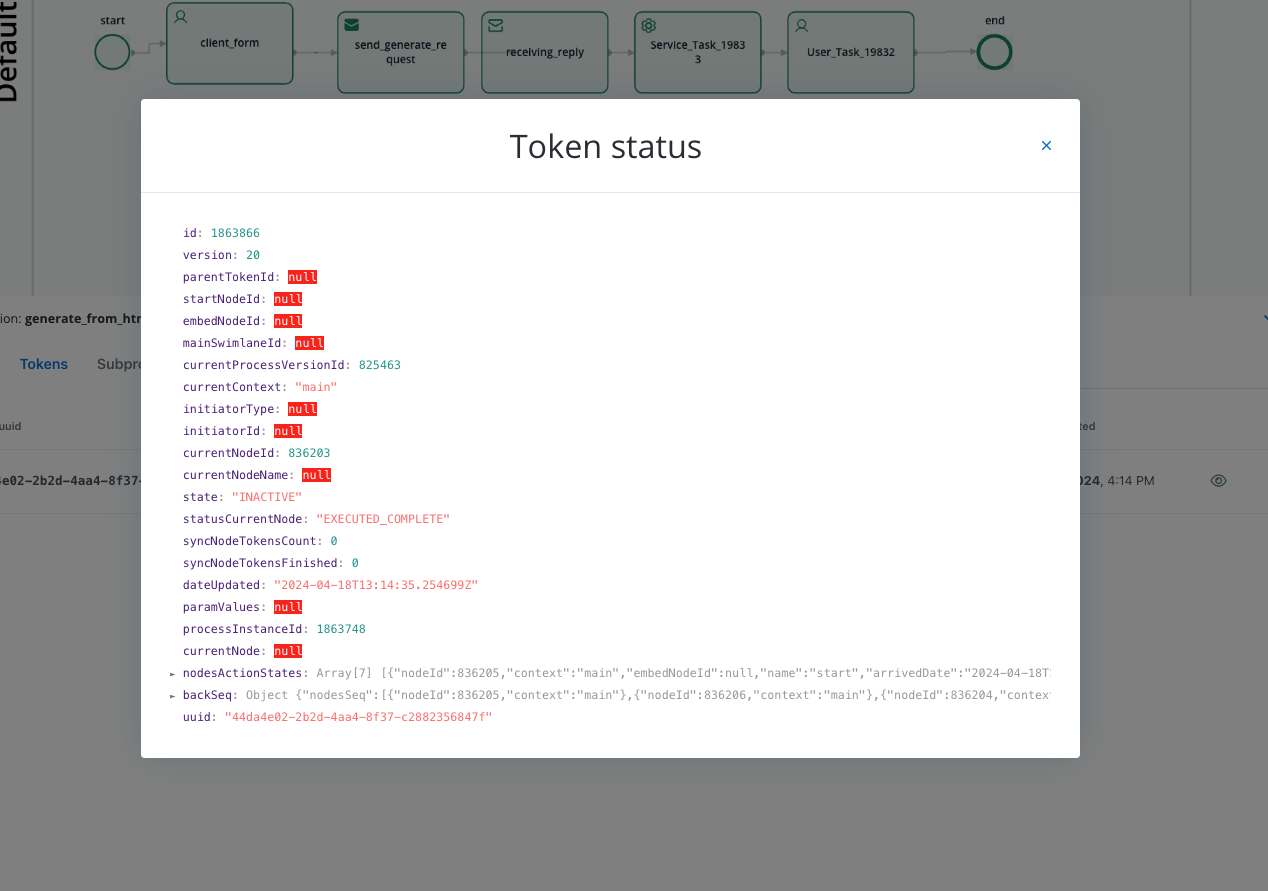 Here you will find details like:
- id: The unique identifier of the token.
- version: The version of the token.
- parentTokenId: The identifier of the parent token, if any.
- startNodeId: The identifier of the node where the token started.
- embedNodeId: The identifier of the embedded node, if any.
- mainSwimlaneId: The identifier of the main swimlane associated with the token.
- currentProcessVersionId: The identifier of the current process version.
- currentContext: The current context of the token.
- initiatorType: The type of the initiator, if any.
- initiatorId: The identifier of the initiator, if any.
- currentNodeId: The identifier of the current node associated with the token.
- currentNodeName: The name of the current node.
- state: The state of the token (for example, INACTIVE, ACTIVE, etc.)
- statusCurrentNode: The status of the current node.
- syncNodeTokensCount: The count of synchronized node tokens.
- syncNodeTokensFinished:The count of finished synchronized node tokens.
- dateUpdated: The date and time when the token was last updated.
- paramValues: Parameter values associated with the token.
- processInstanceId: The identifier of the process instance.
- currentNode: Details of the current node.
- nodesActionStates: An array containing information about action states of nodes associated with the token.
- uuid: The unique identifer id of the token.