> ## Documentation Index
> Fetch the complete documentation index at: https://docs.flowx.ai/llms.txt
> Use this file to discover all available pages before exploring further.
# FlowX.AI 5.5.0 Release Notes
> Enhanced Chat component, UI Flows improvements, Microsoft Outlook integration, container app authentication, and platform management updates.
FlowX.AI 5.5.0 introduces significant enhancements to the Chat component, UI Flows capabilities, email integrations, and platform management features including Knowledge Base v2, user management improvements, and new document processing capabilities.
**What's new?**
AI-powered features and document processing enhancements.
📄 [**Extract Data from File**](#extract-data-from-file) - Configurable document and image extraction with LLM, OCR, and text parsing strategies\
📚 [**Knowledge Base v2**](#knowledge-base-v2) - Updated Knowledge Base with audit, resource management, and improved UI
### **Extract Data from File**
FlowX.AI 5.5.0 renames "Extract Text from Document" to **Extract Data from File** and adds configurable extraction strategies, image input support, and signature detection. Choose between LLM, OCR, or text parsing strategies based on your document types, accuracy requirements, and cost constraints.
See the complete Extract Data from File documentation.
Choose between LLM Model, OCR Engine, or Text Parsing for optimal accuracy/cost balance
Process images (JPG, PNG, TIFF) in addition to documents — automatic PDF conversion
Extract data from embedded images or generate image descriptions
Detect and locate signatures within documents (LLM and OCR modes)
**Extraction strategies:**
| Strategy | Best for | Speed | Cost | Accuracy |
| ------------ | --------------------------------- | ------ | ------ | ---------- |
| LLM Model | Complex layouts, handwritten text | Slow | High | High |
| OCR Engine | Scanned documents | Medium | Medium | Medium |
| Text Parsing | Clean digital PDFs | Fast | Free | Low–Medium |
**Image extraction options (LLM and OCR only):**
| Option | Description |
| ----------------- | ------------------------------------- |
| Image Description | Generates text descriptions of images |
| Image Content | Extracts text and data from images |
A new [Document Parser setup guide](/5.9/setup-guides/document-parser-setup) covers backend service configuration, deployment sizing, and cost optimization.
AI Integration
All Deployments
***
### **Knowledge Base v2**
FlowX.AI 5.5.0 updates the Knowledge Base with a refreshed UI, audit capabilities, and improved resource management. Knowledge Base entries now support versioning and provide better traceability for AI-powered features.
Refreshed Knowledge Base interface with improved navigation and search
Track changes to Knowledge Base entries with full audit history
Improved management of Knowledge Base resources and documents
Version-aware Knowledge Base entries tied to app versions
AI Integration
All Deployments
***
Enhanced UI Flows with new components, actions, and chat improvements.
💬 [**Chat Component Enhancements**](#chat-component-enhancements) - New subcomponents, display modes, and mobile support\
🧭 [**UI Flows Breadcrumbs**](#ui-flows-breadcrumbs) - Navigation breadcrumbs for UI Flows\
📄 [**Process Renderer Component**](#process-renderer-component) - Embed process renderers within UI Flows\
🚀 [**Start Workflow Action**](#start-workflow-action) - Start workflows directly from UI Flows\
⚡ [**On Load UI Event**](#on-load-ui-event) - Execute actions when UI Flows load
### **Chat component enhancements**
FlowX.AI 5.5.0 significantly enhances the Chat component with new subcomponents for reasoning, error handling, and suggestions. The component now supports multiple display modes and is available on mobile platforms.
Show AI reasoning and thought process to users for transparency
Graceful error display with retry options and helpful messages
Display suggested responses or actions to guide user interactions
**Available display modes:**
| Mode | Description |
| --------------- | -------------------------------------------------------- |
| **Full screen** | Chat occupies the entire screen (available since v5.4.0) |
| **Sidebar** | Chat appears as a collapsible sidebar |
| **Floating** | Chat appears as a floating widget |
| **Embedded** | Chat embedded within a container component |
The Chat component is now fully supported on mobile platforms:
Native iOS renderer support with optimized touch interactions
Native Android renderer support with material design integration
AI Integration
All Deployments
***
### **UI Flows breadcrumbs**
FlowX.AI 5.5.0 enhances the breadcrumbs navigation component for UI Flows, providing users with clear context of their current location and enabling quick navigation to parent screens.
Display the full navigation path within UI Flows
Navigate to any parent screen by clicking breadcrumb items
Customize breadcrumb appearance through Admin theme settings
Breadcrumbs adapt to different screen sizes
UI Enhancement
All Deployments
***
### **Process renderer component**
Embed process renderers directly within UI Flows using the new Process Renderer component. This enables hybrid applications that combine UI Flow navigation with traditional process-based screens.
Embed any process renderer within a UI Flow screen
Pass data between UI Flows and embedded processes
Handle process events within the UI Flow context
Maintain consistent styling and navigation across UI Flows and processes
UI Enhancement
All Deployments
***
### **Start workflow action**
Start integration workflows directly from UI Flows using the new Start Workflow action. This enables UI Flows to trigger backend workflows without requiring a full process instance.
Select from available integration workflows
Map UI Flow data to workflow input parameters
Handle workflow responses and update UI state
Configure error handling for failed workflow executions
UI Enhancement
All Deployments
### **On load UI event**
Execute actions automatically when UI Flow screens load using the new On Load UI Event. This enables initialization logic, data fetching, and setup operations when users navigate to a screen.
Actions execute automatically when the screen loads
Fetch and initialize data when entering a screen
Execute different actions based on conditions
Manage loading states during initialization
UI Enhancement
All Deployments
***
Email integrations, document processing, and Integration Designer updates.
📬 [**Microsoft Outlook Data Source**](#microsoft-outlook-data-source) - Native MS Graph integration for reading and sending Outlook emails\
📧 [**Send Notification Action**](#send-notification-action) - Send emails and reply to received emails directly from processes\
🔌 [**Integration Designer Improvements**](#integration-designer-improvements) - Query parameter encoding, config param autocomplete\
🔑 [**Security Details in Workflows**](#security-details-in-workflows) - Access user security details in workflow scripts\
🔐 [**File Encrypt and Decrypt**](#file-encrypt-and-decrypt) - Encrypt and decrypt files in the Documents Plugin
### **Microsoft Outlook data source**
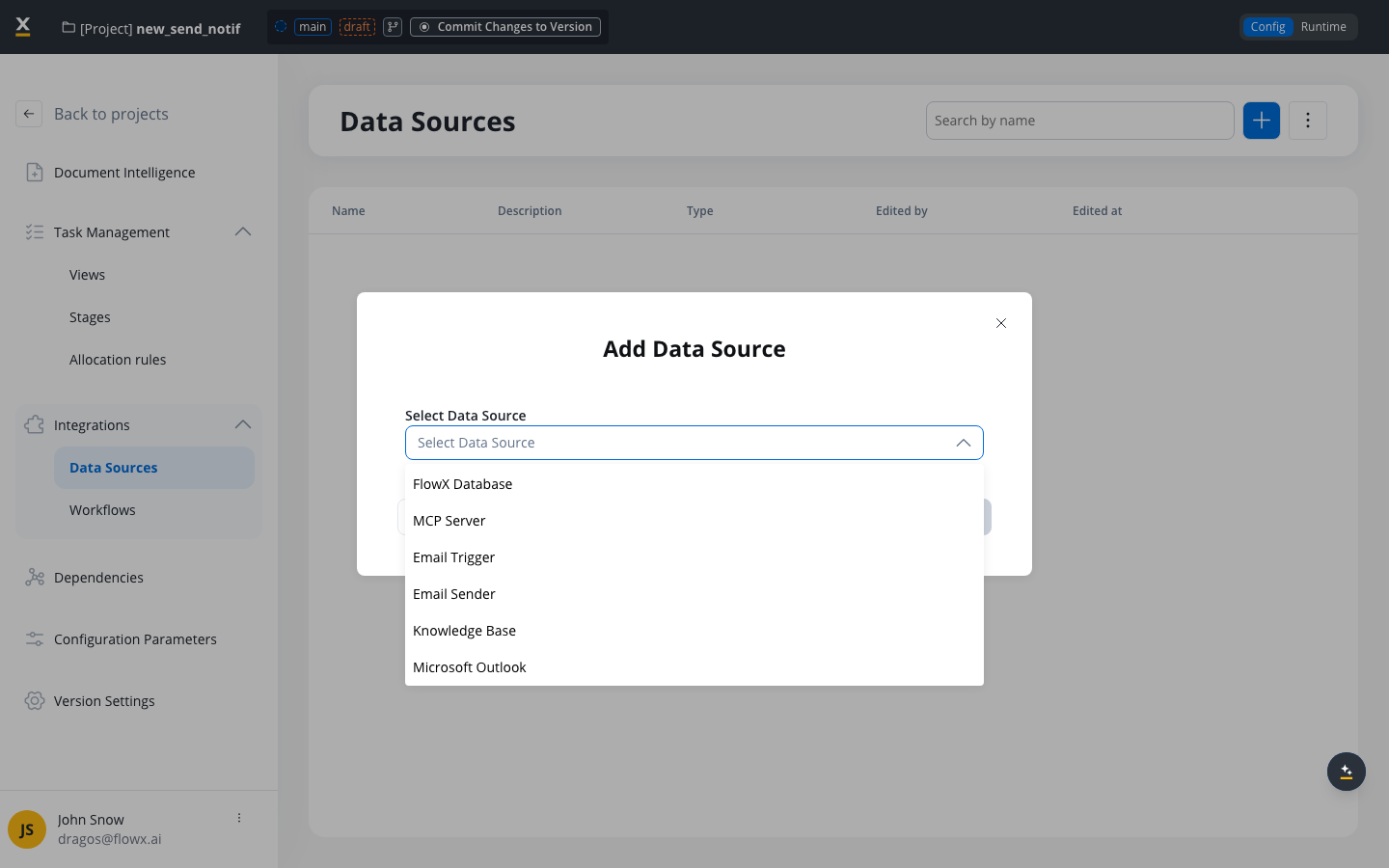
FlowX.AI 5.5.0 introduces a new **Microsoft Outlook** data source type that connects to Outlook mailboxes via the Microsoft Graph API. Unlike Email Trigger (IMAP) and Email Sender (SMTP), this provides a unified data source for both reading and sending emails through native Outlook integration with Azure AD authentication.
See the complete Microsoft Outlook data source documentation.
Single data source supports Read Emails, Send Emails, or Read & Send Emails scopes
Service account authentication with Tenant ID, Client ID, and Client Secret
Monitor Outlook mailboxes and trigger processes automatically when emails arrive
Send new emails or reply to received emails with conversation thread support
Configure allowed file types, max file size, and max file count for incoming emails
Validate Azure AD credentials and MS Graph permissions before saving
**Azure AD Authentication:**
| Field | Description |
| ------------- | -------------------------------- |
| Tenant ID | Azure AD tenant ID |
| Client ID | Azure AD application (client) ID |
| Client Secret | Azure AD client secret |
**Scope Options:**
| Scope | MS Graph Permissions Required |
| ------------------ | -------------------------------------------------- |
| Read Emails | `Mail.Read`, `Mail.ReadBasic`, or `Mail.ReadWrite` |
| Send Emails | `Mail.Send` or `Mail.ReadWrite` |
| Read & Send Emails | One read + one send permission |
Major Feature
All Deployments
***
### **Send Notification action**
FlowX.AI 5.5.0 introduces the Send Notification action — a new action type that sends emails directly from process nodes through SMTP, without routing through Kafka. Combined with the new Email Sender data source type, it enables processes to send new emails or reply to emails that triggered the process via Email Trigger.
Existing notification templates configured for Kafka-based sending continue to work without modification.
See the complete Send Notification action documentation.
New SMTP data source type in Integration Designer with SSL/TLS smart port defaults
Reply to emails that triggered the process, maintaining conversation threads
Send new outbound emails to specified recipients with CC/BCC support
New Email Server and Email Sender fields for direct SMTP delivery
Attach files using static paths or process variable keys
Existing Kafka-based notification templates continue to work unchanged
**Email Sender Data Source (new):**
| Field | Description |
| ----------- | ----------------------------------------- |
| Protocol | SMTP (only option) |
| Server Host | SMTP server hostname |
| SSL/TLS | Enable secure connection (default: on) |
| Port | `587` (SSL/TLS on) or `465` (SSL/TLS off) |
| Username | Email account username |
| Password | Email account password |
**Send Notification Action:**
| Field | Description |
| ------------------------ | ---------------------------------------------------------- |
| Notification Template | Select a template with Predefined Email Connection |
| Reply to received emails | Toggle on to reply to the email that triggered the process |
| Reply to Email Header | Process variable with original email headers (reply mode) |
| Receivers | Recipient email addresses or process variables |
| CC/BCC Receivers | Optional CC and BCC recipients |
| Language | Process variable key for template language |
| Attachments | File path or process variable key |
| Template Data | JSON key-value pairs for dynamic template content |
Available on Send Message Task, Task, and User Task nodes.
Major Feature
All Deployments
***
### **Integration Designer improvements**
FlowX.AI 5.5.0 adds URL encoding options for REST endpoint query parameters, improved error handling for invalid REST responses, and configuration parameter autocomplete in data source forms.
Configure whether query parameter values are URL-encoded automatically or sent as-is (for pre-encoded values)
Improved error handling when REST endpoints return responses with unexpected Content-Type headers
Type `$` in data source configuration fields to autocomplete configuration parameters or create new ones inline
See [Integration Designer - Query parameters](/5.1/docs/platform-deep-dive/integrations/integration-designer#query-parameters) for details.
Infrastructure
All Deployments
***
### **Security details in workflows**
Workflow scripts can now access `additionalData.securityDetails` to retrieve the current user's identity. This works when a workflow is started from a **Chat component**, a **UI Flow**, or a **manual run**. Sub-workflows inherit security details from their parent.
Unlike processes, where security details are grouped by swimlane and role, workflows use a simplified flat structure:
```json theme={"system"}
{
"securityDetails": {
"username": "user@email.com",
"identifier": "keycloak-subject-id",
"details": {
"firstName": "John",
"lastName": "Snow",
"email": "user@email.com"
}
}
}
```
See [Extracting additional data in business rules](/5.1/docs/building-blocks/actions/business-rule-action/extracting-additional-data) for full details and code examples for both processes and workflows.
New Feature
All Deployments
***
### **File encrypt and decrypt**
FlowX.AI 5.5.0 adds new file encryption and decryption actions to the Documents Plugin, enabling processes to encrypt files before storage and decrypt them for authorized access.
Encrypt files using configurable encryption algorithms before storage
Decrypt files for authorized access within process flows
Infrastructure
All Deployments
***
User management, workspace configuration, rendering, and platform improvements.
🔐 [**Container App Authentication**](#container-app-authentication) - Authentication flow and landing page improvements\
🔑 [**Password Policy Updates**](#password-policy-updates) - Updated password complexity requirements\
🚫 [**User status DISABLED**](#user-status-disabled) - New DISABLED status for user accounts\
📧 [**Resend User Invitation**](#resend-user-invitation) - Resend invitations for pending users\
🏷️ [**Workspace Environment Type**](#workspace-environment-type) - Sandbox, Staging, and Production labels for workspaces\
🏢 [**Organization ID Propagation**](#organization-id-propagation) - Enhanced multi-tenant isolation\
⚡ [**Rendering Runtime UX**](#rendering-runtime-ux) - Runtime UX improvements for rendering\
🔍 [**Process Variables Compare**](#process-variables-compare) - Monaco diff editor for process variable values\
📧 [**Failed Email Trigger Details Page**](#failed-email-trigger-details-page) - Dedicated details page for failed email triggers\
📐 [**Data Model Sidepanel**](#data-model-sidepanel) - Redesigned attribute settings, inline add, and path copy
### **Container app authentication**
Enhanced authentication flow and landing page for generic container applications. Configure authentication providers, customize login pages, and manage user sessions with improved security and user experience.
Support for multiple authentication providers
Customize the landing page for unauthenticated users
Improved session handling and token refresh
Seamless single sign-on integration
Infrastructure
All Deployments
***
### **Password policy updates**
FlowX.AI 5.5.0 updates the password policy with stricter complexity requirements for improved security.
**New requirements:**
| Rule | Value |
| -------------- | ---------------------------------------------------------------- |
| Minimum length | 8 characters |
| Maximum length | 64 characters |
| Complexity | Must include uppercase, lowercase, number, and special character |
Infrastructure
All Deployments
***
### **User status DISABLED**
FlowX.AI 5.5.0 introduces a new **DISABLED** user status. Administrators can now enable or disable user accounts through the **Enable** and **Disable** actions in the user management menu, providing better control over user access without deleting accounts.
Infrastructure
All Deployments
***
### **Resend user invitation**
FlowX.AI 5.5.0 adds the ability to resend invitations for users with a **Pending** status, ensuring users who missed or lost their initial invitation can still complete onboarding.
UI Enhancement
All Deployments
***
### **Workspace environment type**
FlowX.AI 5.5.0 adds an **Environment Type** dropdown to workspace configuration, allowing administrators to label workspaces as **Sandbox**, **Staging**, or **Production**. This provides clearer context when working across multiple environments.
UI Enhancement
All Deployments
***
### **Organization ID propagation**
FlowX.AI 5.5.0 enhances multi-tenant isolation by propagating organization ID across more runtime contexts. This improves audit trails and ensures proper resource scoping per organization in SaaS deployments.
Organization ID added to scheduled job context
Organization ID propagated to event handlers
Organization ID captured from initiator
Enhanced audit logging with organization context
Infrastructure
SaaS
***
### **Rendering runtime UX**
FlowX.AI 5.5.0 includes various rendering runtime UX improvements for better performance and user experience.
Improved loading state indicators and skeleton screens
Smoother transitions between screens and states
Better error handling with graceful degradation
Optimized rendering performance for complex UIs
UI Enhancement
All Deployments
***
### **Process variables compare**
FlowX.AI 5.5.0 introduces a Monaco diff editor for comparing process variable values, making it easier to identify changes between versions or states.
Side-by-side comparison of process variable values using Monaco diff editor
Compare variable values across different process versions
UI Enhancement
All Deployments
***
### **Failed email trigger details page**
FlowX.AI 5.5.0 adds a dedicated details page for failed email triggers, providing better visibility into email processing failures and enabling faster troubleshooting.
UI Enhancement
All Deployments
***
### **Data Model sidepanel**
FlowX.AI 5.5.0 redesigns the Data Model editing experience with a new attribute settings side panel, inline add-attribute buttons, and attribute path display. These improvements make it faster to create, configure, and reference data model attributes without switching between menus.
See the updated Process Data Model documentation.
Select any attribute to open a settings panel with type, validations, sensitive data, and reporting options
Add attributes directly on each data type — button shows on hover after the first attribute
View and copy the full key path for any attribute for use in business rules and UI bindings
Selecting a data type or connector highlights its location on the canvas
The Data Types panel starts minimized by default for a cleaner canvas view
Success notifications when adding new data types
UI Enhancement
All Deployments
***
### Additional improvements
* **Workflow logs milliseconds** — Workflow execution logs now display timestamps with millisecond precision
* **Single select in table edit** — SDK enhancement for single-select dropdowns within editable table cells. See [Table component](/5.1/docs/building-blocks/ui-designer/ui-component-types/table#editable-rows)
* **UI Flows action name optional** — Action names in UI Flows are now optional, reducing configuration overhead
* **Data mappers editable JSON testing** — Improved JSON testing experience in data mappers with editable input fields
* **Solutions page load optimization** — Solutions page now loads only projects, improving performance for container apps
* **Security patches** — General security improvements across platform services
## Additional information
### Deployment information
For detailed deployment guidelines, component versions, and upgrade instructions, see the [Deployment Guidelines v5.5.0](./deployment-guidelines-v5.5).
### Compatibility
**Breaking change:** The default `SECURITY_TYPE` has changed from `oauth2` to `jwt-public-key` across 14 services. Opaque-token introspection has been removed. See the [Deployment Guidelines](./deployment-guidelines-v5.5#breaking-changes) for migration steps.
Upgrade from v5.4.0 — requires authentication mechanism migration (`SECURITY_TYPE` change)
Compatible with FlowX.AI SDKs (Angular/React/iOS/Android), Designer, and Database 5.5