> ## Documentation Index
> Fetch the complete documentation index at: https://docs.flowx.ai/llms.txt
> Use this file to discover all available pages before exploring further.
# FlowX.AI 4.7.0 Release Notes
> FlowX.AI 4.7.0 is here to keep your projects vibing, your merges drama-free, and your configs under control—because struggling with your platform is *so* last season. 😎🔥
## What's new? 🆕
✅ Copy resources across projects\
✅ Duplicate resources (in the same project/library)\
✅ Resources usage tracking\
✅ Smarter merge conflict detection & resolution\
✅ Libraries can now define configuration parameters\
✅ Dynamic Kafka topics using configuration parameters
## Projects
### Copy resources across projects
Moving resources between projects is now **fast and seamless**. The new **Copy to Another Project** feature ensures all dependencies stay intact, eliminating the hassle of manual adjustments.
1️⃣ **Select a destination** – Choose the target project or library.\
2️⃣ **Pick a branch (if applicable)** – For WIP versions, select the target branch.\
3️⃣ **Review dependencies** – The system displays referenced resources and validates dependencies.\
4️⃣ **Resolve identifier conflicts** – If an identifier already exists in the destination, you'll be prompted to either:
* **Keep both** (create a duplicate)
* **Replace** (overwrite the existing resource)
* **Use destination** (retain the existing resource without copying)
* **No broken references** – Everything stays connected.
* **Auto-add missing dependencies** – No manual setup required.
* **Works with WIP & committed versions (only from committed to WIP)** – Flexibility for your workflow.
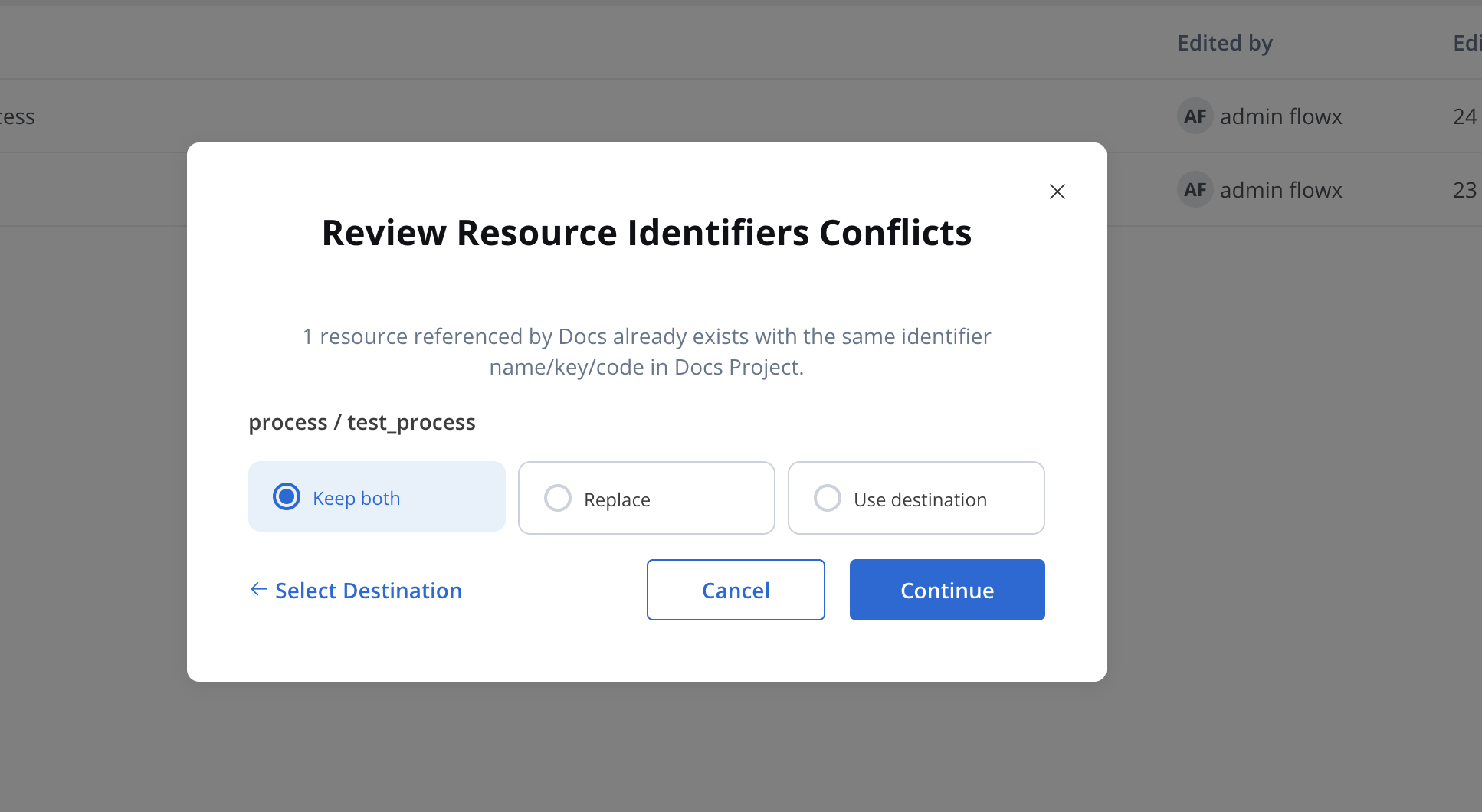
Check this section for more details.
***
### Duplicate resources
The **Duplicate Resource** feature lets users create a copy of an existing resource within the same project or library version, streamlining workflows and ensuring quick reusability.
You can duplicate the following resources:
* **Processes**
* **Enumerations**
* **Media files (including Global media library files)**
* **Notification templates**
* **Document templates**
* **Views**
* **Duplicate options** are available from each resource’s three-dot menu (table row & secondary navigation).
* When selected, a **"Duplicate" modal** opens with a prefilled name: *Copy of \[Resource Name]* (which can be edited).
* **Cancel** to discard changes or **Duplicate** to create an exact copy in the same project/library version.
* **Success confirmation:** The system navigates to the newly created resource and displays a success message.
* **Error handling:** If a resource with the same name/key exists, users will be prompted to rename it before proceeding.
💡 **Use cases:**
* Quickly iterate on existing resources.
* Reduce redundant manual setup.
* Maintain consistency within projects.
* Easily clone complex configurations for testing and modifications.
Check this section for more details.
***
### Track where your resources are used
Monitoring your resources has never been simpler and more efficient. Stay on top of where and how they’re being used.
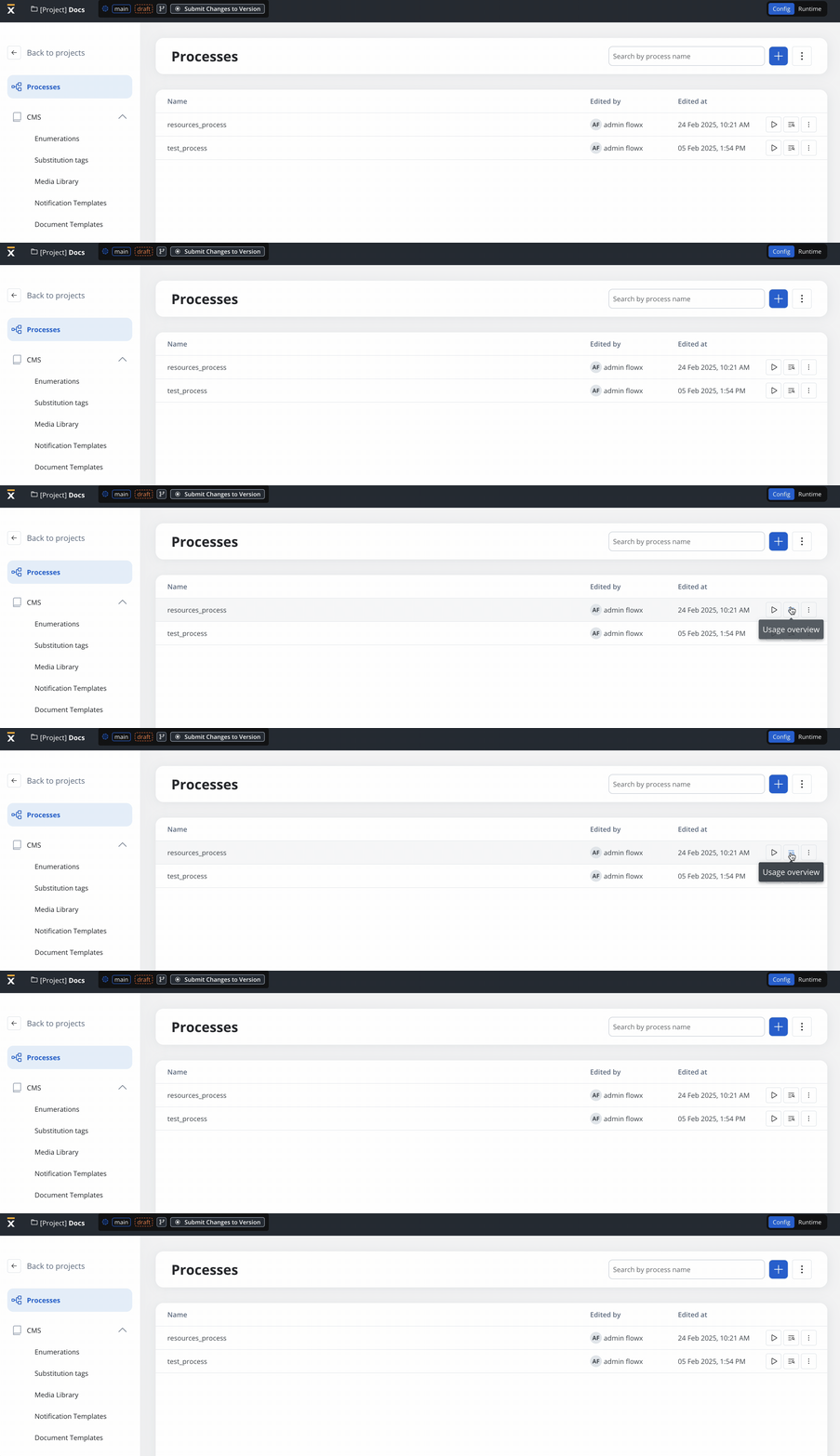
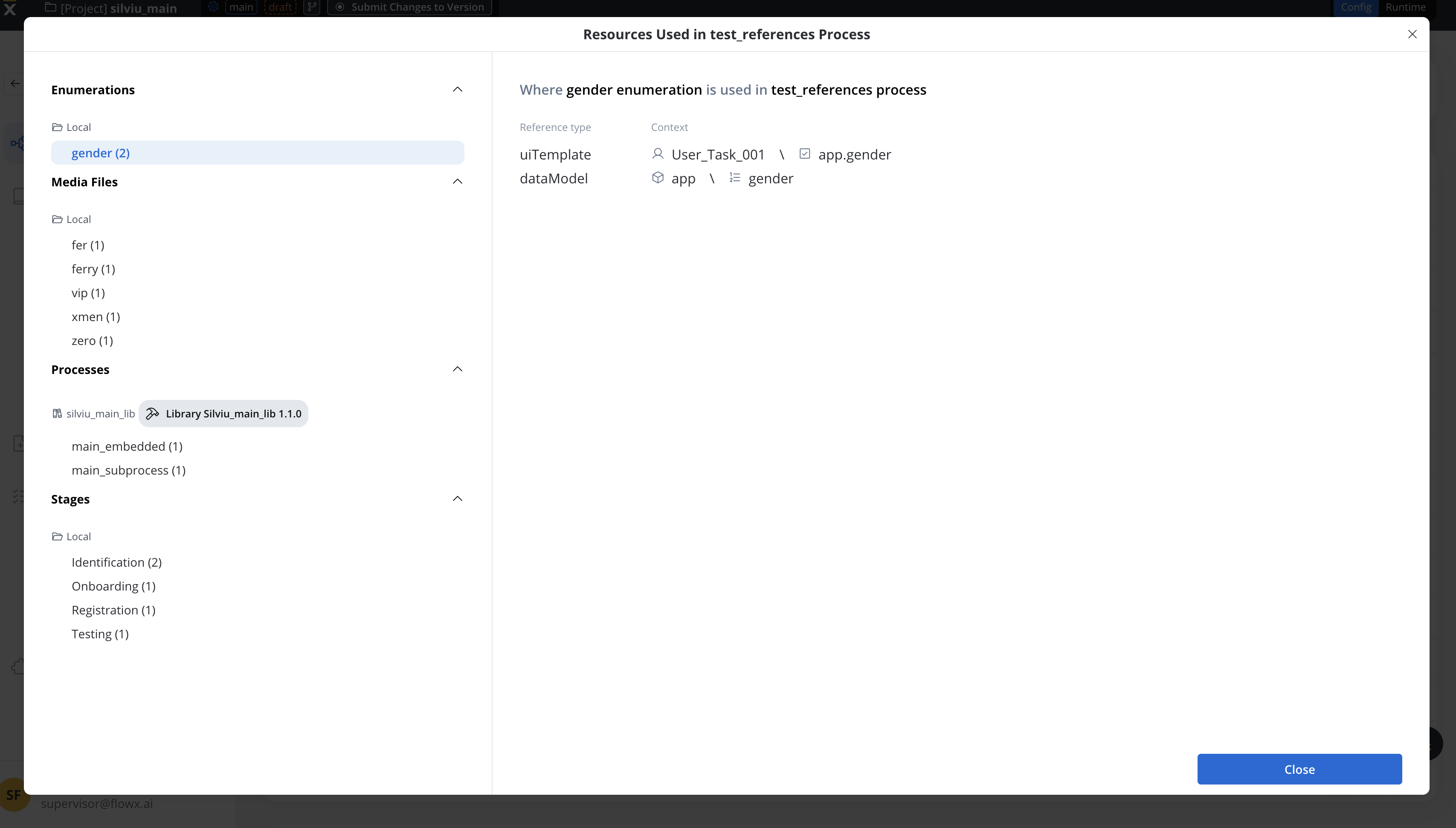
Track where a process is referenced, with a clear **Usage Overview modal** that dynamically updates when references change.
See where enumerations are used across **UI, Data Models, Systems, and Workflows** before making changes.
Identify **which UI elements reference media assets** so you don’t accidentally break designs.
📌 **Before deleting a resource, a confirmation modal lists all affected references. No more surprises!**
***
### Configuration parameters overrides
🔹 **Libraries can now define configuration parameters** to help test processes or workflows that use those parameters.
🔹 However, **libraries do not support overrides**.
* **Overrides for library config parameters must be done within a project** where the library is added as a dependency.
* **Overrides cannot be added in libraries directly.**
💡 **What this means:**
* Libraries provide **default values** for configuration parameters.
* Projects using those libraries **can override these values** as needed.
* This ensures **clear separation between library defaults and project-specific configurations** while maintaining flexibility.
✨ **Overrides take precedence** over library values—so you stay in control.
***
### Merge conflict enhancements
Merge conflicts are never fun, but at least now they’re **easier to handle**.
🚨 Prevents merging if identical resource identifiers exist in both branches (e.g., same name, key, or code).
🖥️ Resize the merge conflict tree for better visibility and navigation.
📢 A new conflict detection system for parent changes/deletions in both branches.
***
## SDK changes
### Expose Enumerations API in Angular SDK
Developers can now dynamically retrieve enumerations via the Angular SDK, making it easier to use enums in custom components like dropdowns.
How it Works?
A new method in the Angular SDK allows direct access to enumerations, reducing manual imports and improving flexibility.
**Usage**
The `getEnumeration()` function returns key-value pairs that can be used in components that need enumeration data:
```typescript theme={"system"}
getEnumeration(enumName: string): { value: string; label: string }[]
```
* `enumName` (string) – The name of the enumeration to retrieve (e.g., 'UserRoles', 'cities')
* Returns: An array of objects containing value-label pairs representing the requested enumeration
The enumeration service works seamlessly with Angular's resource API for reactive state management:
```typescript theme={"system"}
import { Component, effect, model, resource } from '@angular/core';
import { getEnumeration } from '@flowx/angular-sdk';
@Component({
selector: 'app-dynamic-enum-select',
template: `
`
})
export class DynamicEnumSelectComponent {
// Create a signal to track the currently selected enum
enumName = model('UserRoles');
// Use resource API to reactively load enumerations when enumName changes
options = resource({
request: this.enumName,
loader: ({ request: enumName }) => getEnumeration(enumName),
});
constructor() {
effect(() => {
if (this.options.isLoading()) {
console.log(`Loading enumeration: ${this.enumName()}`);
} else {
console.log(`Loaded enumeration: ${this.enumName()}`, this.options.value());
}
});
}
}
```
***
## **Bug fixes** 🐞
✔️ Improved **merge conflict detection and resolution**\
✔️ Fixed **UI rendering issues**
***
## Changes
### Dynamic Kafka topics
FlowX 4.7.0 introduces **Dynamic Kafka Topics**, enabling more flexible and configurable messaging across processes.
🔹 **What’s new?**
* Use **Configuration Parameters** to dynamically assign Kafka topics in **Kafka Send** and **Kafka Receive** actions.
* Concatenate predefined parameters with process variables for **on-the-fly topic selection**.
* Reduce hardcoded values and **simplify environment-specific configurations**.
💡 **Why it matters:**
* Makes **Kafka integrations more scalable** across different deployments.
* Supports **multi-topic messaging** for different use cases without manual updates.
* Ensures better **reusability and maintainability** in process configurations.
📌 Check the [Kafka Send Action](../../4.7.x/docs/building-blocks/actions/kafka-send-action#dynamic-kafka-topics) section for setup details.
***
### Export/import compatibility
In version 4.7, the import-export functionality for application-version is no longer backward compatible.
* Zip files exported from version 4.7 cannot be imported into earlier FlowX versions.
* Similarly, zip files from earlier versions cannot be imported into 4.7.
Zip files for builds and specific resources remain unaffected.
***
## **Additional information**
📌 [Deployment Guidelines v4.7.0](./deployment-guidelines-v4.7.0)\
📌 [Migration Guide (from v4.6.0)](./migrating-from-v4.1.x-to-v4.7.0)