> ## Documentation Index
> Fetch the complete documentation index at: https://docs.flowx.ai/llms.txt
> Use this file to discover all available pages before exploring further.
# FlowX.AI 4.2.0 Release
> We are excited to announce the release FlowX.AI 4.2 🔥, featuring new and improved features that will elevate your workflow experience.
Let's dive in and explore:
## **What's New?** 🆕
### FlowX.AI UI Designer
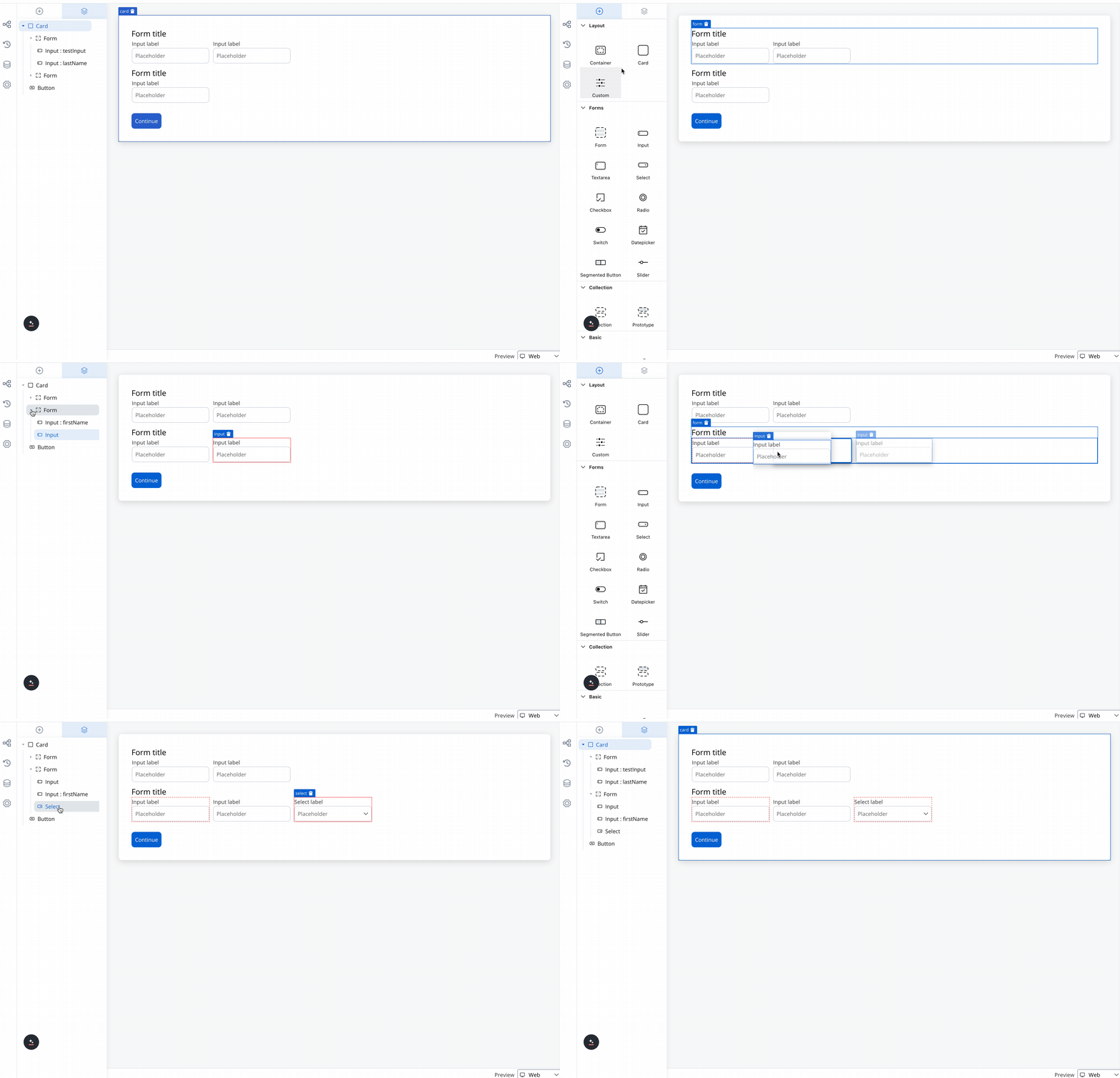
We are thrilled to introduce the new and improved **UI Designer Navigator**, a major update designed to streamline your UI design process.
The UI layer panel has been redesigned for a more intuitive experience, making it easier to manage and navigate through your design elements.
Dragging and dropping components in the preview is now smoother and more precise, allowing for faster and easier creation of UIs.
You can now change the root component from a form group to a container or vice versa, offering greater flexibility when copying nodes or resolving configuration problems.
It is now simpler to identify where you are placing a component within the hierarchy, thanks to the enhanced drag/reorder functionality in the right panel.
### FlowX.AI Engine
#### Autocomputed data to send
In previous platform versions, when creating your UI screens and working with data, you had to ensure that all the data stored in your process keys was saved in the process instance. This required adding an extra parameter called "Data to send" to the "Save Data" node action.
| Older versions | v4.2 |
| :-------------------------------------------------------------------------------------: | :-------------------------------------------------------------------------------------: |
|  |  |
| | |
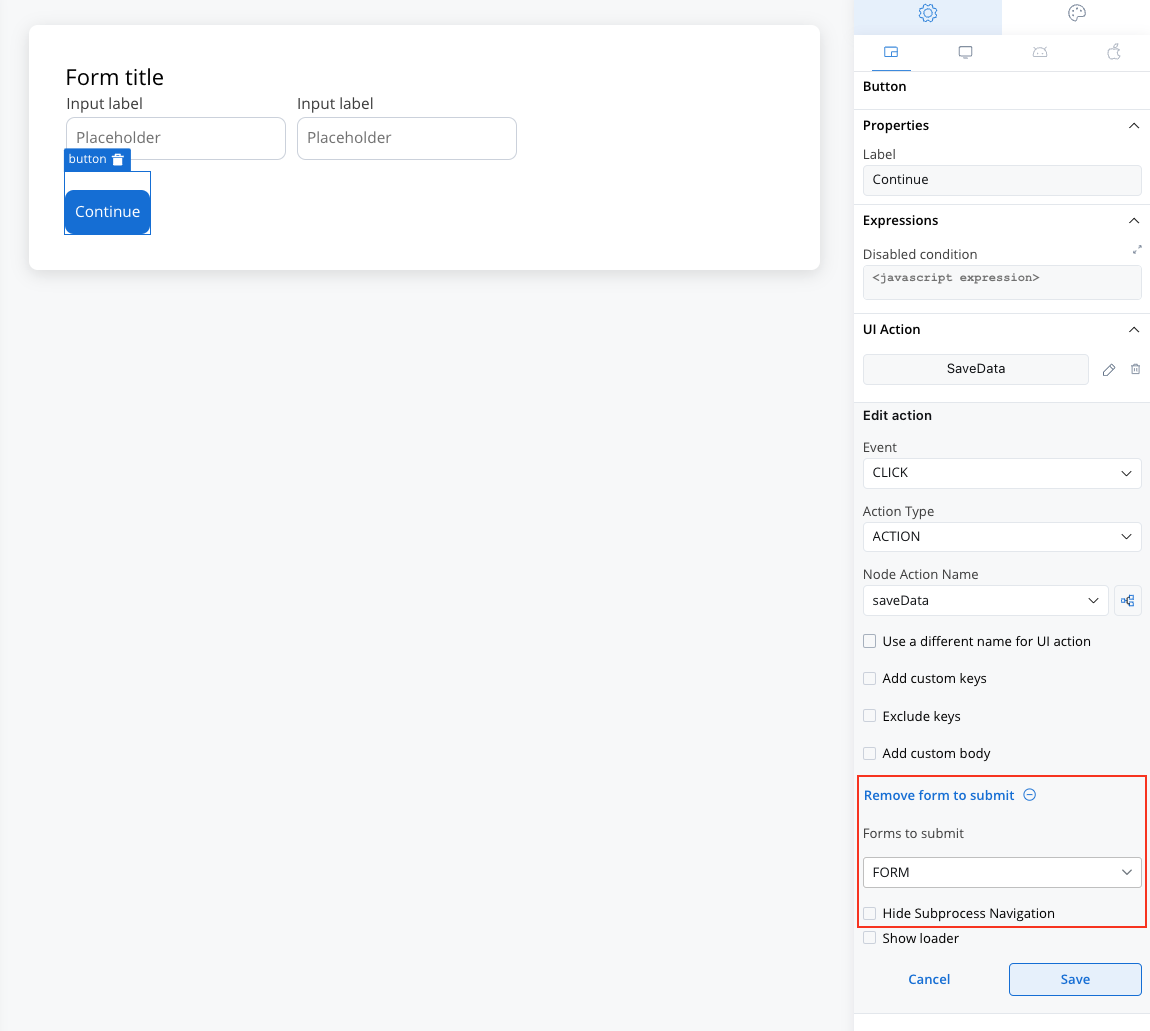
Now, with the autocompute feature, this step is no longer necessary, as the data is automatically saved and sent on your process instance.
You no longer need to add "Save Data" node actions, but make sure to include "Forms to Validate" on the UI Actions. This helps ensure that data is submitted correctly and automatically activates any added validators where they exist.
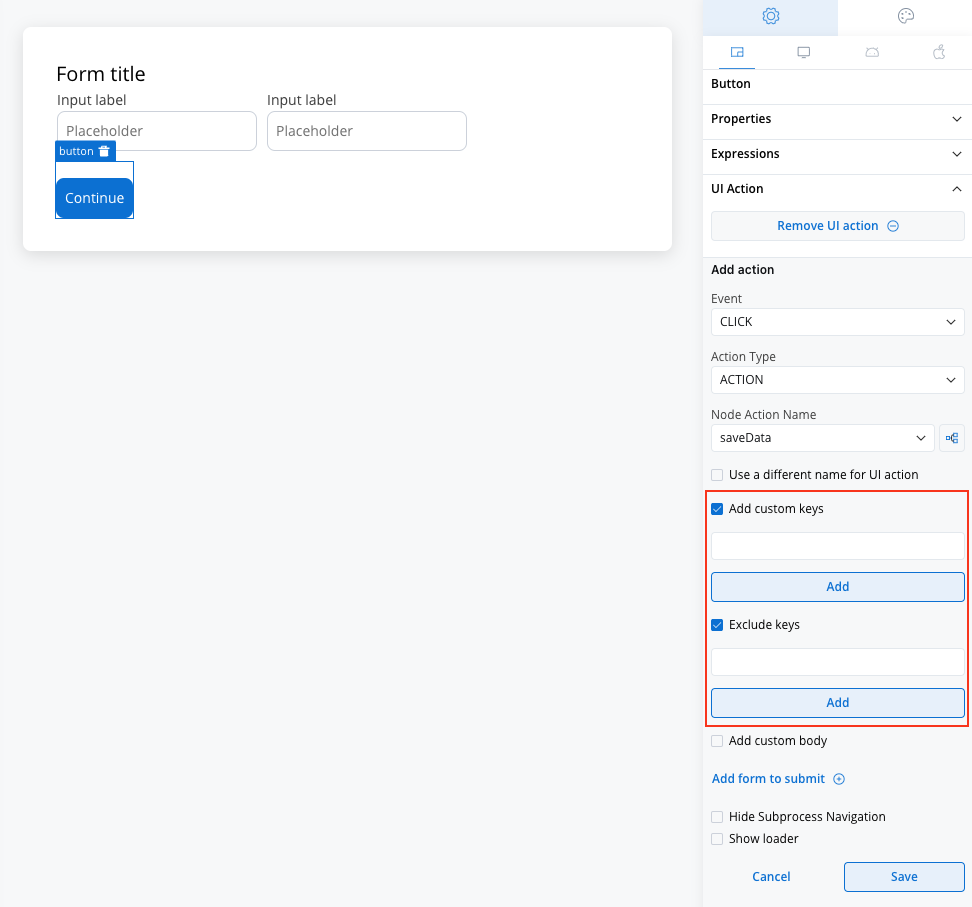
However, you still have the option to customize which keys are included or excluded as needed.
### Scripting UX improvements
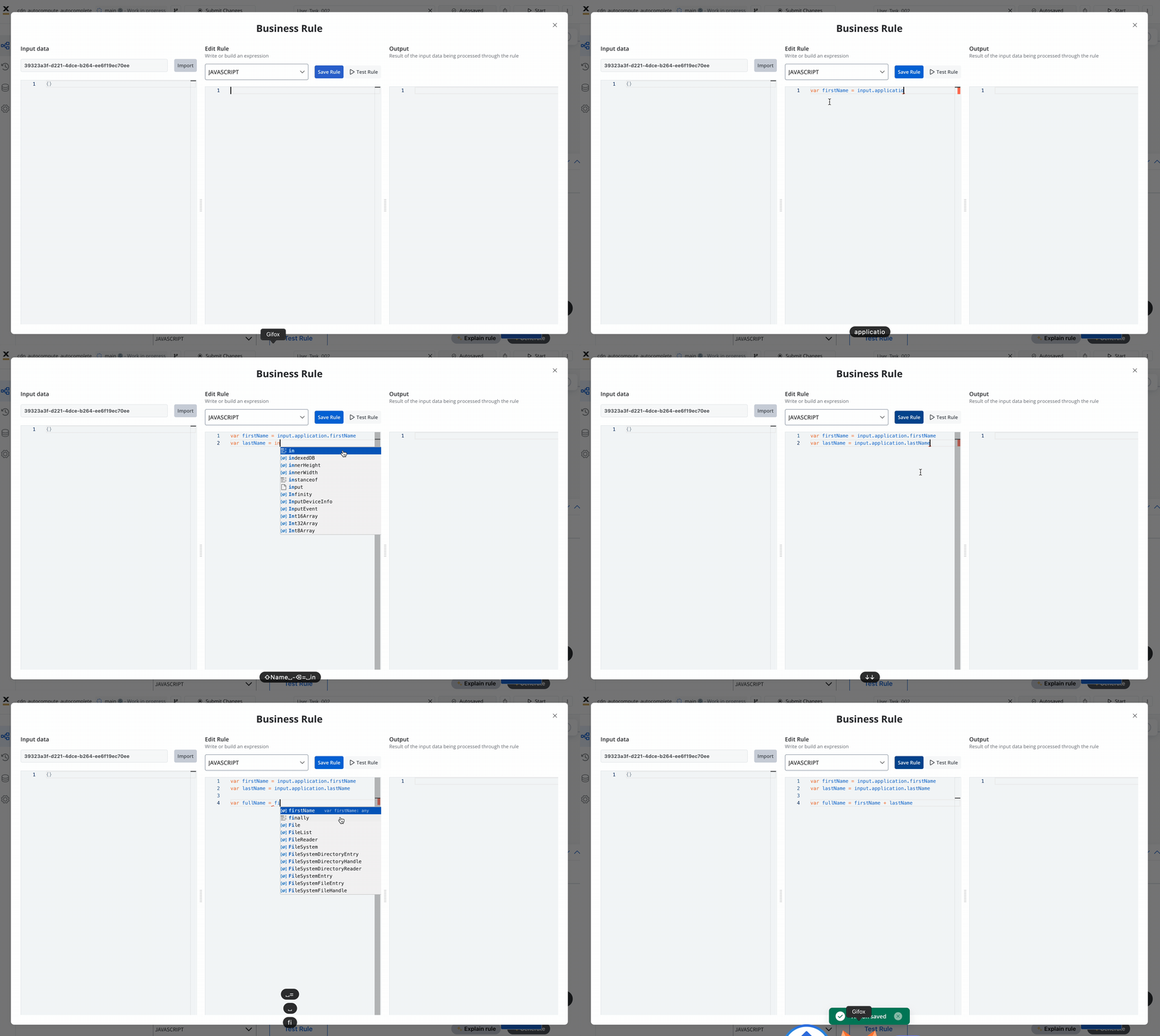
We're excited to announce significant improvements to our scripting UX. These enhancements focus on upgrading the code editors and introducing an advanced autocomplete feature. Configurators, both experienced and novice, will benefit from better visual feedback, support for interpolation syntax, and integrated help and examples.
The updates aim to streamline the configuration process, reduce errors, and make testing and troubleshooting more efficient.
#### Autocomplete based on data model
Introducing autocomplete for attributes, tailored to the data model attributes for enhanced configuration efficiency:
| Section | Autocomplete field(s)/editors | Type |
| ------------------------------------------------------------------ | -------------------------------------------------- | ---------------------------- |
| Node config > Action -> Start subprocess | Copy from current state Exclude from current state | Field w/out interpolation |
| Node config > Data stream topics | Key name | Field w/out interpolation |
| Node config > Action > Kafka send action | Message Header | JSON editor w/ interpolation |
| Action > Business Rule | Business rule | Code editor |
| Node config > Action > Kafka send action > From integration | All integration fields | Input w/ interpolation |
| Throw message node > Node config | Correlation Key | Field |
| Throw message node > Node config | Send data | Editor - JSON |
| Start message node > Node config | Process key | Field w/out interpolation |
| Exclusive gateway > Gateway decision | Expression | Code editor |
| UI designer > Form & form elements | Disable expression | JS editor |
| UI designer > Input, text area (?), slider (min & max), text, link | Computed values | JS editor |
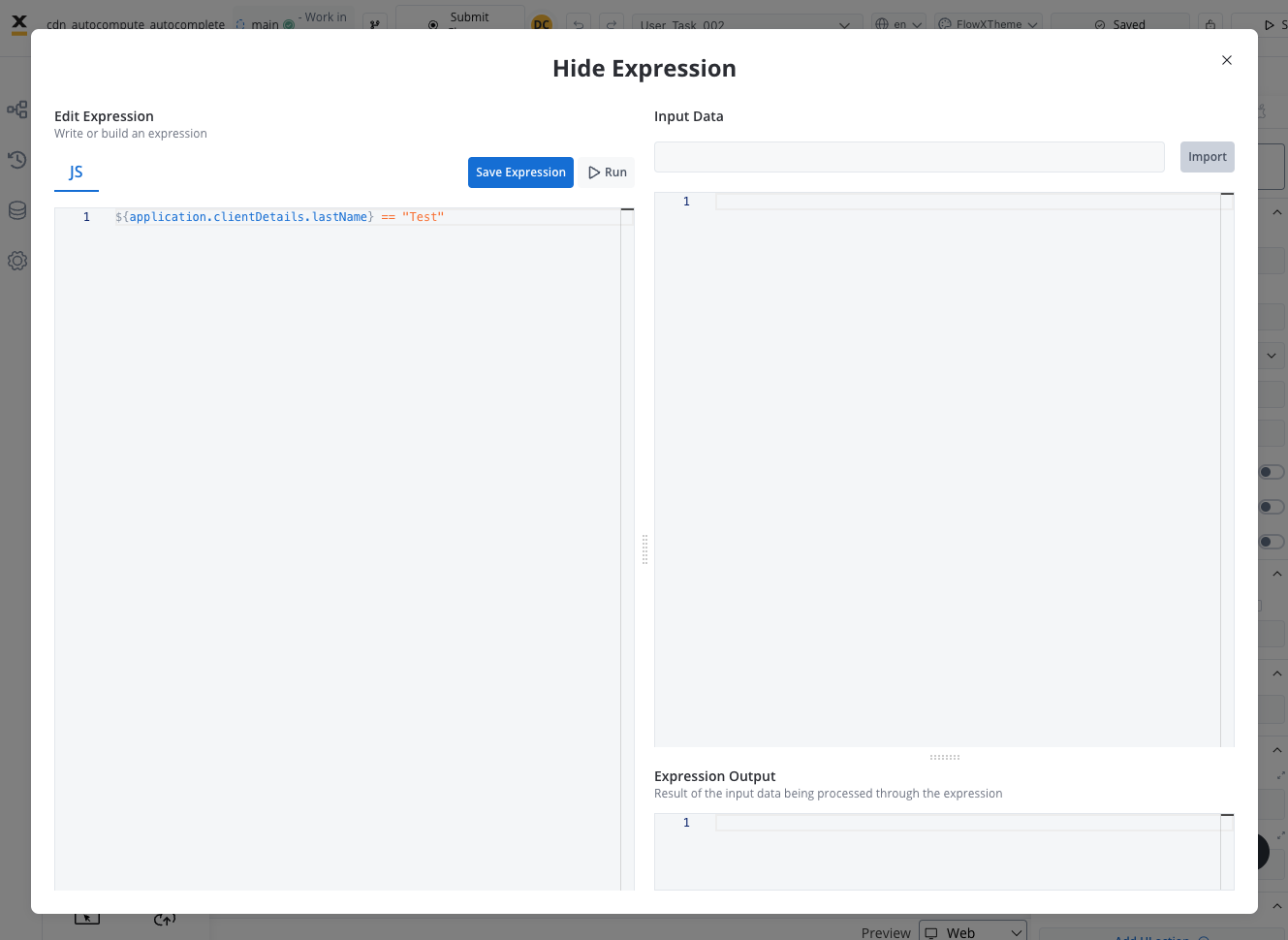
| UI designer > UI components | Hide expression | JS editor |
| Catch message node (boundary) > Node config | Process Key Correlation key | Field w/out interpolation |
#### New test business rule editor
#### New hide/disabled expressions editor
## **Changes** 🔧
* **WEB SDK**: Angular update (v17).
## Additional information
For deployment guidelines, refer to: