> ## Documentation Index
> Fetch the complete documentation index at: https://docs.flowx.ai/llms.txt
> Use this file to discover all available pages before exploring further.
# FlowX custom plugins
> Adding new capabilities to the core platform can be done by using plugins. FlowX plugins represent already-built functionality that can be added to a FlowX.AI platform deployment.
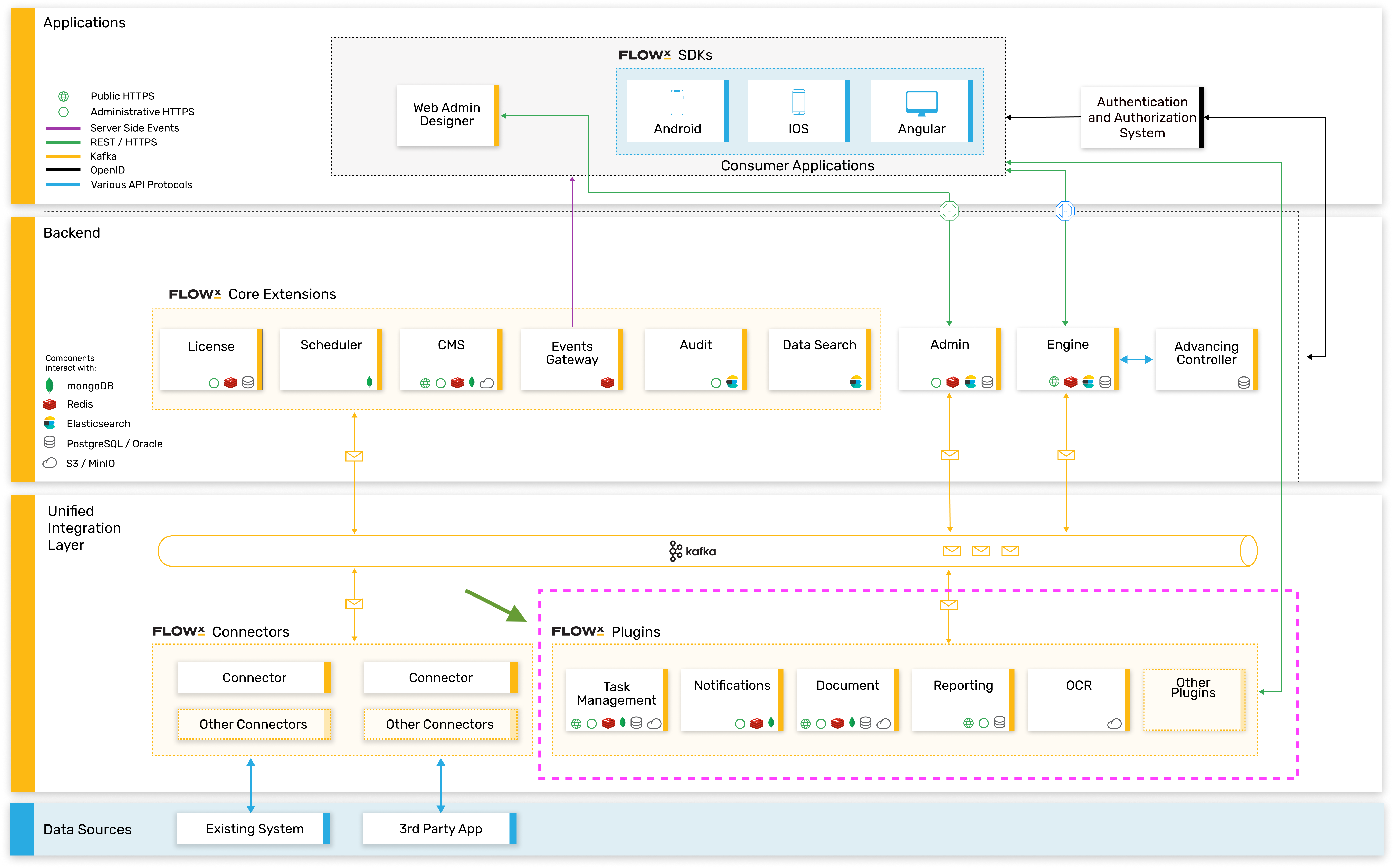
These could be either one of the provided custom **plugins** that we've already built or building your desired plugin.
On our roadmap, we’re also looking to enhance the **plugins library** with 3rd party providers, so stay tuned for more.
## High-level architecture
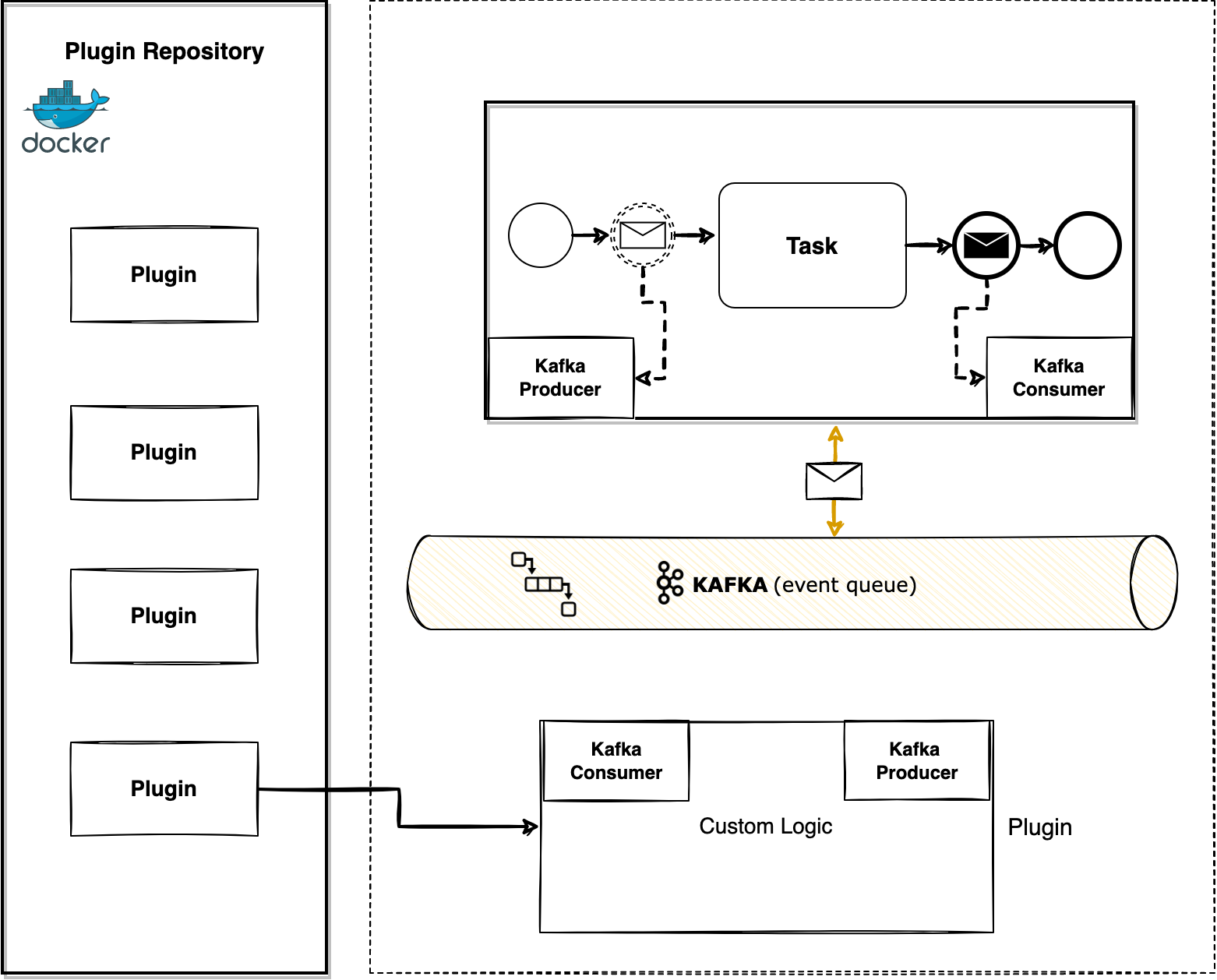
The plugins are microservice apps that can be developed using any tech stack. The only requirement is that they need to be able to connect to the core platform using Kafka events.
To interact with plugins, you need to understand a few details about them:
* the events that can trigger them
* the infrastructure components needed
* the needed configurations
## Custom plugins
The currently available plugins are:
* [**OCR**](./custom-plugins/ocr-plugin) - helps you scan your documents and integrate them into a business process
* [**Reporting**](./custom-plugins/reporting/reporting-overview) - a plugin that will help you create and bootstrap custom reports built on generic information about usage and processes metrics
Let's get into a bit more detail about the custom plugins 🎛️
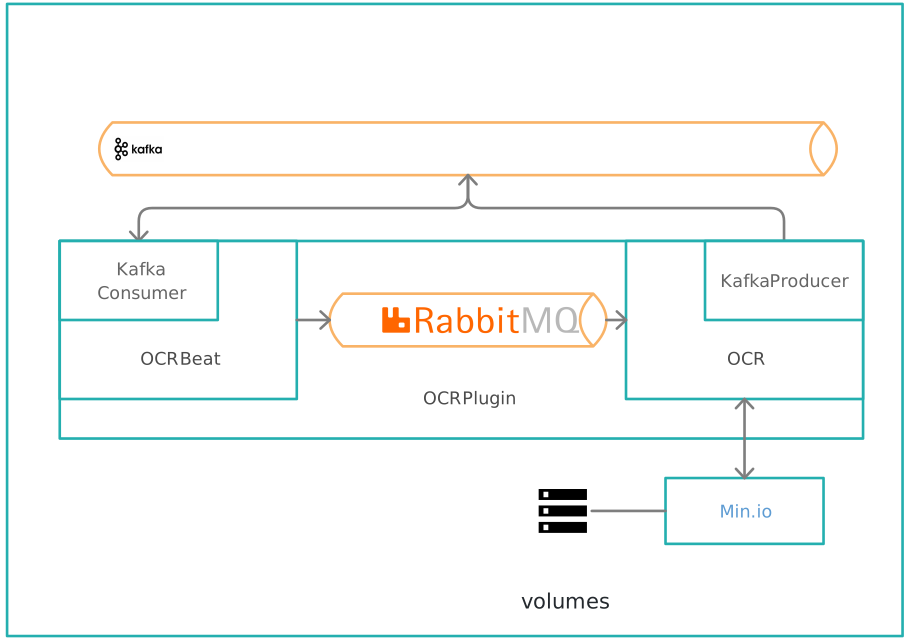
## OCR plugin
**Automatic key information extraction**
Used to easily read barcodes or extract handwritten signatures from PDF documents.
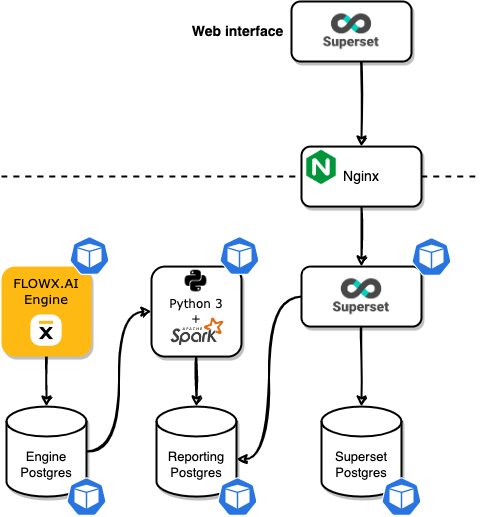
## Reporting plugin
**Easy-to-read dynamic dashboards**
Use reporting plugin to build and bootstrap custom reports built on generic information about usage and processes.