> ## Documentation Index
> Fetch the complete documentation index at: https://docs.flowx.ai/llms.txt
> Use this file to discover all available pages before exploring further.
# Generate OTP
> There are some cases when you will need to generate an OTP (One Time Password) from a business flow, for example when validating an email account.
The notifications plugin handles both the actual OTP code generation and sending the code to the user using a defined [notification template](../managing-notification-templates).
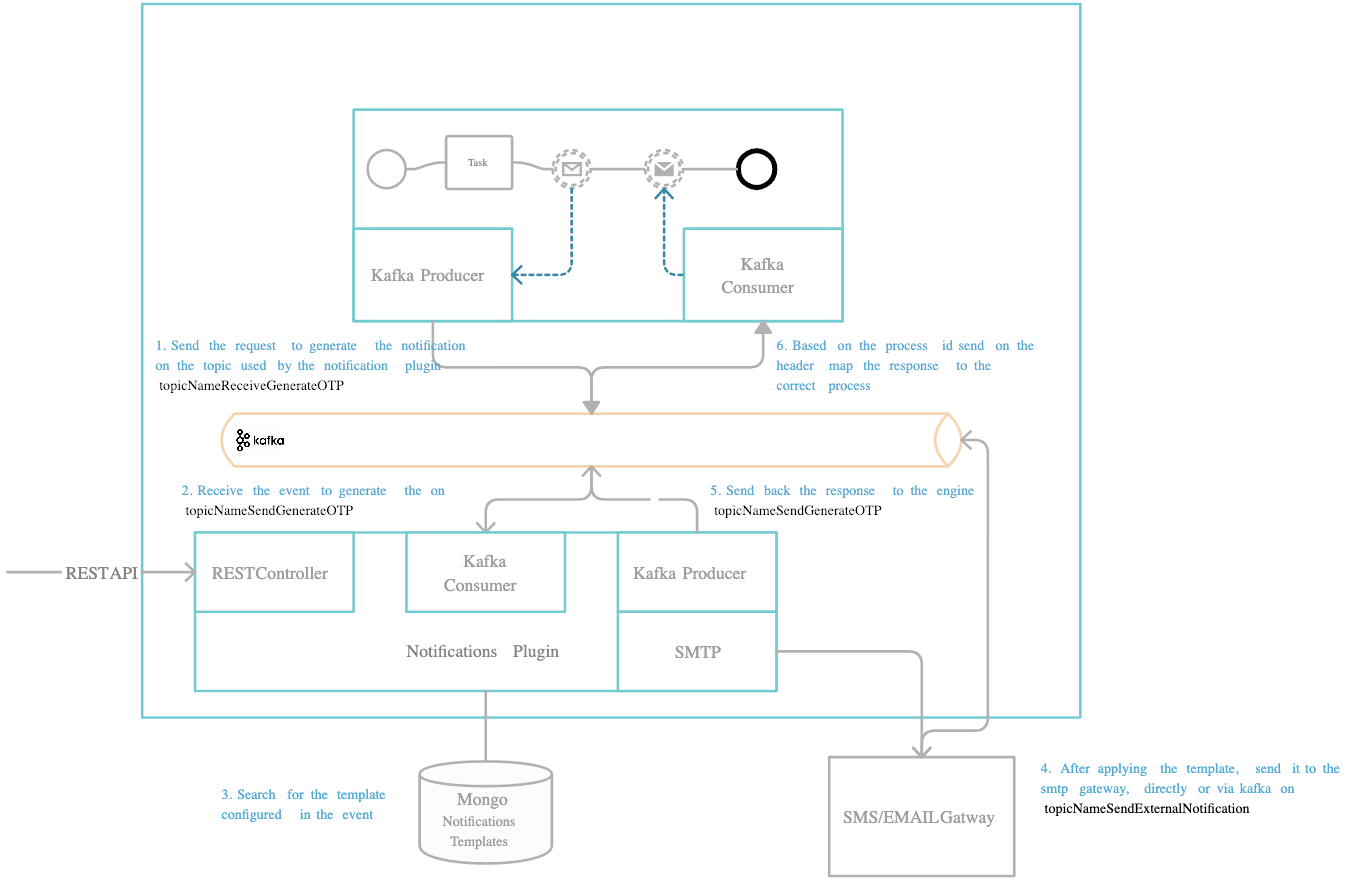
## Define needed Kafka topics
**DEVELOPER**: Kafka topic names can be set/found by using the following environment variables in your Notifications plugin deployment:
* `KAFKA_TOPIC_OTP_GENERATE_IN`
* `KAFKA_TOPIC_OTP_GENERATE_OUT` - after the OTP is generated and sent to the user, this is the topic used to send the response back to the Engine.
The Engine is listening for messages on topics with names of a certain pattern, make sure to use an outgoing topic name that matches the pattern configured in the Engine.
## Request to generate an OTP
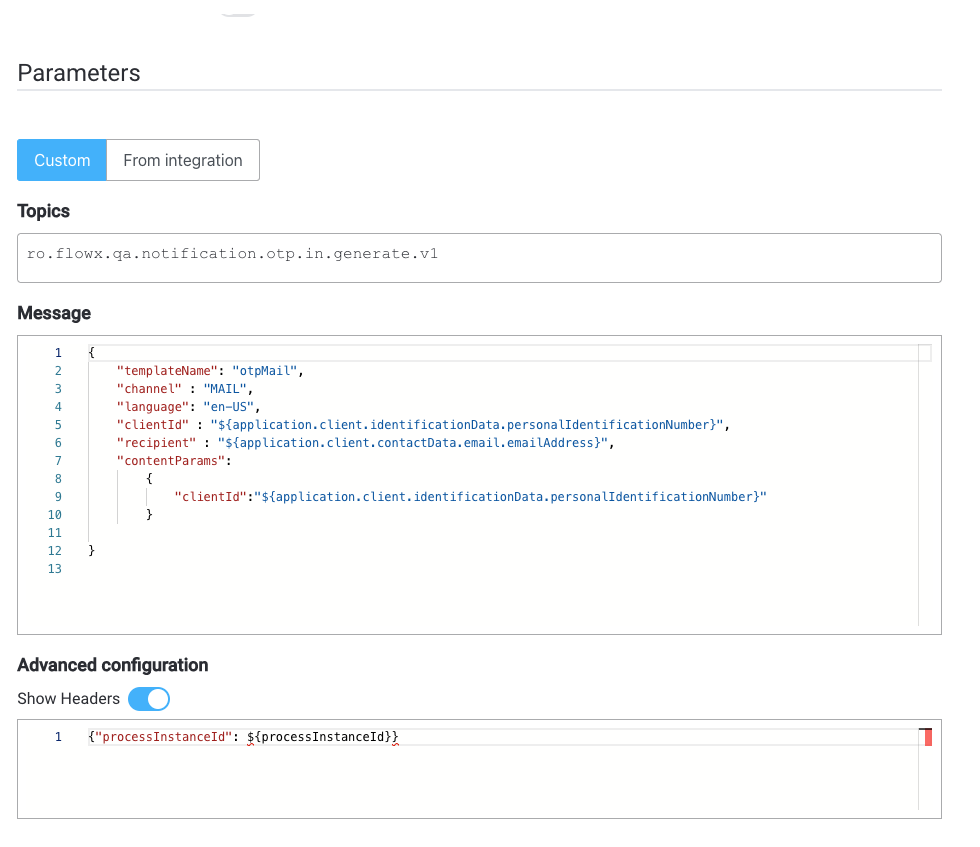
Values expected in the request body:
* **templateName**: the name of the notification template that is used (created using the [WYSIWYG](../../../wysiwyg) editor)
* **channe**l: notification channel (SMS / MAIL)
* **recipient**: notification receiver: email / phone number
* **notification template content parameters (for example, clientId)**: parameters that should be replaced in the [notification template](../managing-notification-templates)
## Response from generate OTP
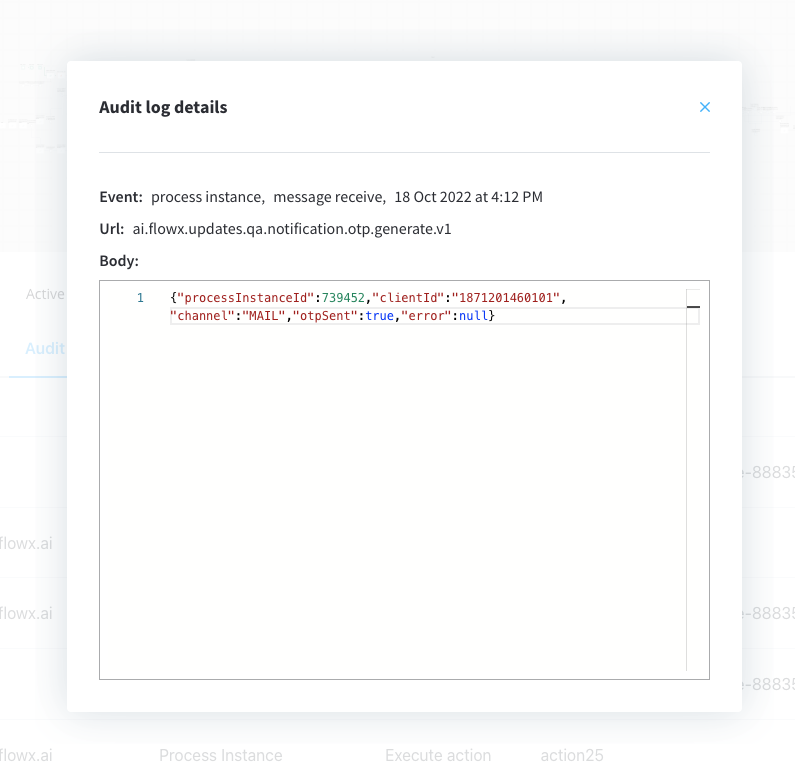
Values expected in the reply body:
* **processInstanceId** = process instance ID
* **clientId** = the client id (in this case the SSN number of the client)
* **channel** = notification channel used
* **otpSent** = confirmation if the notification was sent: true or false
* **error** = error description, if any
**Example:**
## Example: generate an OTP from a business flow
Identify the business identifier you will use to validate the OTP (for example, a user identification number).
1. Configure the templates that you want to use (for example, an SMS template).
2. Make sure the Kafka communication through (`KAFKA_TOPIC_OTP_GENERATE_IN` topic - send the otp request) and the topic used to receive the response (`KAFKA_TOPIC_OTP_GENERATE_OUT`) is defined properly.
You can check the defined topics by going to **FlowX Designer > Platform Status > notification-plugin-mngt > kafkaTopicsHealthCheckIndicator > details > configuration > topic > otp**.
3. Use the FlowX Designer to add a new **Kafka send event** to the correct node in the process definition.
4. Add the proper configuration to the action, the Kafka topic, and configure the body message.
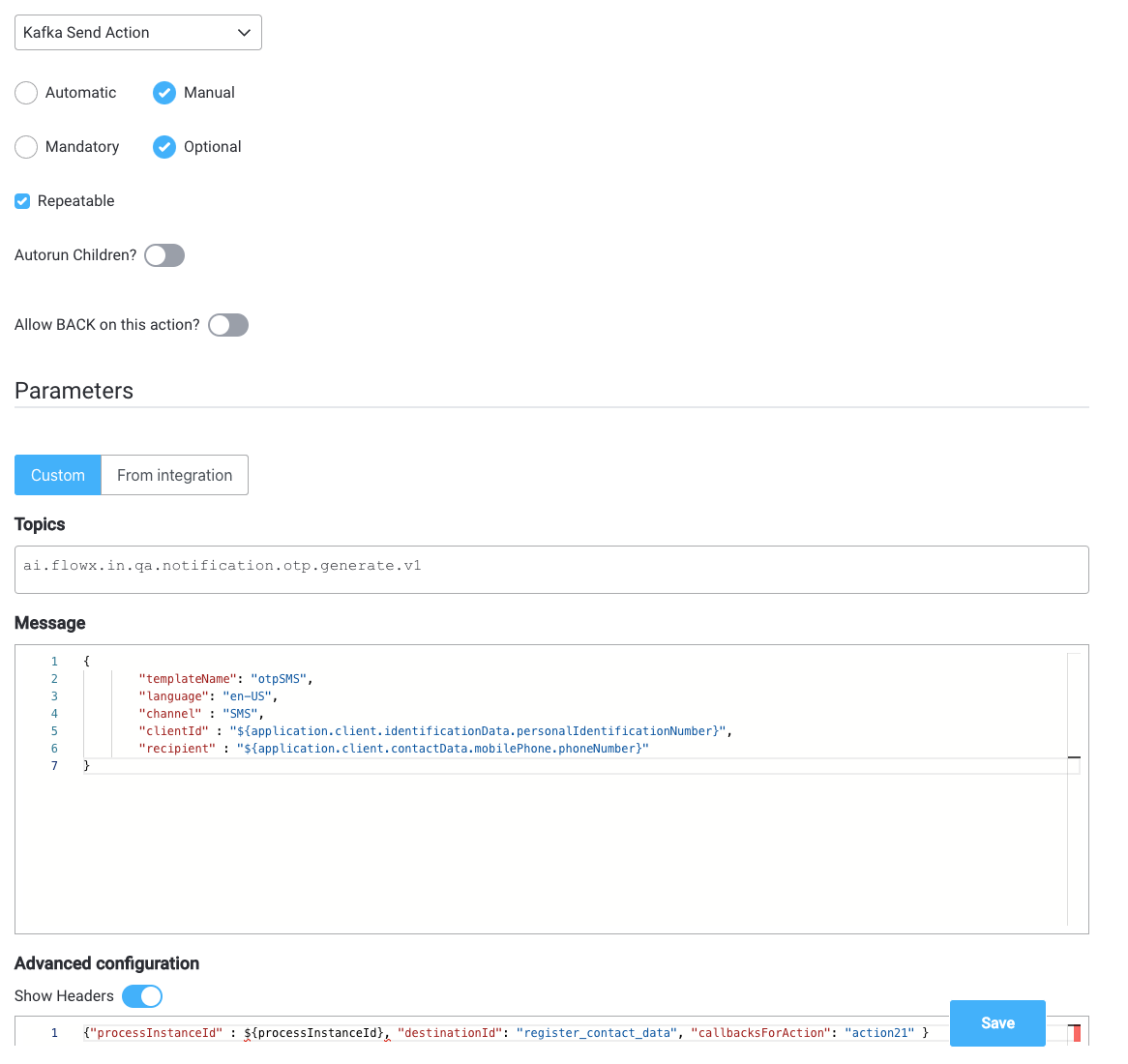
5. Add a node to the process definition (for the Kafka receive event).
6. Configure on what key you want to receive the response on the process instance params.
