> ## Documentation Index
> Fetch the complete documentation index at: https://docs.flowx.ai/llms.txt
> Use this file to discover all available pages before exploring further.
# Conditional styling
> Dynamically update styling and properties of UI elements based on conditions, reducing the need for multiple prototypes.
Conditional styling enables dynamic, data-driven design adjustments based on specific conditions. It helps reduce the need for multiple prototypes by applying styles conditionally, depending on the data and platform-specific configurations.
**Conflict Resolution:** When multiple conditions overlap, the latest condition (evaluated from top-to-bottom) takes priority.
***
## Configuring conditional styling
1. Open the **UI Designer**.
2. Select a **Text**, **Link**, or **Container** element.
3. Navigate to the **Styles** tab.
4. Locate the **Conditional Styling** section.
5. Click the **➕** icon to add new expressions and effects.
6. Use the **JS Editor** to configure and test your expressions for accurate behavior.
***
## Conditional styling properties
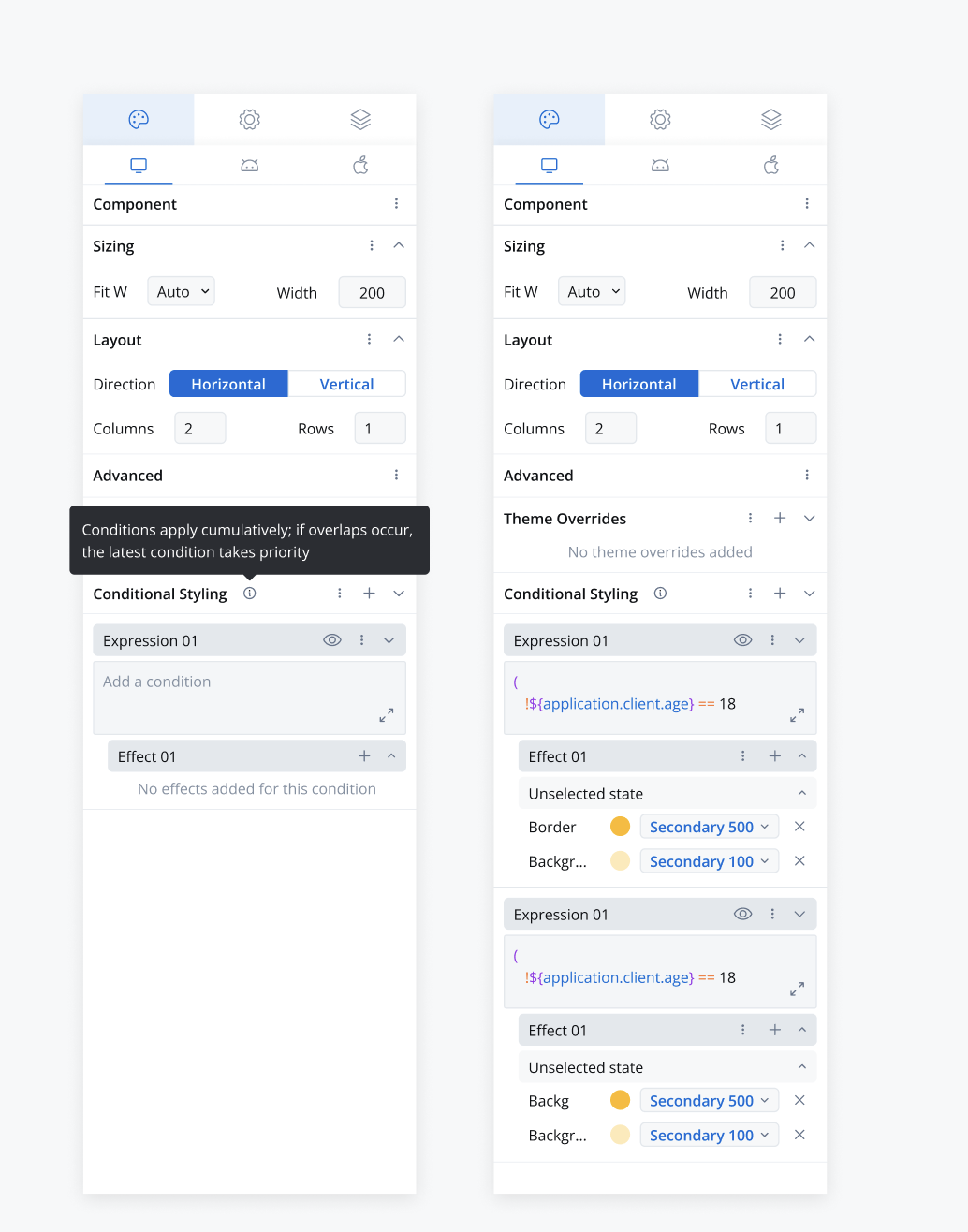
**Availability:** Conditional styling is available for **Text**, **Link**, and **Container** UI elements.
***
## Structure of conditional styling
1. **Condition:**
* A string expression evaluated similarly to hide/disable expressions.
* Supports referencing process data store keys for dynamic evaluations.
2. **Overrides:**
* A key-value map defining specific property-value pairs.
* Overrides are applied based on the evaluated condition.
### Example:
```json theme={"system"}
{
"platformDisplayOptions": {
"platform": "web",
"style": {
"conditionals": [
{
"condition": "$user.age > 30",
"overrides": {
"backgroundColor": "#FFD700",
"fontWeight": "bold"
}
},
{
"condition": "$user.subscription == 'premium'",
"overrides": {
"borderColor": "#4CAF50",
"textColor": "#FFFFFF"
}
}
]
}
}
}
```
## Renderer behavior
* **Real-Time Evaluation**: Conditions are continuously evaluated based on live data updates.
* **Priority Handling**: If multiple conditions are met, the last condition in the sequence takes precedence.
* **Dynamic Application**: Styles are applied instantly upon condition satisfaction, enhancing UI responsiveness.
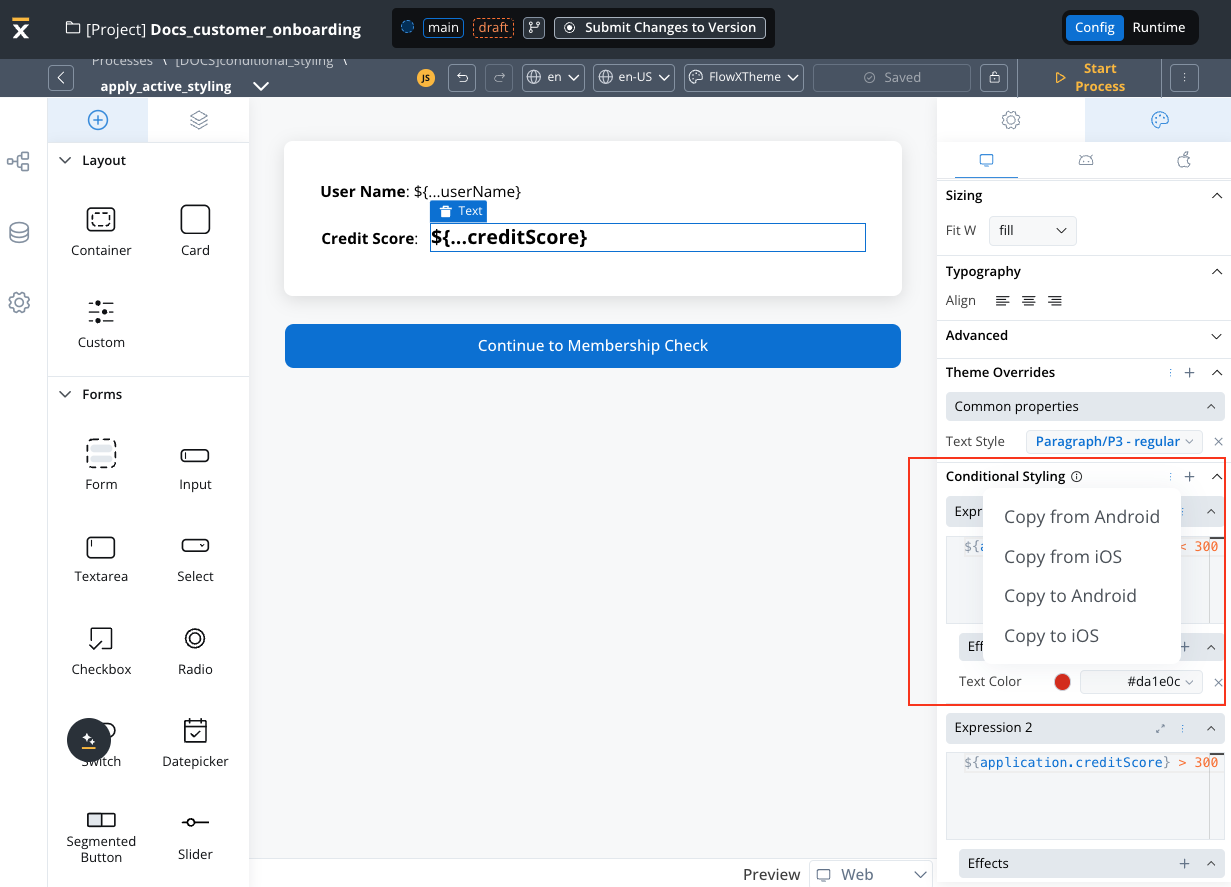
## Contextual menu options
* Conditional Styling Section: Copy To/From Platforms to reuse conditions across different environments.
* Expression + Effect Section: Copy To/From Platforms and Delete options for efficient management.
## Key notes
* **Dynamic Styling**: Facilitates platform-specific style overrides driven by real-time data conditions.
* **Scalability**: Designed to support iterative and scalable UI implementations.
* **Enhanced Usability**: Simplifies user interaction with intuitive UI/UX components, making style management more accessible and efficient.
Combine conditional styling with data-driven expressions to create responsive, adaptable UI designs effortlessly.