> ## Documentation Index
> Fetch the complete documentation index at: https://docs.flowx.ai/llms.txt
> Use this file to discover all available pages before exploring further.
# Timer start event (interrupting)
> A Timer Start Event initiates a process instance based on a specified time or schedule.

Please note that a process definition version can accommodate only one **Timer Start Event**.
## Configuration
The Timer Start Event supports two timer types:
| Timer Type | Description |
| ---------- | ------------------------------------------------------------------------------------- |
| Date | Specifies an exact date and time for triggering the event (ISO 8601 format) |
| Cycle | Specifies a repeating interval using ISO 8601 repeating intervals or cron expressions |
The Start Timer Event supports either ISO 8601 formats or Spring cron expressions for defining timer values.
Starting a process via registered timers requires sending a process start message to Kafka, necessitating a service account and authentication. For detailed guidance, refer to:
[**Service Accounts**](../../../../setup-guides/access-management/configuring-an-iam-solution#scheduler-service-account)
## Timer type details
### Date
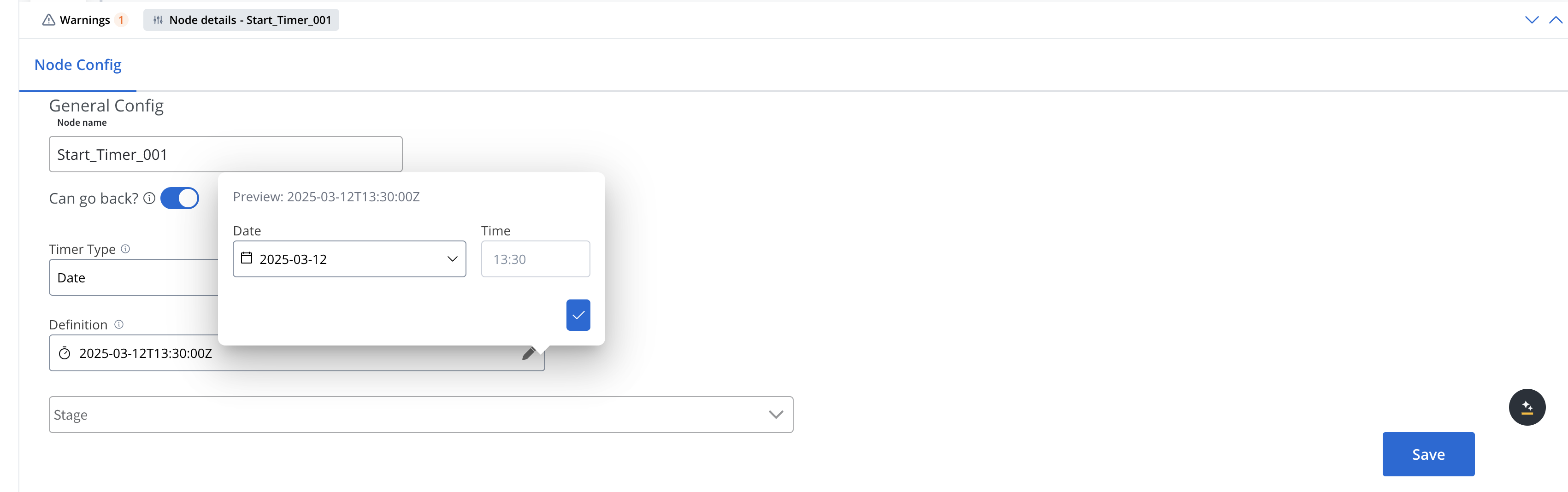
Specifies an exact date and time for triggering the event. You can use ISO 8601 date format for accurate date-time representation.
When configuring a Date timer, you can set:
* **Date**: Select a specific date (format: yyyy-mm-dd) using the date picker
* **Time**: Set the specific time when the timer should trigger
### Cycle
Specifies a repeating interval for triggering the event. For the Cycle timer definition, you can use either:
#### ISO 8601 repeating intervals
For standardized time intervals (e.g., "R5/PT10M" for repeating 5 times with 10 minutes between each)
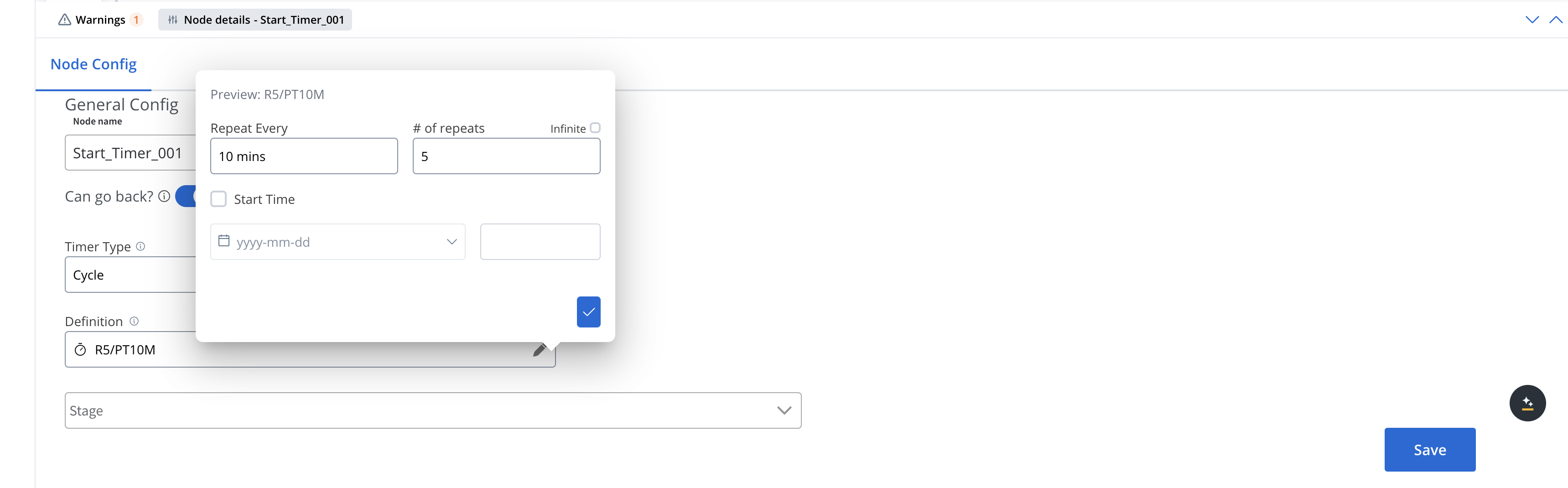
When configuring a Cycle timer (ISO 8601 repeating intervals) you can set:
* **Repeat Every**: The interval between triggers (e.g., "2 hours")
* **# of repeats**: How many times the timer should trigger (e.g., "3")
* **Infinite**: Option to make the timer repeat indefinitely
* **Start Time**: When the timer should begin (format: yyyy-mm-dd)
#### Cron expressions
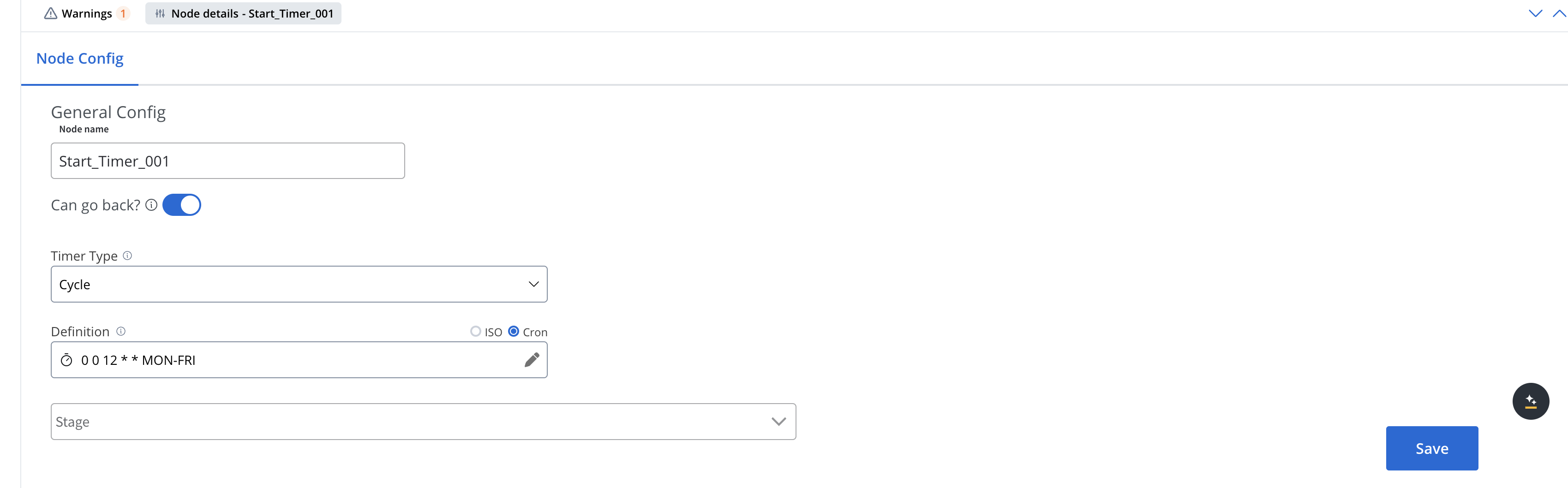
For more complex scheduling patterns (e.g., "0 0 12 \* \* MON-FRI" for 12pm every weekday)
## Activate/deactivate start timer events
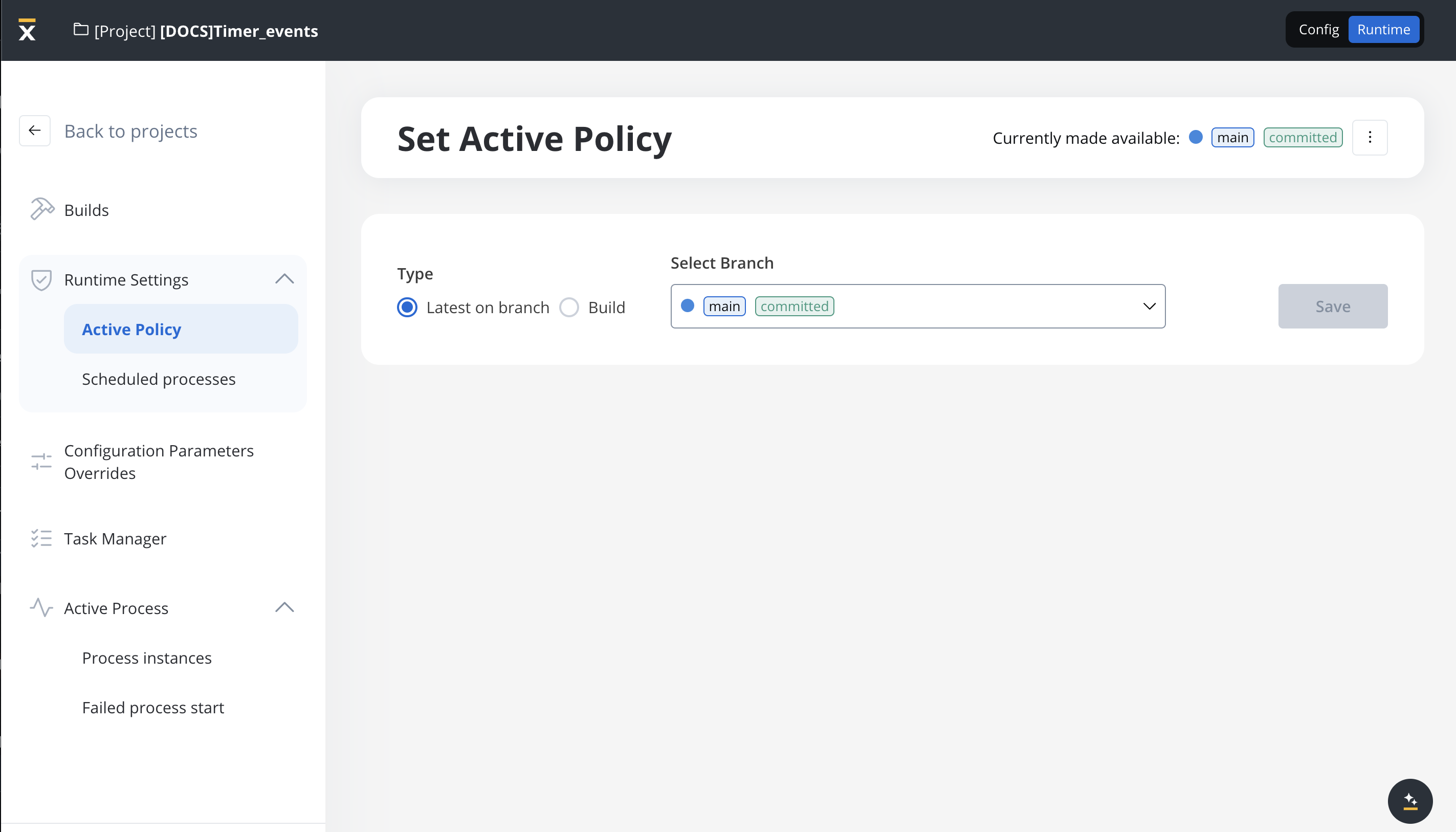
All timers can be activated/deactivated in the Runtime section under "Scheduled Processes":
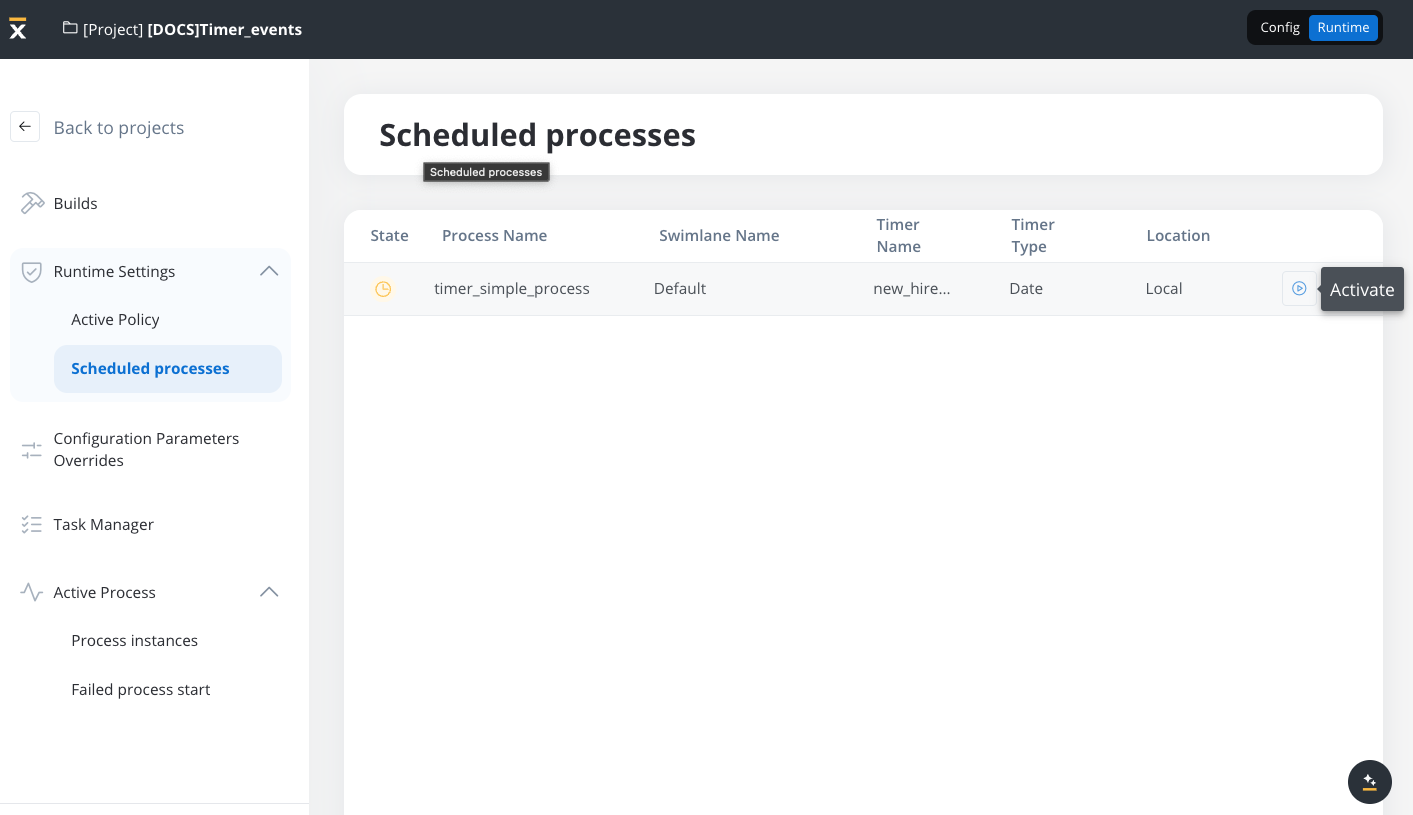
If a project contains multiple versions with Start Timer Event nodes, a scheduler will be generated only for the ones included in the version set in the active policy.
## Usage examples
### Date timer example: Employee Onboarding Reminder
In this scenario, the Timer Start Event triggers an employee onboarding process at a specific date and time.
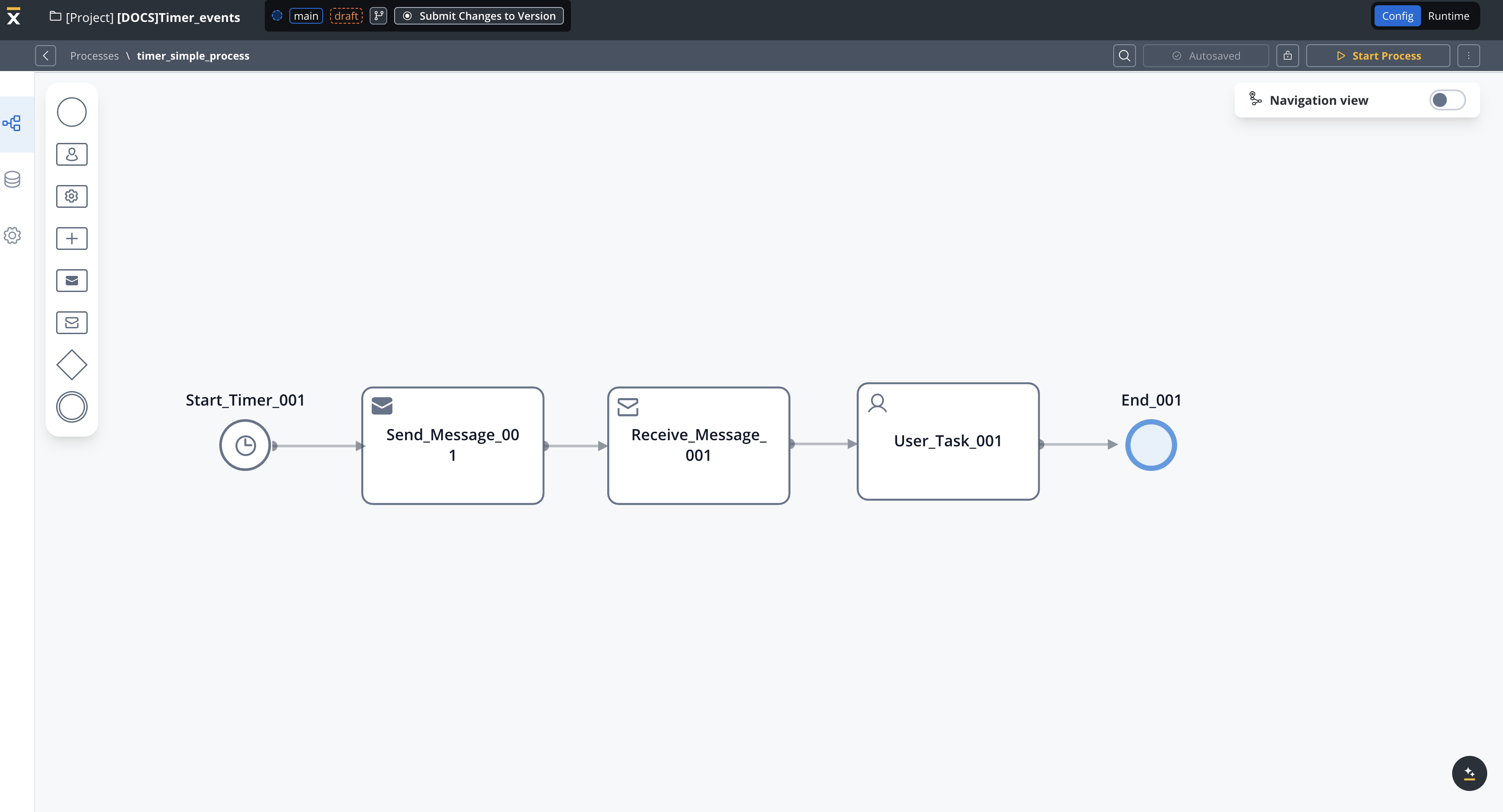
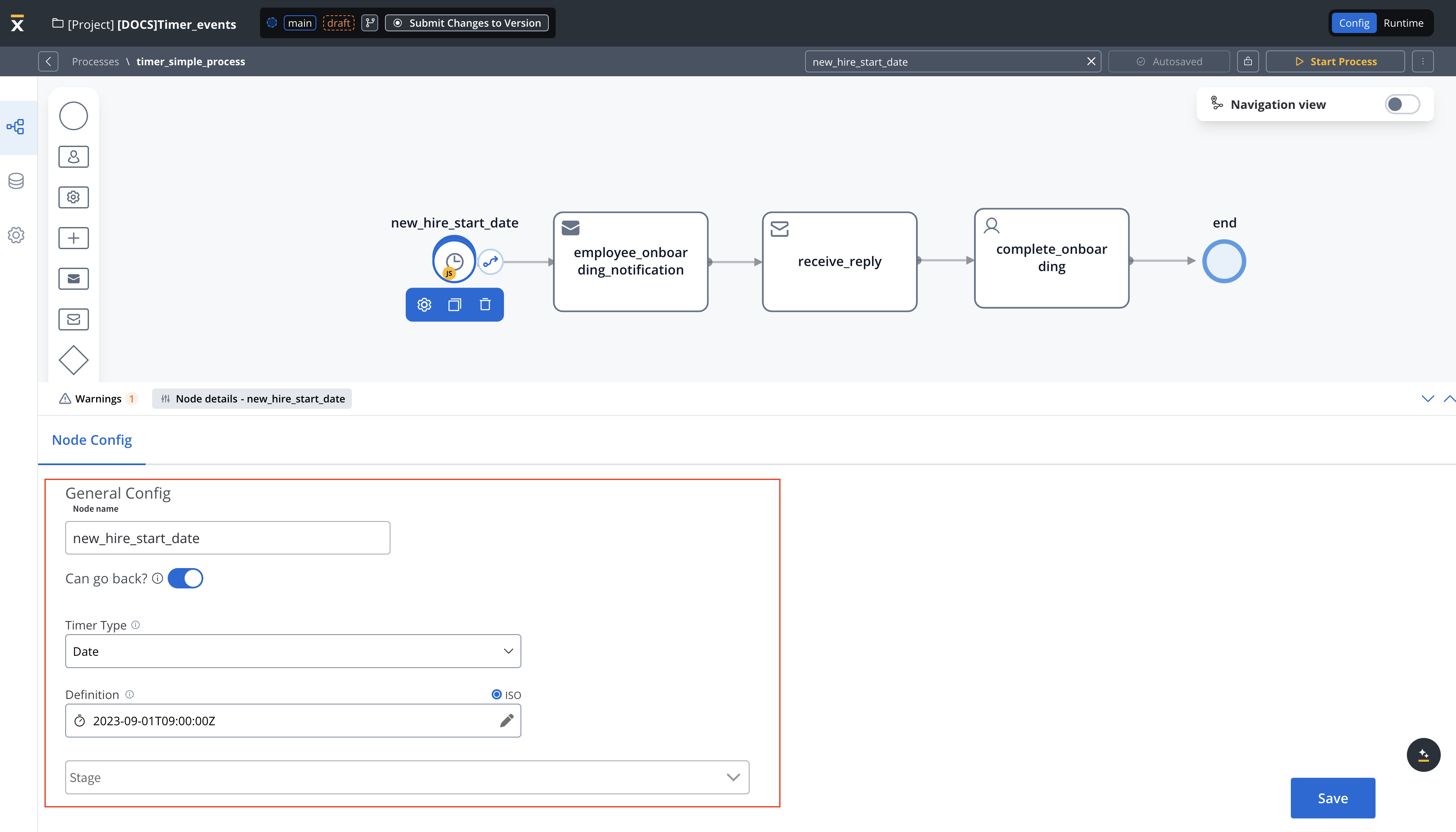
* Start Event (Timer Start Event) - New Hire Start Date
* Timer Definition: 2023-09-01T09:00:00Z (ISO 8601 format) → This means the process will initiate automatically at the specified date and time.
* This event serves as the trigger for the entire process.
* Transition → Employee Onboarding Notification
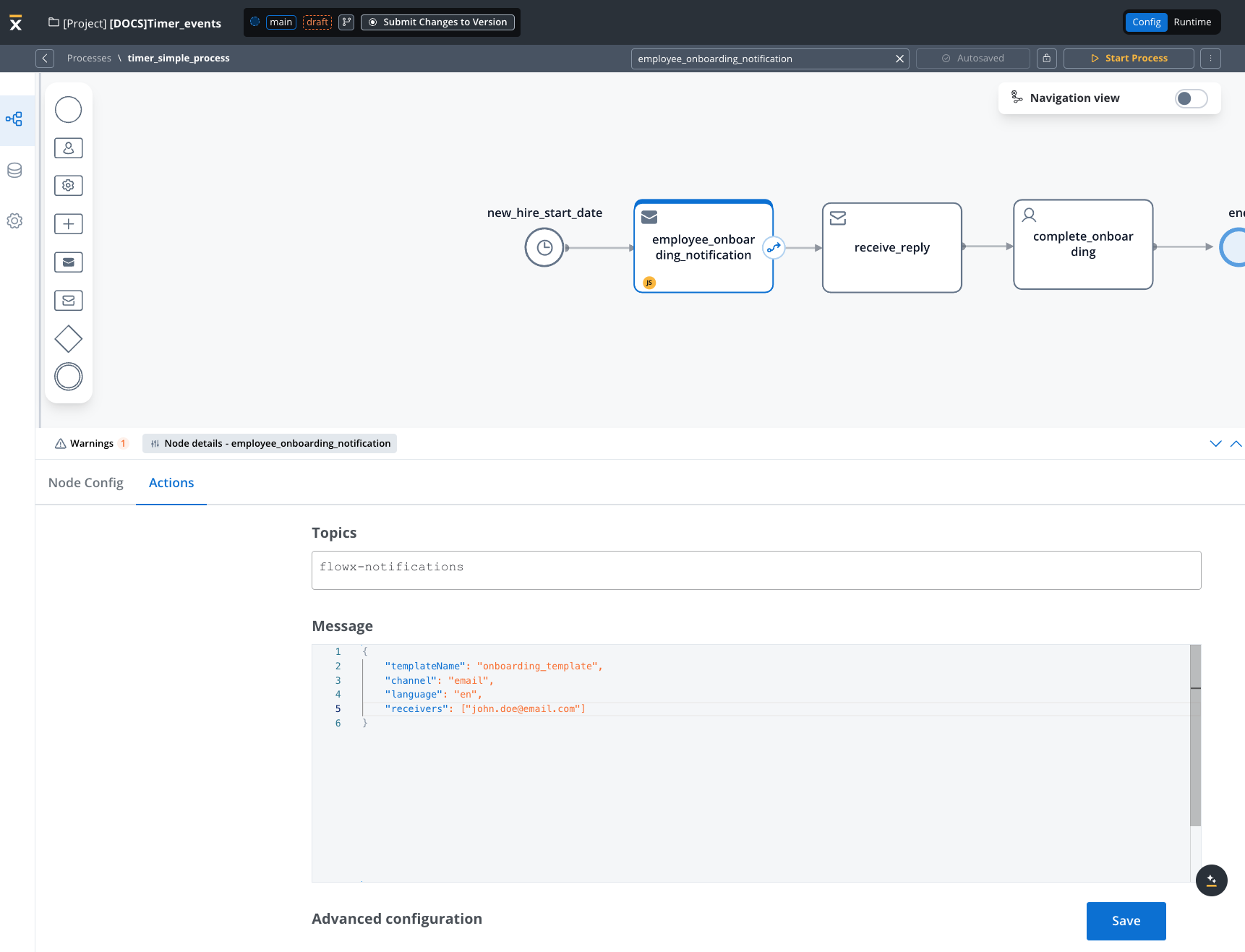
* Employee Onboarding Notification
* Notify new employee about onboarding requirements by sending an email notification with a template called "Important Onboarding Information"
* Actions: The HR team or automated system sends out necessary email information/documents, and instructions to the new employee.
* After the notification is sent, the process transitions to the Complete Onboarding node.
* Complete Onboarding
* Employee onboarding completed
* At this point, the employee's onboarding process is considered complete.
* Actions: The employee may have completed required tasks, paperwork, or orientation sessions.
### General rules
* Schedulers are generated only for builds that are part of the active policy.
* If you change the active policy, processes with Timer Start Event nodes might appear or disappear from the scheduled processes list if they aren't part of the active build.
* You can view scheduled processes in the Runtime section under "Scheduled Processes".
* When a build in the active policy is updated with new Timer Start Event settings:
* The scheduler is updated based on the new settings.
* The scheduler state (active or suspended) remains the same as before.