> ## Documentation Index
> Fetch the complete documentation index at: https://docs.flowx.ai/llms.txt
> Use this file to discover all available pages before exploring further.
# Timer expressions
> Configure timer expressions using Cron syntax for scheduling or ISO 8601 format for durations and timeouts.
When working with FlowX.AI components, there are multiple scenarios in which timer expressions are needed.
There are two timer expressions formats supported:
* [**Cron expressions**](#cron-expressions) - used to define the expiry date on processes
* [**ISO 8601**](#iso-8601) - used to define the duration of a response timeout or for a timer expression
### Cron expressions
A cron expression is a string made up of **six mandatory subexpressions (fields) that each specifies an aspect of the schedule** (for example, `* * * * * *`). These fields, separated by white space, can contain any of the allowed values with various combinations of the allowed characters for that field.
A field may be an asterisk (`*`), which always stands for “first-last”. For the day-of-the-month or day-of-the-week fields, a question mark (`?`) may be used instead of an asterisk.
Important: Only Spring cron expressions are permissible for configuration. Refer to the [**official documentation**](https://docs.spring.io/spring-framework/reference/integration/scheduling.html#scheduling-cron-expression) for detailed information on configuring Spring Cron expressions.
Subexpressions:
1. Seconds
2. Minutes
3. Hours
4. Day-of-Month
5. Month
6. Day-of-Week
7. Year (optional field)
An example of a complete cron-expression is the string `0 0 12 ? * FRI` - which means **every Friday at 12:00:00 PM**.
More details:
[Scheduling cron expressions](https://docs.spring.io/spring-framework/docs/current/reference/html/integration.html#scheduling-cron-expression)
#### Cron Expressions are used in the following example:
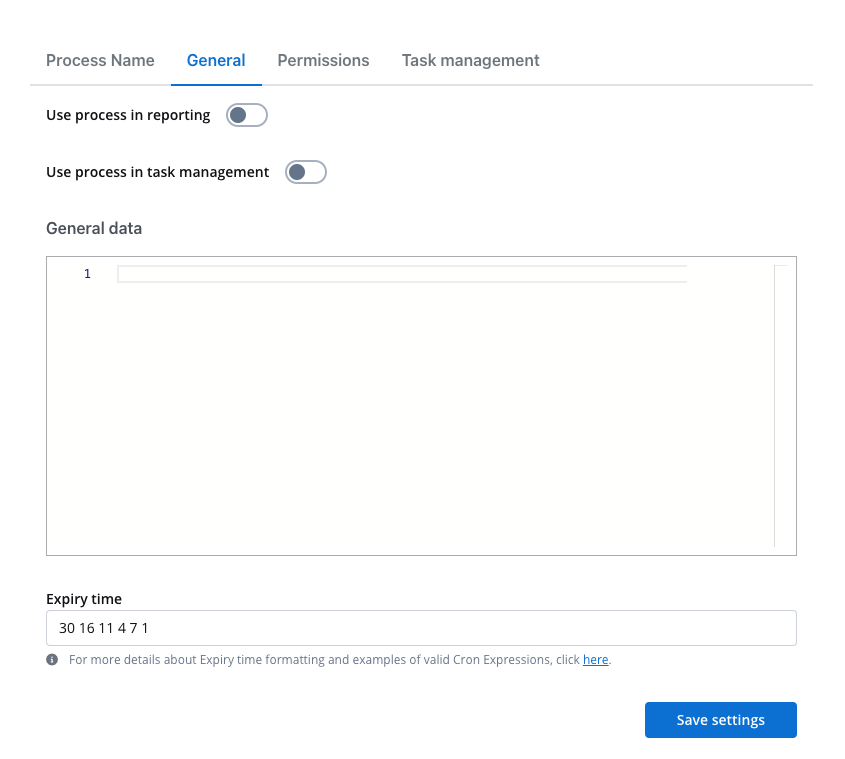
* [**Process definition**](../../../building-blocks/process/process-definition) - **Expiry time** - a user can set up a `expiryTime` function on a process, for example, a delay of 30s will be set up like:
### ISO 8601
ISO 8601 is an international standard covering the worldwide exchange and communication of date and time-related data. It can be used to standardize the following: dates, time of delay, time intervals, recurring time intervals, etc.
More details:
[ISO 8601 date format](https://www.digi.com/resources/documentation/digidocs/90001488-13/reference/r_iso_8601_date_format.htm)
[ISO 8601 duration format](https://www.digi.com/resources/documentation/digidocs//90001488-13/reference/r_iso_8601_duration_format.htm)
#### ISO 8601 format is used in the following examples:
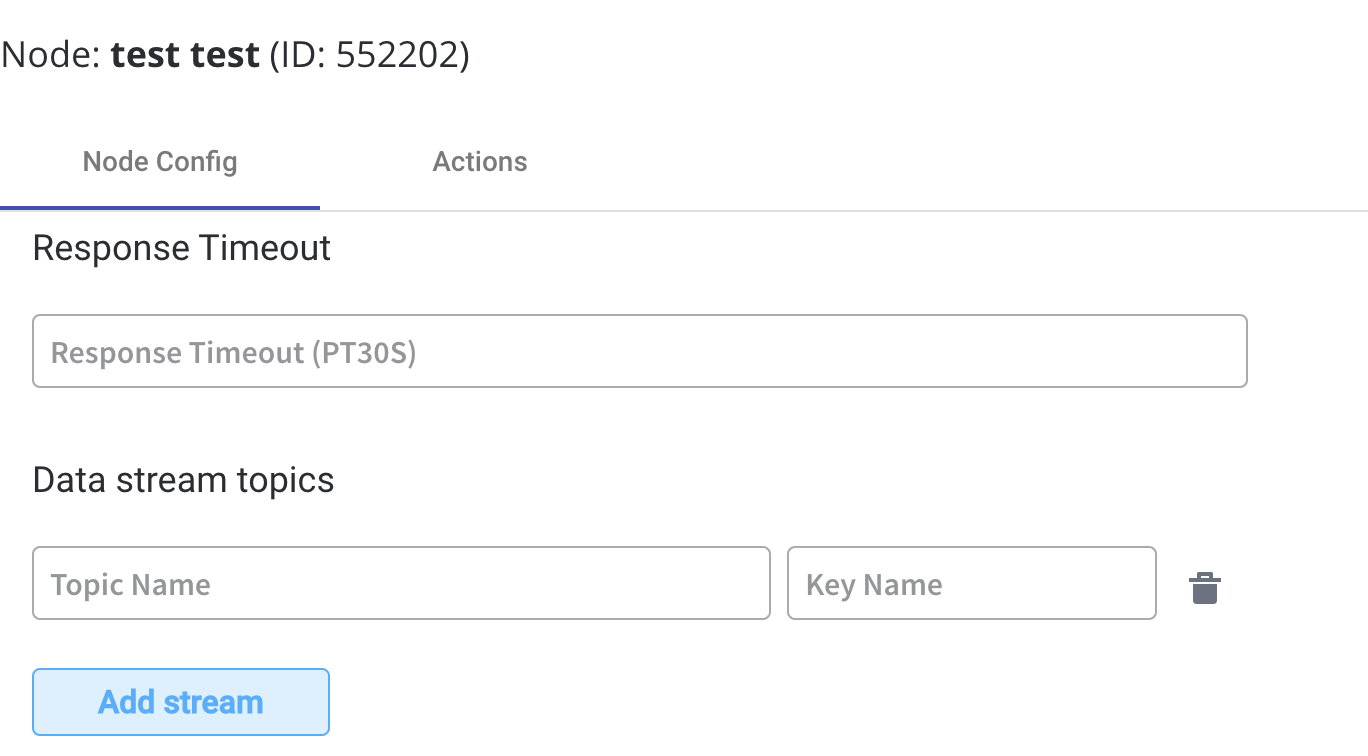
* **Node config** - **Response Timeout** - can be triggered if, for example, a topic that you define and add in the **Data stream topics** tab does not respect the pattern
ISO 8601 dates and times:
| Format accepted | Value ranges |
| -------------------- | -------------------------------------------- |
| Year (Y) | YYYY, four-digit, abbreviatted to two-digit |
| Month (M) | MM, 01 to 12 |
| Week (W) | WW, 01 to 53 |
| Day (D) | D, day of the week, 1 to 7 |
| Hour (h) | hh, 00 to 23, 24:00:00 as the end time |
| Minute (m) | mm, 00 to 59 |
| Second (s) | ss, 00 to 59 |
| Decimal fraction (f) | Fractions of seconds, any degree of accuracy |
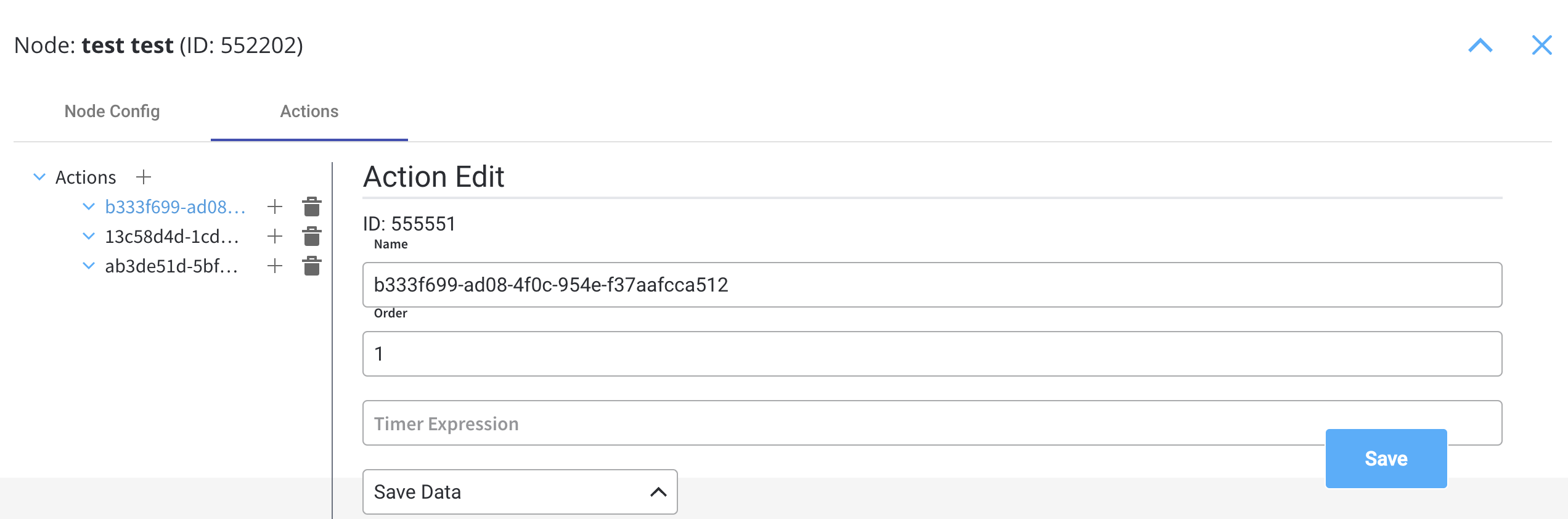
* [**Actions**](../../actions/actions) - **Timer expression** - it can be used if a delay is required on that action