> ## Documentation Index
> Fetch the complete documentation index at: https://docs.flowx.ai/llms.txt
> Use this file to discover all available pages before exploring further.
# Exclusive gateway
> In the world of process flows, decisions play a crucial role, and that's where the Exclusive Gateway comes into play. This tool enables you to create conditional pathways based on data provided.
## Understanding Exclusive (XOR) Gateway
An exclusive gateway (also called XOR gateway) represents a decision point in your process where exactly one outgoing path is selected based on conditions. This is one of the most common routing mechanisms used in business process modeling.
**Core principles of Exclusive Gateways**
When designing decision logic with exclusive gateways, consider these guiding principles:
An exclusive gateway evaluates multiple conditions, but only **one outgoing sequence flow** will be taken - the first condition that evaluates to *true*.
Each outgoing path from an XOR gateway depends on a condition that evaluates to *true* or *false*.
Overlapping conditions - where multiple paths could match - can lead to **unpredictable routing**. Gateways will select the first matching path, which might not be the correct one.
This is the essential question behind every XOR gateway: **"Given the input, which path should the process follow?"**
Before deploying a process with an XOR gateway, test it using **realistic data sets** and **edge cases**. Ensure each possible path behaves as expected - and none are silently skipped or broken.
Every XOR gateway introduces a **decision point**. Each outgoing sequence flow represents a **distinct outcome** - make sure those outcomes are meaningful and necessary.
Include a **default path** in the gateway to catch any scenario where none of the defined conditions match. This is especially important when the decision logic depends on external or dynamic data.
Your conditions should be **simple, explicit, and named clearly**. Avoid nesting complex expressions directly in the gateway when possible - move logic to a service task if needed.
Business rules change. Processes evolve. If your gateway logic doesn't keep up, the process will drift out of sync with how the business actually works.
## Configuring an Exclusive Gateway node

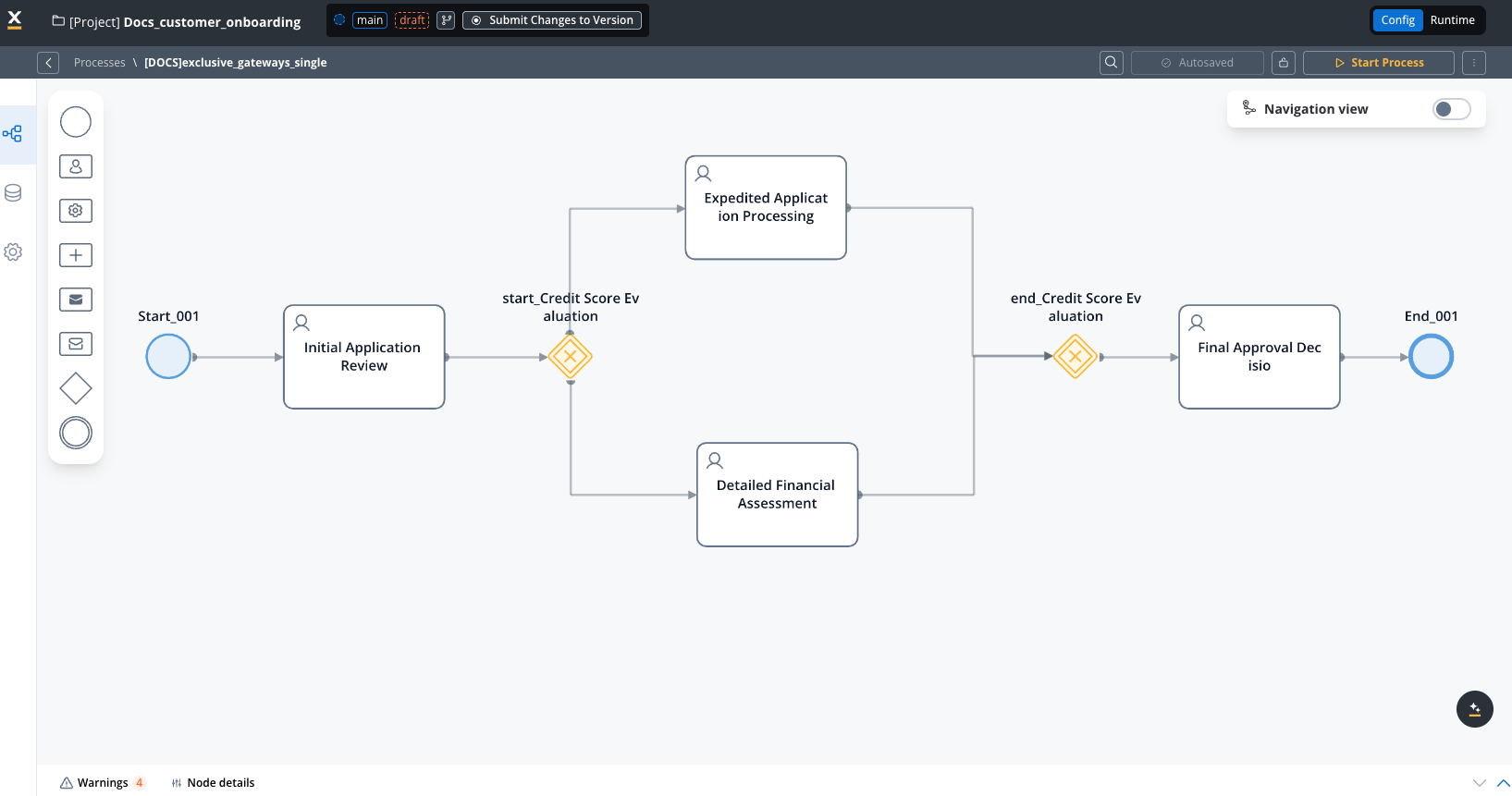
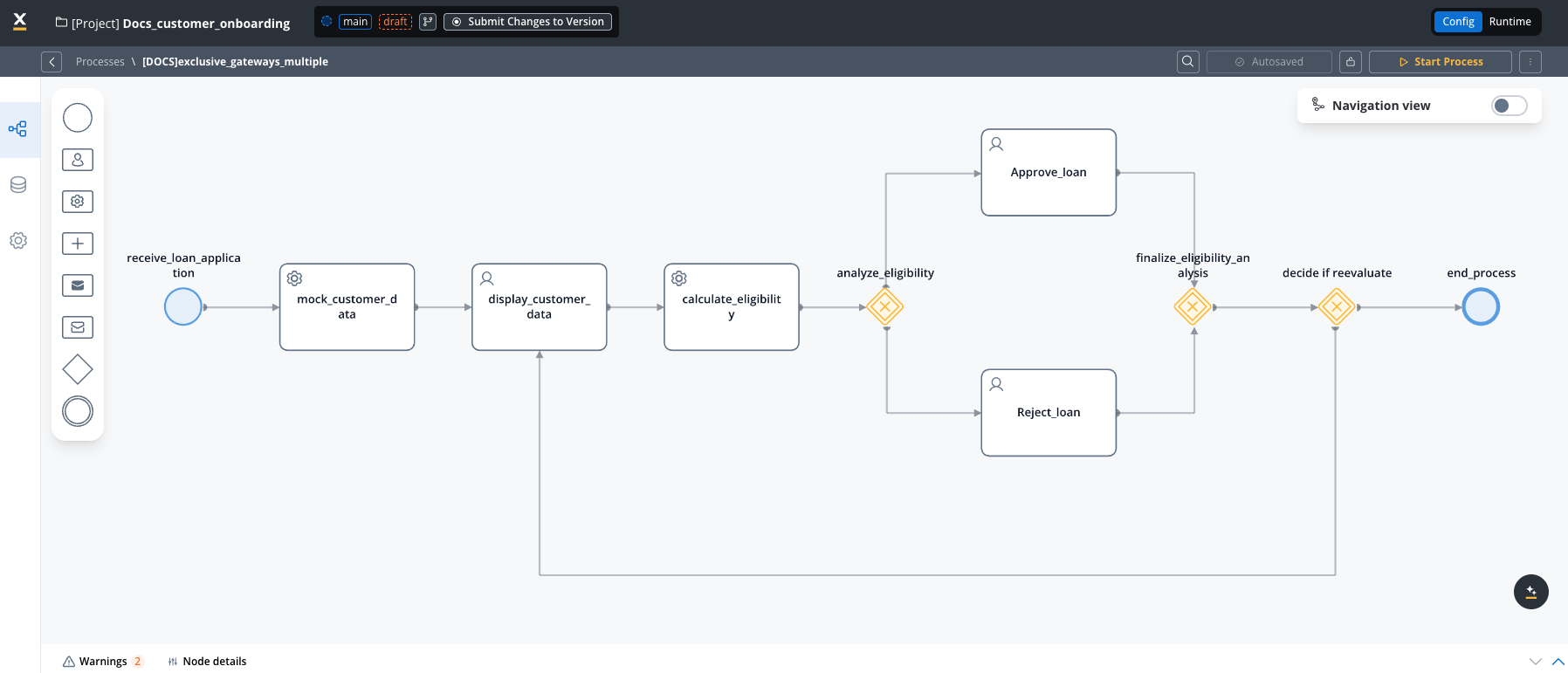
To configure this node effectively, it's essential to set up both the **input** and **output** sequences within the gateway process.
### General configuration
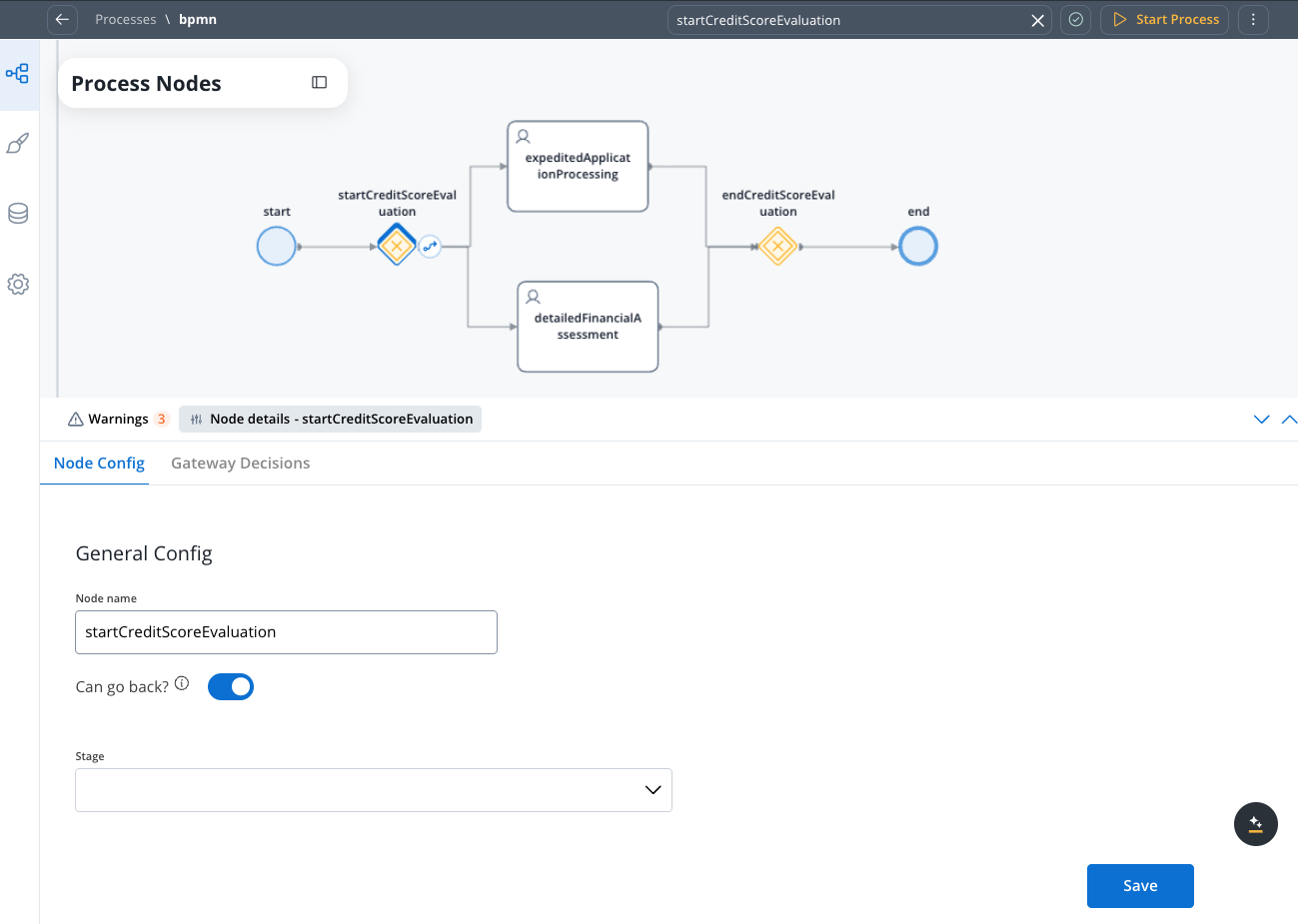
* **Node name**: Give your node a meaningful name.
* **Can go back**: Enabling this option allows users to revisit this step after completing it.
When a step has "Can Go Back" set to false, all preceding steps become inaccessible.
* [**Stage** ](../../platform-deep-dive/core-extensions/task-management/using-stages): Assign a stage to the node.
### Gateway decisions
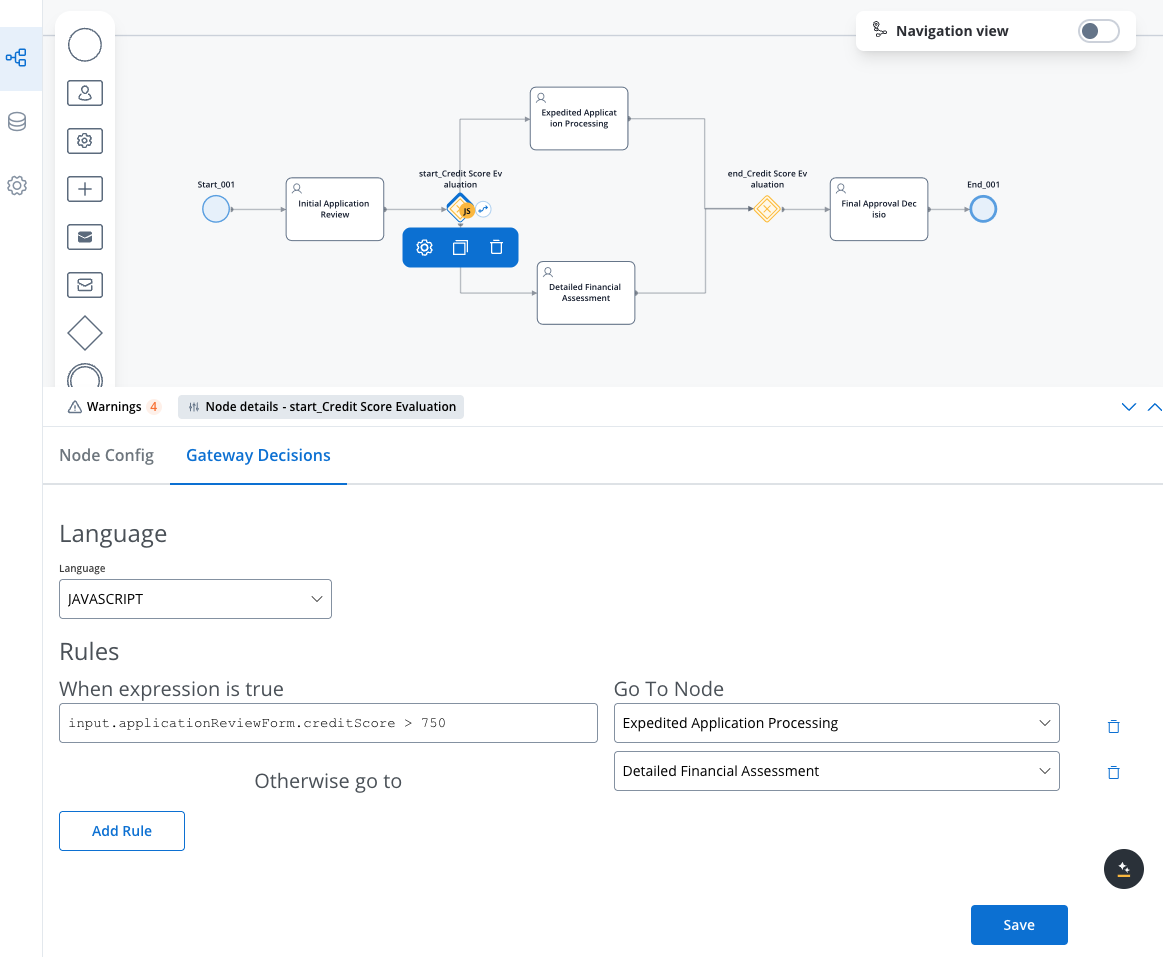
* **Language**: When configuring conditions, you can use JavaScript, Python, MVEL, or Groovy expressions that evaluate to either **true** or **false**.
* **Conditions**: In the **Gateway Decisions** tab, you can see that the conditions (**if, else if, else**) are already built-in and you can **select** the destination node when the condition is **true**.
The order of expressions matters; the first **true** evaluation stops execution, and the token moves to the selected node.
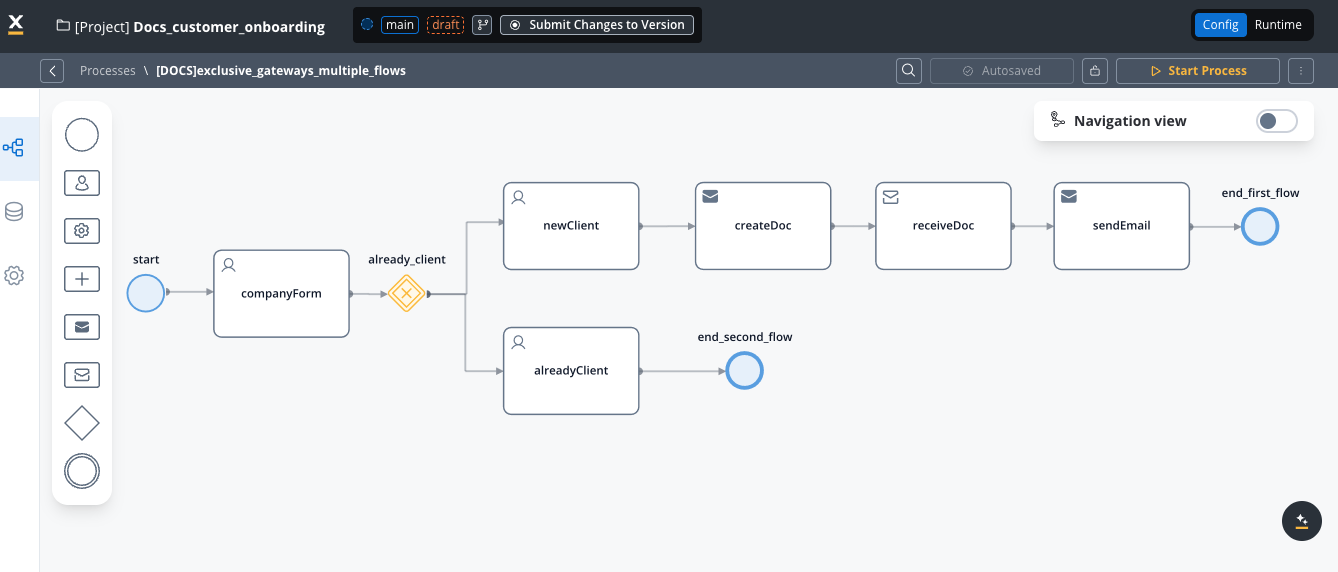
After the exclusive portion of the process, where one path is chosen over another, you'll need to either end each path (as in the example below) or reunite them into a single process (as in the example above) using a new exclusive gateway without any specific configuration.
## JavaScript examples
### Getting input from a Switch UI element
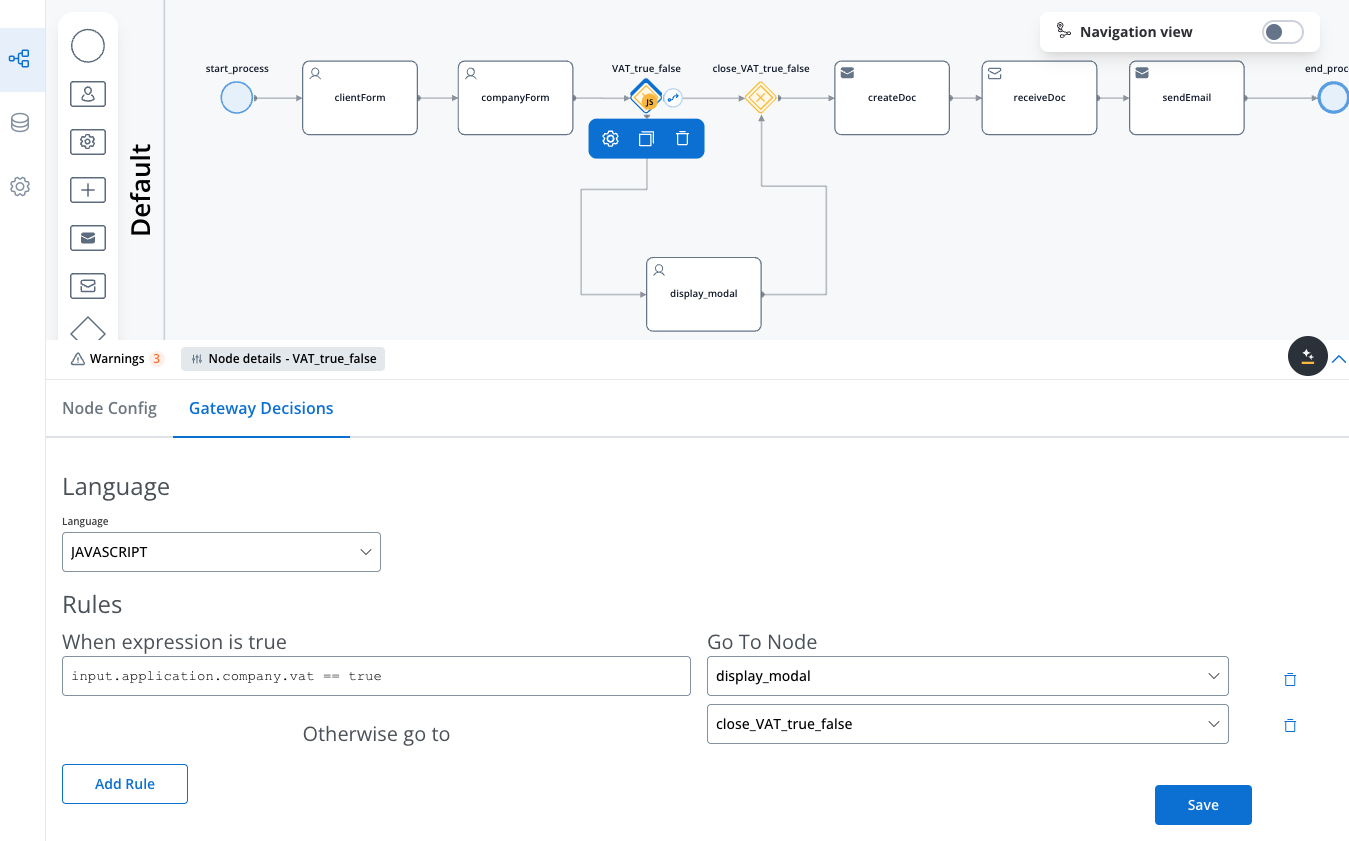
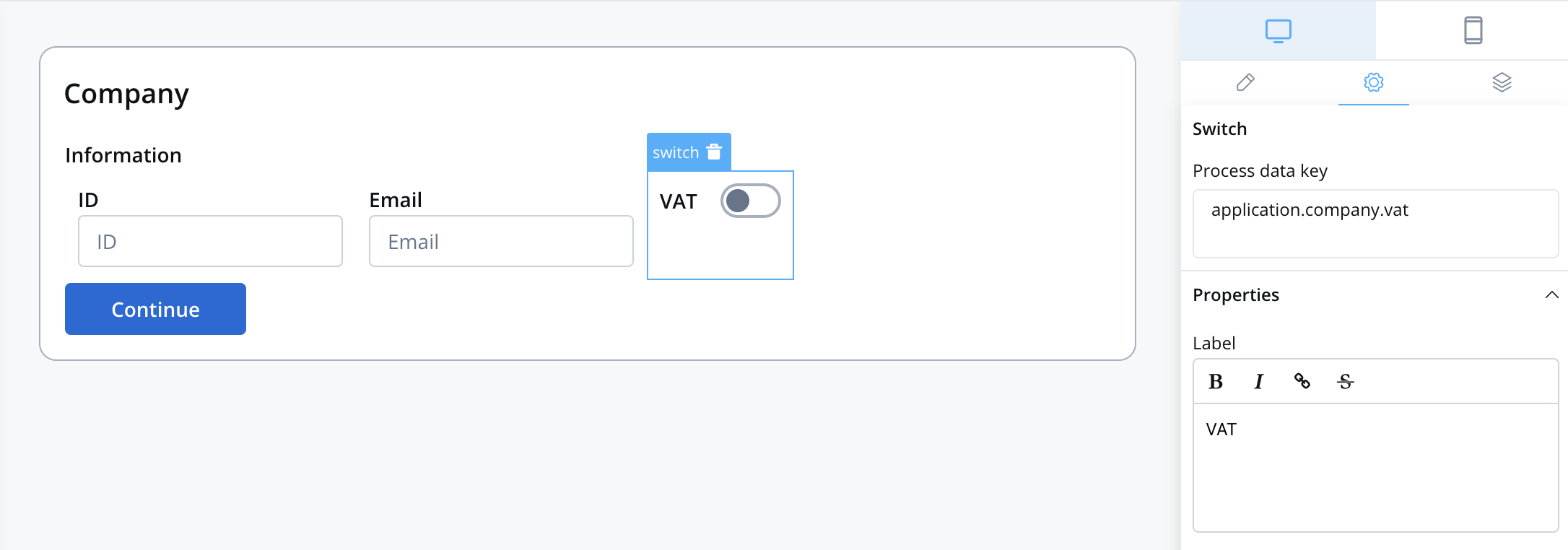
Let's consider the following example: we want to create a process that displays 2 screens and one modal. The gateway will direct the token down a path based on whether a switch element (in our case, VAT) is toggled to true or false.
If, during the second screen, the VAT switch is toggled on, the token will follow the second path, displaying a modal.
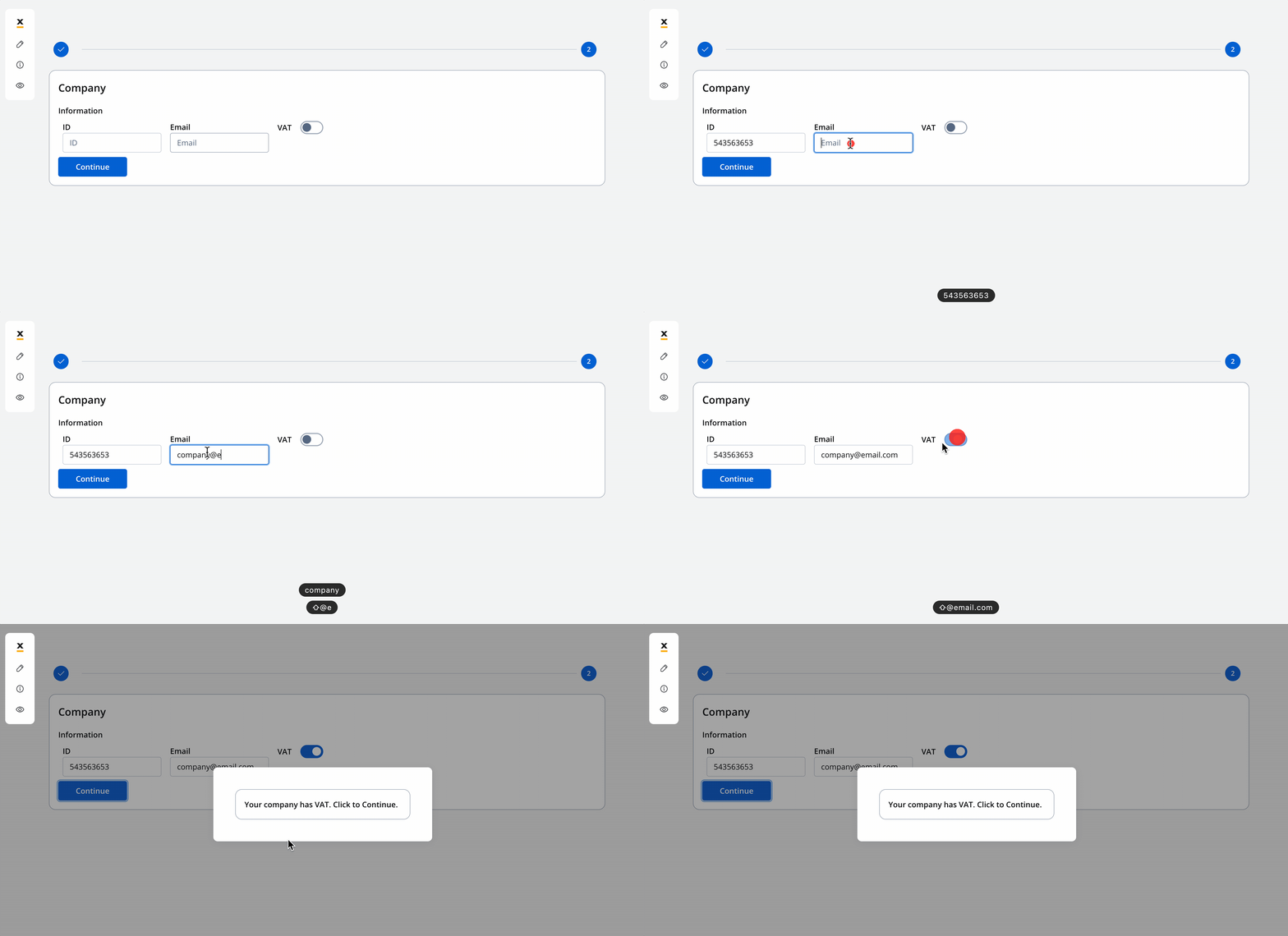
After interacting with the modal, the token will return to the main path, and the process will continue its primary flow.
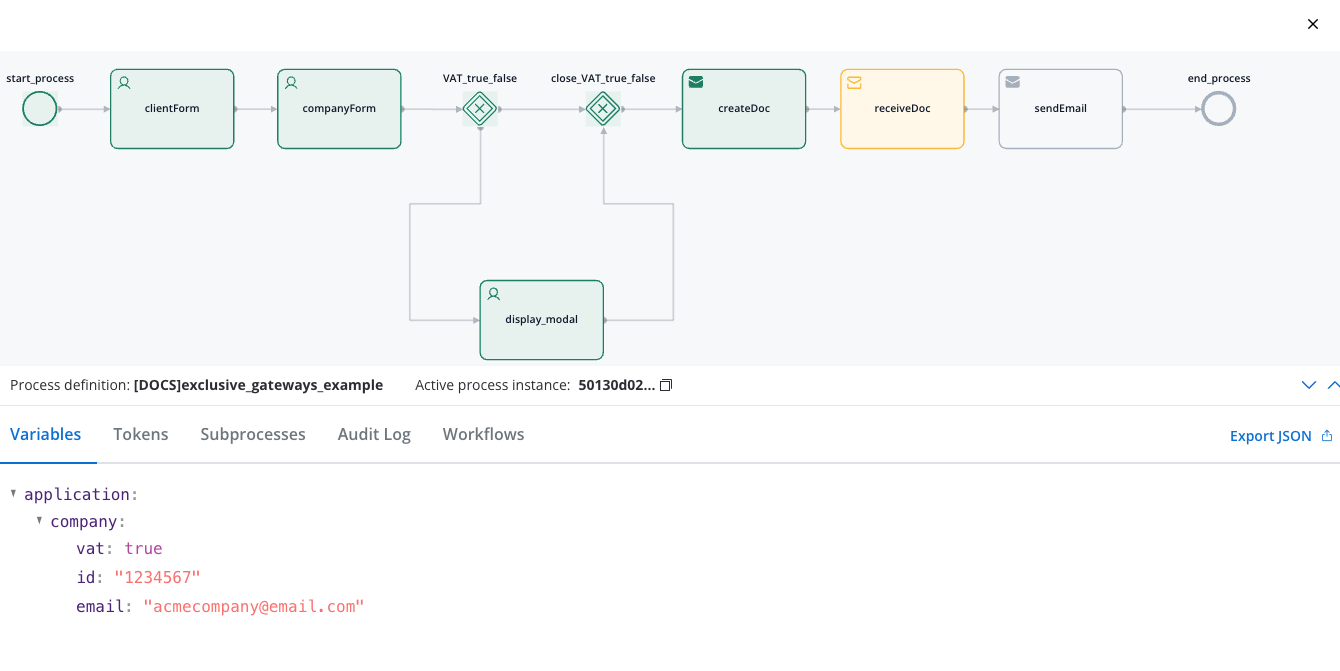
**Example configuration**:
* **Language**: JavaScript
* **Expression**:
```javascript theme={"system"}
input.application.company.vat == true // you can use the same method to access a value for other supported scripts in our platform: MVEL, Python and Groovy
```
Essentially, you are accessing a specific value or property within a structured data object. The format is usually `input.{{key from where you want to access a value}}`. In simpler terms, it's a way to verify if a particular property within your input data structure (`input.application.company.vat` key attached to Switch UI element) is set to the value true. If it is, the condition is met and returns true; otherwise, it returns false.
The `application.company.vat` key corresponds to the switch UI element.
### Getting input from multiple UI elements
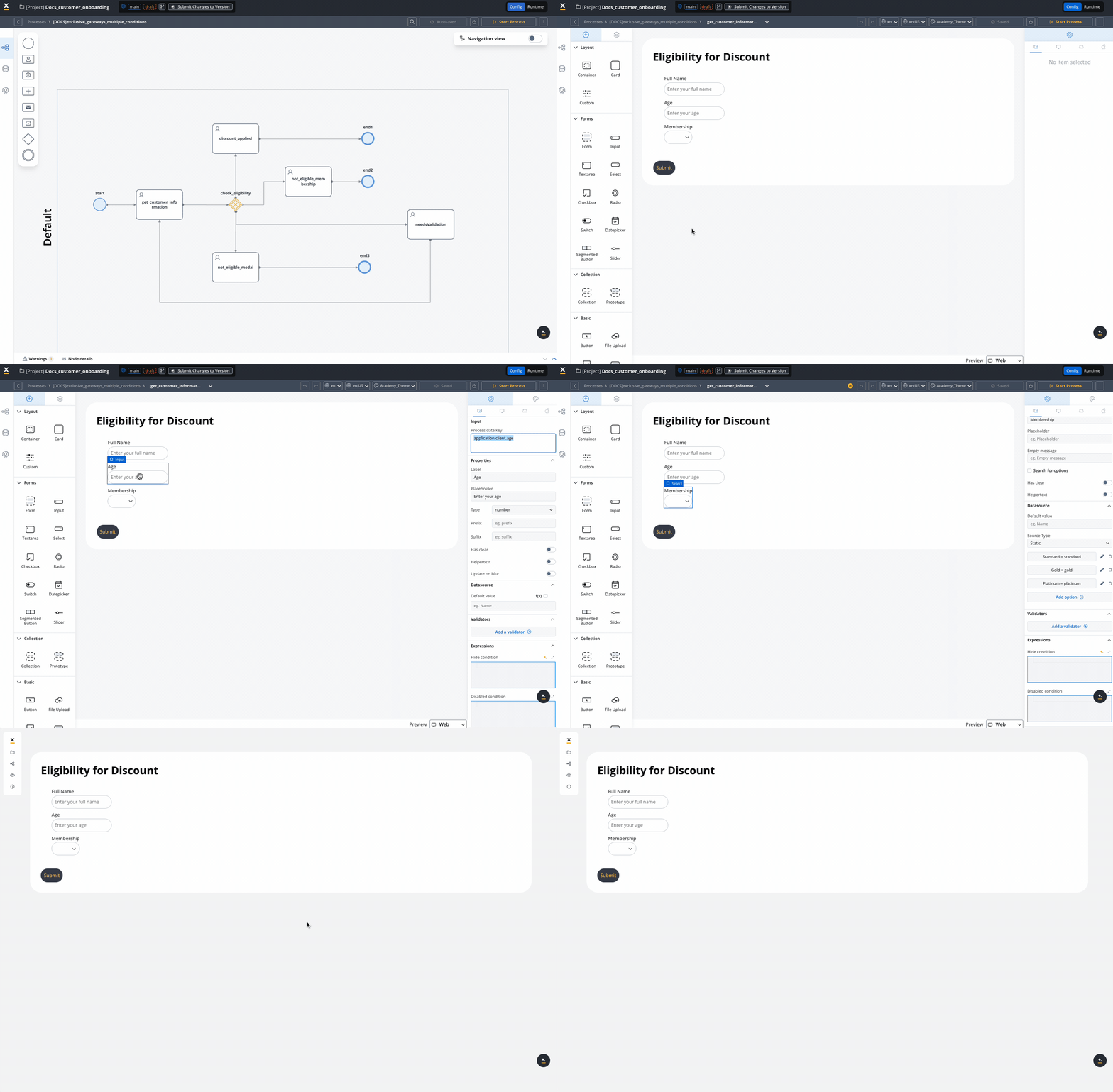
Consider another scenario in which the process relies on user-provided information, such as age and membership status, to determine eligibility for a discount. This decision-making process utilizes multiple conditions, and depending on the input, it may either conclude or continue with other flows.
**Configuration example**:
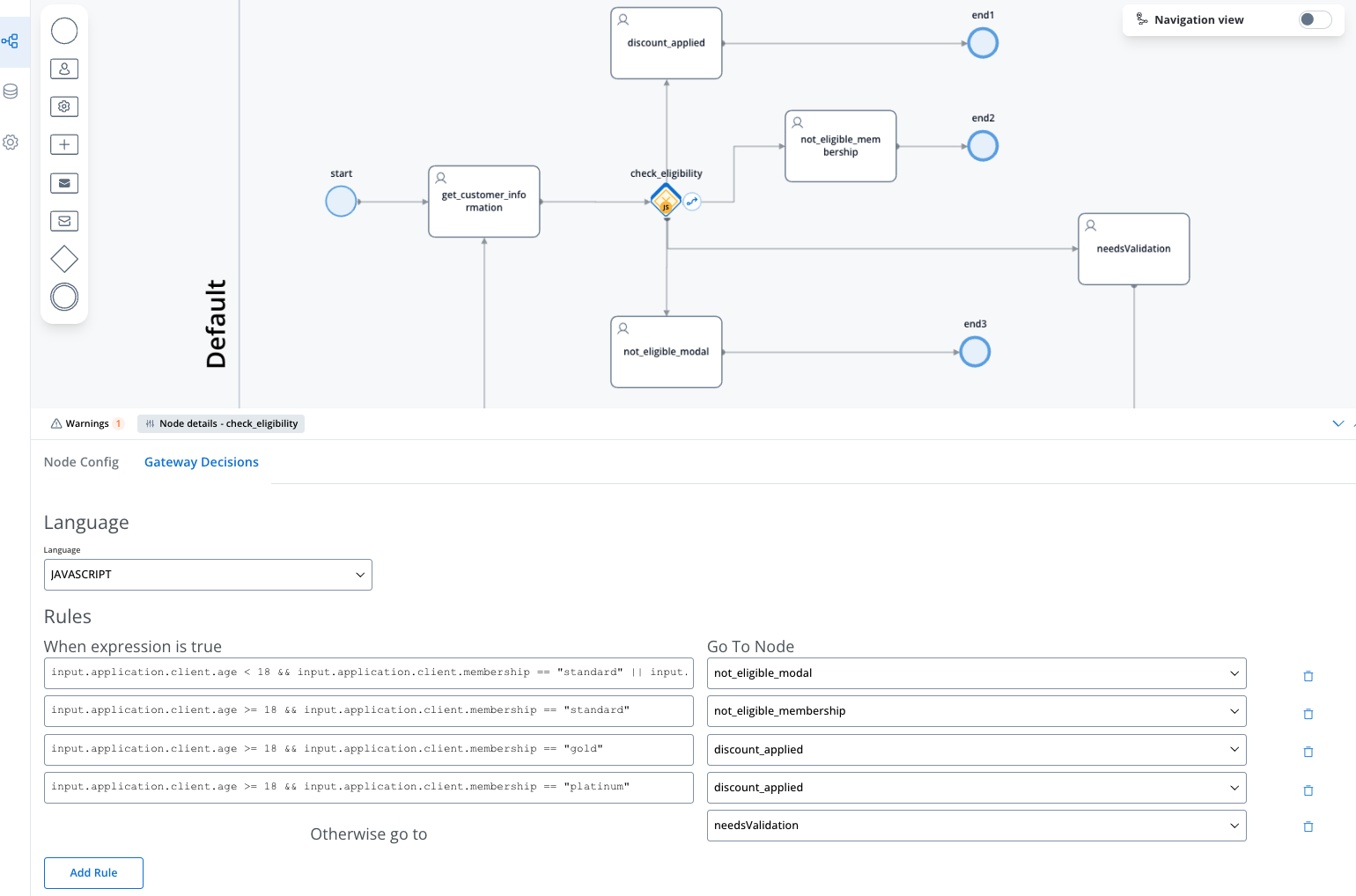
In our case, the expressions fields will be populated with the `input.application.client.age` and `input.application.client.membership` keys, which correspond to the user input collected on the initial screen.
Here's how we've configured the rules for our discount eligibility process:
1. Users under 18 with standard membership are not eligible (redirected to not\_eligible\_modal):
```
input.application.client.age < 18 && input.application.client.membership == "standard"
```
2. Users 18 or older with standard membership are not eligible due to membership level (redirected to not\_eligible\_membership):
```
input.application.client.age >= 18 && input.application.client.membership == "standard"
```
3. Users 18 or older with gold membership qualify for a discount (redirected to discount\_applied):
```
input.application.client.age >= 18 && input.application.client.membership == "gold"
```
4. Users 18 or older with platinum membership also qualify for a discount (redirected to discount\_applied):
```
input.application.client.age >= 18 && input.application.client.membership == "platinum"
```
5. Any other combinations are sent to needsValidation for further review.
Each rule uses the logical AND operator (&&) to ensure both conditions must be true for the rule to apply. The rules are evaluated in sequence, and the process follows the path of the first matching rule.
The process is visualized as follows: