> ## Documentation Index
> Fetch the complete documentation index at: https://docs.flowx.ai/llms.txt
> Use this file to discover all available pages before exploring further.
# Start embedded subprocess
> The Start Embedded Subprocess node initiates subprocesses within a parent process, allowing for encapsulated functionality and enhanced process management.
## Overview
The Start Embedded Subprocess node enables the initiation of subprocesses within a parent process, offering a range of features and options for enhanced functionality.

## Usage Considerations
### Data Management
Embedded subprocesses offer advantages such as:
* Segregated sections from a subprocess can be utilized without rendering them over the parent process.
* Data is stored within the parent process instance, eliminating the need for data transfer.
* Embedded subprocesses are visible in the navigation view.
### Runtime Considerations
**Important** runtime considerations for embedded subprocesses include:
* The **child process** must have only **one swimlane**.
* Runtime swimlane permissions are inherited from the parent.
* Certain boundary events are supported on Start Embedded Subprocess node, except for Timer events (currently not implemented).
Embedded subprocesses cannot support multiple swimlanes in the actual implementation.
## Example
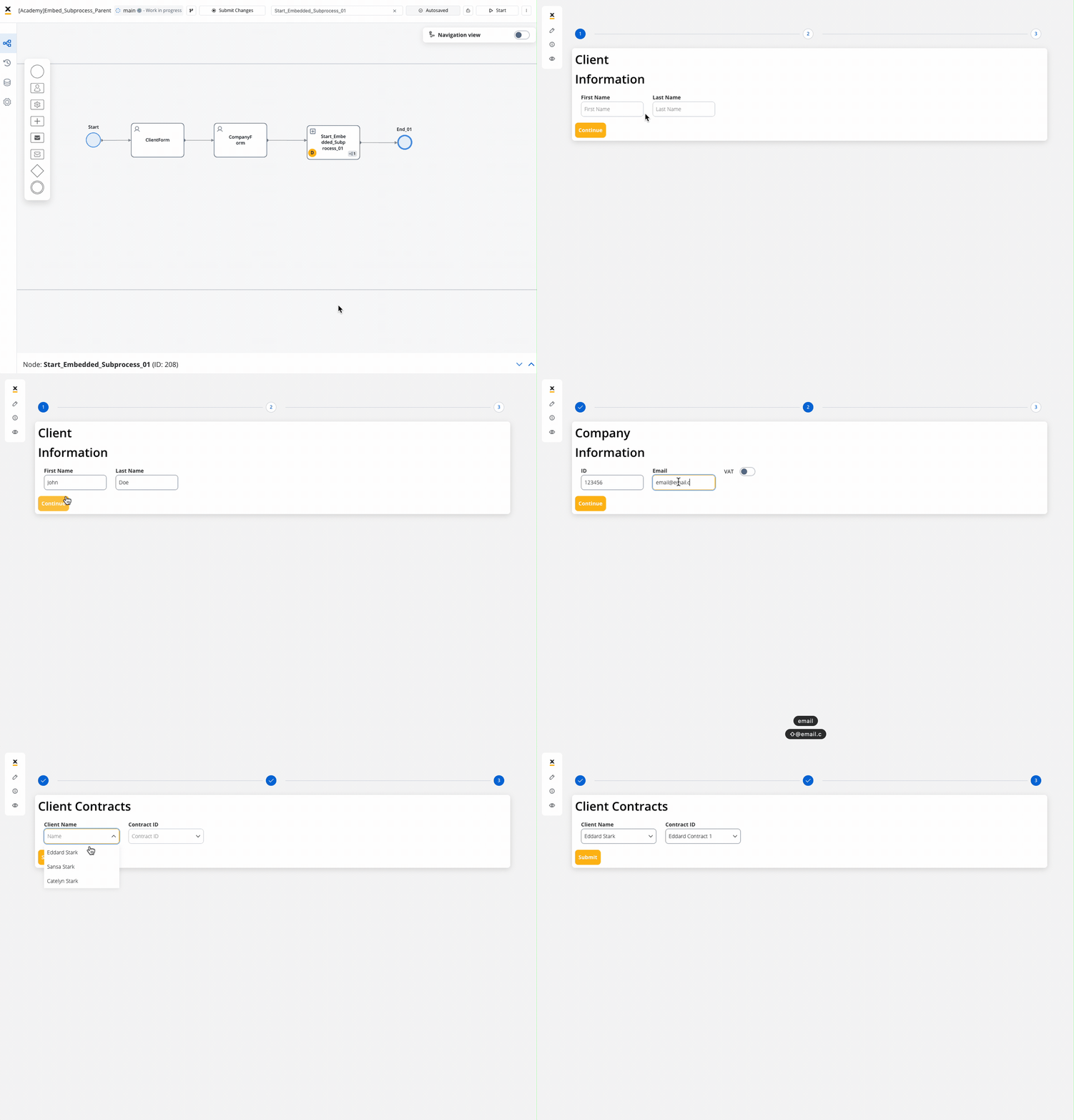
Let's explore this scenario: Imagine you're creating a process that involves a series of steps, each akin to a sequential movement of a stepper. Now, among these steps, rather than configuring one step from scratch, you can integrate a pre-existing process, treating it as a self-contained unit within the overarching process.
### Step 1: Design the Embedded Subprocess
Log in to the FlowX.AI Designer where you create and manage process flows.
Start by creating a new process or selecting an existing process where you want to embed the subprocess.
Design your navigation areas to match your needs.
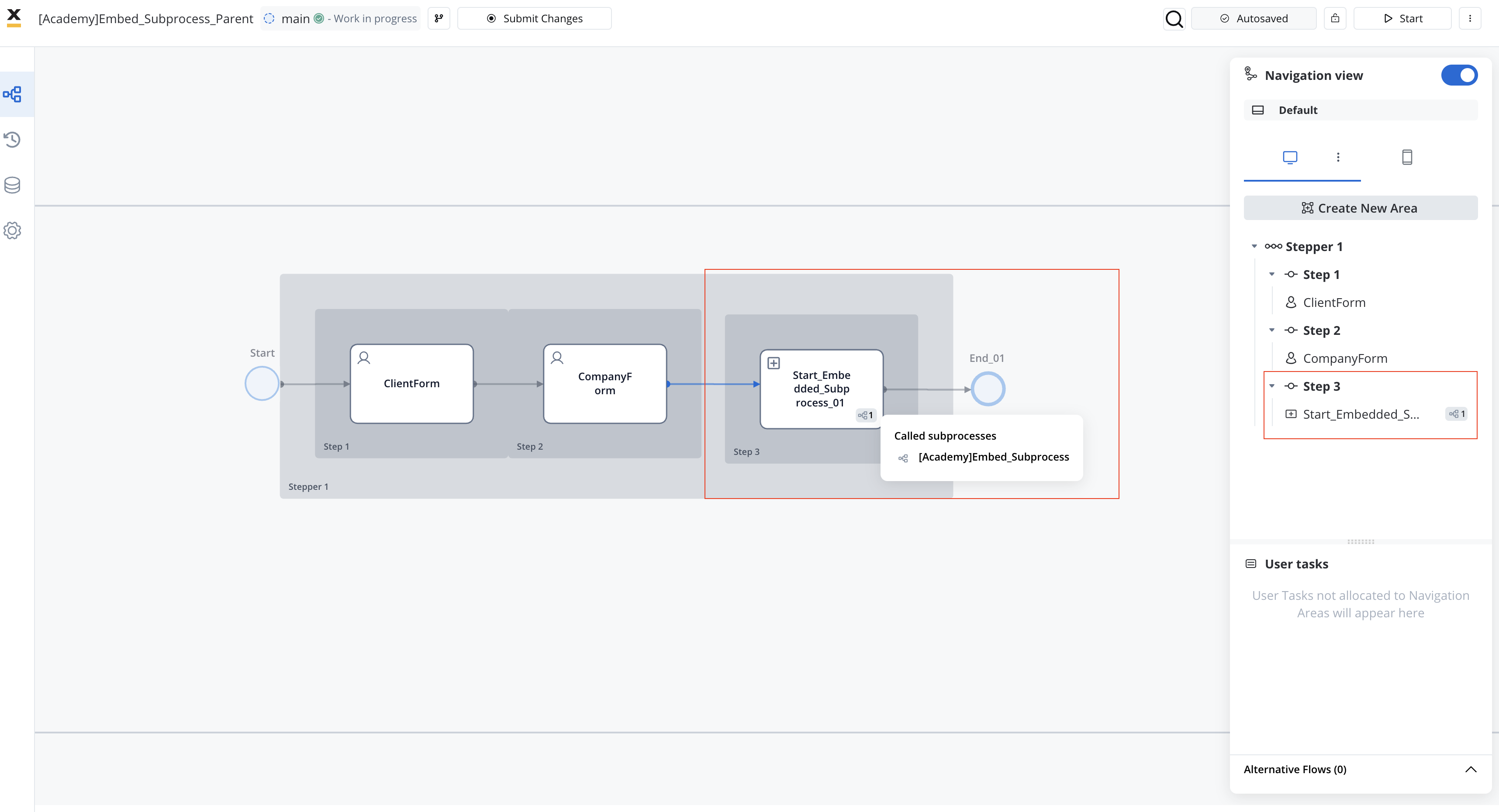
Make sure you allocated all your user tasks into the navigation area accordingly.
Within the selected process, design the subprocess by adding necessary tasks, events and so on. Ensure that the subprocess is contained within **a single swimlane**.
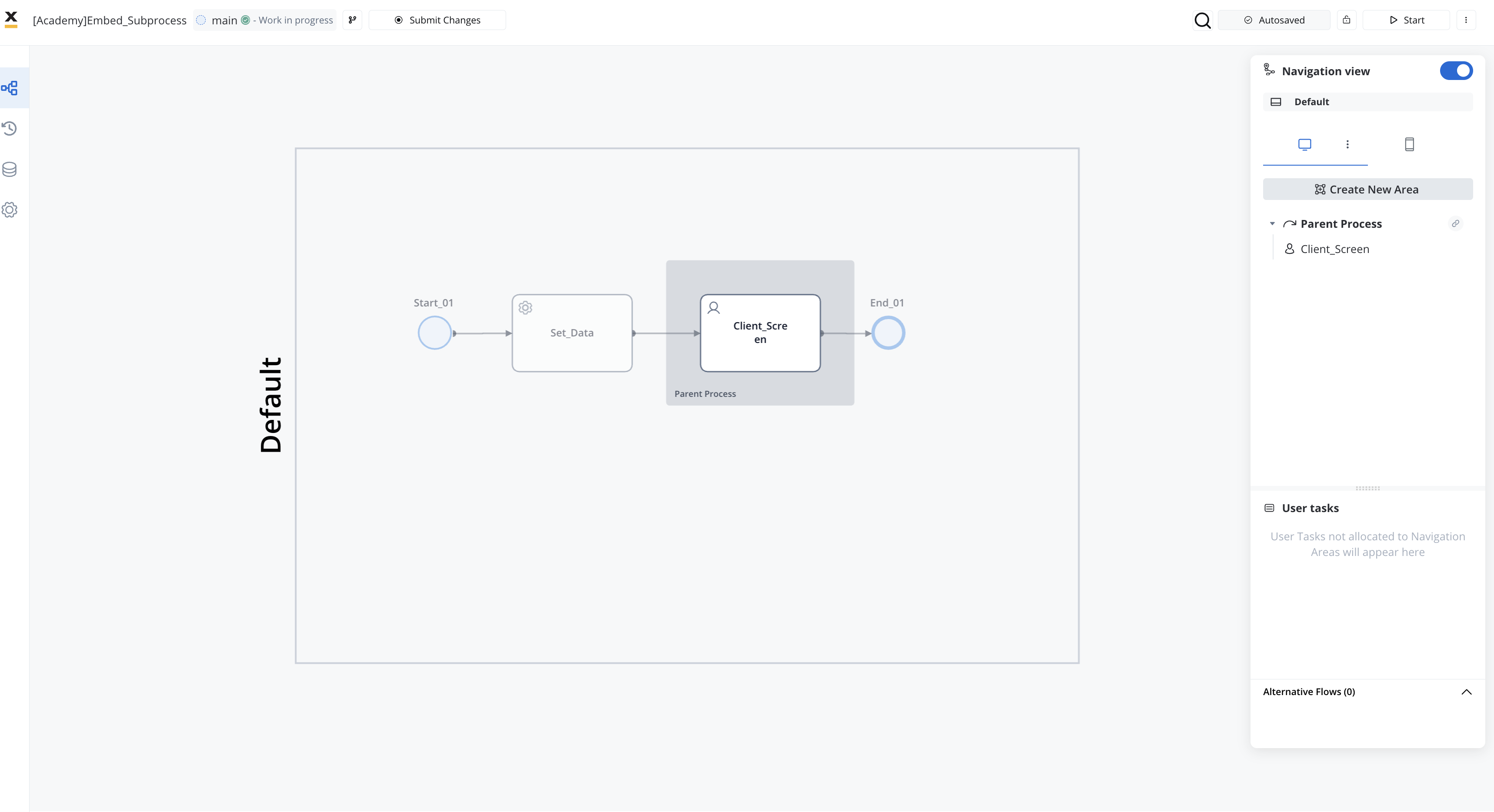
To initiate a process with an embedded subprocess, designate the root Navigation Area of the subprocess as an inheritance placeholder **Parent Process Area** label in the **Navigation Areas**.
Ensure that the navigation hierarchy within the Parent Process Area can be displayed beneath the parent navigation area within the main process interface.
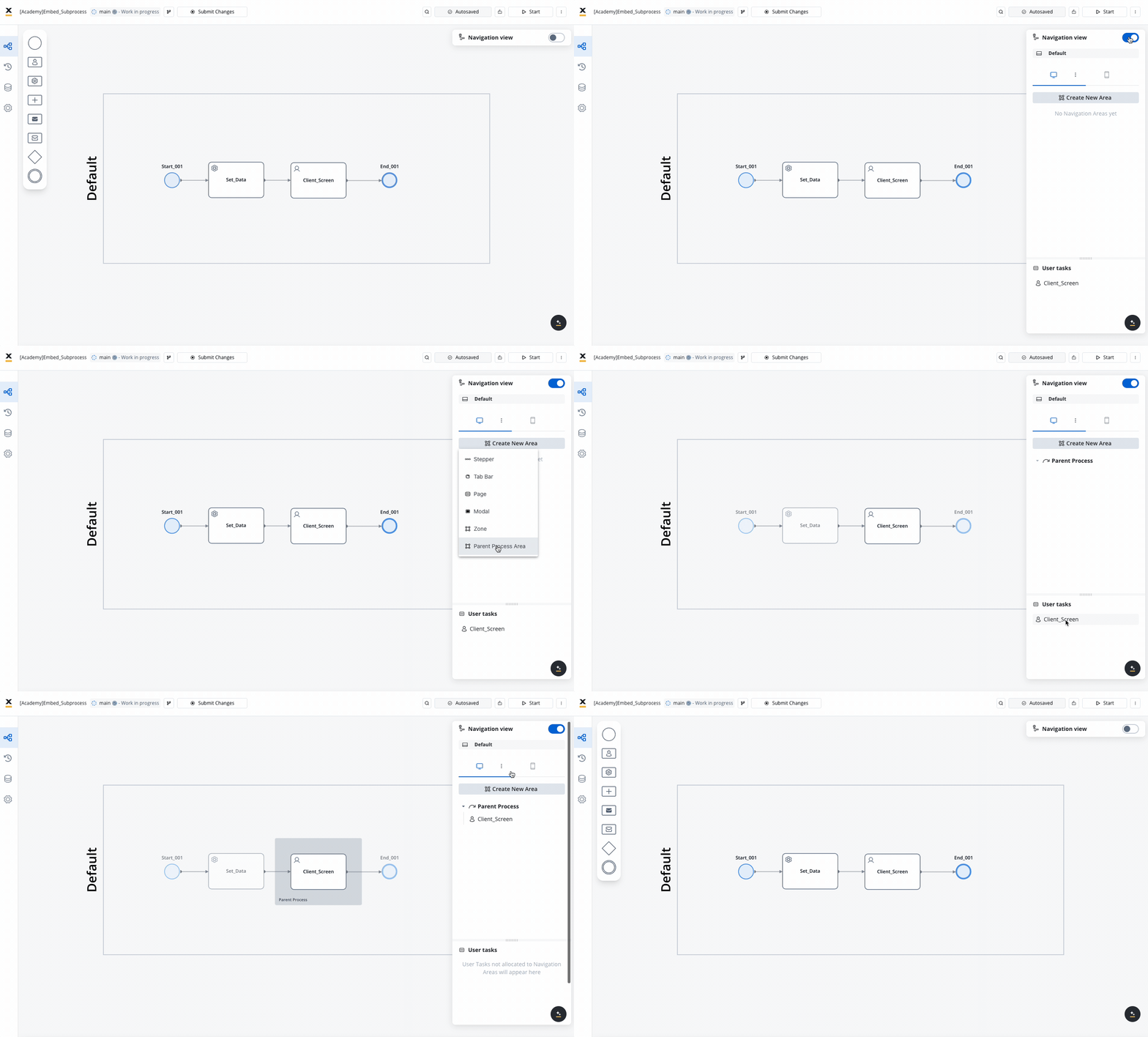
Make sure you allocated all your user tasks into the navigation area accordingly.
### Step 2: Configure Start Embedded Subprocess Node
Within the parent process, add a **Start Embedded Subprocess Node** from the node palette to initiate the embedded subprocess.
 Configure the node to specify the embedded subprocess that it will initiate. This typically involves selecting the subprocess from the available subprocesses in your process repository.
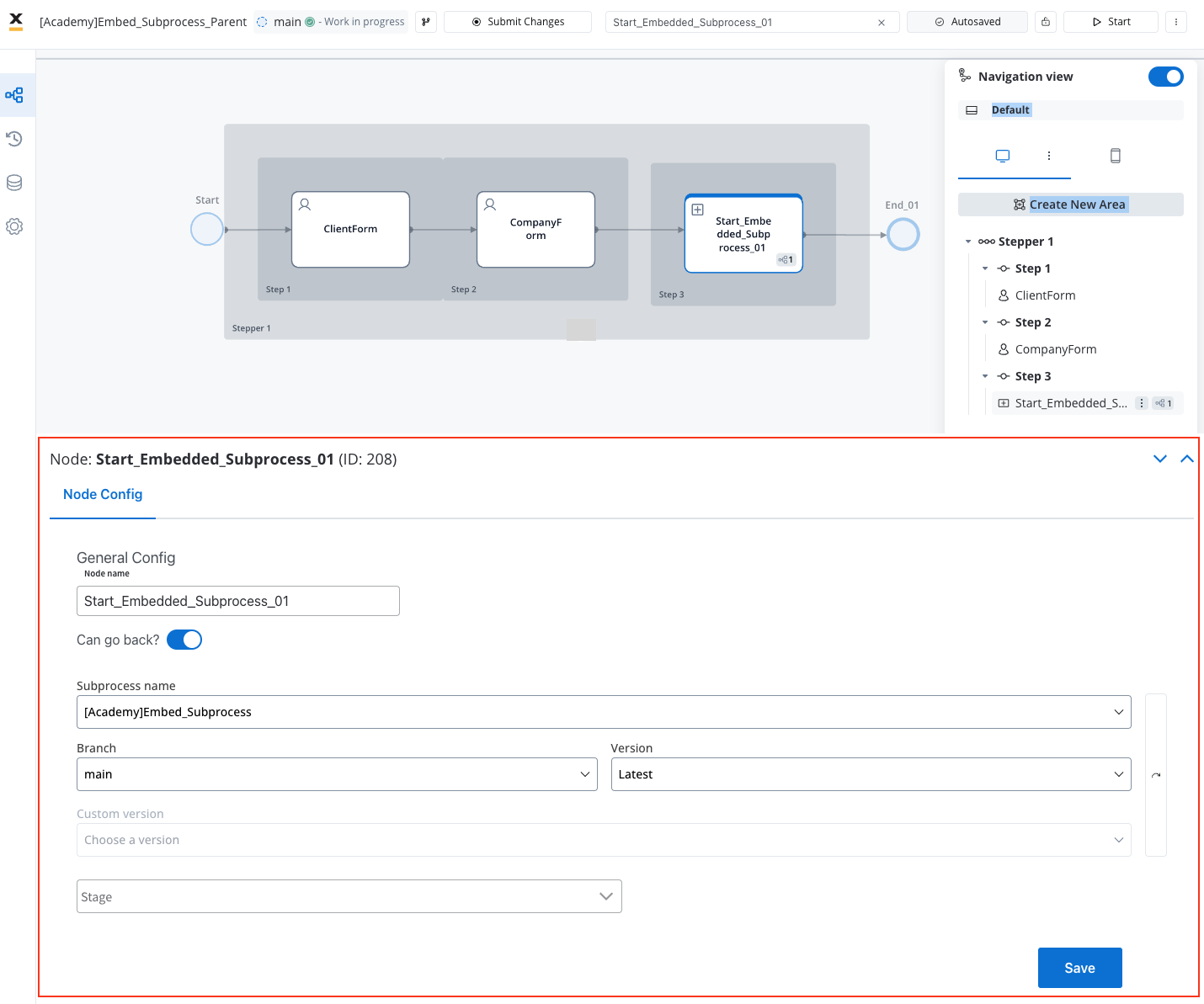
### Step 3: Customize Subprocess Behavior
[**Alternative flows**](../../process/navigation-areas#alternative-flows) configured in the **main process** will also be applied to **embedded subprocesses** if they share the same name.
Within the subprocess, handle data as needed. Remember that data is stored within the parent process instance when using embedded subprocesses.
Implement boundary events within the subprocess if specific actions need to be triggered based on certain conditions.
### Step 4: Test Integration
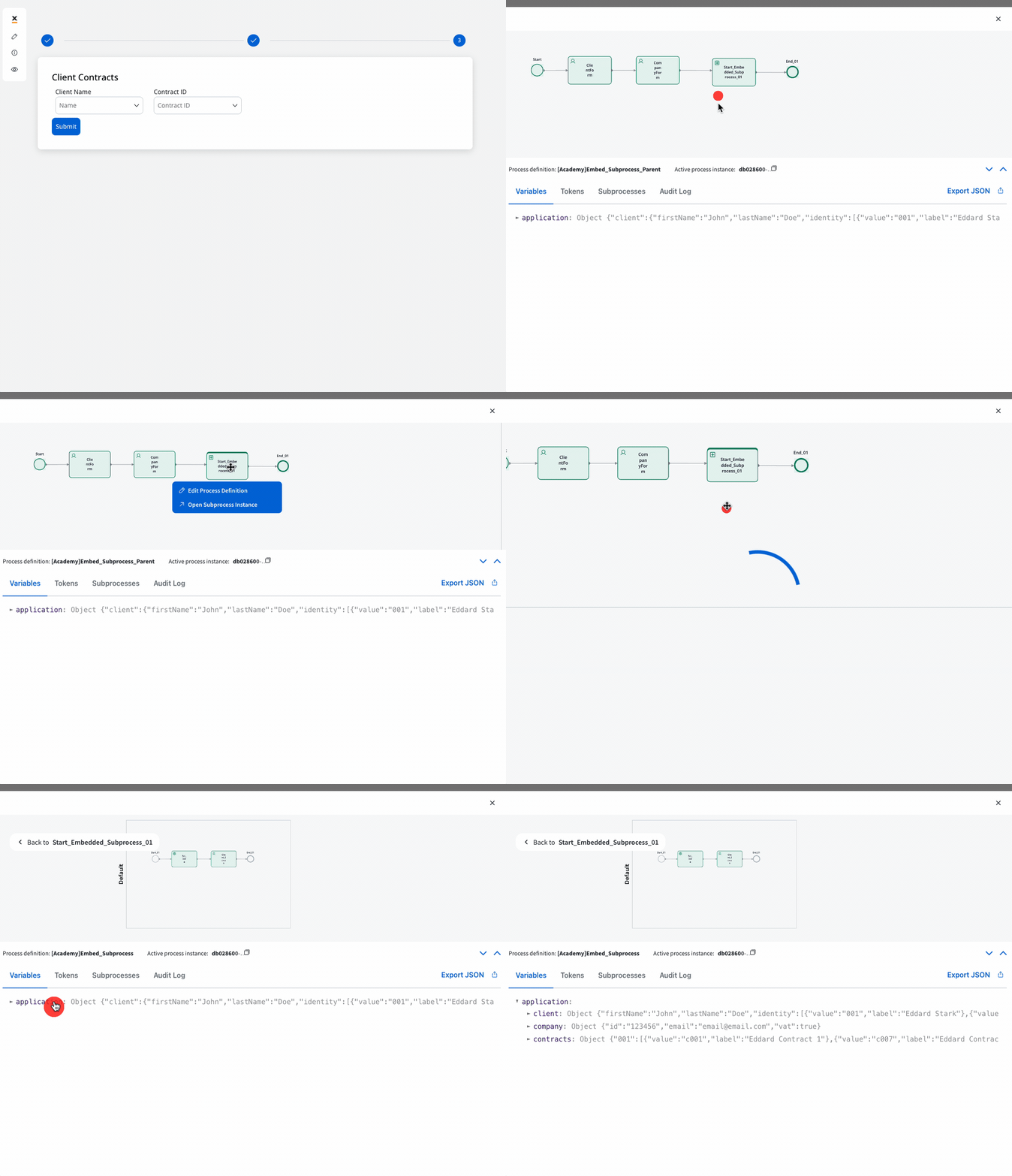
Test the integration of the embedded subprocess within the parent process. Ensure that the subprocess initiates correctly and interacts with the parent process as expected.
Verify that data flows correctly between the parent process and the embedded subprocess. Check if any results produced by the subprocess are correctly captured by the parent process.
For further details on other ways of configuring and utilizing subprocesses, refer to the following resources:
Subprocess lifecycle, Call Activity vs. User Task action, async constraints.
Configure the node to specify the embedded subprocess that it will initiate. This typically involves selecting the subprocess from the available subprocesses in your process repository.

### Step 3: Customize Subprocess Behavior
[**Alternative flows**](../../process/navigation-areas#alternative-flows) configured in the **main process** will also be applied to **embedded subprocesses** if they share the same name.
Within the subprocess, handle data as needed. Remember that data is stored within the parent process instance when using embedded subprocesses.
Implement boundary events within the subprocess if specific actions need to be triggered based on certain conditions.

### Step 4: Test Integration
Test the integration of the embedded subprocess within the parent process. Ensure that the subprocess initiates correctly and interacts with the parent process as expected.
Verify that data flows correctly between the parent process and the embedded subprocess. Check if any results produced by the subprocess are correctly captured by the parent process.

For further details on other ways of configuring and utilizing subprocesses, refer to the following resources:
Subprocess lifecycle, Call Activity vs. User Task action, async constraints.