> ## Documentation Index
> Fetch the complete documentation index at: https://docs.flowx.ai/llms.txt
> Use this file to discover all available pages before exploring further.
# Start new project instance
> Initiate a new main process from within an ongoing process to handle isolated use cases across different apps or environments.
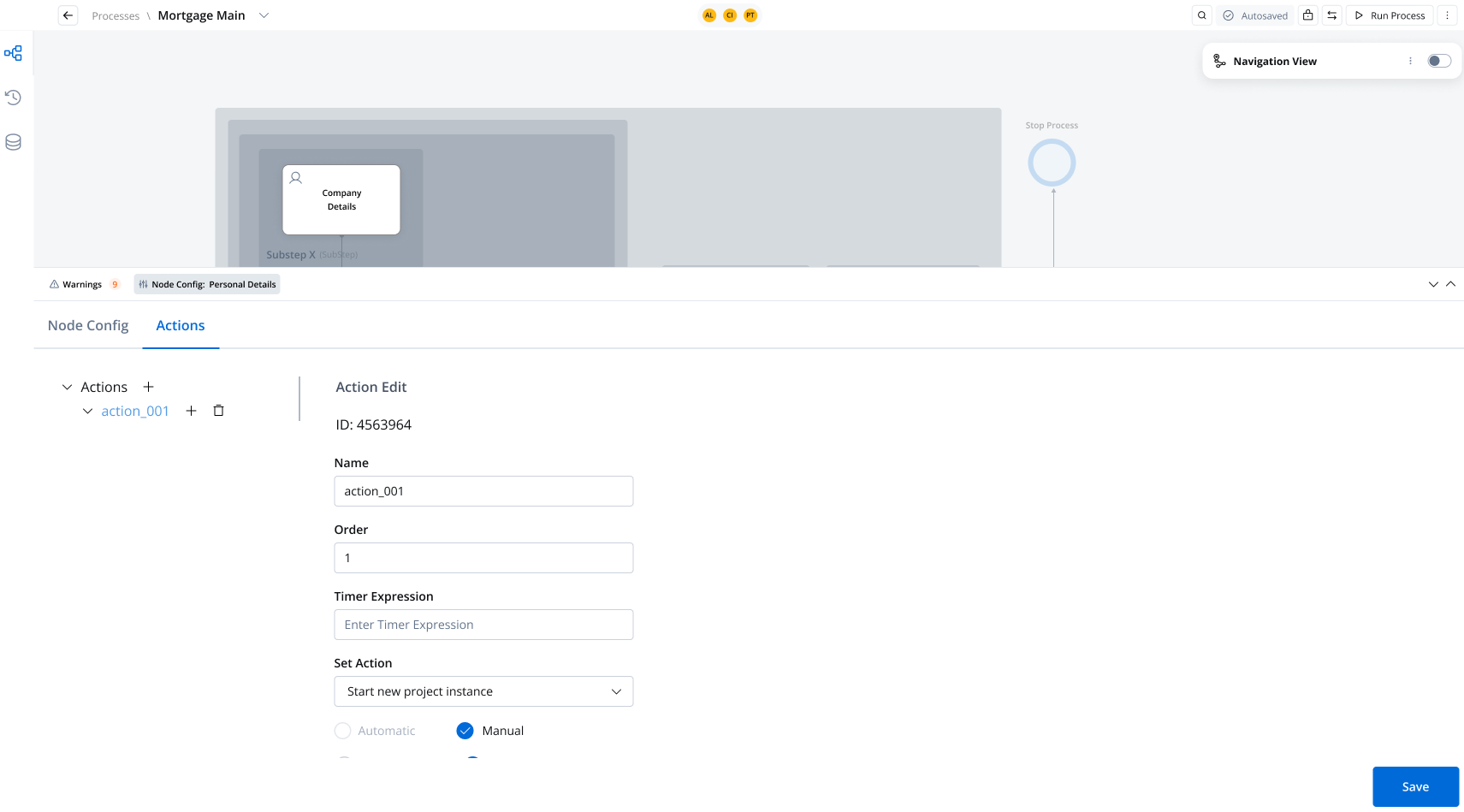
### Key considerations
* The "Start New Project Instance" action **cannot be configured as a subaction**. It must always be a standalone action.
* This action is exclusively triggered **manually**; automated execution is not supported.
You can launch a new project instance, which will always use the active version of the target application's build at the time of execution.
***
## Common use cases
This action is particularly useful when multiple use cases are managed separately and require isolation between applications. For example:
1. **Customer Profile Management:**
* Onboarding a power of attorney.
* Submitting a mortgage request.
* Enrolling in a credit card program.
Each of these processes may be managed by different teams and applications, emphasizing the need for separation and flexibility.
2. **Cross-Application Workflow Initiation:**
A process in one application might require triggering a process in another application with specific parameters. For instance:
* Initiating an "Onboarding" process (version 2) for a customer directly from the main application.
## Configuring the action
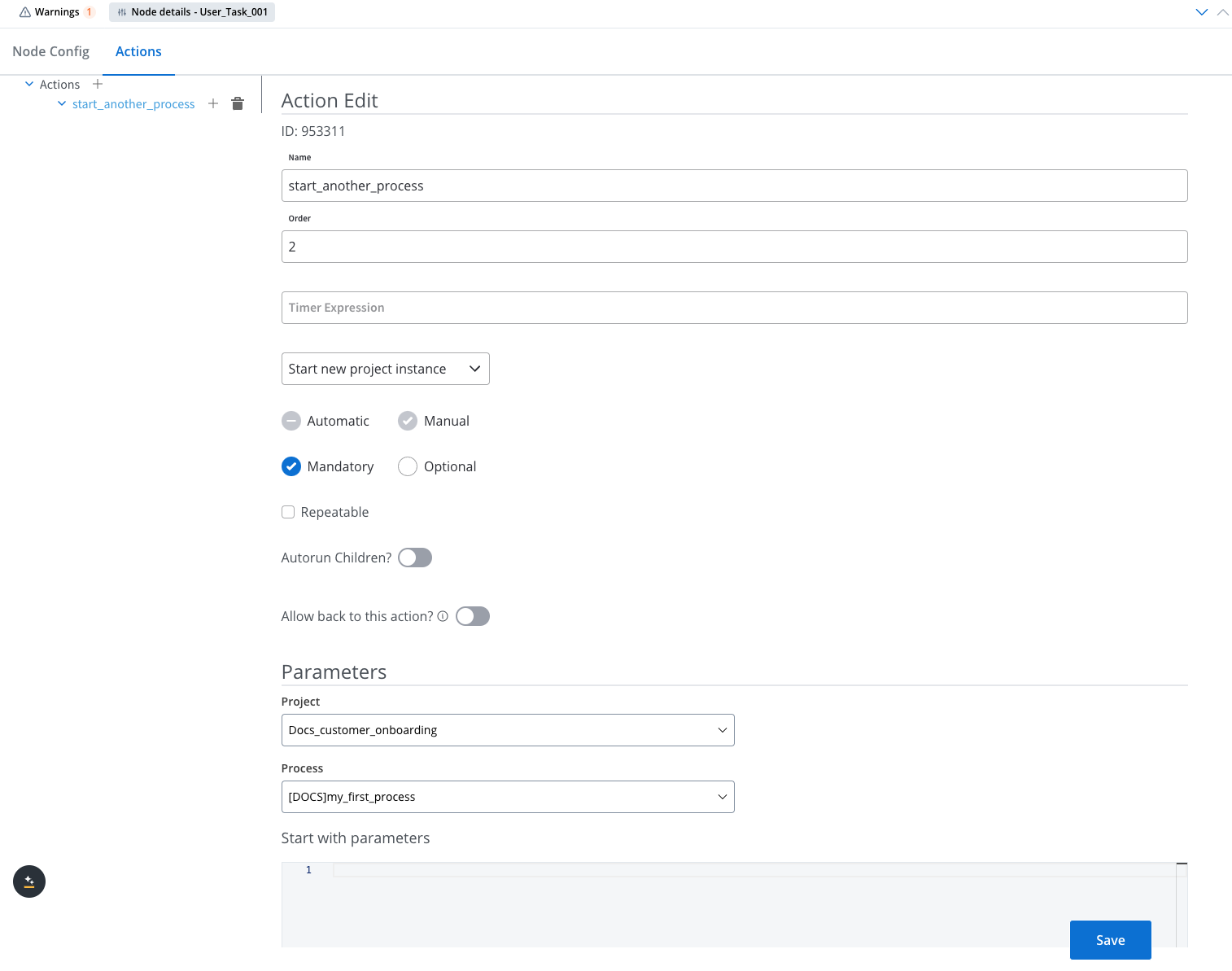
The **Start New Project Instance** action is configured via the **FlowX.AI Designer**. To set it up, navigate to the **Actions** tab at the [task node level](../../flowx-designer/managing-a-project-flow/adding-a-new-node).
### Configuration options
#### Action settings
* **Name:** Used internally to distinguish actions on nodes. It’s recommended to define a naming standard for easier identification.
* **Order:** If multiple actions exist on the same node, specify the order in which they run.
* **Timer Expression:** Adds a delay to the action if needed. Use the [**ISO 8601 duration format**](https://www.w3.org/TR/NOTE-datetime) (e.g., `PT30S` for a 30-second delay).
* **Action Type:** Must be set to **Start New Project Instance**.
* **Trigger Type:** Always set to **Manual**.
* **Required Type:**
* **Mandatory:** Required for automatic actions.
* **Optional or Mandatory:** Can be used for manual actions.
* **Repeatable:** Check this box if the action can be triggered multiple times.
* **Autorun Children:** Automatically runs child actions (mandatory and automatic) immediately after the parent action completes.
* **Allow Back on This Action:** Enables users to move back in the process flow and redo previous actions. For details, see [Moving a Token Backwards in a Process](../../flowx-designer/managing-a-project-flow/moving-a-token-backwards-in-a-process).
The "Start New Project Instance" action is incompatible with subprocess configurations because projects, unlike libraries, are self-contained collections of resources designed to satisfy specific use cases. Libraries provide reusable, lightweight resources and routines, such as error handling or enumerations, and do not manage complex business logic.
#### Parameters
The following parameters must be configured for the action:
* **Project:** Specifies the target project to be initiated.
* **Process:** Selects the process from the list of processes available in all builds.
* **Start with Parameters:** Defines the parameters passed to the new process. These parameters can include:
* **Customer Name:** Useful for initiating flows tailored to a specific customer.
* **Copied Data:** Information from the current process that is required to start the target application’s process.
***
## Key benefits
* **Isolated Process Management:** Supports launching new, isolated processes in separate applications, ensuring flexibility and independence across teams and environments.
* **Active Version Execution:** Ensures that the project instance uses the active build version at the time of initiation, providing consistency in functionality.
* **Parameter Passing:** Enables data transfer between the initiating and target processes, improving operational efficiency.