> ## Documentation Index
> Fetch the complete documentation index at: https://docs.flowx.ai/llms.txt
> Use this file to discover all available pages before exploring further.
# Forwarding notifications
> If the Notification service is not directly connected to an SMTP / SMS server and you want to use an external system for sending the notifications, you can use the notification plugin just to forward the notifications to your custom implementation.
### Check needed Kafka topics
You will need the name of the Kafka topics defined at the following environment variables:
* `KAFKA_TOPIC_NOTIFICATION_INTERNAL_IN` - topic used to trigger the request to send a notification
* `KAFKA_TOPIC_NOTIFICATION_EXTERNAL_OUT` - the notification will be forwarded on this topic to be handled by an external system
* `KAFKA_TOPIC_NOTIFICATION_INTERNAL_OUT` - topic used for sending replies after sending the notification
You can check the defined topics by going to **FlowX Designer > Platform Status > notification-plugin-mngt > kafkaTopicsHealthCheckIndicator > details > configuration > topic > notification**.
### Example: send a notification from a business flow
Let's pick a simple use case. Imagine we need to send a new welcome letter when we onboard a new customer. You must follow the next steps:
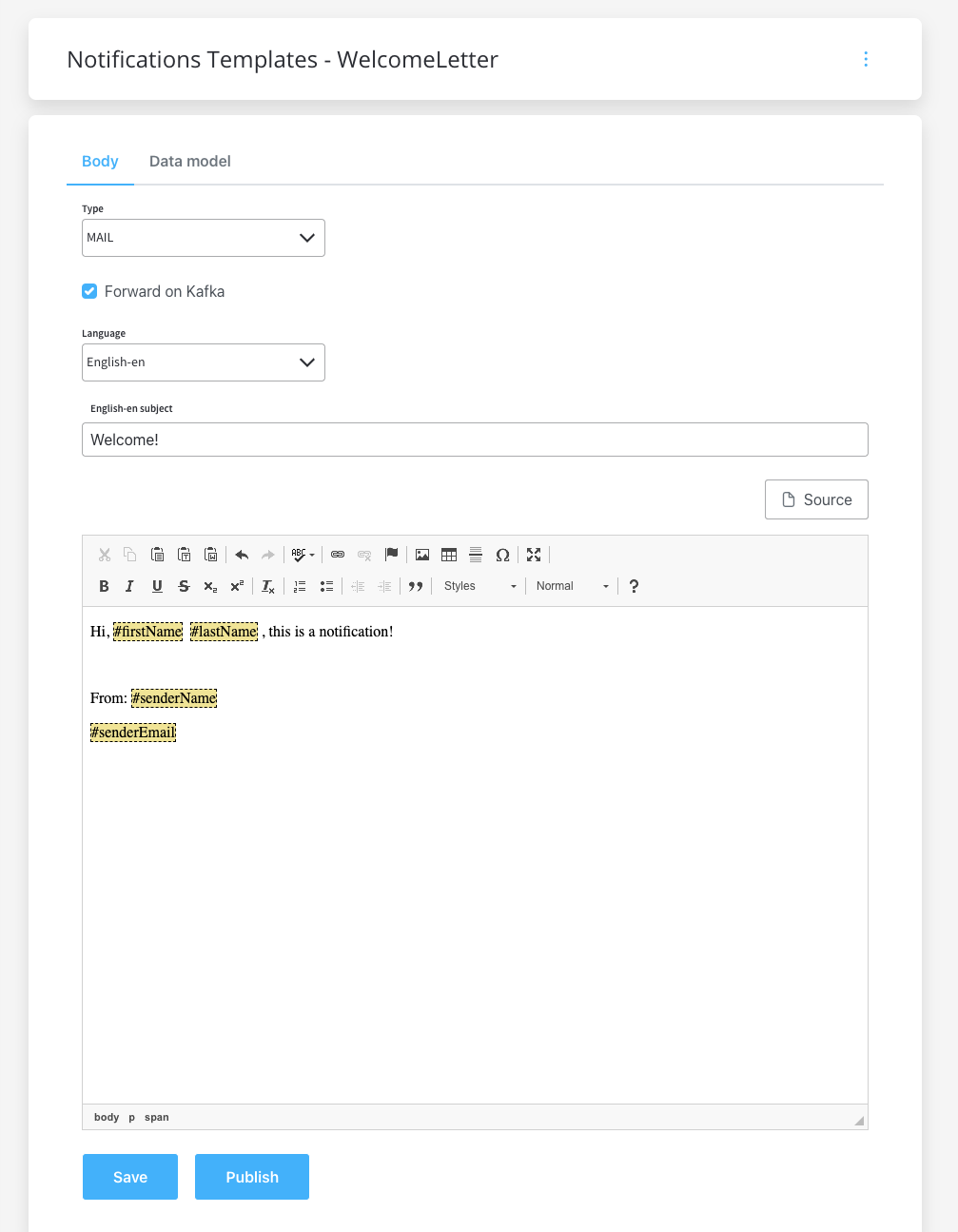
1. Configure the [template](./managing-notification-templates) that you want to use for the welcome email, use the [WYSIWYG Editor](../../../plugins/wysiwyg)
Make sure that the **Forward on Kafka** checkbox is ticked, so the notification will be forwarded to an external adapter.
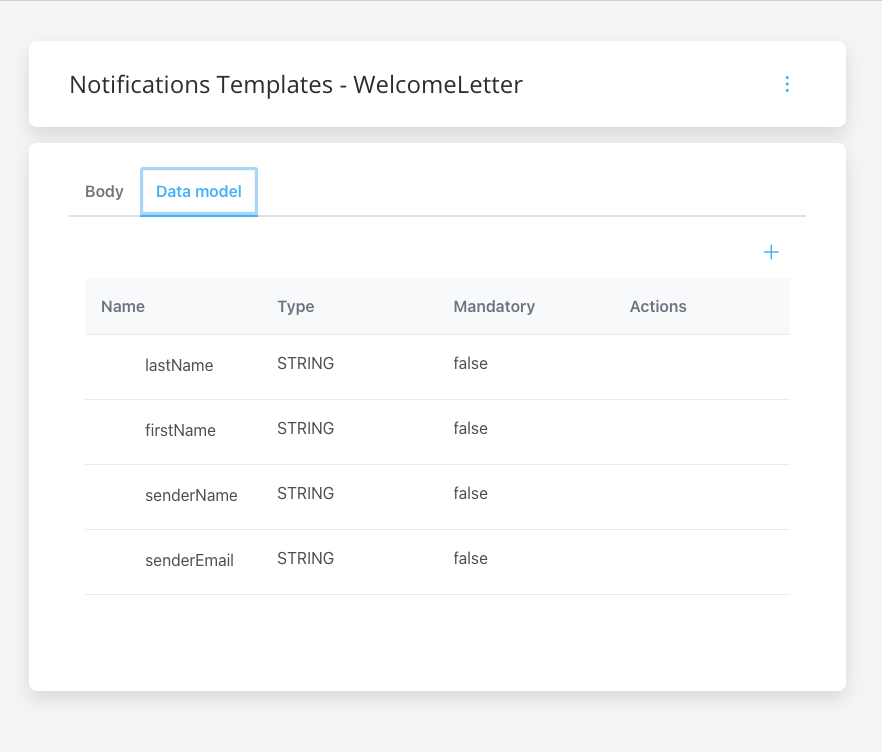
2. Configure the data model for the template.
3. To configure a document template, first, you need to define some information stored in the [Body](../../../plugins/wysiwyg#notification-templates):
* **Type** - MAIL (for email notifications)
* ❗️**Forward on Kafka** - if this box is checked, the notification is not being sent directly by the plugin to the destination, but forwarded to another adapter
* **Language** - choose the language for your notification template
* **Subject** - enter a subject
4. Use the FlowX Designer to create a process definition.
5. Add a [**Send Message Task**](../../../../building-blocks/node/message-send-received-task-node#configuring-a-message-send-task-node) and a [**Receive Message Task**](../../../../building-blocks/node/message-send-received-task-node#configuring-a-message-receive-task-node) (one to send the request, one to receive the reply).
6. Check if the needed topic (defined at the following environment variable) is configured correctly: `KAFKA_TOPIC_NOTIFICATION_INTERNAL_IN`.
7. Add the proper configuration to the action, the Kafka topic, and the body message.
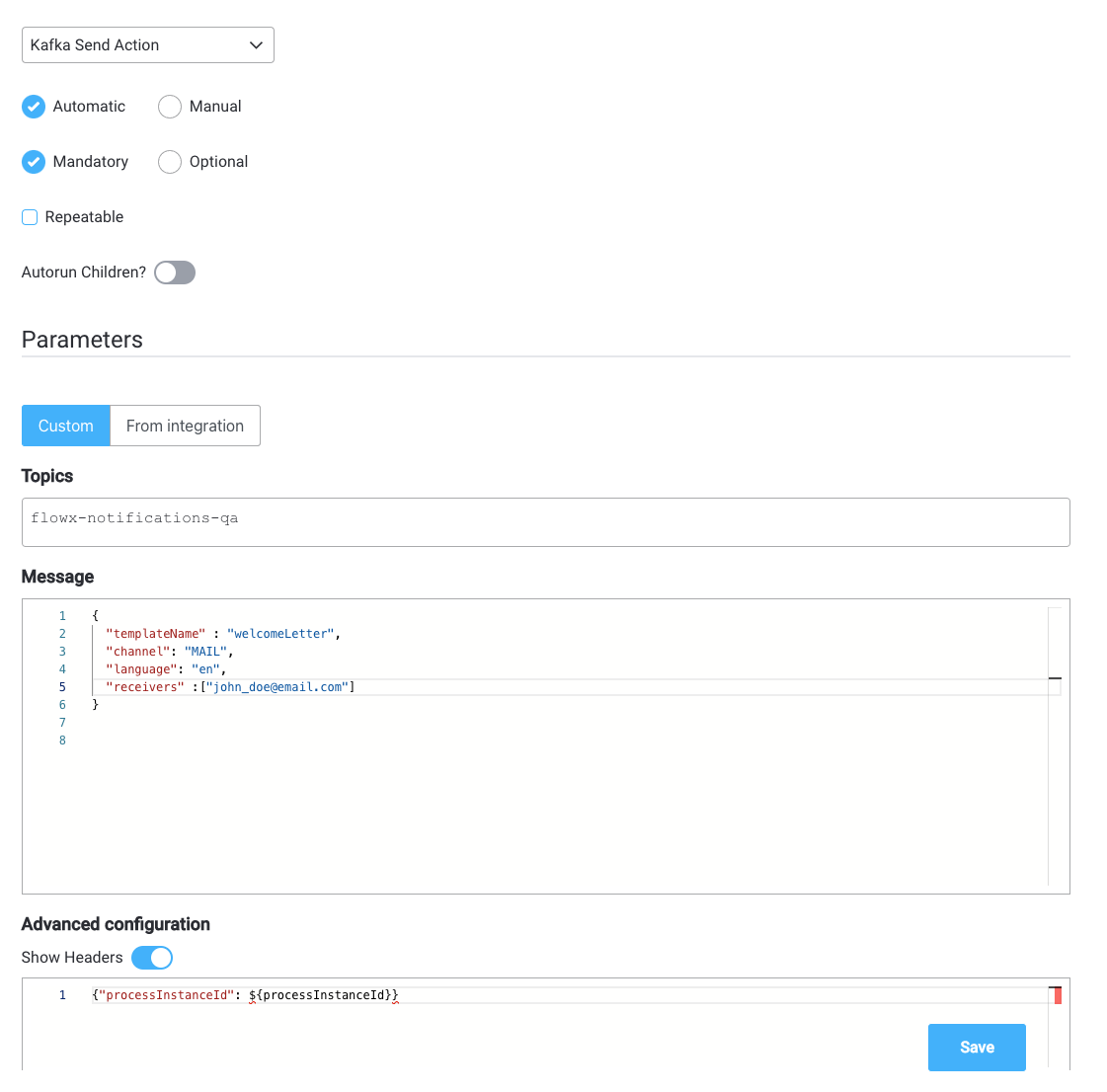
**Forward on Kafka** option will forward the notification to an external adapter, make sure the needed Kafka topic for forwarding is defined/overwritten using the following environment variable: `KAFKA_TOPIC_NOTIFICATION_EXTERNAL_OUT`.
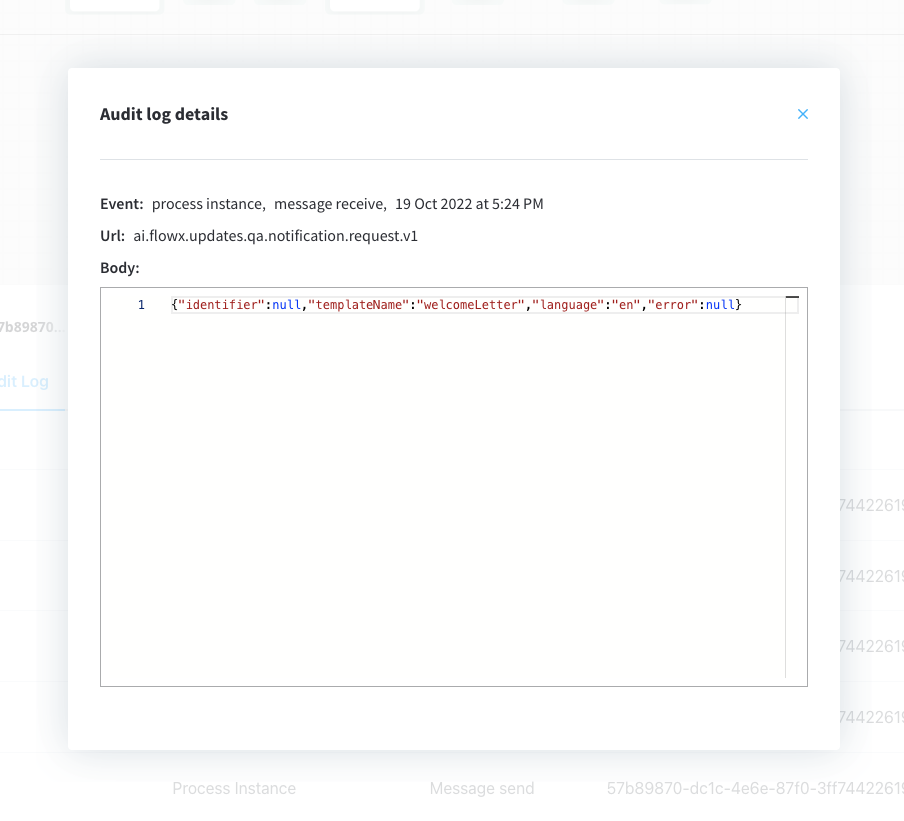
7. Run the process and look for the response (you can view it via the **Audit log**) or by checking the responses on the Kafka topic
Forwarded notification example at `KAFKA_TOPIC_NOTIFICATION_EXTERNAL_OUT` — this is the payload your external adapter consumes, with the template already rendered:
```json theme={"system"}
{
"type": "MAIL",
"subject": "Welcome to FlowX!",
"body": "...rendered template content...",
"senderName": "FlowX",
"senderEmail": "no-reply@flowx.ai",
"recipients": [
"john.doe@mail.com"
],
"ccRecipients": null,
"bccRecipients": null,
"creationDate": "2026-07-08T10:15:30",
"guid": "d3b07384-d9a0-4c9b-8f6e-1a2b3c4d5e6f",
"attachments": []
}
```
Response example at `KAFKA_TOPIC_NOTIFICATION_INTERNAL_OUT`:
```json theme={"system"}
{
"status": "SUCCESS",
"errorMessage": null,
"identifier": null,
"templateName": "welcomeLetter",
"language": "en"
}
```
## Related topics
- [Notifications plugin setup](/5.1/setup-guides/notifications-plugin-setup.md)
- [Kafka send action](/5.1/docs/building-blocks/actions/kafka-send-action.md)
- [Consuming FlowX from external apps](/5.1/docs/platform-deep-dive/integrations/consuming-flowx-from-external-apps.md)
- [Sending a notification](/5.1/docs/platform-deep-dive/core-extensions/content-management/notifications-plugin/sending-a-notification.md)
- [Notification Templates](/5.1/docs/platform-deep-dive/core-extensions/content-management/notifications-plugin/notifications-plugin-overview.md)