> ## Documentation Index
> Fetch the complete documentation index at: https://docs.flowx.ai/llms.txt
> Use this file to discover all available pages before exploring further.
# FlowX custom plugins
> Adding new capabilities to the core platform can be easily done by using plugins. FlowX plugins represent already-built functionality that can be added to a FlowX.AI platform deployment.
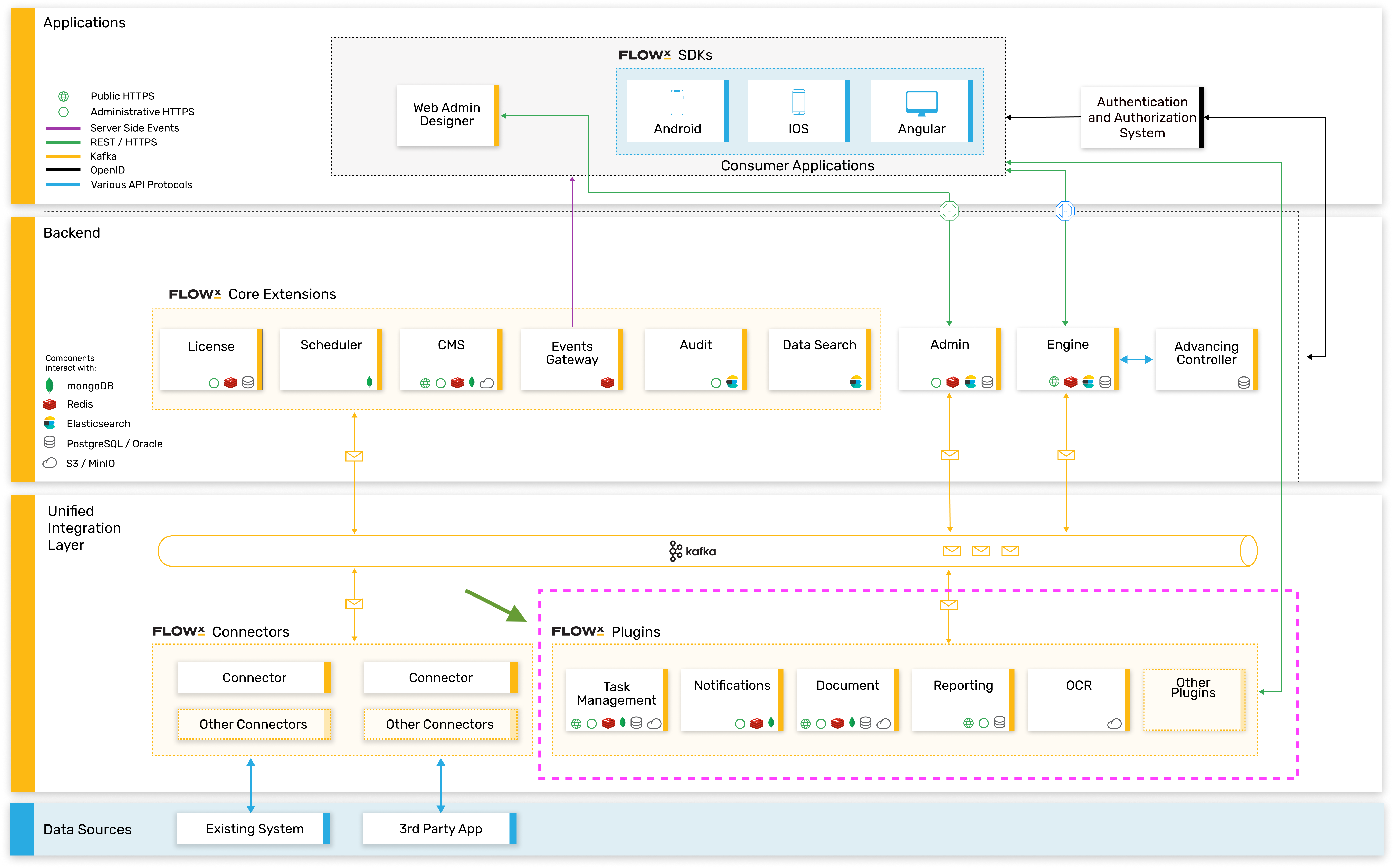
These could be either one of the provided custom **plugins** that we've already built or building your desired plugin.
On our roadmap, we’re also looking to enhance the **plugins library** with 3rd party providers, so stay tuned for more.
## High-level architecture
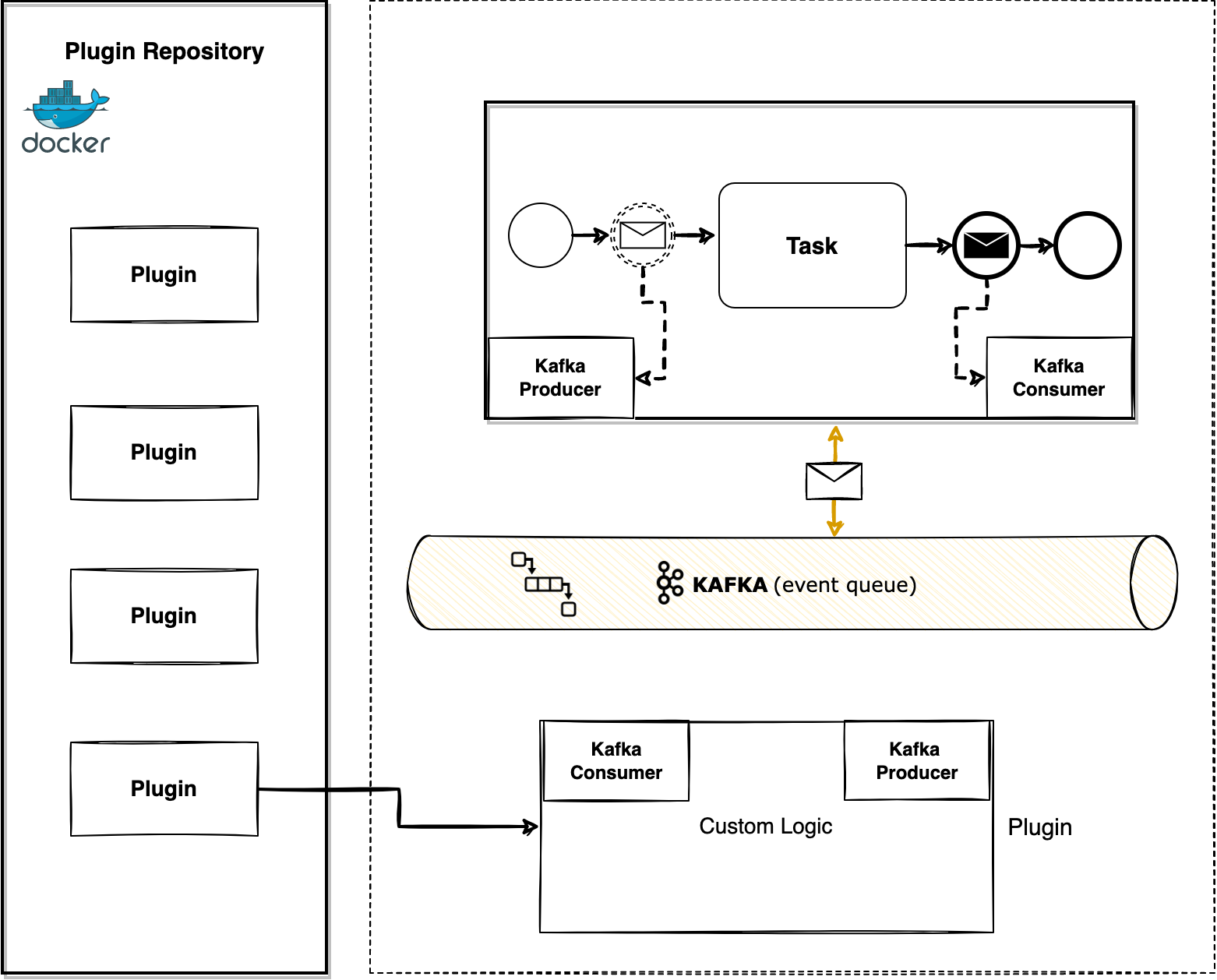
The plugins are microservice apps that can be developed using any tech stack. The only requirement is that they need to be able to connect to the core platform using Kafka events.
To interact with plugins, you need to understand a few details about them:
* the events that can trigger them
* the infrastructure components needed
* the needed configurations
## Custom plugins
The currently available plugins are:
* [**Documents**](./custom-plugins/documents-plugin/documents-plugin-overview) - easily generate, host and access any kind of documents
* [**Notifications**](./custom-plugins/notifications-plugin/notifications-plugin-overview) - enhance your project with the option of sending custom emails or SMS notifications
* [**OCR**](./custom-plugins/ocr-plugin) - helps you scan your documents and integrate them into a business process
* [**Task management**](../core-extensions/task-management/task-management-overview) - a plugin suitable for back-officers and supervisors as it can be used to easily track and assign activities/tasks inside a company.
* [**Reporting**](./custom-plugins/reporting/reporting-overview) - a plugin that will help you create and bootstrap custom reports built on generic information about usage and processes metrics
Let's get into a bit more detail about the custom plugins 🎛️
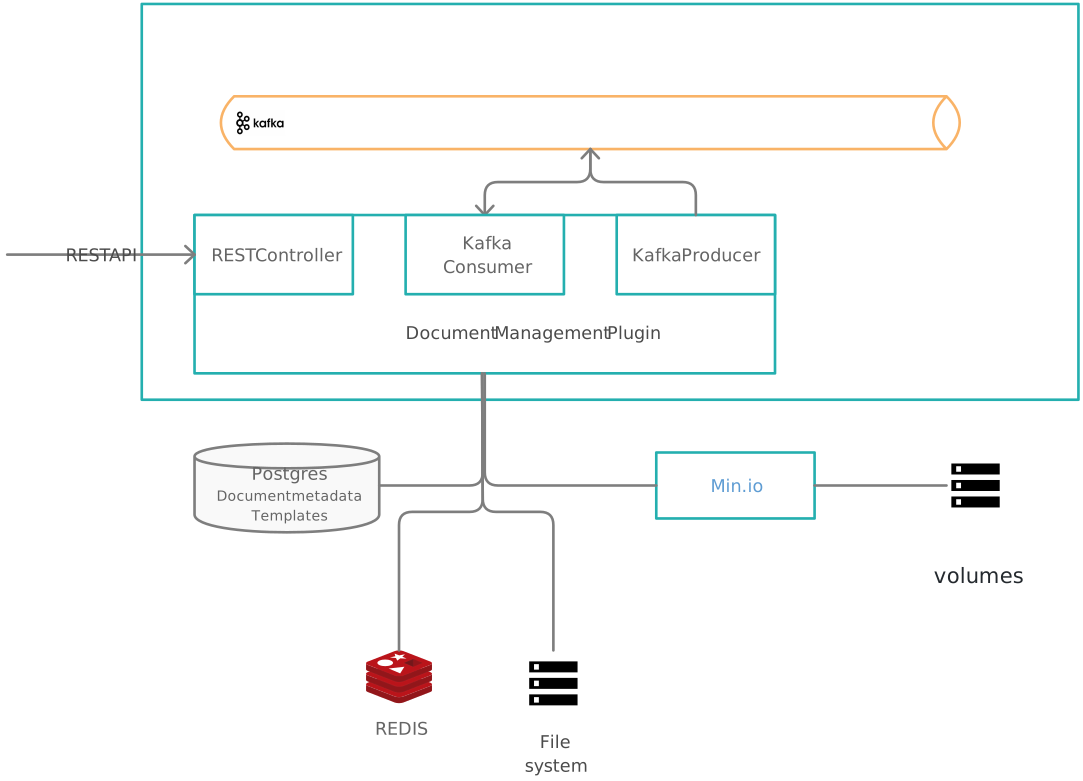
## Document management plugin
**Effortless document generation and safe-keeping**
The document management plugin securely stores documents, facilitates document generation based on predefined templates and also handles conversion between various document formats.
It offers an easy-to-use interface for handling documents on event-based Kafka streams.
## Notifications plugin
**Multi-channel notifications made easy**
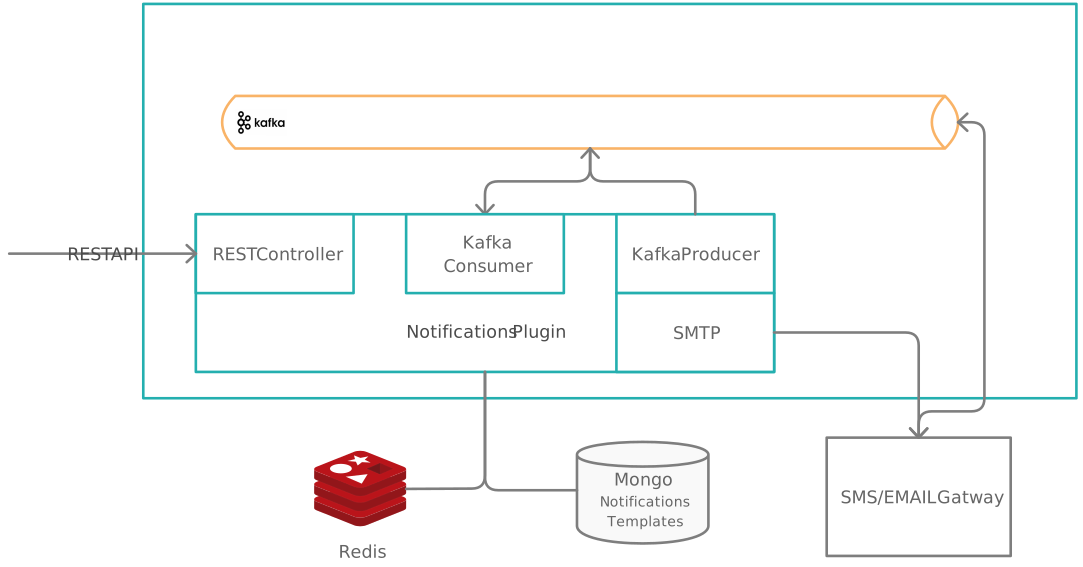
The plugin handles various types of notifications:
* SMS (if a third party service is available for communication management)
* email notifications
* generating and validating OTP passwords for **user identity verification**
It can also be used to forward custom notifications to external outgoing services. It offers an intuitive interface for defining templates for each kind of notification and handles sending and auditing notifications easily.
## Task management
**Helper for back-officers and supervisors, easy track, assignment management**
The Task Management plugin has the scope to show a process that you defined using FlowX Designer, using a more business-oriented view. It also offers interactions at the assignment level.
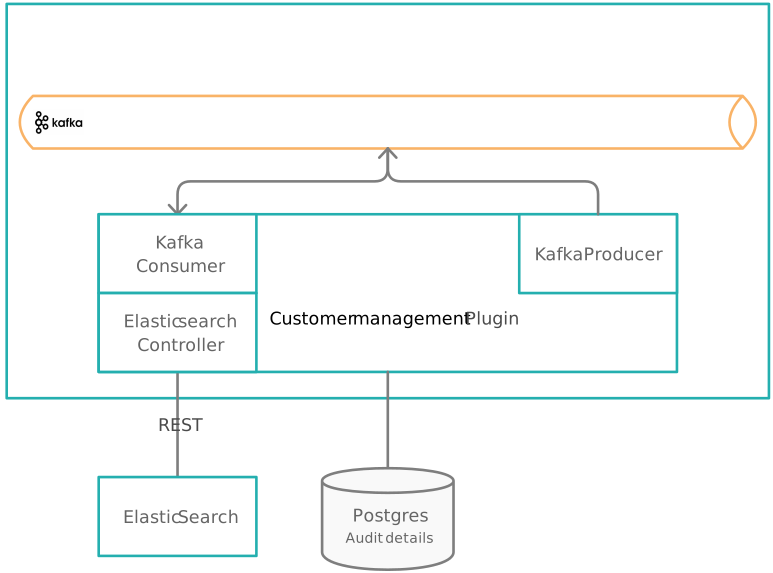
## Customer management
**Convenient and secure access to user data**
Light CRM uses an Elasticsearch engine to retrieve user details using partial matches on intricate databases.
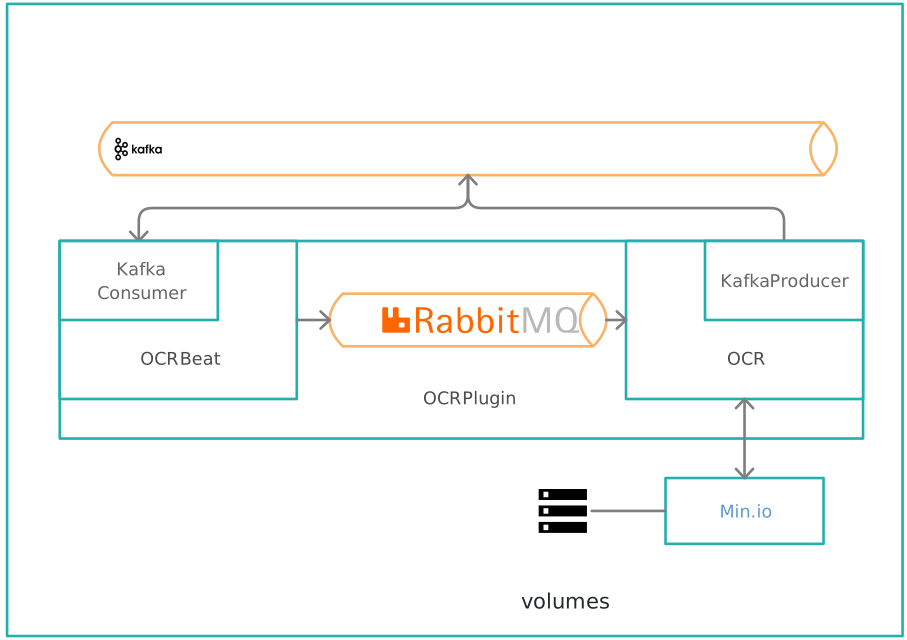
## OCR plugin
**Automatic key information extraction**
Used to easily read barcodes or extract handwritten signatures from PDF documents.
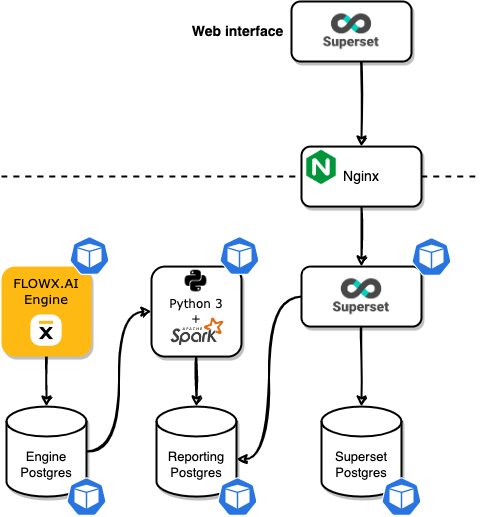
## Reporting plugin
**Easy-to-read dynamic dashboards**
Use reporting plugin to build and bootstrap custom reports built on generic information about usage and processes.
## Related topics
- [Reporting plugin](/4.7.x/docs/platform-deep-dive/plugins/custom-plugins/reporting/reporting-overview.md)
- [Documents plugin](/4.7.x/docs/platform-deep-dive/plugins/custom-plugins/documents-plugin/documents-plugin-overview.md)
- [Notifications plugin](/4.7.x/docs/platform-deep-dive/plugins/custom-plugins/notifications-plugin/notifications-plugin-overview.md)
- [OCR plugin](/4.7.x/docs/platform-deep-dive/plugins/custom-plugins/ocr-plugin.md)
- [Plugins setup](/4.7.x/setup-guides/plugins-setup-guide/plugins-setup-guide-overview.md)