> ## Documentation Index
> Fetch the complete documentation index at: https://docs.flowx.ai/llms.txt
> Use this file to discover all available pages before exploring further.
# Configuring a DMN business rule action
> Decision Model and Notation is a graphical language used to specify business decisions. DMN helps convert complex decision-making code into easily readable diagrams.
## Creating a DMN Business Rule action
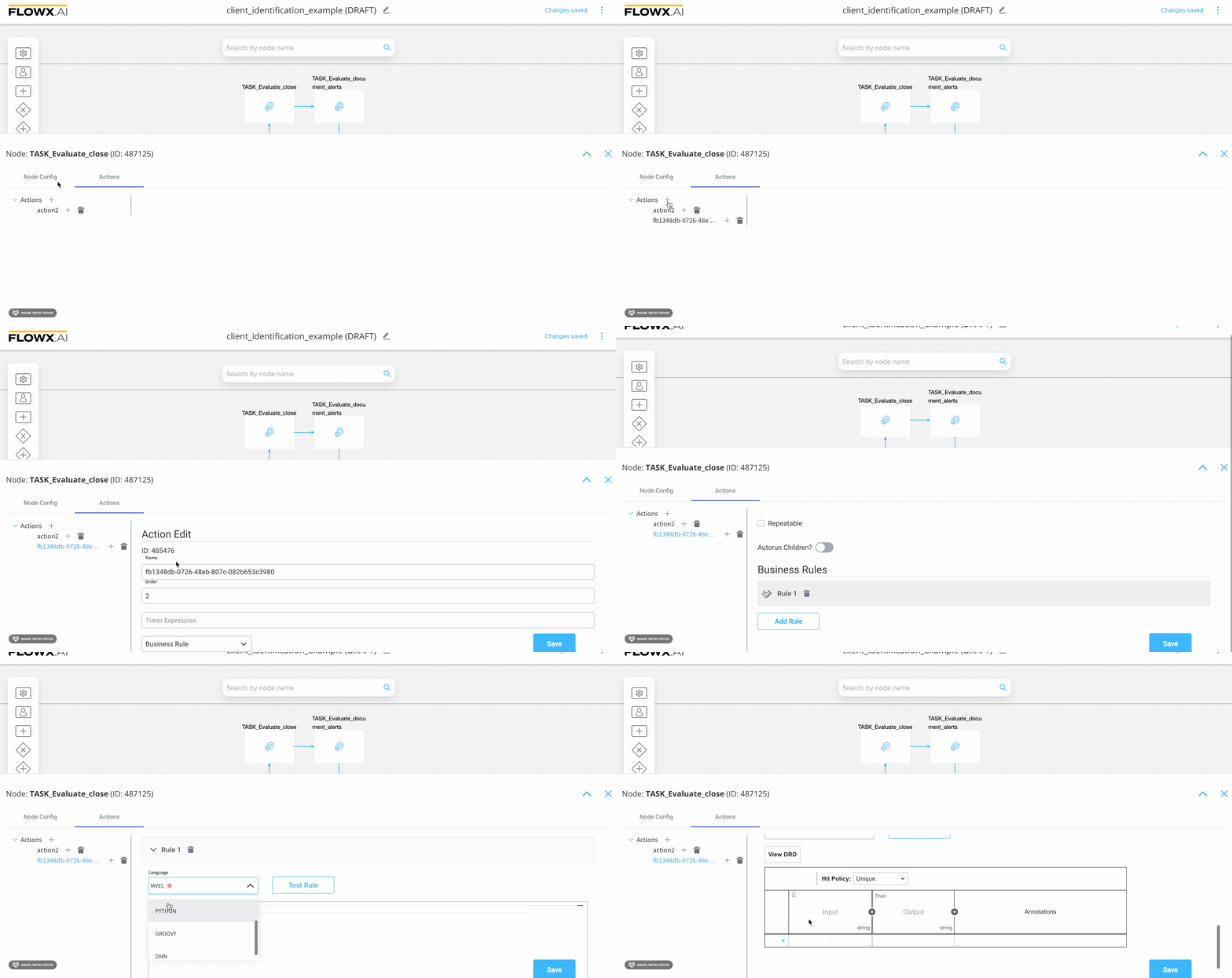
To create and link a DMN **business rule** action to a task **node** in FLOWX, follow these steps:
1. Launch **FlowX Designer** and navigate to **Process Definitions** .
2. Locate and select your specific process from the list, then click on **Edit Process**.
3. Choose a **task node**, and click the **Edit** button (represented by a key icon). This action will open the node configuration menu.
4. Inside the node configuration menu, head to the **Actions** tab and click the "**+**" button to add a new action.
5. From the dropdown menu, select the action type as **Business Rule**.
6. In the **Language** dropdown menu, pick **DMN**.
For a visual guide, refer to the following recording:
## Using a DMN Business Rule Action
Consider a scenario where a bank needs to perform client information tasks/actions to send salutations, similar to what was previously created using MVEL [here](./business-rule-action#business-rules-examples).
A business person or specialist can use DMN to design this business rule, without having to delve into technical definitions.
Here is an example of an **MVEL** script defined as a business rule action inside a **Service Task** node:
```java theme={"system"}
if (input.application.client.gender == 'F') {
output.put("application", {
"client": {
"salutation": "Ms"
}
});
} else if (input.application.client.gender == 'M') {
output.put("application", {
"client": {
"salutation": "Mr"
}
});
} else {
output.put("application", {
"client": {
"salutation": "Mx"
}
});
}
```
The previous example can be easily transformed into a DMN Business Rule action represented by the decision table:
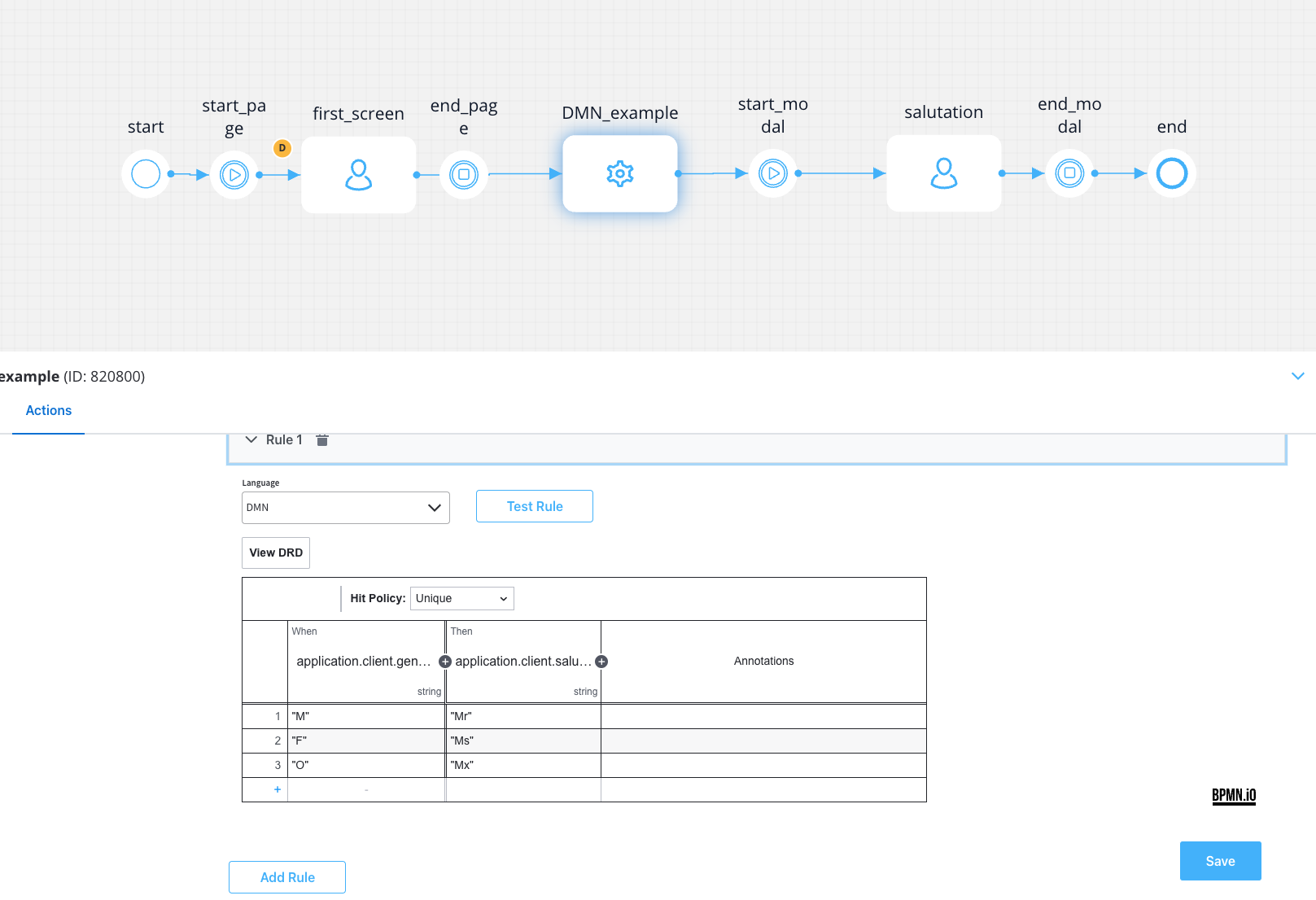
In the example above, we used FEEL expression language to write the rules that should be met for the output to occur. FEEL defines a syntax for expressing conditions that input data should be evaluated against.
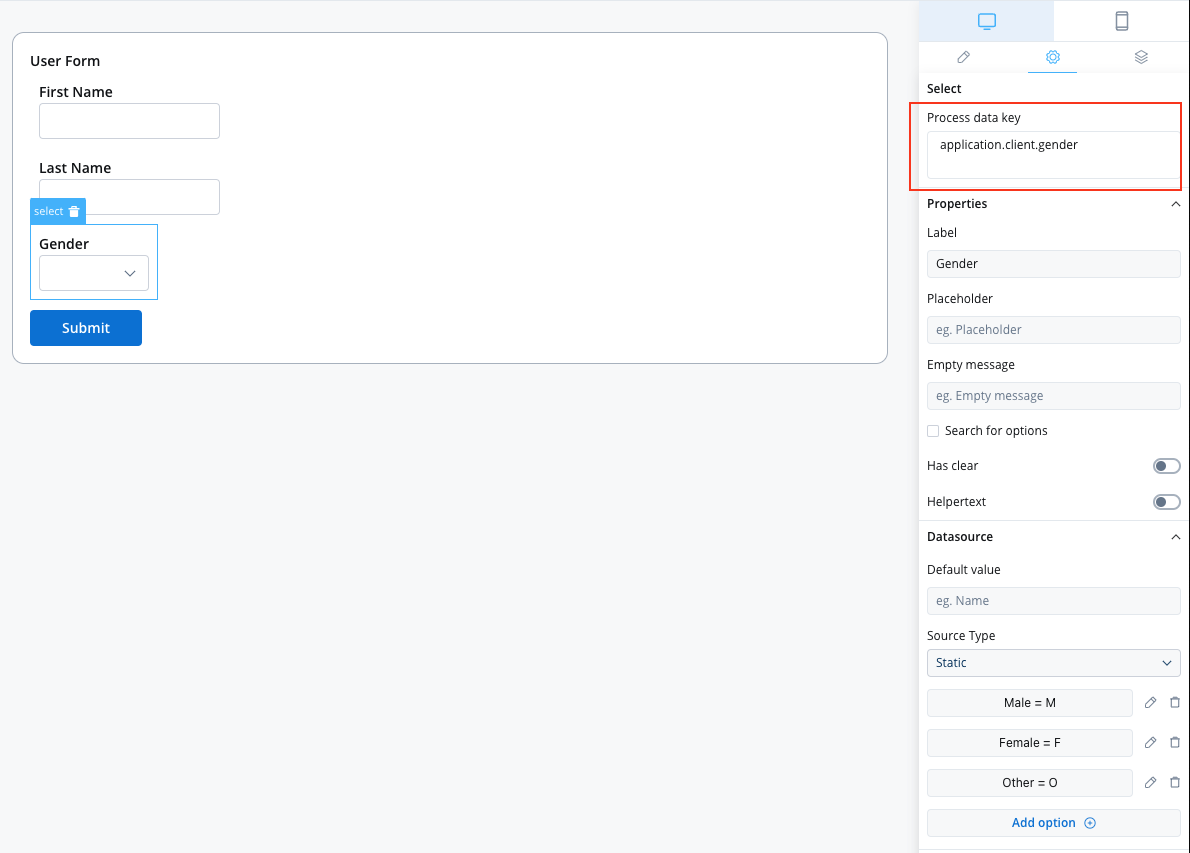
**Input** - In the example above, we used the user-selected gender from the first screen as input, bound to the `application.client.gender` key.
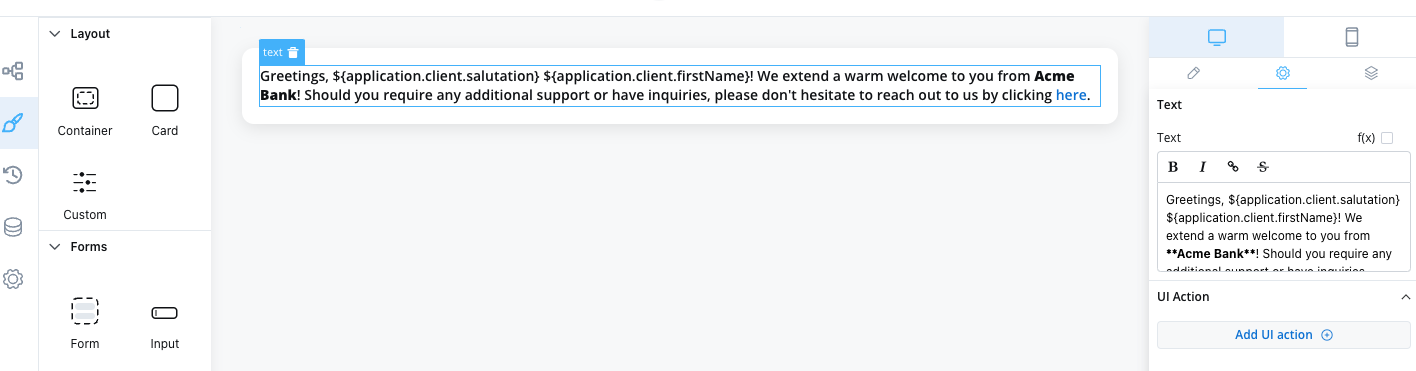
**Output** - In the example above, we used the salutation (bound to `application.client.salutation`) computed based on the user's gender selection.
DMN also defines an XML schema that allows DMN models to be used across multiple DMN authoring platforms. The following output is the XML source of the decision table example from the previous section:
```xml theme={"system"}
application.client.gender"M""Mr""F""Ms""O""Mx"
```