> ## Documentation Index
> Fetch the complete documentation index at: https://docs.flowx.ai/llms.txt
> Use this file to discover all available pages before exploring further.
# Handling decisions in the flow
> To add business decisions in the flow and use them to pick between a flow branch or another, we can use exclusive gateways.

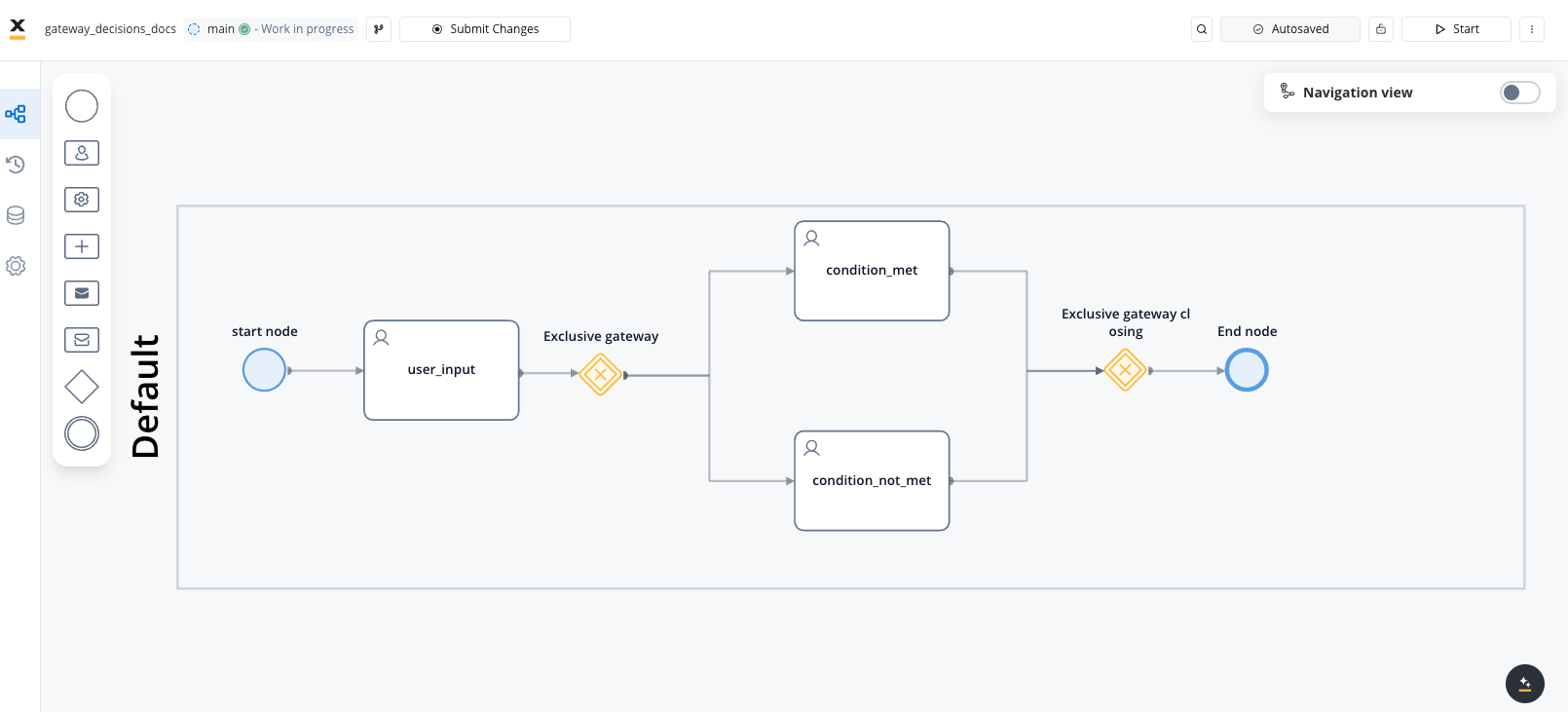
### Steps for creating a flow with exclusive branches
To create flow with exclusive branches:
Open **FlowX Designer** and go to the **Definitions** tab.
Click on the **New process** button, using the **breadcrumbs** from the top-right corner.
Add a **start node** and an **exclusive gateway node**.
Add two different **task nodes** and link them after the **exclusive** **gateway node**.
Add a new **exclusive gateway** to merge the two flow branches back into one branch.
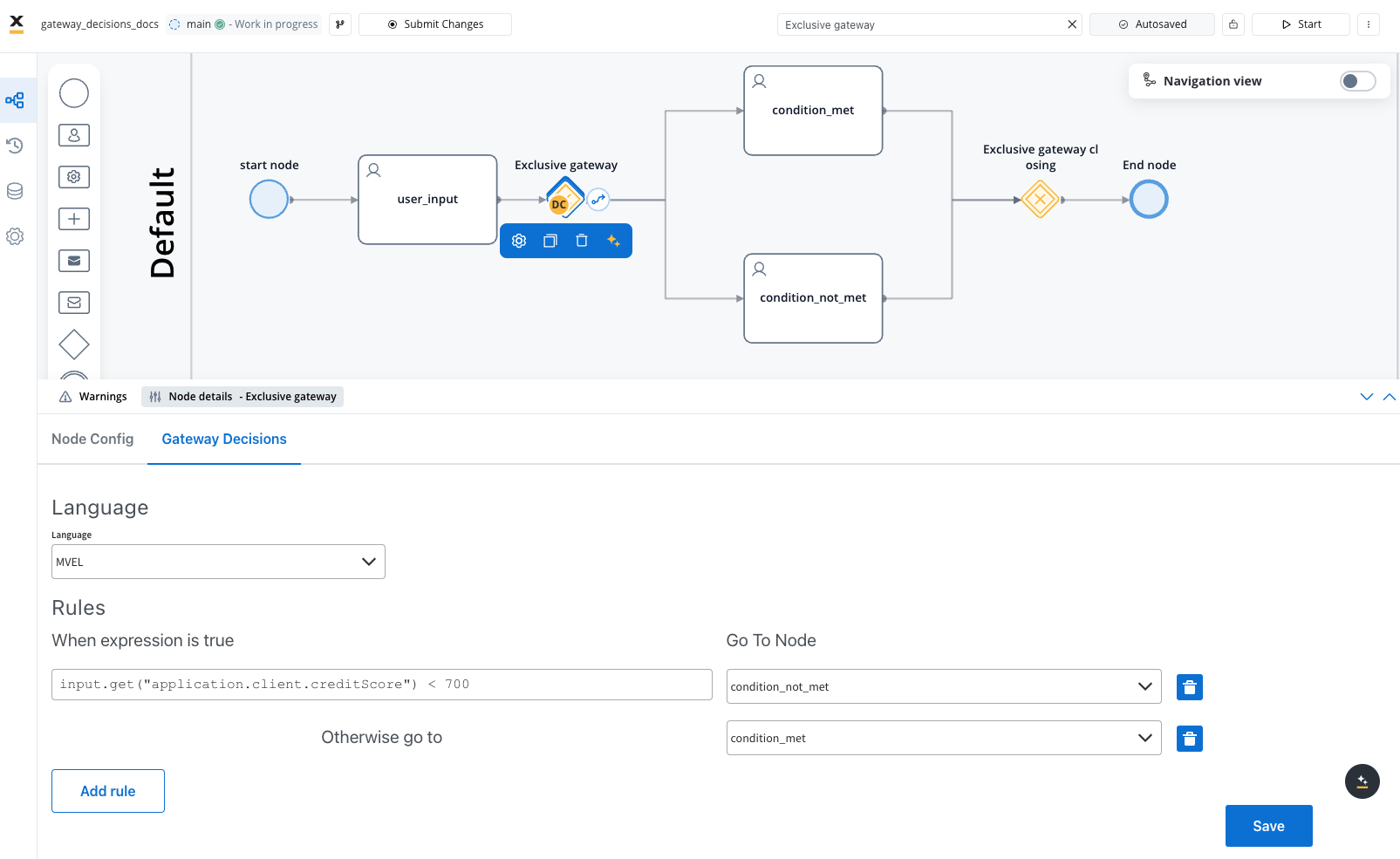
Add a **new rule** to a node to add a **business decision**:
For [business rules](../../building-blocks/actions/business-rule-action/business-rule-action), you need to check certain values from the process and pick an outgoing node in case the condition is met. The gateway node must be connected to the next nodes before configuring the rule.
* select a **scripting language** from the dropdown, for example `MVEL` and input your condition:
* `input.get("application.client.creditScore") >= 700` ← proceed to node for premium credit card request
* `input.get("application.client.creditScore") < 700` ← proceed to node for standard credit card request
Add a **closing exclusive gateway** to continue the flow.
Add and **end node**.