> ## Documentation Index
> Fetch the complete documentation index at: https://docs.flowx.ai/llms.txt
> Use this file to discover all available pages before exploring further.
# Adding more flow branches
To split the Process flow into more steps, you just need to use a parallel gateway node type.

### Steps for creating a flow with two branches
To create a flow with two branches:
Open **FlowX Designer** and go to the **Definitions** tab.
Click on the **New process** button, using the **breadcrumbs** from the top-right corner.
Add a **start node** and a **parallel gateway node**.
Create two parallel zones by adding different nodes and link the zones after the **parallel gateway node**.
Add another **parallel gateway** to merge the two flow branches back into one branch.
Add an **end node**.
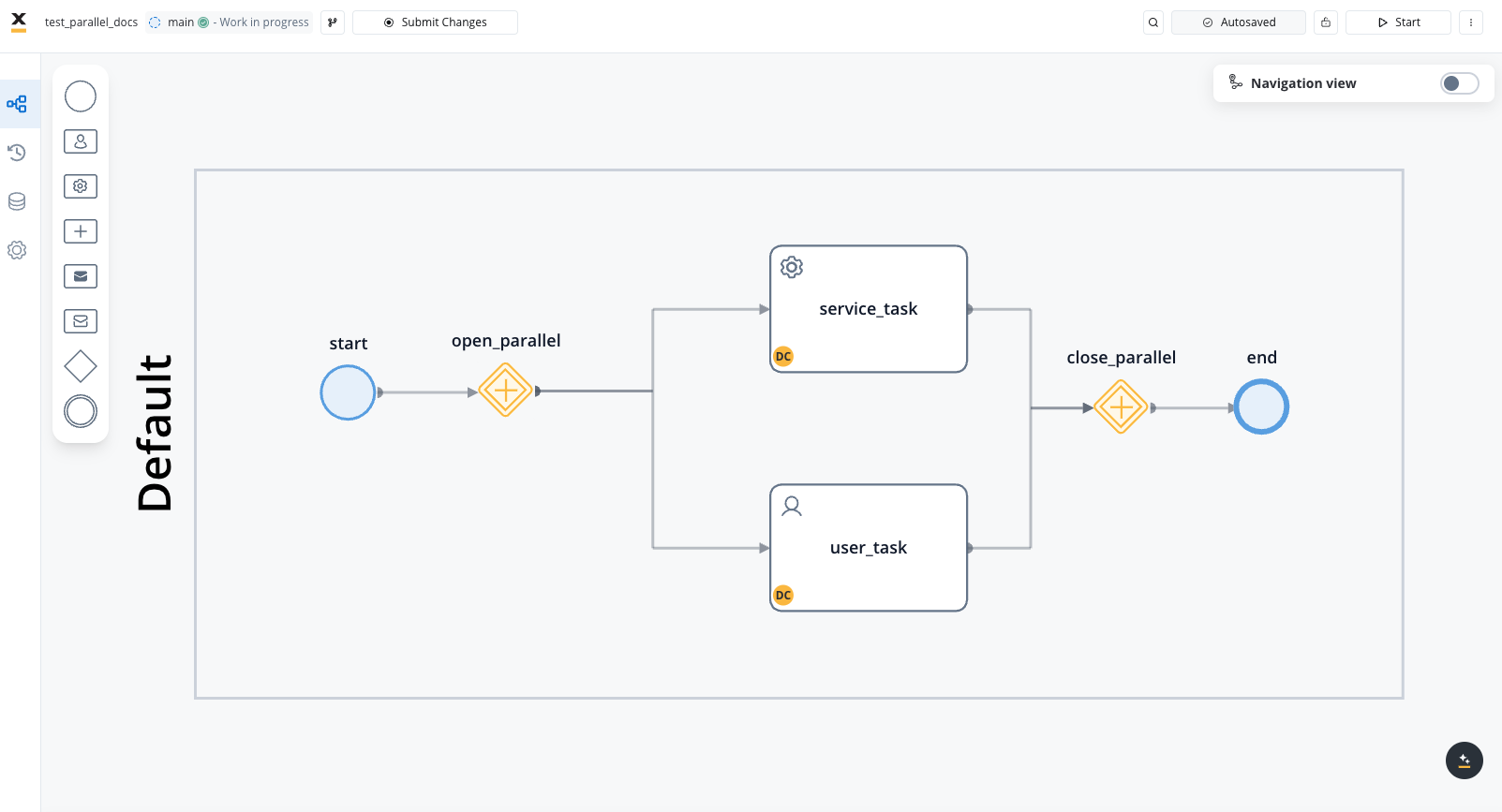
When working with parallel gateways, tokens play a critical role in ensuring that the process flow is managed correctly. Here's an overview of token behavior in parallel gateways:
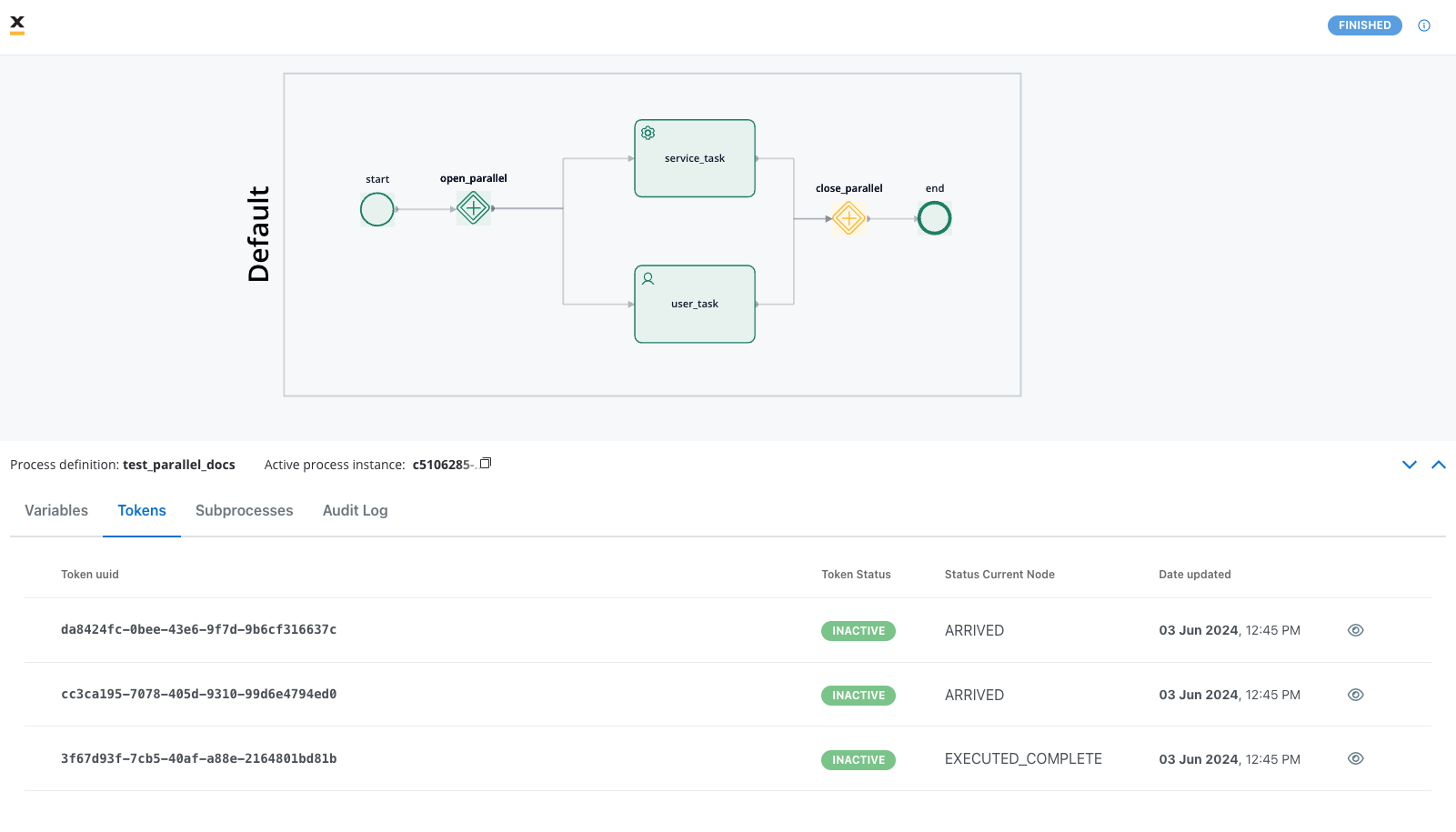
When a process reaches a parallel gateway, the gateway creates child tokens for each branch in the parallel paths. Each path operates independently.
Each child token advances through its respective path independently, proceeding from one node to the next based on the sequence and actions defined in the process.
A closing parallel gateway node is used to merge parallel paths back into a single flow. The parent token waits at this closing gateway until all child tokens have completed their respective paths.
## Related topics
- [Adding an action to a node](/4.6.0/docs/flowx-designer/managing-a-process-flow/adding-an-action-to-a-node.md)
- [Adding a new node](/4.6.0/docs/flowx-designer/managing-a-process-flow/adding-a-new-node.md)
- [FlowX.AI 4.7.9 Release Notes](/release-notes/v4.x/v4.7.x-lts/v4.7.9-october-2025/v4.7.9-october-2025.md)
- [FlowX.AI 4.6.1 Release Notes](/release-notes/v4.x/v4.6.x/v4.6.1-february-2025/v4.6.1-february-2025.md)
- [FlowX.AI 4.6.0 Release Notes](/release-notes/v4.x/v4.6.x/v4.6.0-january-2025/v4.6.0-january-2025.md)