> ## Documentation Index
> Fetch the complete documentation index at: https://docs.flowx.ai/llms.txt
> Use this file to discover all available pages before exploring further.
# Adding a new node
> Once you create a new process definition, you can start configuring it by adding new nodes.
You can choose between a series of available node types below. For an overview of what each node represents, see [BPMN 2.0 basic concepts](../../platform-overview/frameworks-and-standards/business-process-industry-standards/intro-to-bpmn):
A BPMN (Business Process Model and Notation) node is a visual representation of a point in your process. Nodes are added at specific process points to denote the entrance or transition of a record within the process. FlowX supports various node types, each requiring distinct configurations to fulfill its role in the business flow.
### Steps for creating a new node
To create a new node on an existing process:
Open **FlowX.AI Designer** and from the **Processes** tab select **Definitions**.
Select your **process definition** or create a new one.
Make sure you are in edit mode.
Drag and drop one or more **node** elements.
To connect the node that you just created:
* Click the node, select the **arrow** command
* Click the node that you wish to link to the newly added node
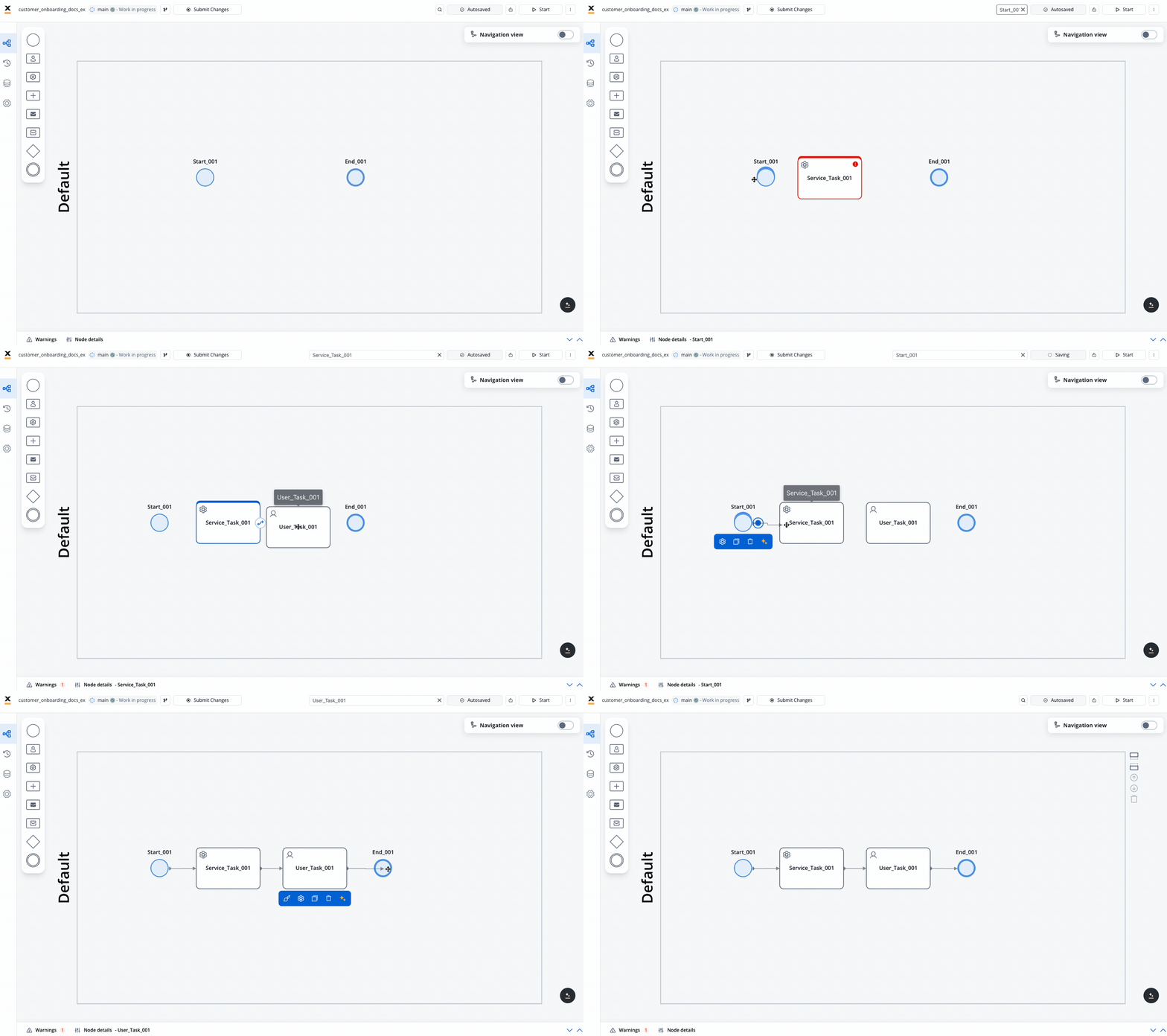
Depending on the type of the **node**, you can define some node details, and a set of values (stages, data stream topics, key name) and you can also add various [actions](../../building-blocks/actions/actions) to it.
Now, check the next section to learn how to add an action to a node.