> ## Documentation Index
> Fetch the complete documentation index at: https://docs.flowx.ai/llms.txt
> Use this file to discover all available pages before exploring further.
# Adding an action to a node
> We use actions to add business decisions to the flow or link the process to custom integrations and plugins.
A node action is defined as the activity that a node has to handle within a process flow. These actions can vary in type and are utilized to specify communication details for plugins or integrations, include business rules in a process, save data and send various data to be displayed in front-end applications.
For more information about actions, check the following section:
### Steps for creating an action
To create an action:
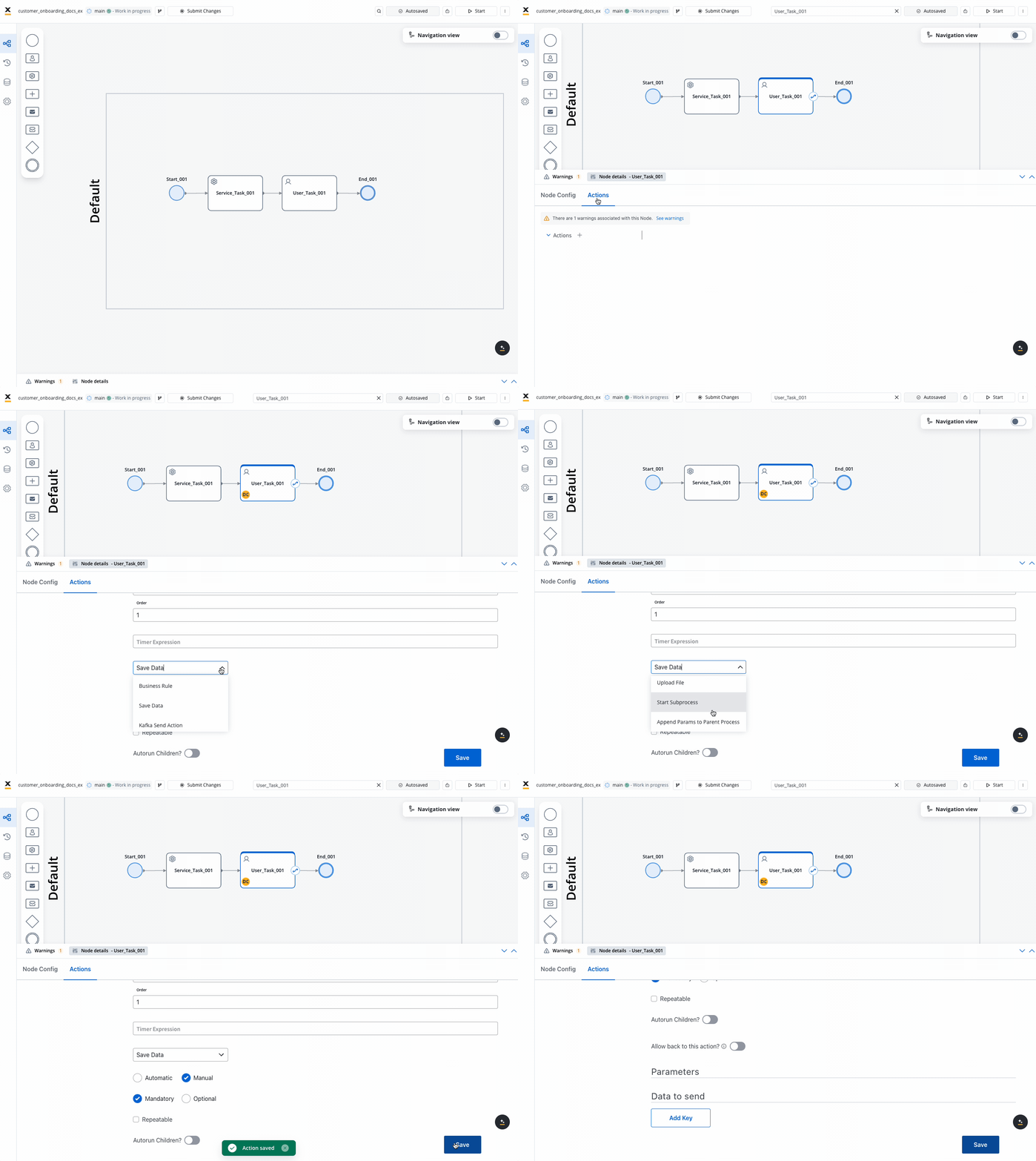
Open **FlowX.AI Designer** and from the **Processes** tab select **Definitions**.
Select your **process definition**.
Click the **Edit** **process** button.
Add a new **node** or edit an existing one.
The nodes that support actions are [task nodes](../../building-blocks/node/task-node), [user task nodes](../../building-blocks/node/user-task-node), and [send message/receive message tasks](../../building-blocks/node/message-send-received-task-node).
Add an **action** to the node and choose the **action type**.
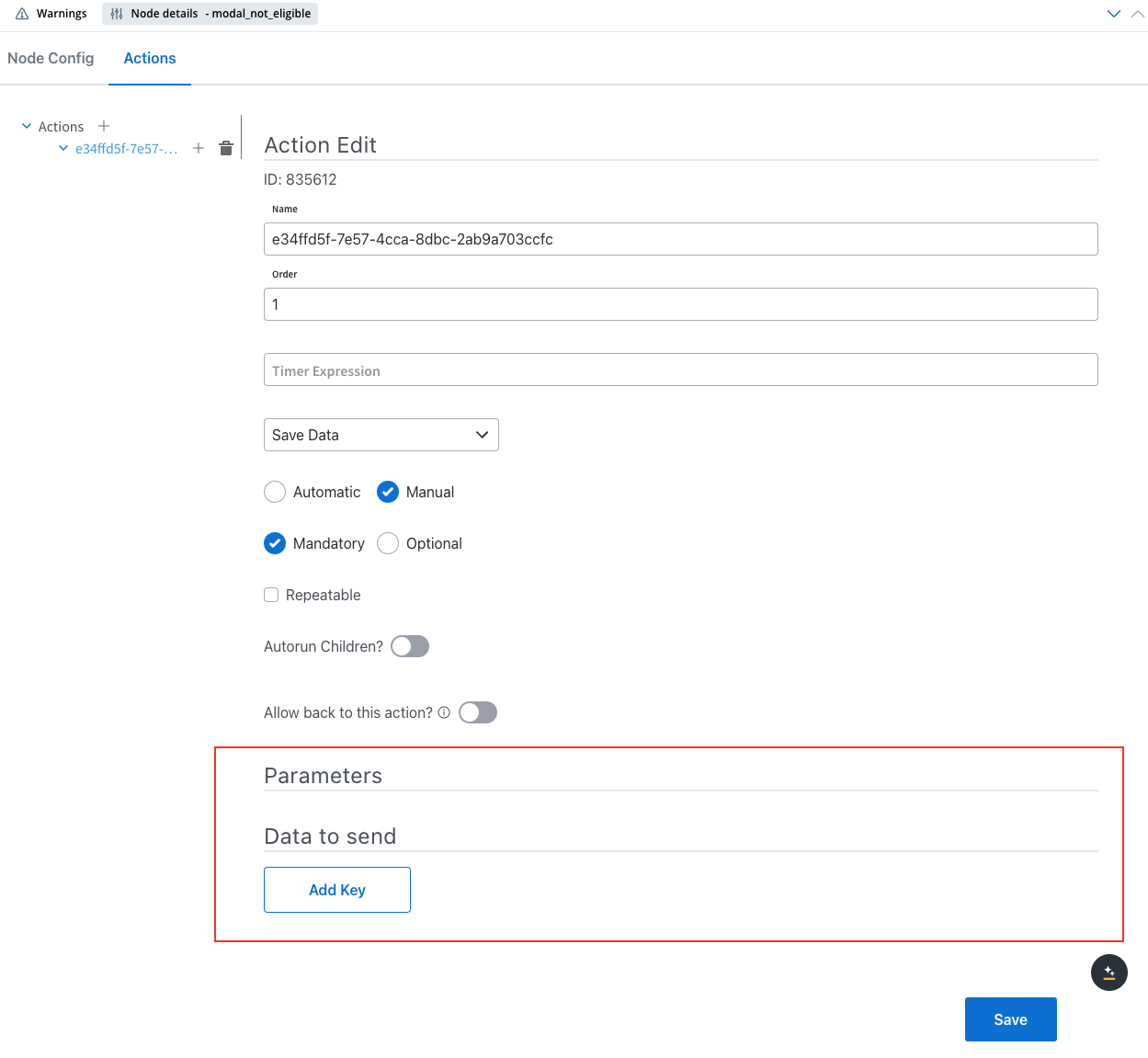
A few **action parameters** will need to be filled in depending on the selected action type.
## Related topics
- [FlowX.AI 5.1.2 Release Notes (LTS)](/release-notes/v5.x/v5.1.x-lts/v5.1.2-december-2025.md)
- [FlowX.AI 4.6.0 Release Notes](/release-notes/v4.x/v4.6.x/v4.6.0-january-2025/v4.6.0-january-2025.md)
- [FlowX.AI 5.1.1 Release Notes (LTS)](/release-notes/v5.x/v5.1.x-lts/v5.1.1-november-2025.md)
- [FlowX.AI 5.10.0 Release Notes](/release-notes/v5.x/v5.10.0-july-2026/v5.10.0-july-2026.md)
- [FlowX.AI 5.9.2 Release Notes (LTS)](/release-notes/v5.x/v5.9.2-july-2026/v5.9.2-july-2026.md)