> ## Documentation Index
> Fetch the complete documentation index at: https://docs.flowx.ai/llms.txt
> Use this file to discover all available pages before exploring further.
# WYSIWYG editor
> FlowX Designer's WYSIWYG (**"What You See Is What You Get"**) editor enables you to create and modify [notification](./custom-plugins/notifications-plugin/notifications-plugin-overview) and [document](./custom-plugins/documents-plugin/documents-plugin-overview) templates without the need for complicated coding from the developers. WYSIWYG editors make the creation/editing of any type of document or notification easier for the end-user.
Displaying how the document will be published or printed on the screen, the user can adjust the text, graphics, photos, or other document/notification elements before generating the final output.
## WYSIWYG Components
### Header
The formatting head of the editor allows users to manipulate/format the content of the document.
### Body
The Body is the main part of the editor where you can edit your template.
After you defined some parameters in the **Data Model** tab, you can type "**#**" in the body to trigger a dropdown where you can choose which one you want to use.
### Source
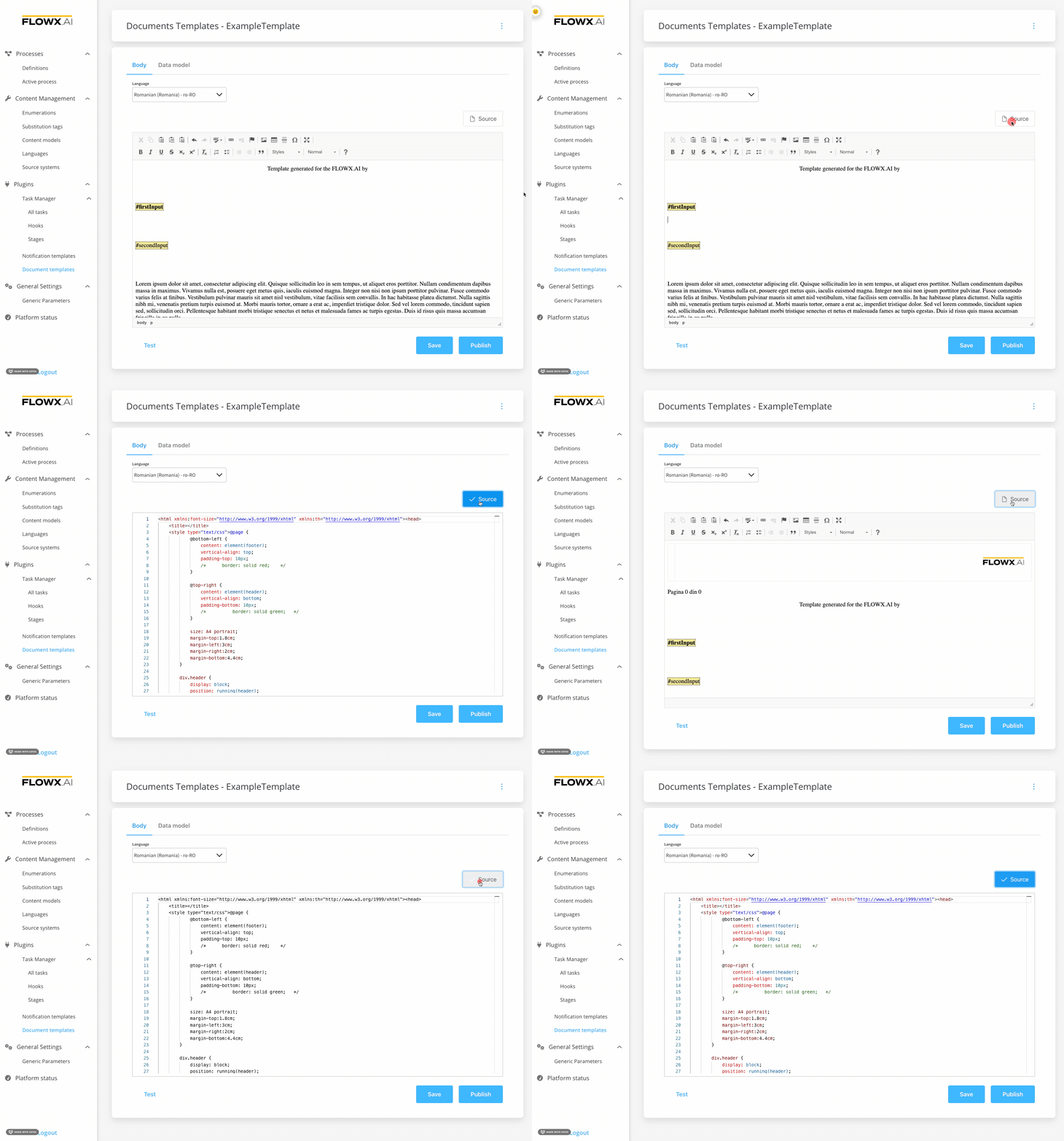
The **Source** button can be used to switch to the HTML editor. You can use the HTML view/editor as a debugging tool, or you can edit the template directly by writing code here.
## Document Templates
One of the main features of the [document management plugin](./custom-plugins/documents-plugin/documents-plugin-overview) is the ability to generate new documents based on custom templates and prefilled with data related to the current process instance.
## Notification Templates
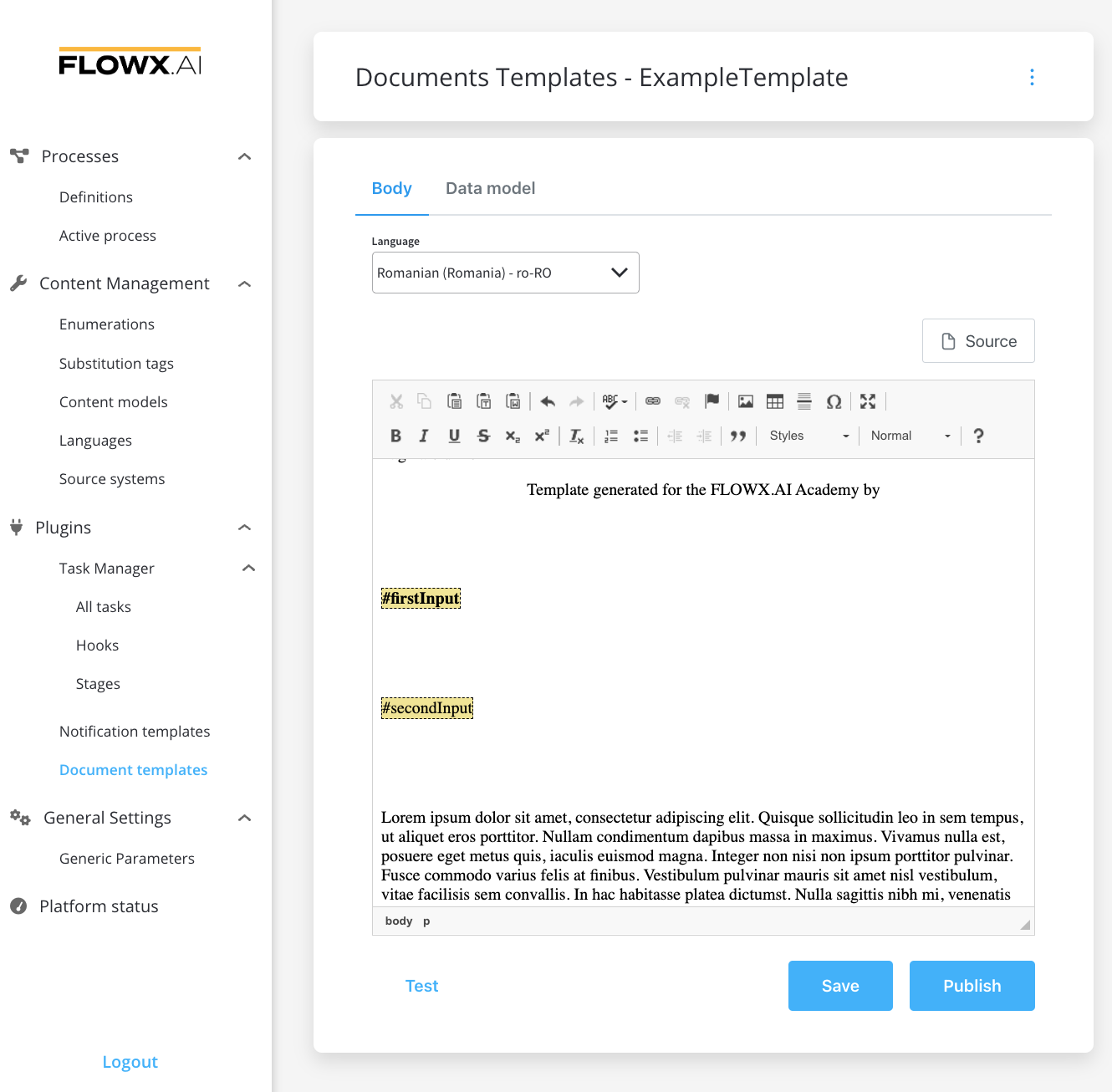
Notification WYSIWYG body has some additional fields (other than documents template):
* **Type** - that could be either MAIL or SMS (SMS, only if there is an external adapter)
* **Forward on Kafka** - if this box is checked, the notification is not being sent directly by the plugin to the destination, but forwarded to another adapter
## Data Model
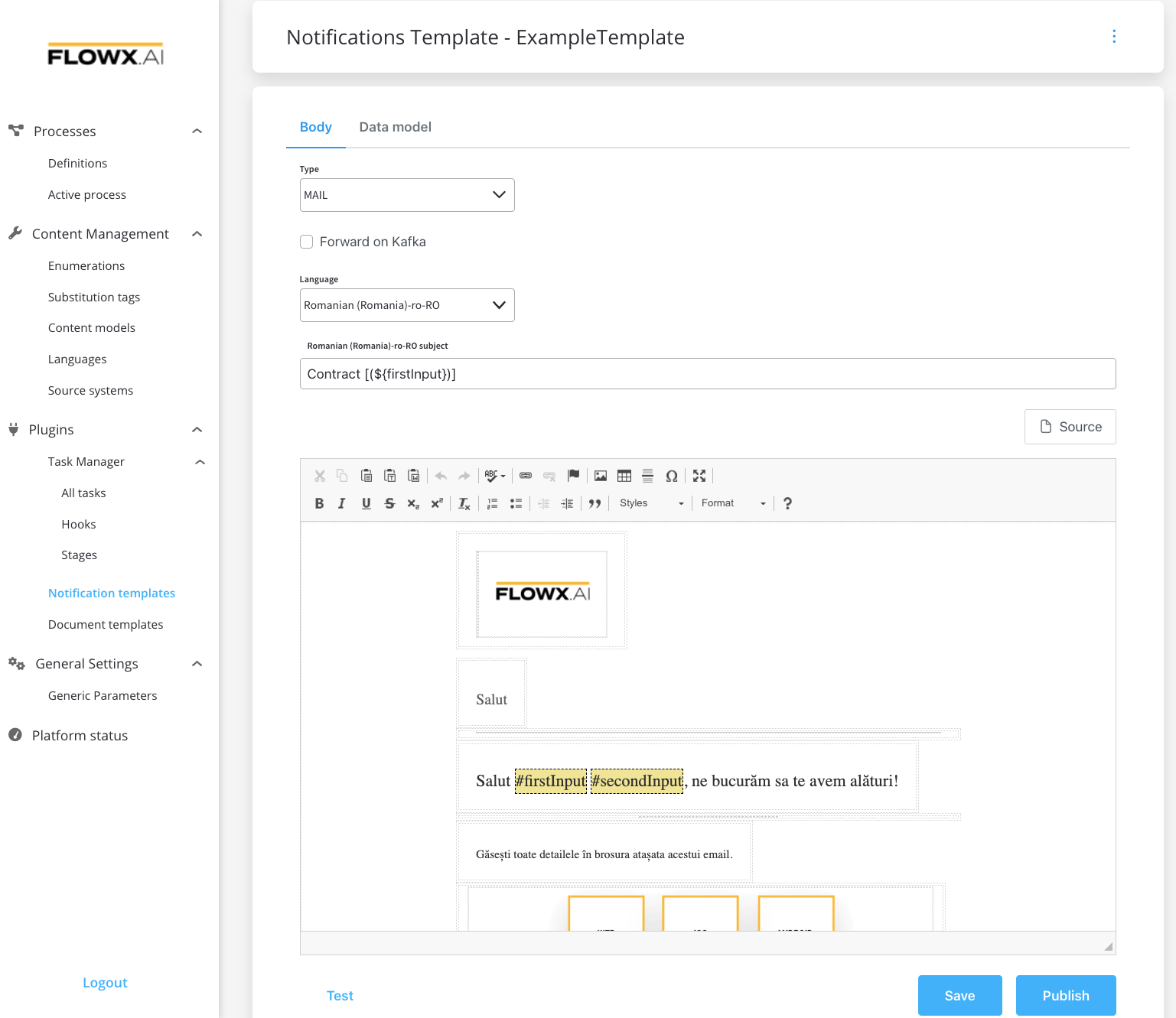
Using the data model, you can define key pair values (parameters) that will be displayed and reused in the body. Multiple parameters can be added:
* STRING
* NUMBER
* BOOLEAN
* OBJECT
* ARRAY (which has an additional `item` field)
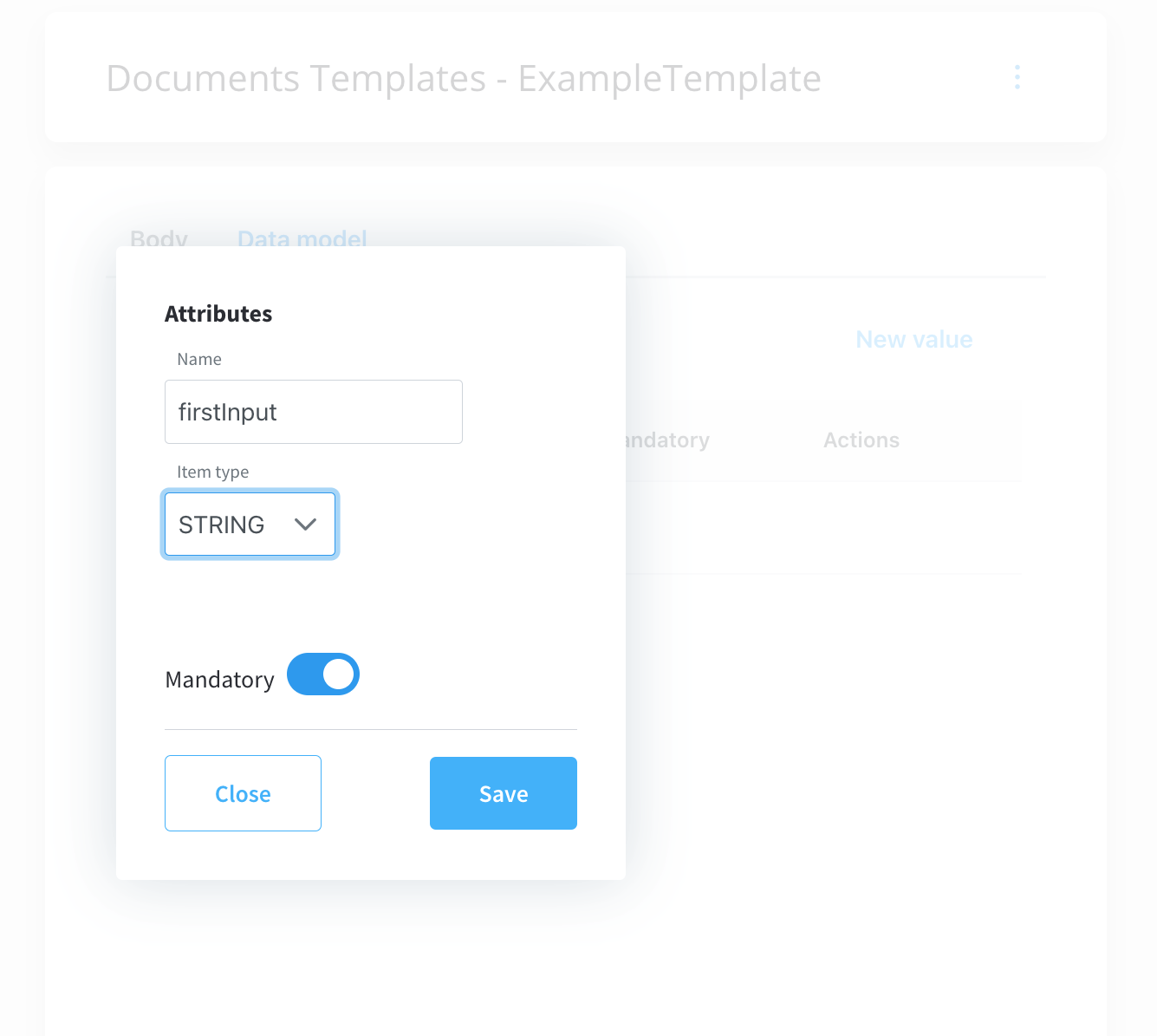
Parameters can be defined as mandatory or not. When you try to generate a template without filling in all the mandatory parameters, the following error message will be displayed: "*Provided data cannot be empty if there are any required properties defined."*
## Related topics
- [FlowX.AI 5.3.0 Release Notes](/release-notes/v5.x/v5.3.0-december-2025/v5.3.0-december-2025.md)
- [FlowX.AI 5.9.0 Release Notes](/release-notes/v5.x/v5.9.0-june-2026/v5.9.0-june-2026.md)
- [FlowX.AI 5.6.0 Release Notes](/release-notes/v5.x/v5.6.0-march-2026/v5.6.0-march-2026.md)
- [FlowX.AI 5.7.0 Release Notes](/release-notes/v5.x/v5.7.0-april-2026/v5.7.0-april-2026.md)
- [FlowX.AI 5.1.4 Release Notes (LTS)](/release-notes/v5.x/v5.1.x-lts/v5.1.4-february-2026.md)